TokenEx iFrame - The Basics
The TokenEx iFrame provides maximum flexibility by generating iFrame input elements for only the sensitive data to be tokenized or detokenized within your web form. While the form utilizing the iFrame will reside on your server, the input for the sensitive data will be replaced with an iFrame that captures or displays data within the TokenEx secure environment.
The iFrame can be used to collect virtually any dataset. Customers who wish to use the iFrame for collecting PCI data should use the "PCI" configuration option.
Once the data is collected and a token is generated, the token can be utilized with another TokenEx solution such as the TokenEx Transparent Gateway to send the detokenized value to a third party API.
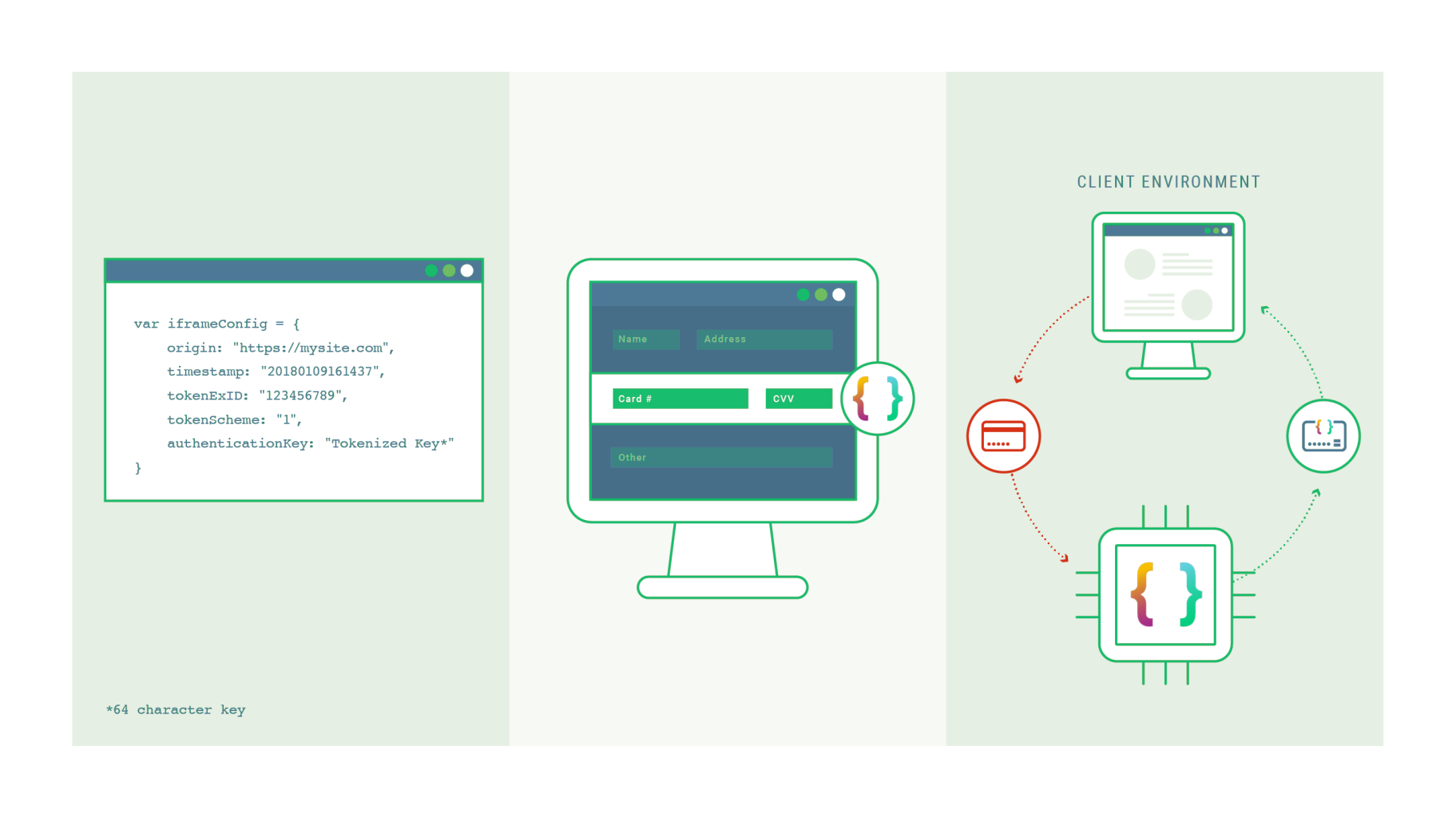
To obtain your API Key used to generate the Authentication Key, please contact our Support team.
For a live demo click HERE.
The live demo provides a means to see all the iframe functionality in action. You can view the various modes and modify the CSS options to test the limits of the customizability.
How do I integrate the IXOPAY iFrame?
IXOPAY iFrame integration requires generating an Authentication Key server-side using your API Key, then embedding the iFrame on your page using a JavaScript configuration object that specifies your token scheme, origin, and PCI mode. Once the iFrame captures the sensitive data and tokenizes it, the resulting token is returned to your page via JavaScript events and can be submitted with your form for server-side processing.