IXO AI
IXOPAY Payments Intelligence's IXO AI is a dedicated payments intelligence tool designed to transform complex, fragmented data into clear, actionable insights. Unlike traditional business intelligence tools that require manual data wrangling and advanced querying skills, IXO AI acts as an automated payments analyst. It works in the background to monitor specific patterns and user-defined KPIs, enabling teams to uncover anomalies in authorization rates, identify unexpected spikes in gateway or interchange fees, and explore your enriched and normalized payments operations data in real-time.
How to Start
Getting started with IXOPAY Payments Intelligence’s advanced features follows a unified process to ensure your data is correctly mapped and ready for analysis.
-
Core Integration: Before enabling IXO AI, you must connect your payment data sources. For a step-by-step guide on connecting your PSPs, please refer to the Integrations Getting Started Guide.
-
No-Code Activation: Once your integrations are live, IXO AI automatically is ready to assist you with accurate payments insights. There is no additional technical setup required to begin using the conversational interface.
-
Data Enrichment: For deeper intelligence, you can provide supplemental business context via secure file sharing or API. Please contact the support team to see how to share the data.
To start using the IXO AI, click on the "Ask IXO" button on the top-left corner of your screen (i.e. side-bar panel).
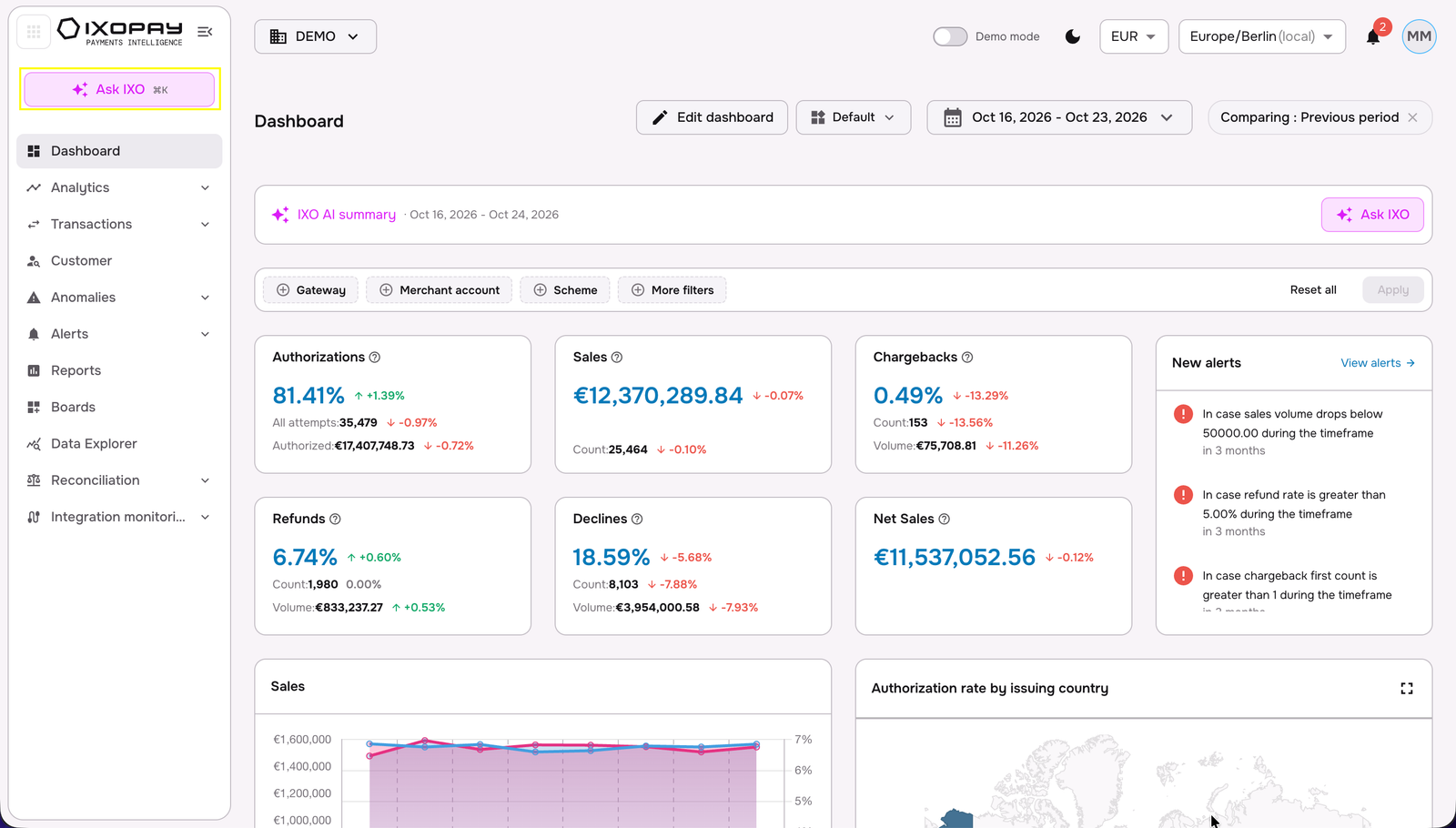
IMPORTANT: Depending on the plan that is active to your users, IXO AI interactions may have different usage thresholds. If you hit your interaction thresholds, please contact support or reach out to your point of contact.
How to use IXO AI
IXO AI uses an intuitive conversational interface, allowing you to bypass complex dashboards and ask direct questions about your payment performance, payments industry knowledge and the IXOPAY Payments Intelligence technical documentation and user-guides.
-
Ask Conversational Questions: Instead of building tables and visualizations manually, you can ask questions like: "What is my current authorization rate?" or "Has there been a decline spike in the last 24 hours?"
-
Drill Down Into Root Causes: If an issue is identified, follow up with granular queries such as: "Which combination of payment method and billing country is affected?"
-
Identify Cost Spikes: Use IXO AI to monitor financial efficiency by asking it to spot unusual patterns in scheme, interchange, or gateway fees. Simultaneously, you can get a full picture of your fee with the applied fee allocation rules, on a transaction-event level.
IXO AI responds with detailed insights and visual summaries, based on your data, enabling you to catch payment issues early and suggest next steps - so you can intuitively explore root-causes and impacts, and adjust your management strategy before such issues escalate into customer service problems.
What all can you ask IXO AI?
IXO AI has been built for your daily-use - whether deep-diving into your payment KPIs, exploring IXOPAY Payments Intelligence resources for curated payments industry knowledge or learning more about the IXOPAY Payments Intelligence platform and its capabilities.
| Title | Short Description | Suggested Prompts |
|---|---|---|
| Payments Knowledge Base and IXOPAY Documentation | Search curated payments knowledge, orchestration, and TokenEx technical docs. Helps you quickly troubleshoot issues, find integration guides, and reduce reliance on manual support tickets. | • "How do I connect the Stripe API to IXOPAY Payments Intelligence platform?" • "What is VAMP and the latest VAMP thresholds?" • "How does 3D Secure work?" |
| Sales Analytics | View historic transaction amounts, counts, and volumes. Enables you to monitor revenue trends, track top-performing markets, and measure overall business growth effortlessly. | • "Show my total sales volume for Q3." • "What is the sales count by region this month?" • "Compare this week's sales to last week." |
| Refund Metrics | Access historic refund data and rates computed against sales. Allows you to identify problematic products, monitor service health, and maintain good standing with acquiring banks. | • "What is my refund rate for September?" • "Show refund volume by payment method." • "List the top reasons for refunds last month." |
| Sales & Refunds Overview | Provides a combined historical view of sales and refund data. Gives you a holistic picture of net revenue to help balance growth against operational losses. | • "Show sales vs refunds for 2025." • "What is the net volume after refunds this quarter?" • "Compare sales and refund counts for August." |
| Fee Breakdown Analysis | Explore historic fee and sub-fee breakdowns. Helps you audit processing costs, negotiate better rates with PSPs, and accurately forecast your bottom-line payment expenses. | • "Break down my processing fees for July." • "What are the sub-fees for my primary PSP?" • "Show total fee volume by region." |
| Authorization Rates | Review historic authorization successes and failures. Crucial for optimizing checkout flows, identifying routing issues, and maximizing successful payment conversions. | • "What was my authorization success rate last week?" • "Show failed authorizations by card type." • "Show the trend of authorization rates over the last 30 days." |
| Decline Analysis | Investigate historic decline counts and rates by reason codes. Enables you to recover lost revenue by addressing technical errors or adjusting strict fraud parameters. | • "What are the top decline reason codes this week?" • "Show the decline rate for Visa transactions." • "Analyze soft decline volume by issuing bank." |
| Chargeback Management | Monitor initiated, in-progress, and resolved chargebacks. Empowers you to defend disputes proactively, monitor risk thresholds, and protect merchant accounts from network penalties. | • "Show all in-progress chargebacks." • "What is my chargeback-to-sales ratio this month?" • "List chargebacks initiated in the last 7 days." |
| Fraud VAMP Monitoring | Monitor Visa Account Monitoring Program (VAMP) basis fraud and dispute events. Keeps your business compliant with card network thresholds and protects against early-warning fraud violations. | • "Show my current VAMP ratio" • "Are there any dispute events affecting VAMP this month?" • "What is my fraud dispute rate for Visa?" |
| 3DS Performance | Analyze historic 3D Secure behavior patterns. Helps you balance frictionless checkout with SCA compliance, reducing fraud liabilities while maximizing conversion rates. | • "What is my 3DS abandonment rate?" • "Show successful 3DS volume vs non-3DS." • "Analyze 3DS challenge success rates by country." |
| Processing FX Rates | Review historical average Foreign Exchange rates applied to transactions. Helps you assess currency conversion impacts on margins and optimize multi-currency pricing strategies. | • "What was the average FX rate for USD to EUR last week?" • "Show FX rate impacts on total volume." • "Compare monthly average FX rates for GBP." |
| Individual Record Search | Search granular transactions, fees, and chargebacks across multiple dimensions (with PII safeguards). Allows fast, compliant troubleshooting of specific customer inquiries or missing payments. | • "Find the transactions processed by Adyen for consumer cards above 10 euros last month" • "Show fee details for transaction ID <transaction_id>" • "Show me all authorized transactions above 100 EUR last week" |
| Daily Currency Exchange | Fetch daily currency exchange rates via the Fixer API. Enables accurate financial reporting, daily reconciliation, and real-time cross-currency performance analysis. | • "What is today's exchange rate for EUR to JPY?" • "Get the Fixer rate for USD to GBP" • "Show current daily currency rates for our top markets" |
| Fee Allocation Rules | Explore fee allocation rules and their impact over time. Allows you to validate billing accuracy, audit complex PSP charges, and ensure proper cost distribution. | • "Show fee allocation rules applied last month" • "Analyze the impact of fee allocation rule <rule_ID> in Q1" • "What is the sub-fee breakdown by allocation rule <rule_ID>?" |
| Decline Retry Analysis | Analyze decline retry success, abandonment, and failures on a transaction or customer level. Empowers you to fine-tune automated smart-routing and recover otherwise lost revenue. | • "What is the success rate of our decline retries?" • "Show retry abandonment behaviour on a customer level for 100 top transaction amounts last month." • "Analyze failed retries last week." |
| Customer Profitability KPIs | Evaluate customer-level KPIs across PSPs, including sales, fees, and overall profitability. Helps you identify high-value cohorts and optimize payment routing for maximum profit margin. | • "Show profitability for our top 10% of customers." • "Compare highest fees by customers across PSPs" • "What is the average customer profitability by region?" |
| Data Ingestion Health | Monitor file arrivals and row counts from PSP reports and Snowflake. Ensures your analytics are running on complete, up-to-date data by tracking source delivery health. | • "Show data ingestion logs for yesterday." • "Is there an evolution trend for Snowflake imports?" • "Display the delivery-health table for PSP reports." |
| ML Anomaly Detection | Review anomalies detected by IXOPAY's machine learning models. Enables proactive risk management by instantly alerting you to unexpected spikes in declines, fraud, or processing drops. | • "What anomalies were detected yesterday?" • "List key features of the latest fraud anomaly." • "Show the predicted impact of the recent decline spike." |
| Forecast KPI performance | Forecast your KPI performance like sales, authorizations, fees, etc. basis historical benchmarks. Enable management reporting, budgeting and payments optimization decision-making | • "Forecast my sales for the next month?" • “Predict my fees to Stripe for the next 14 days” • “Forecast the chargebacks initiated on Visa for the next month” |
| Scenario simulation | Define parameters and scenarios which may affect your business and payment operations, enabling IXO AI to simulate the scenario and forecast the KPI performance for transactions, fees and chargebacks basis historical benchmarks. | • "If my interchange rate increases by 5bps, what is my total fee differential for the next year?" • "Mastercard announced an increase of 10 bps (0.10%) for all domestic transactions in Germany with debit cards, how is this going to affect my total fees in the next 90 days?" • "How would my total sales change if my volume in Germany increases by 20%" |
We are excited to bring new features to IXO AI soon - including custom dashboarding, alerts and mapping suggestions through agentic workflows. Ask your IXOPAY Payments Intelligence point-of-contact or Support team for updates.
IXO AI functionalities
Scheduled Analysis
In the IXO AI chat interface, navigate to the IXO AI Chat side-panel and click on the "Scheduled" button to view your historical scheduled analysis, create new and edit existing scheduled analysis from IXO AI.
To create a new scheduled analysis, you can define the title, prompt (define the IXO AI natural language prompt), frequency (schedule time) and notification preferences. Post creation, you can also trigger a scheduled analysis execution from IXO AI, independent of the next scheduled run.
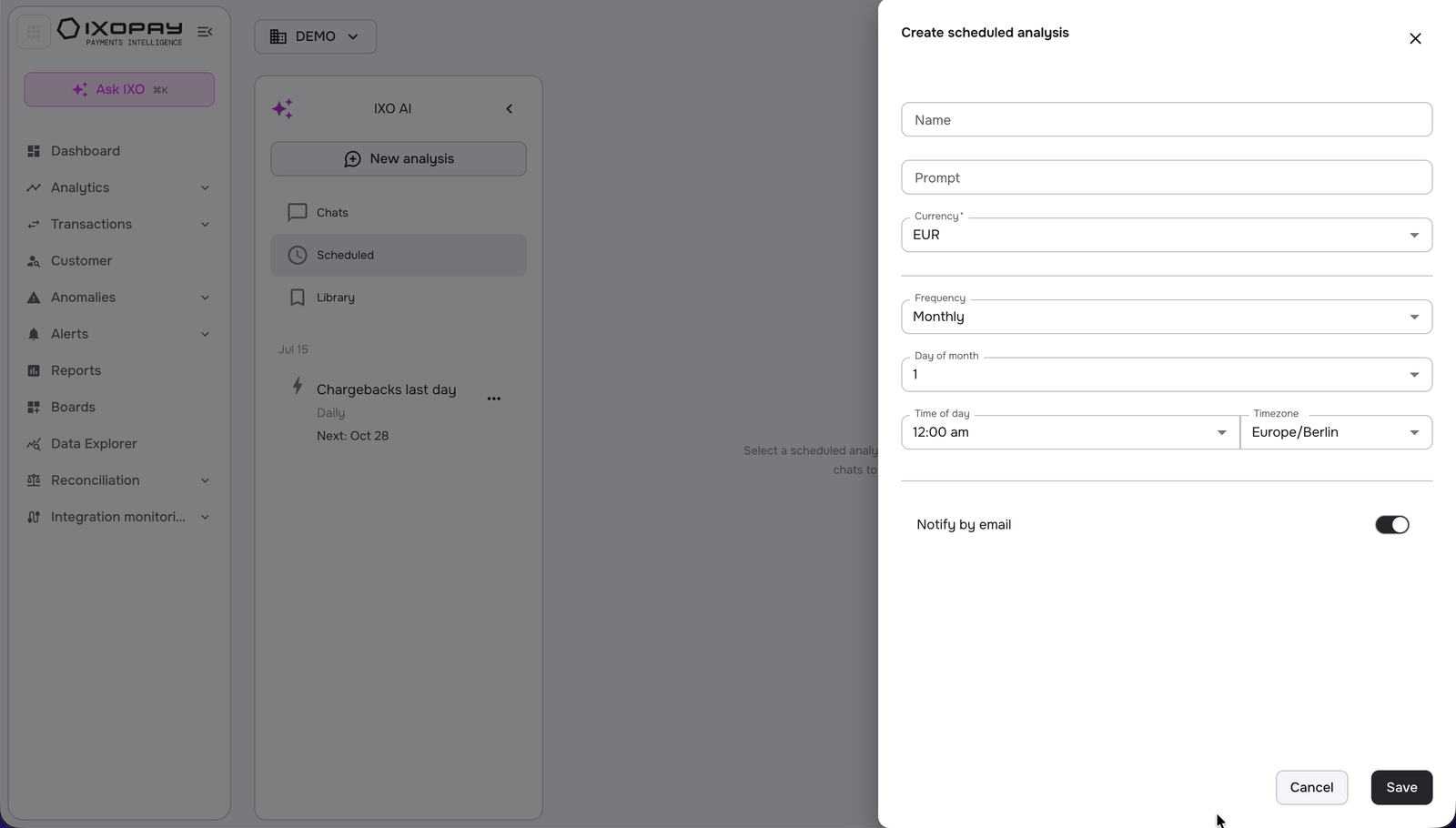
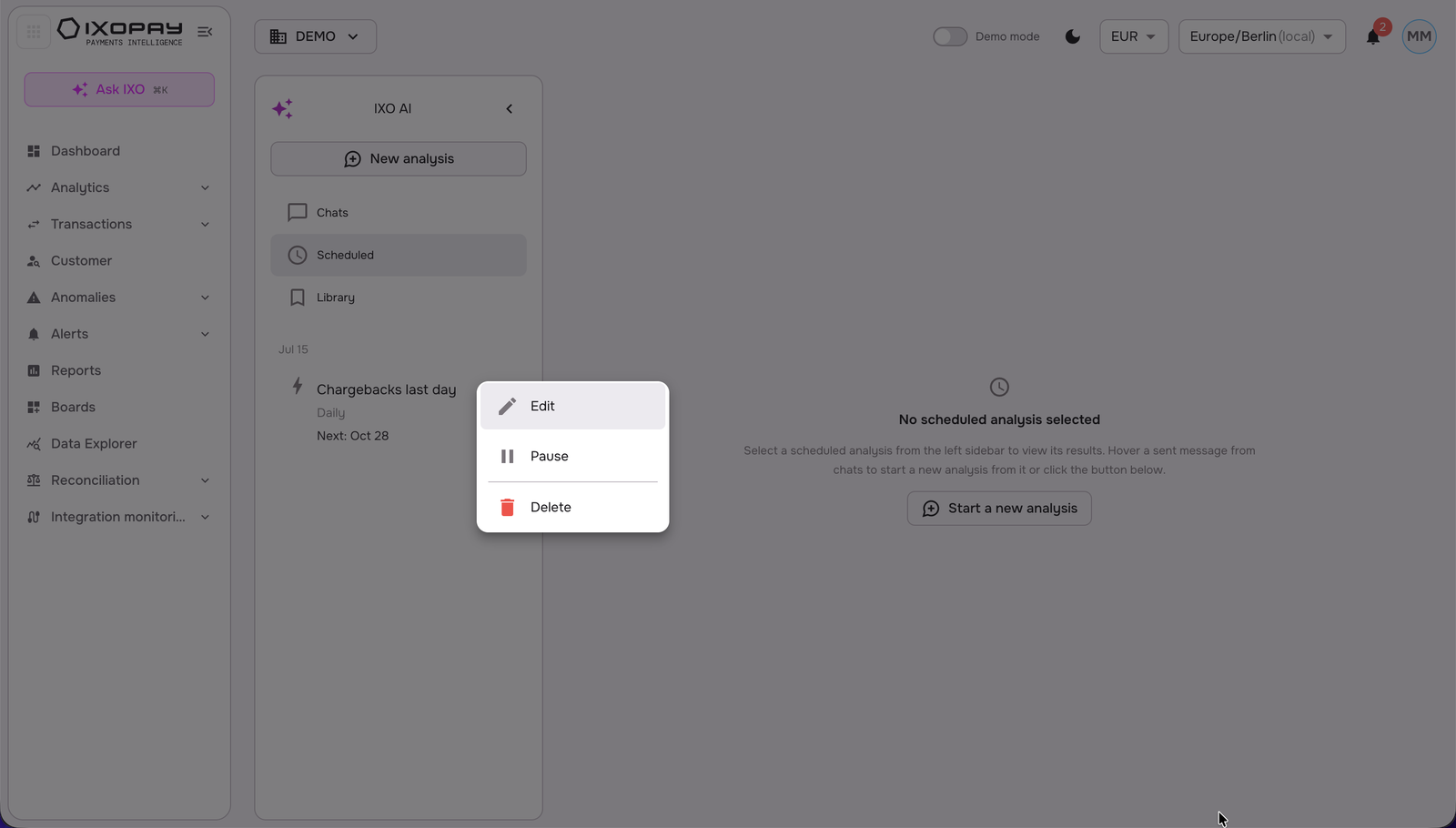
Existing scheduled analysis, and historical analysis results, can be viewed directly in the chat interface. Further you can edit (similar to creation step above), pause and delete the existing scheduled analysis. You can further deep-dive into the analysis results by clicking on "Start new chat from this answer", which will re-direct you to a new IXO AI Chat interface with context of the scheduled analysis results to continue.
Prompt Library
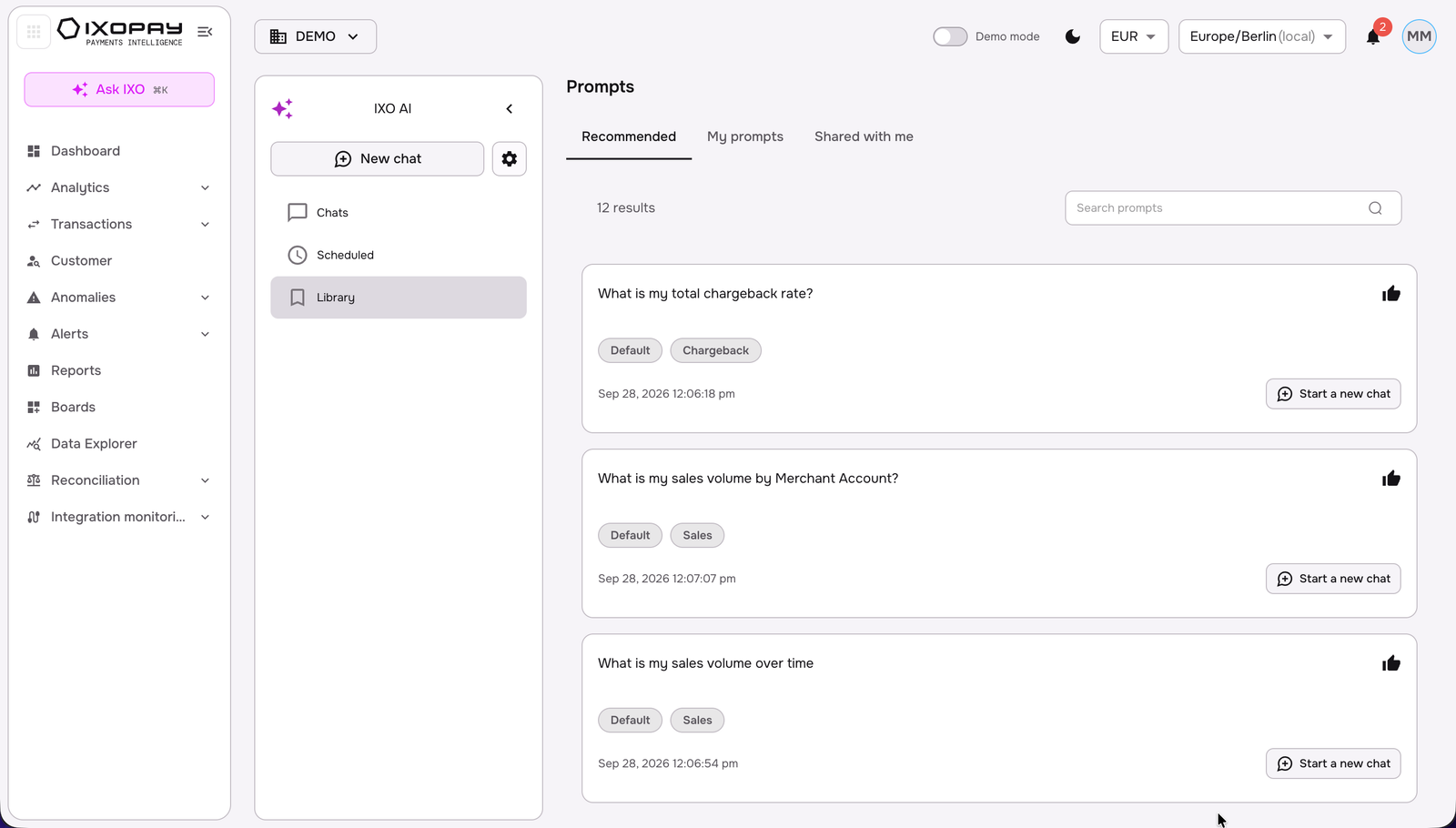
The Prompt Library is the central place to store, organize and reuse the questions you ask IXO. Launch a proven prompt with one click, save your best ones, tag them by topic and share them with colleagues so everyone works from the same questions.
How to Start
- In the left navigation, click Ask IXO.
- In the IXO AI panel, click Library.
- Choose a tab: Recommended, My prompts or Shared with me.
No additional setup is required. The Library uses the data sources already connected to IXO.
Tabs
- Recommended: Ready-to-use prompts curated by IXOPAY, tagged Default plus a topic (Sales, Chargeback, Fees or Performance). Read-only: they cannot be edited, shared or deleted.
- My prompts: Prompts you created. Only you can see them until you share them.
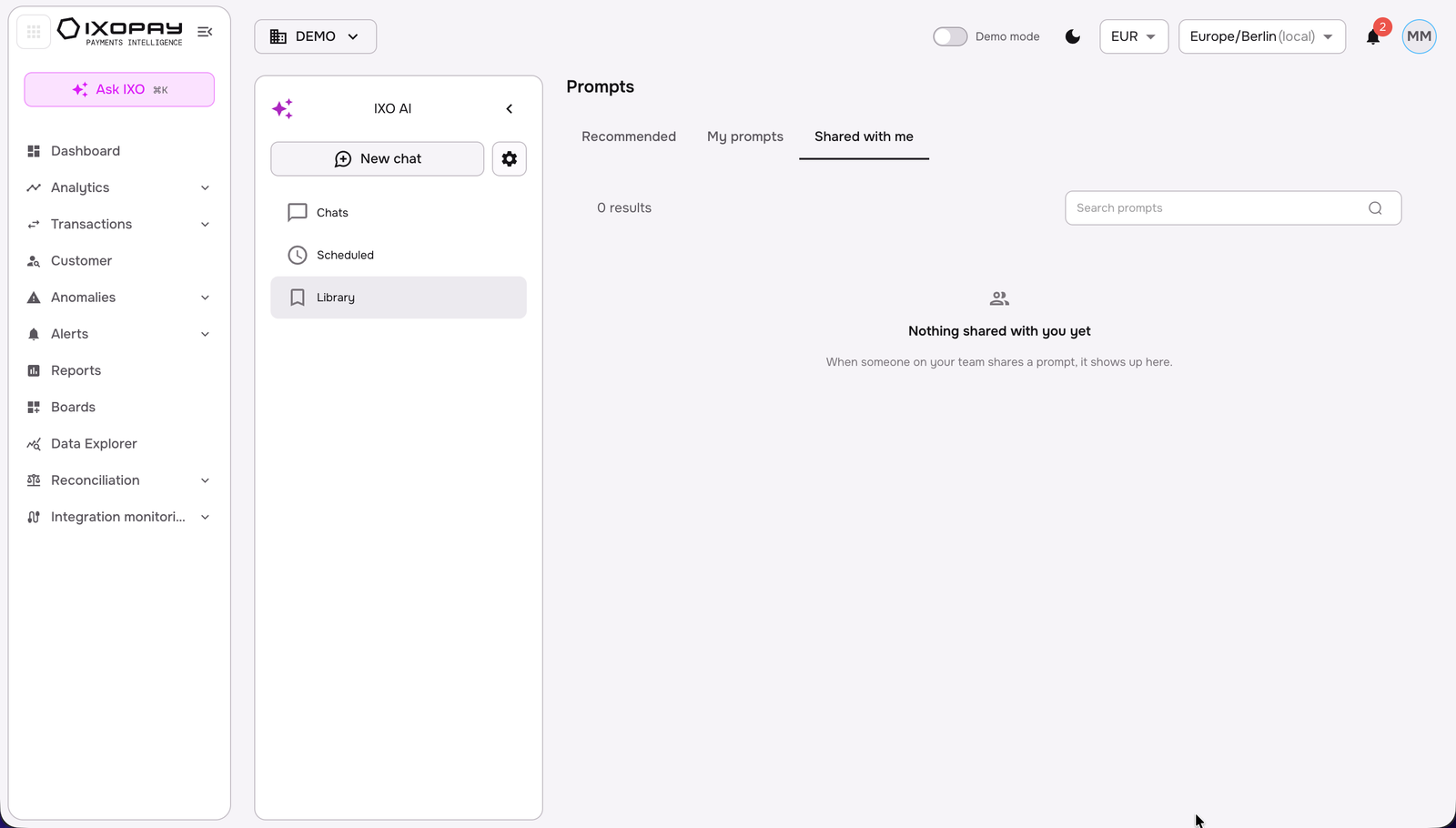
- Shared with me: Prompts colleagues in your company shared with you.
Each prompt card shows the prompt text, its tags and creation date. Each tab shows the number of results. Use Search prompts to filter the selected tab. To run a prompt, click Start a new chat: IXO opens a new chat and answers using your latest data.
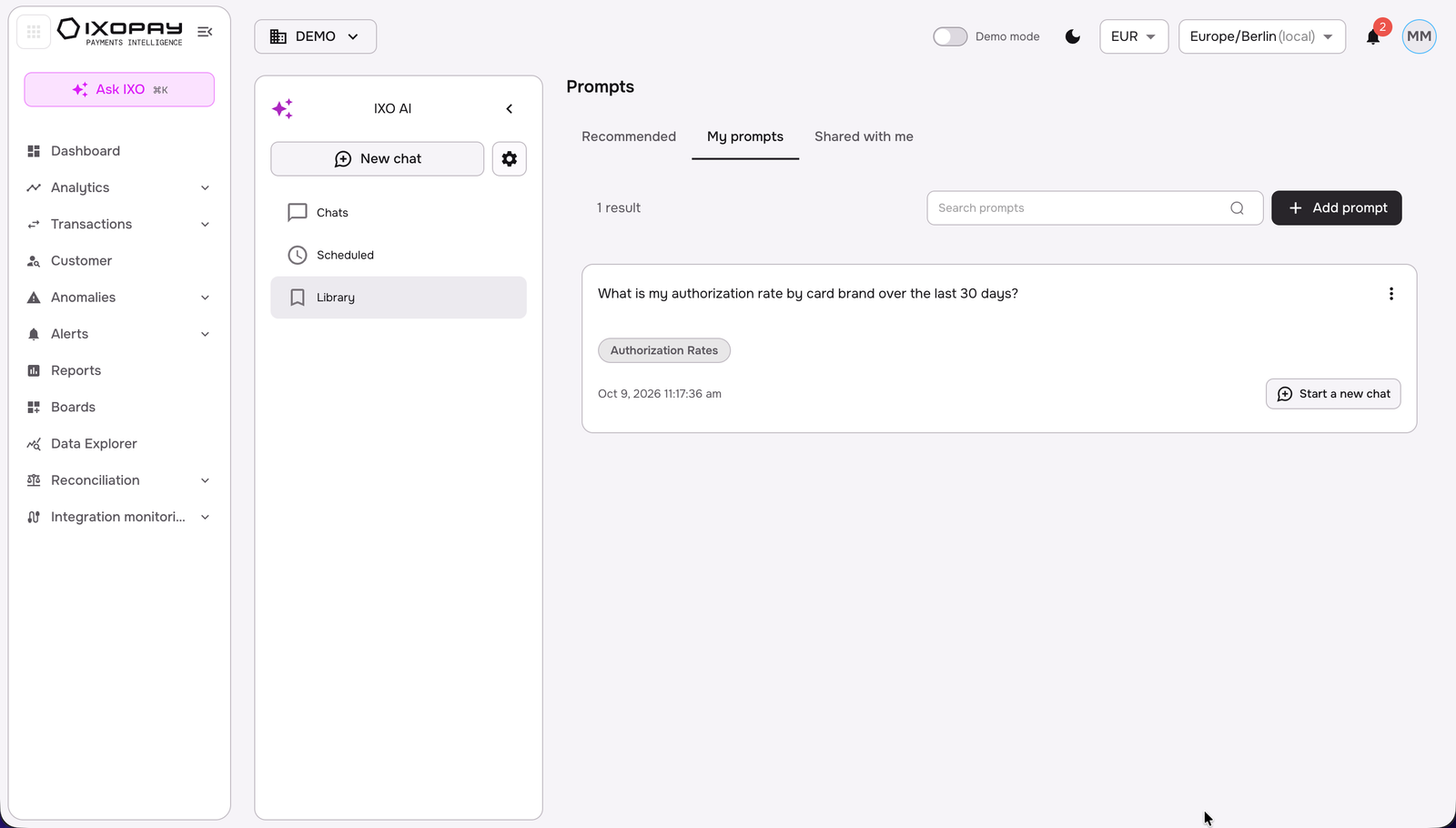
Create a prompt
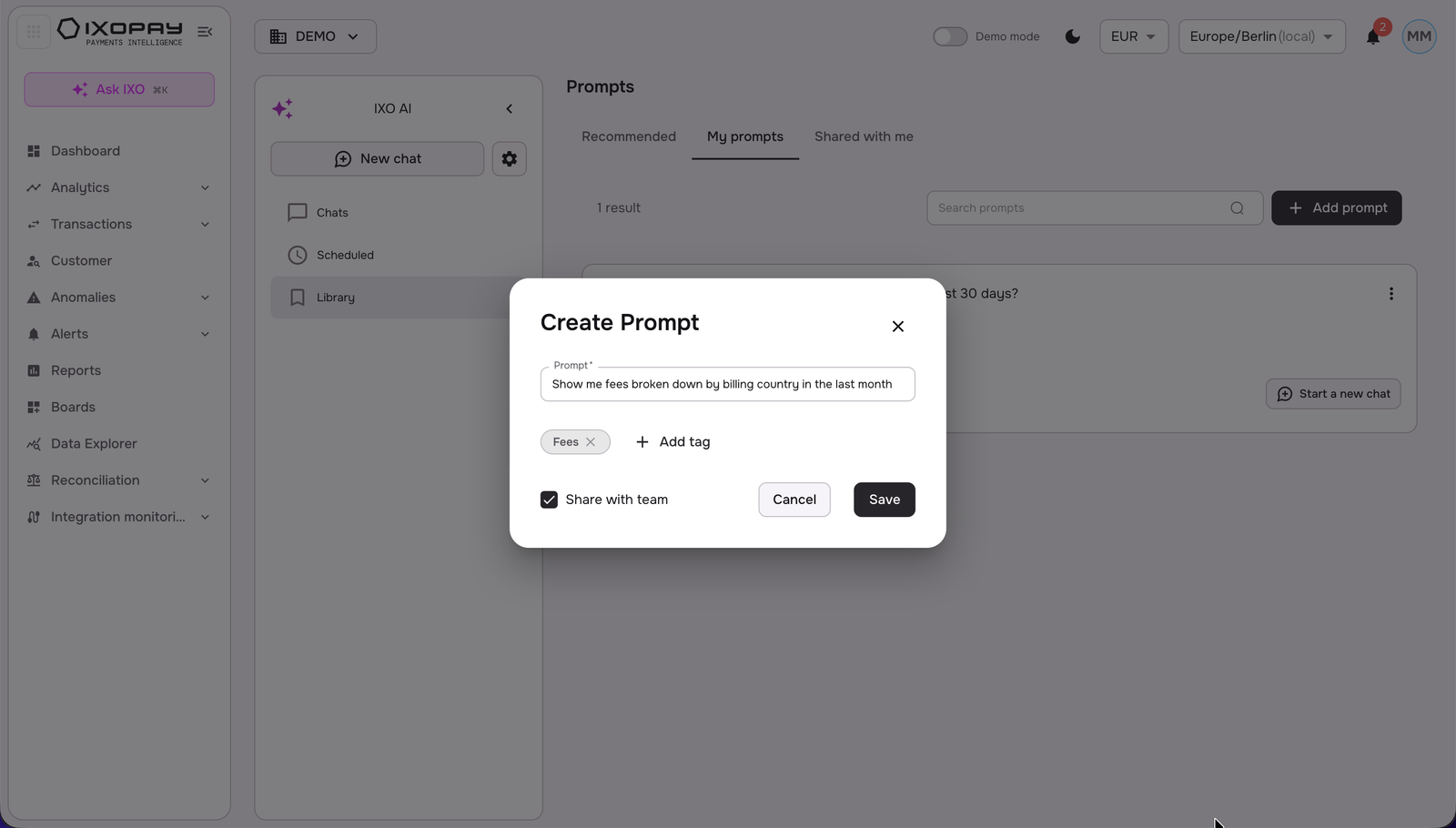
- Open My prompts and click Add prompt.
- Enter your question in the Prompt field (mandatory).
- Optional: click Add tag, select an existing tag (Authorization Rates, Chargeback, Default, Fees, Performance, Sales) or type a new name in Search or create a tag. You can add multiple tags.
- Optional: select Share with team to share the prompt with your company.
- Click Save. The prompt appears in My prompts.
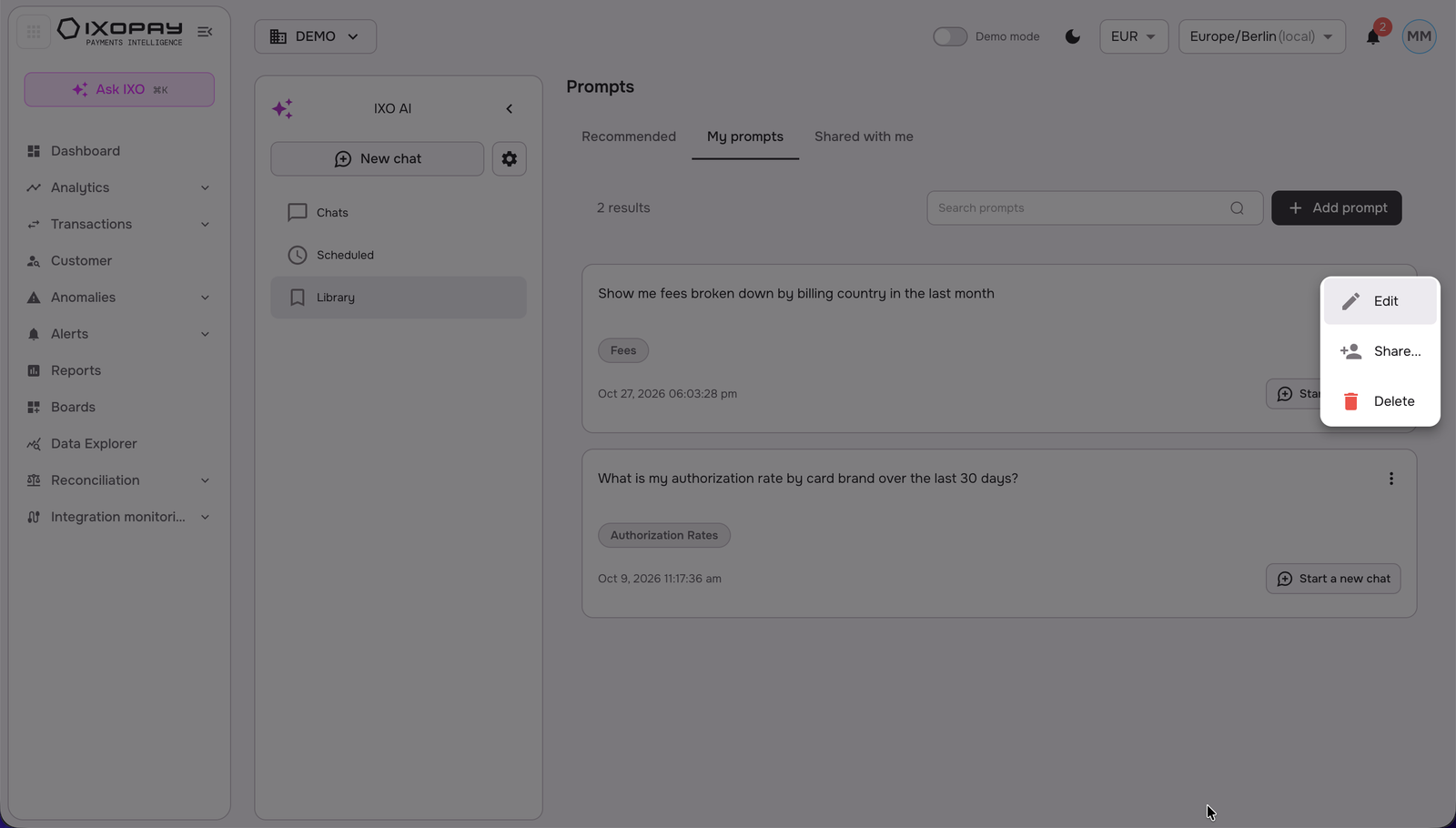
Edit, share or delete a prompt
In My prompts, click the three dots on the prompt card and select Edit, Share... or Delete.
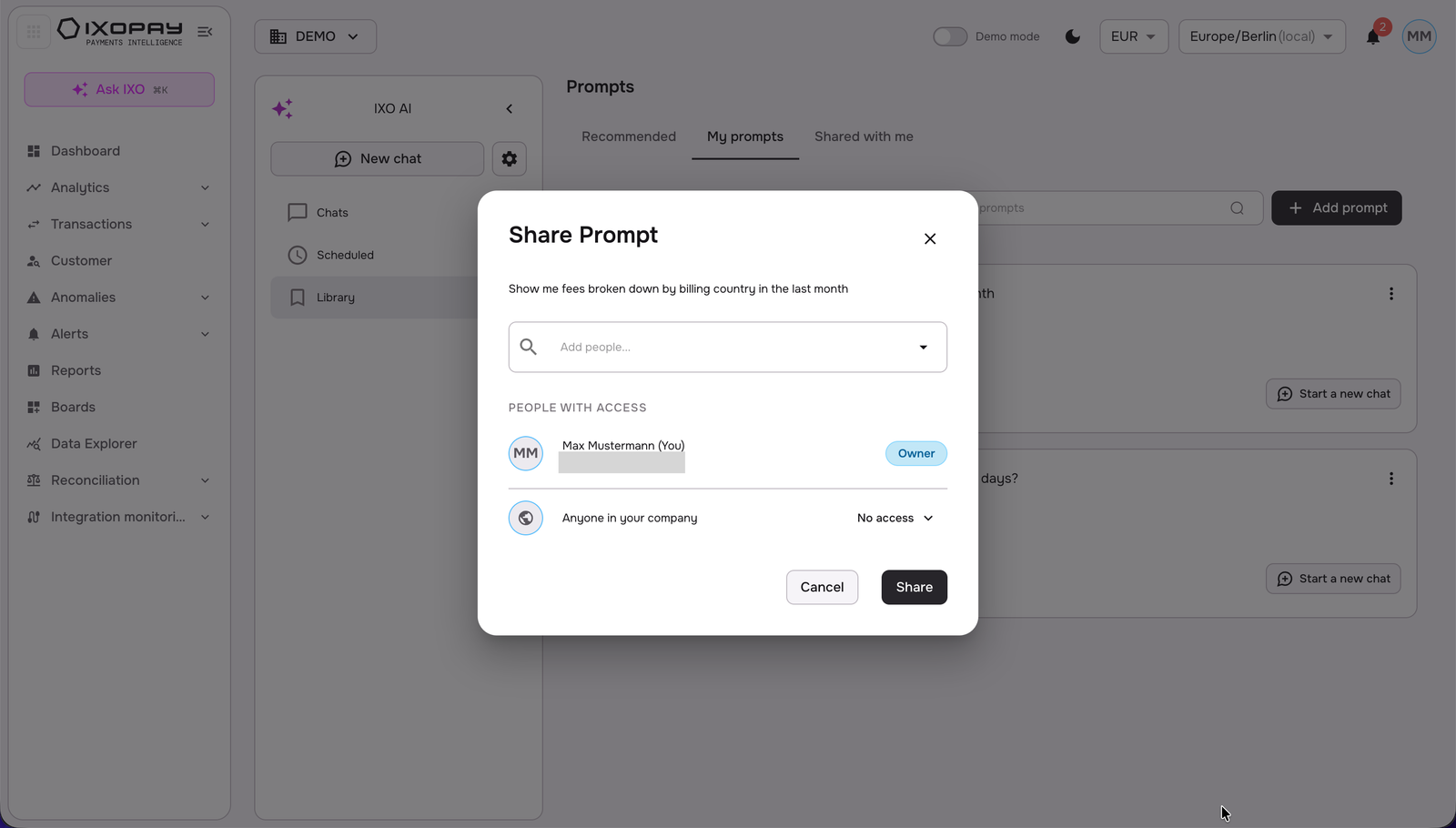
Share a prompt
- Click the three dots and select Share.... The Share Prompt window lists People with access; you are the Owner.
- To share with specific colleagues, click Add people... and select a user.
- To share with your whole company, open the menu next to Anyone in your company and choose an access level:
- Can view (default): see and run the prompt.
- Can edit: see, run and edit the prompt.
- No access: the prompt stays private.
- Click Share.
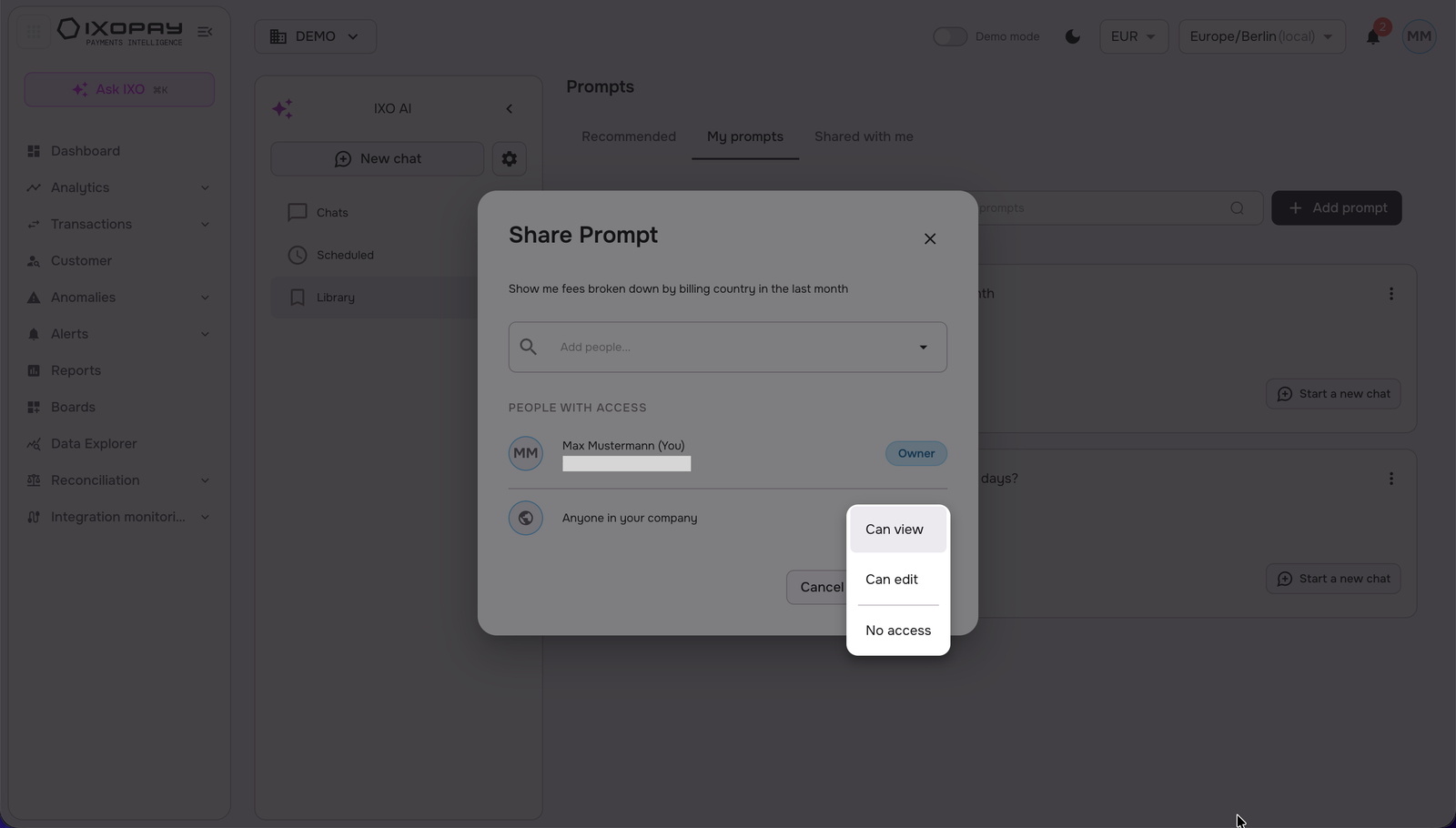
You remain the Owner of every prompt you share. To stop sharing, set Anyone in your company to No access and remove any added people.
View prompts shared with you
Open Shared with me to see prompts your colleagues shared. Until then, the tab shows "Nothing shared with you yet".
Create a New Chat and Edit the name
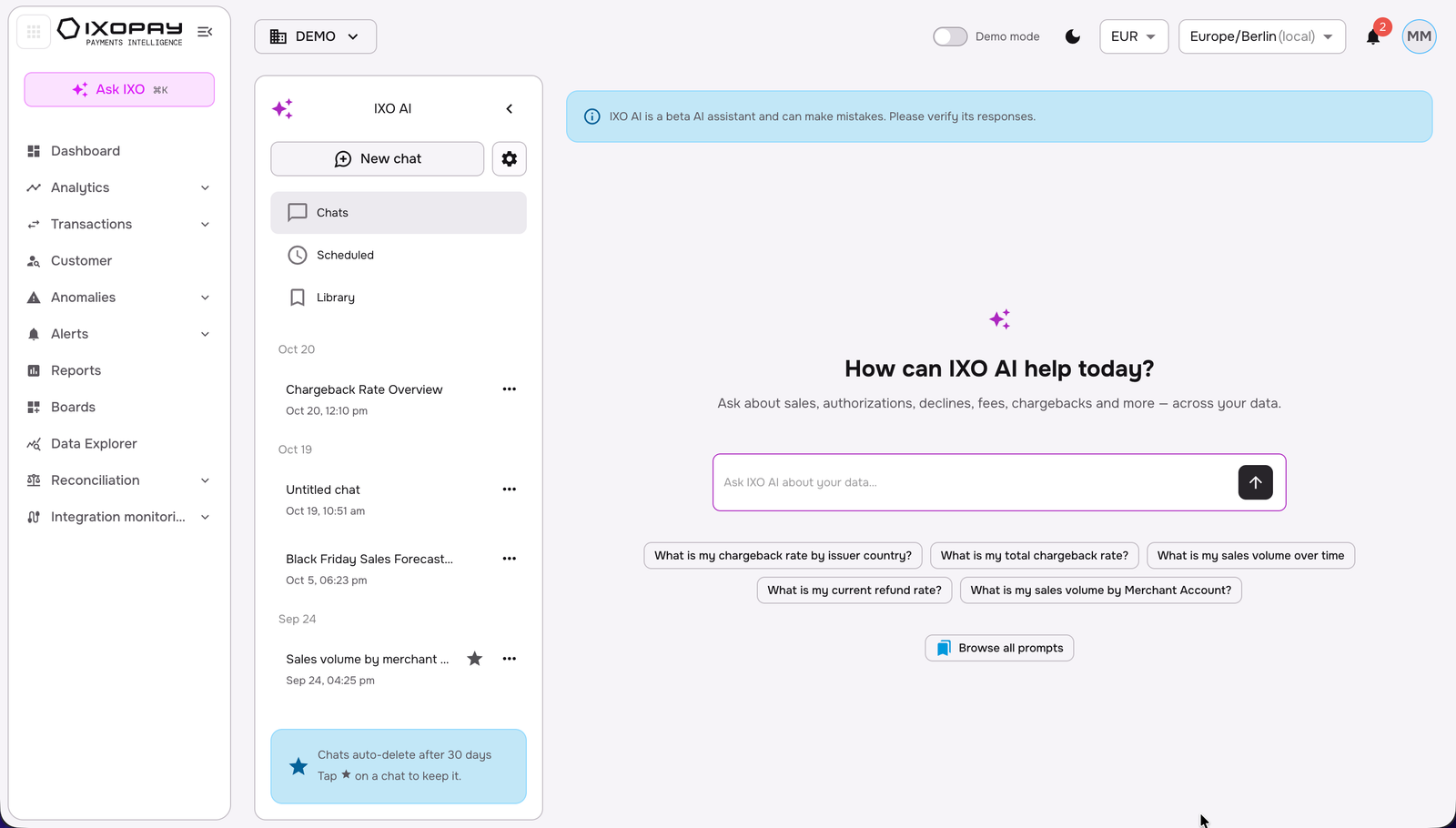
To create a new chat, click on the "New chat" button on the top left corner of the screen.
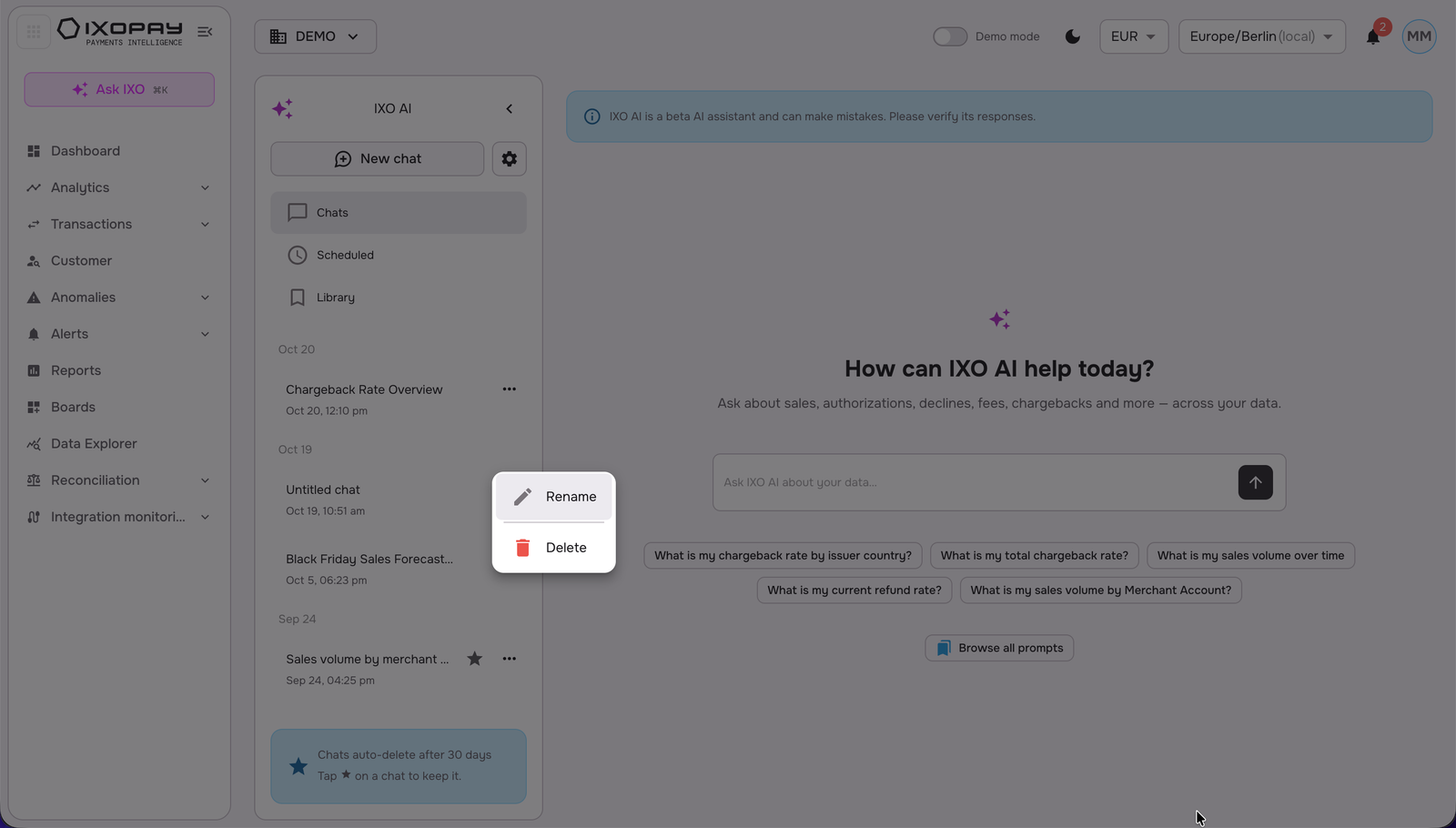
To rename the chat, click on the three white dots to proceed.
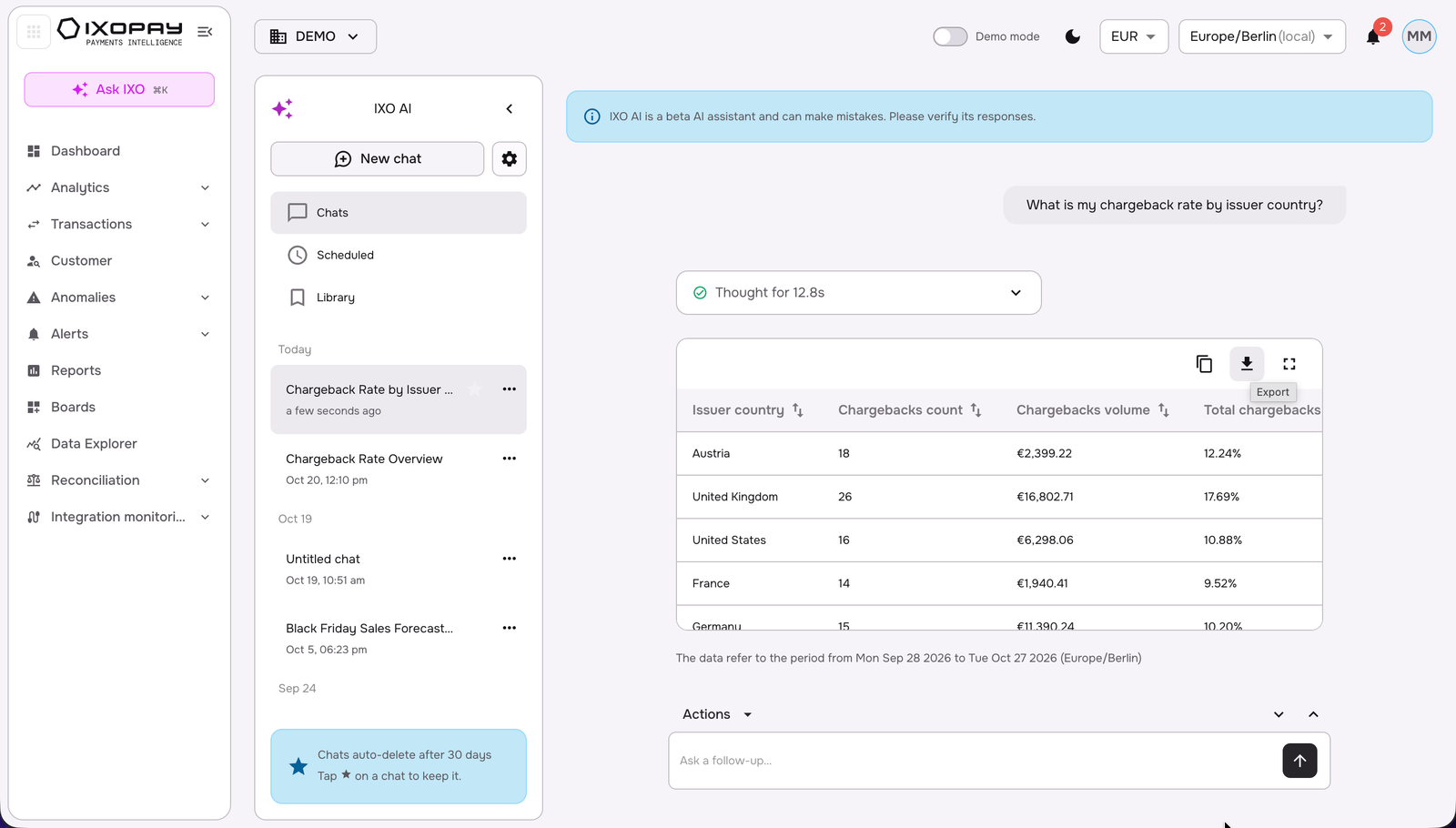
Export table results
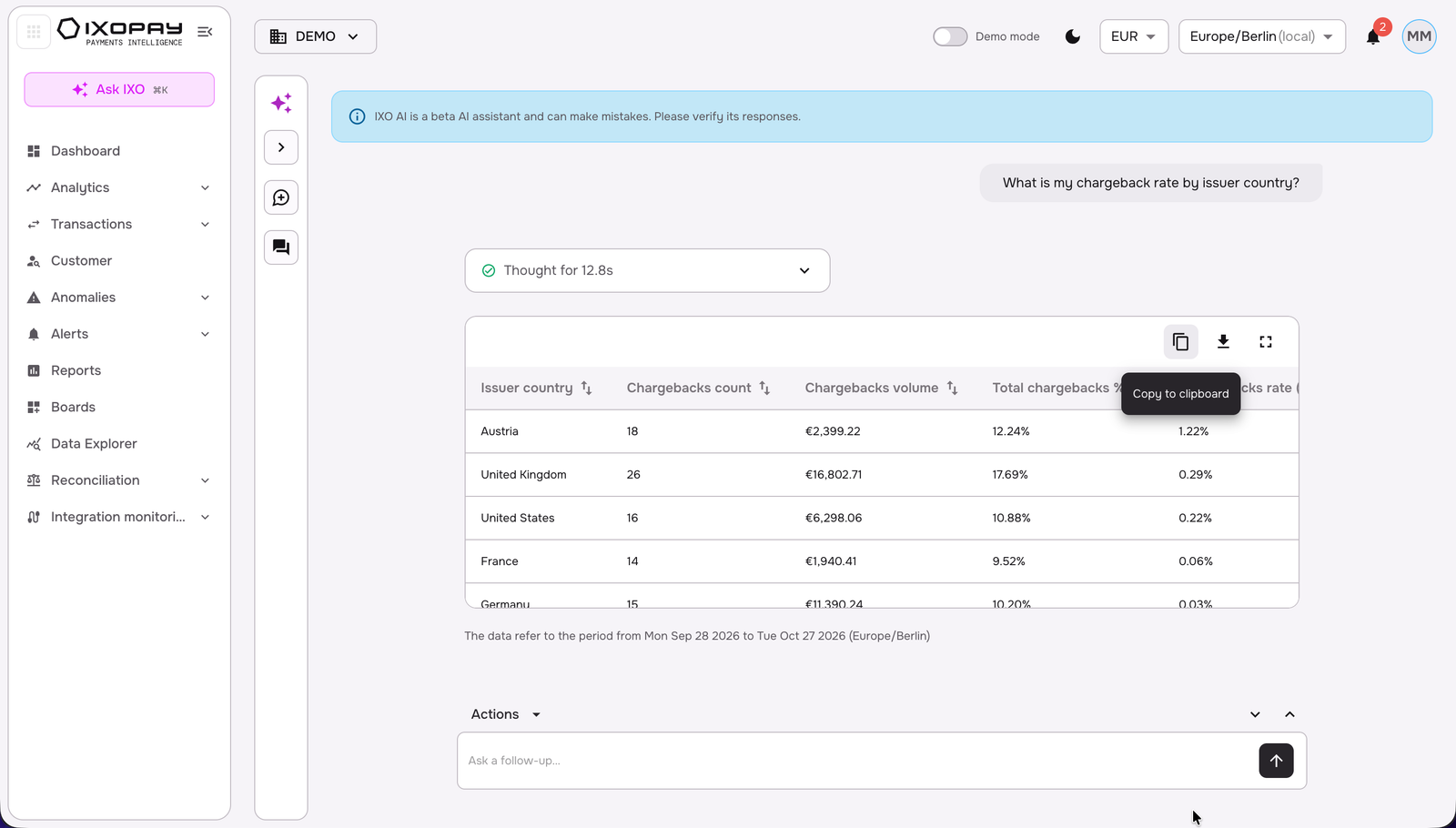
Click on “export” to download the table as a CSV file.
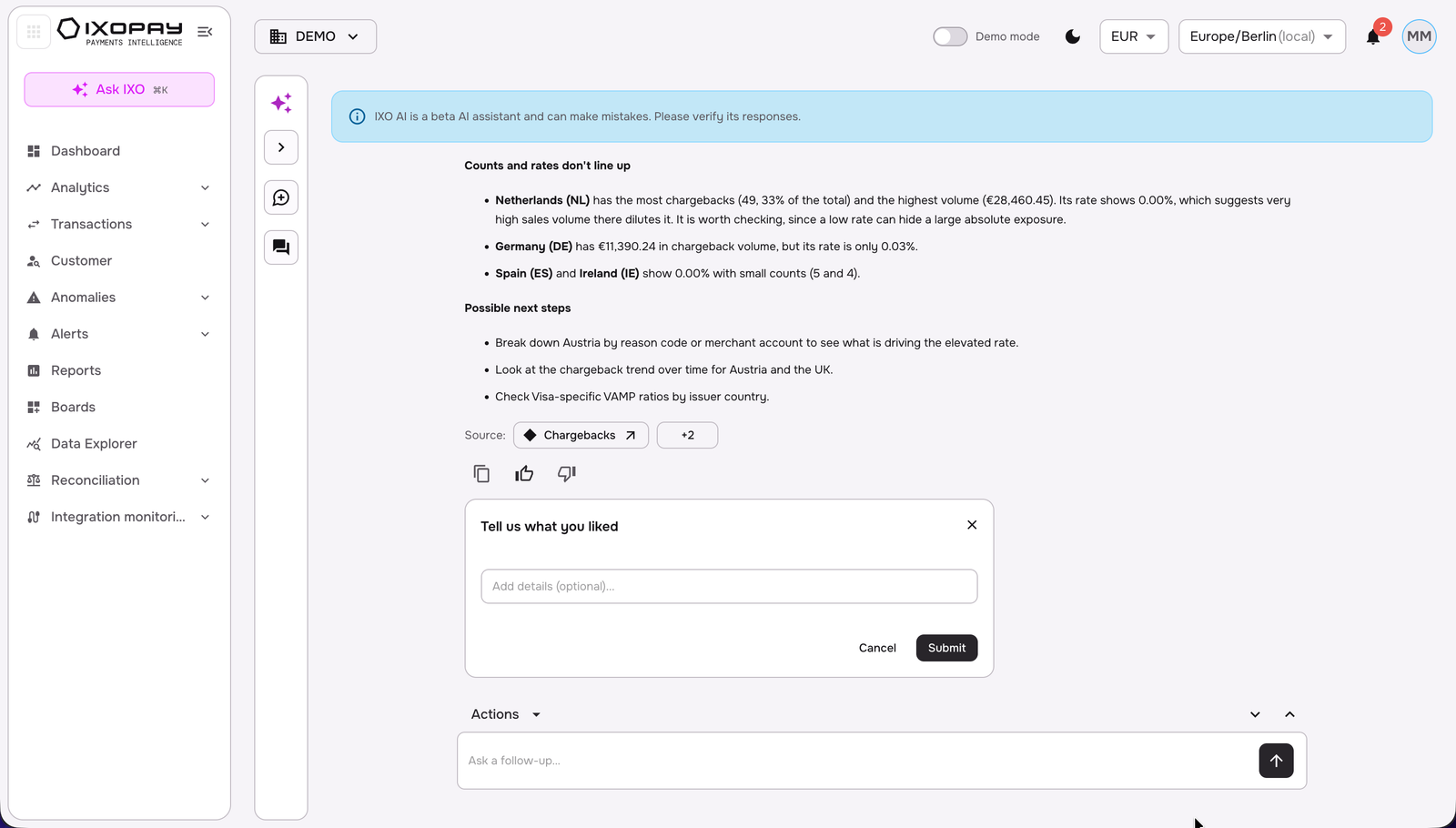
Report a Response
To report a response, click on the bottom of the chat with positive or negative feedback (thumbs up/ down) , write your feedback, and then click on submit.
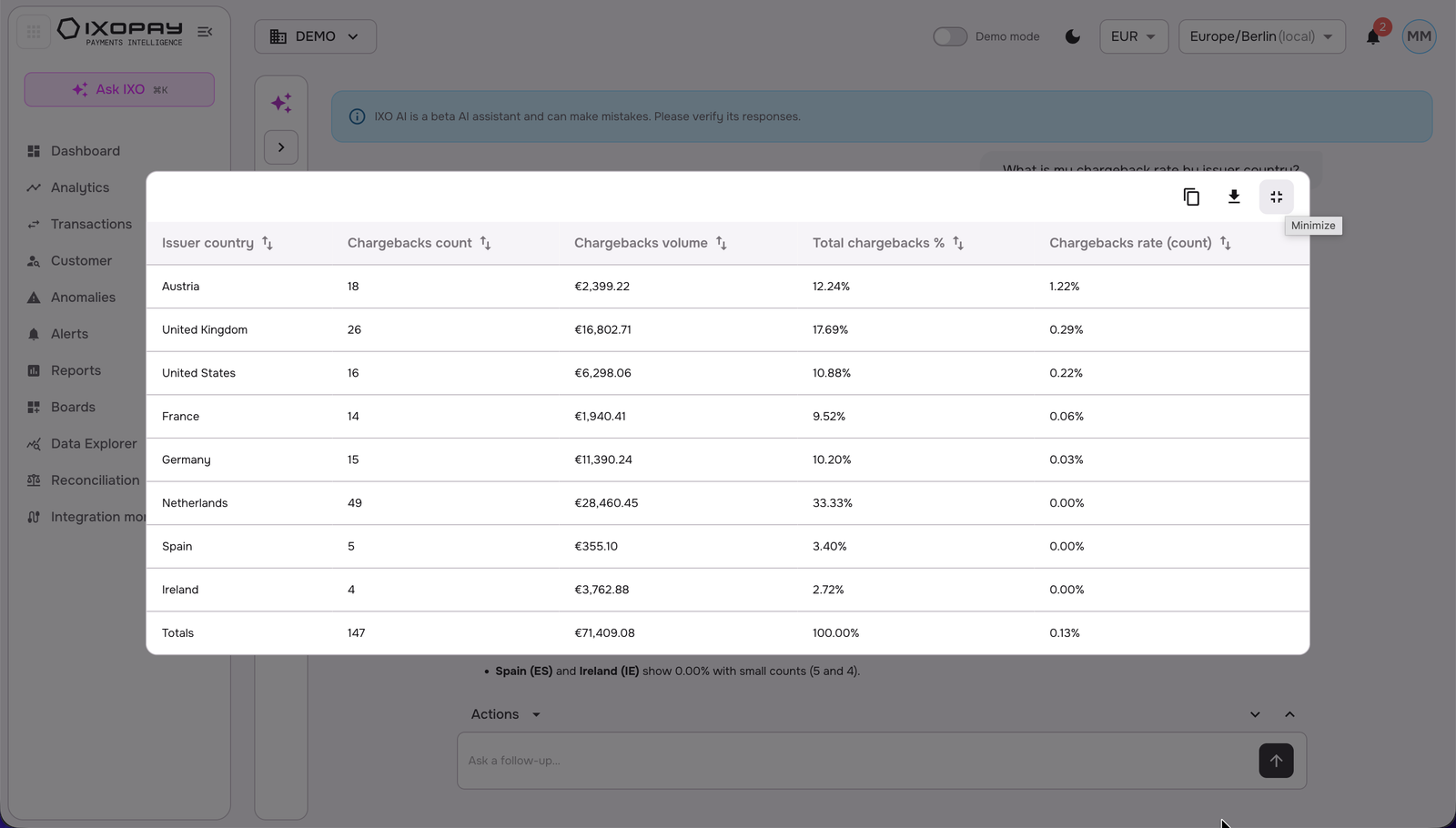
Maximize/ Minimize the table
Click the top-right corner of the table to maximize or minimize it.
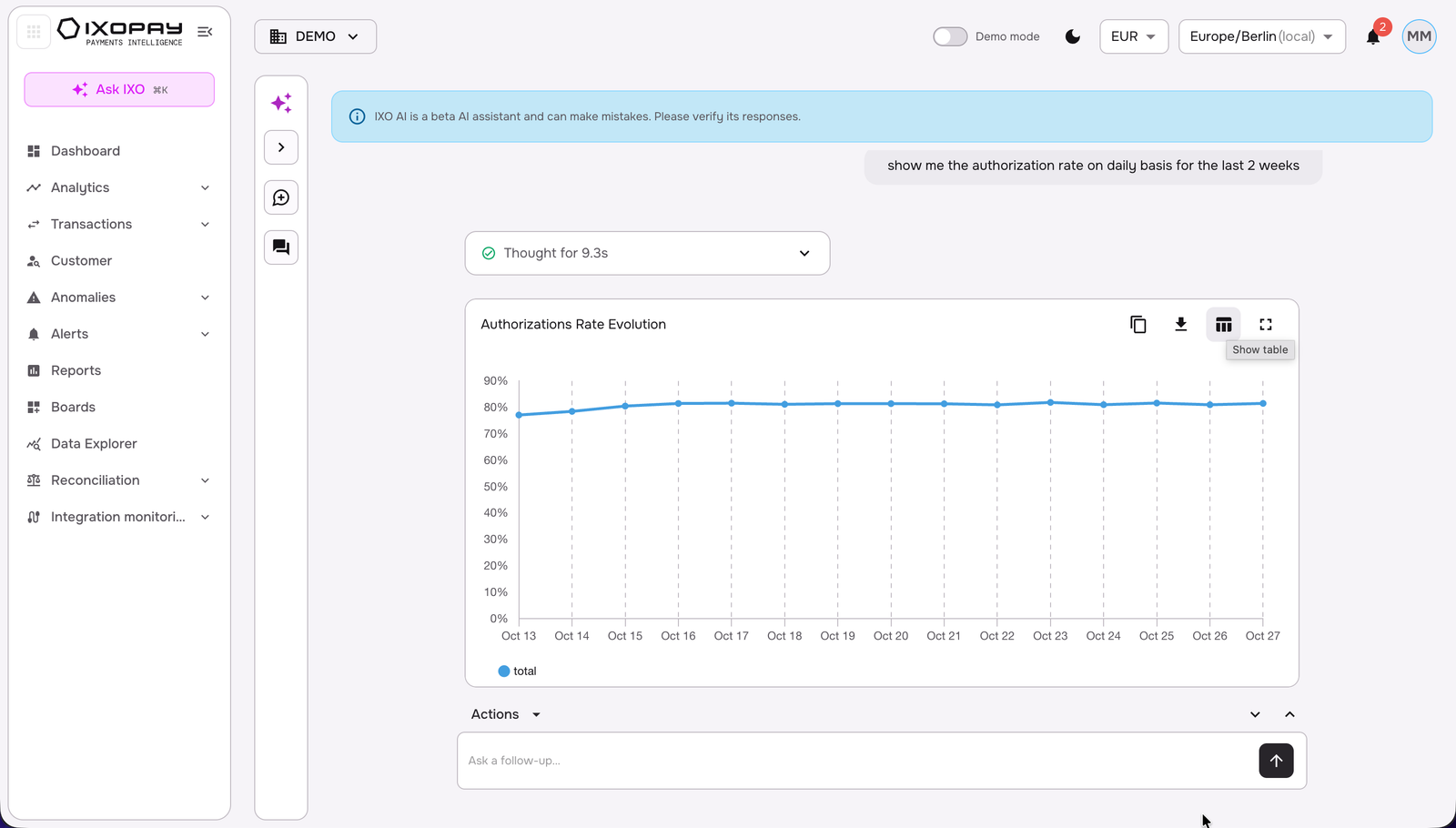
Switch chart type functionality
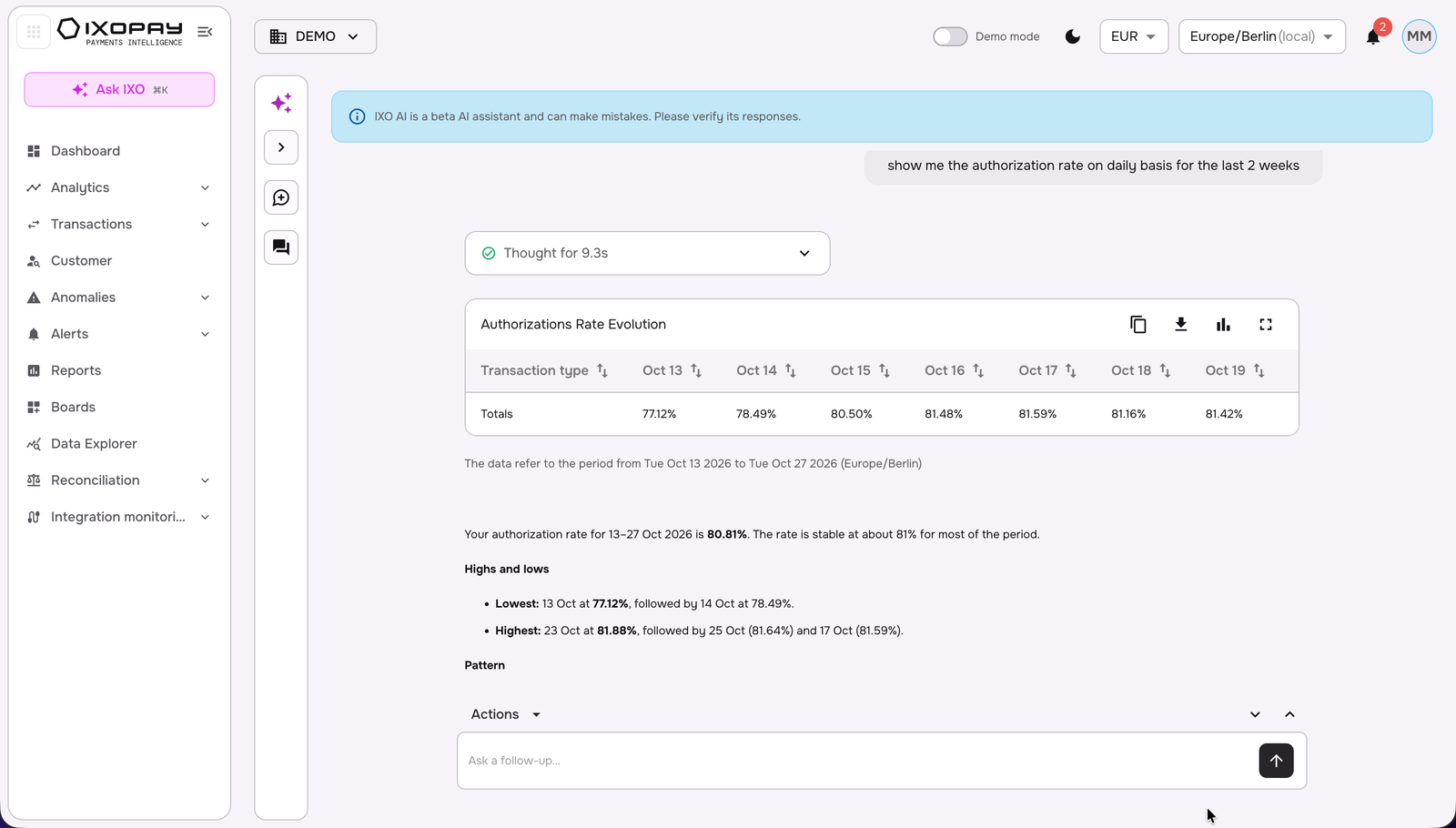
For the type of questions involving a chart's creation (for e.g. time-series evolutions), the chart can be converted into a table, and vice versa.
Copy and Export session
Click on Actions button which enables a full copy of the chat session as markdown or pdf (with prompt and response, including data tables and charts).
View suggested prompts basis your exploration
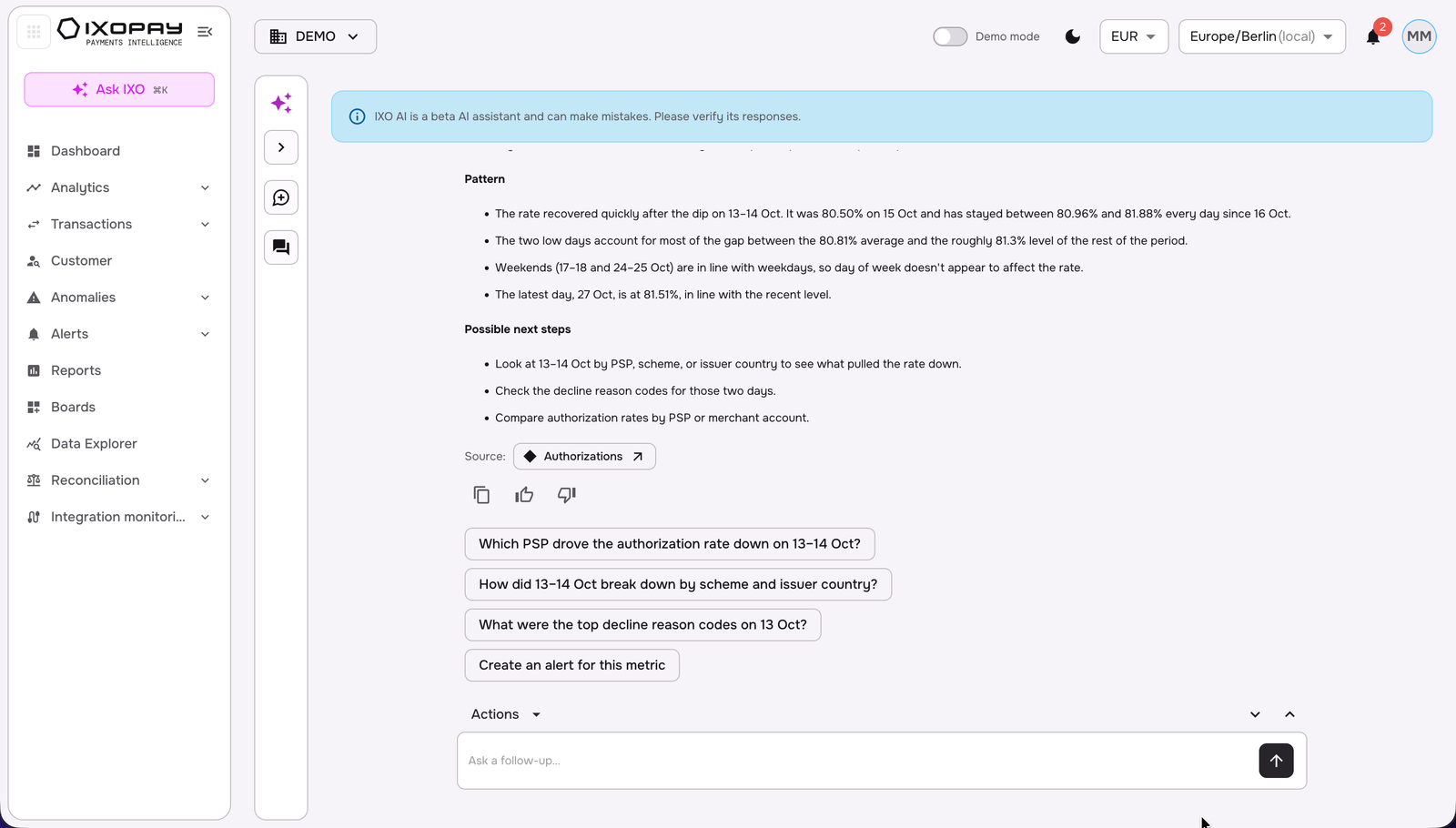
IXO AI will suggest next recommended prompts to further explore your payments data keeping the context from your chat. This enables an intuitive exploration of your payments data to go from inquiry to root cause analysis to obtaining insightful recommendations to optimize your payments operations with minimal input.
Access the IXO AI Analysis within Analytics
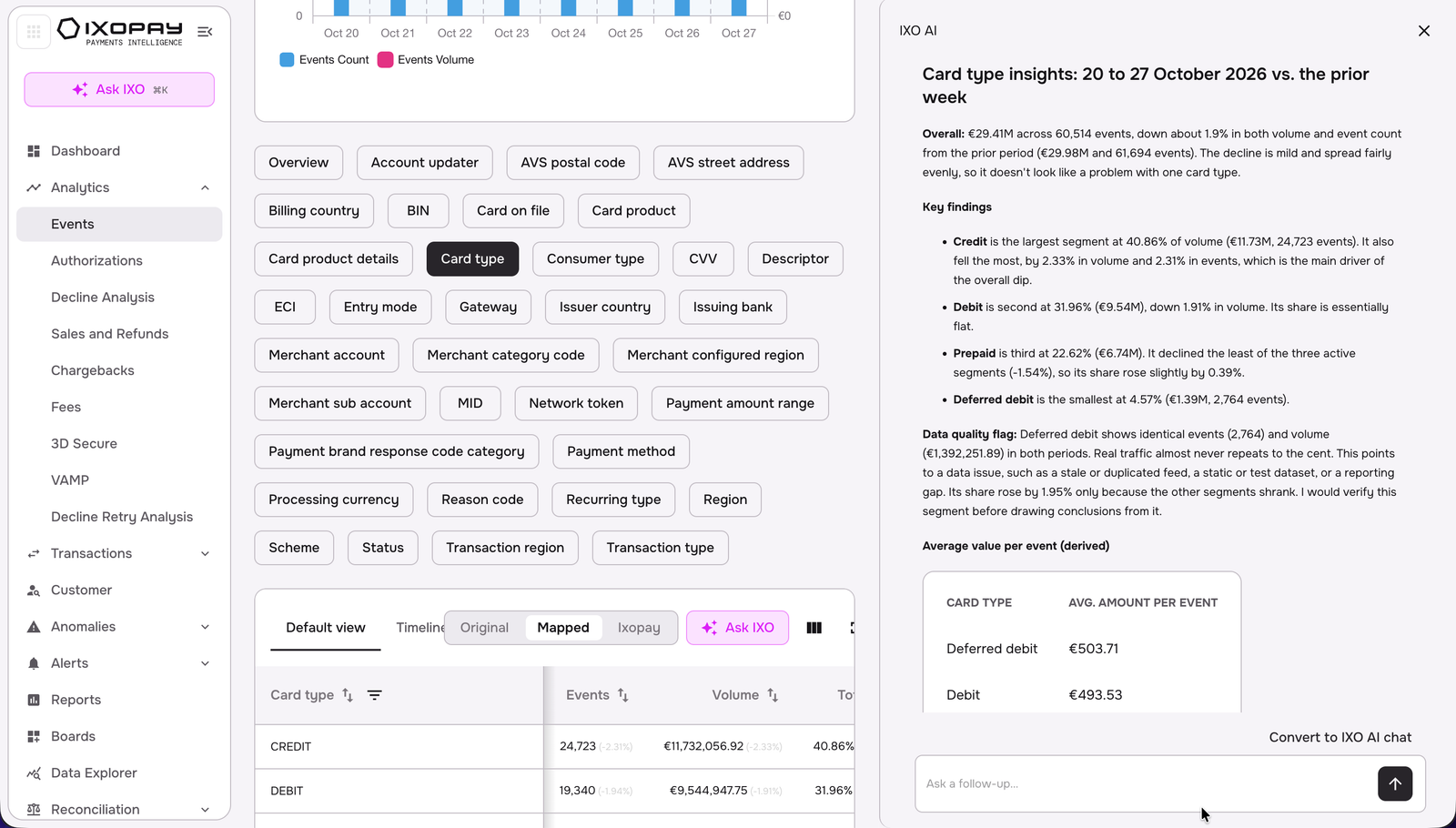
You can access the IXO AI functionality within the Analytics dashboard. Simply click on the preferred dimension’s table you want to analyse, and then click on the “Ask IXO” button. This would create a dual-pane view with the IXO AI analysis of the defined KPI-dimension table in Analytics, which can be further explored and refined basis the Analytics widgets/ tables and the IXO AI chat.
To move from the Analytics dual-pane view to the IXO AI chat interface, click on “convert to IXO AI chat”.
Connect IXO AI to Slack (Beta access)
To enable the Slack connection - please reach out to your IXOPAY Payments Intelligence Support team. Once granted, you can enable IXO AI (Beta) in Slack by enabling the connection in the Merchant Settings on the IXOPAY Payments Intelligence platform by the Merchant Admin. With the IXO AI-Slack app integration, you can interact with your IXO AI instance by prompting with @IXOAI as pre-fix, get IXO AI responses in the reply-thread and further tag your allowed colleagues in the group chat or further deep-dive with IXO AI.