PayPal
PayPal (https://www.paypal.com) is a leading global payment platform that enables individuals and businesses to send and receive payments securely and efficiently. It offers a comprehensive suite of solutions for online, in-person, and mobile transactions, including peer-to-peer transfers, subscription management, and payment gateway integration. With robust features like buyer and seller protection, fraud detection, and real-time reporting tools, PayPal empowers users to streamline their financial operations. Trusted by millions worldwide, PayPal focuses on convenience, security, and innovation to enhance the digital payment experience.
How to connect with PayPal
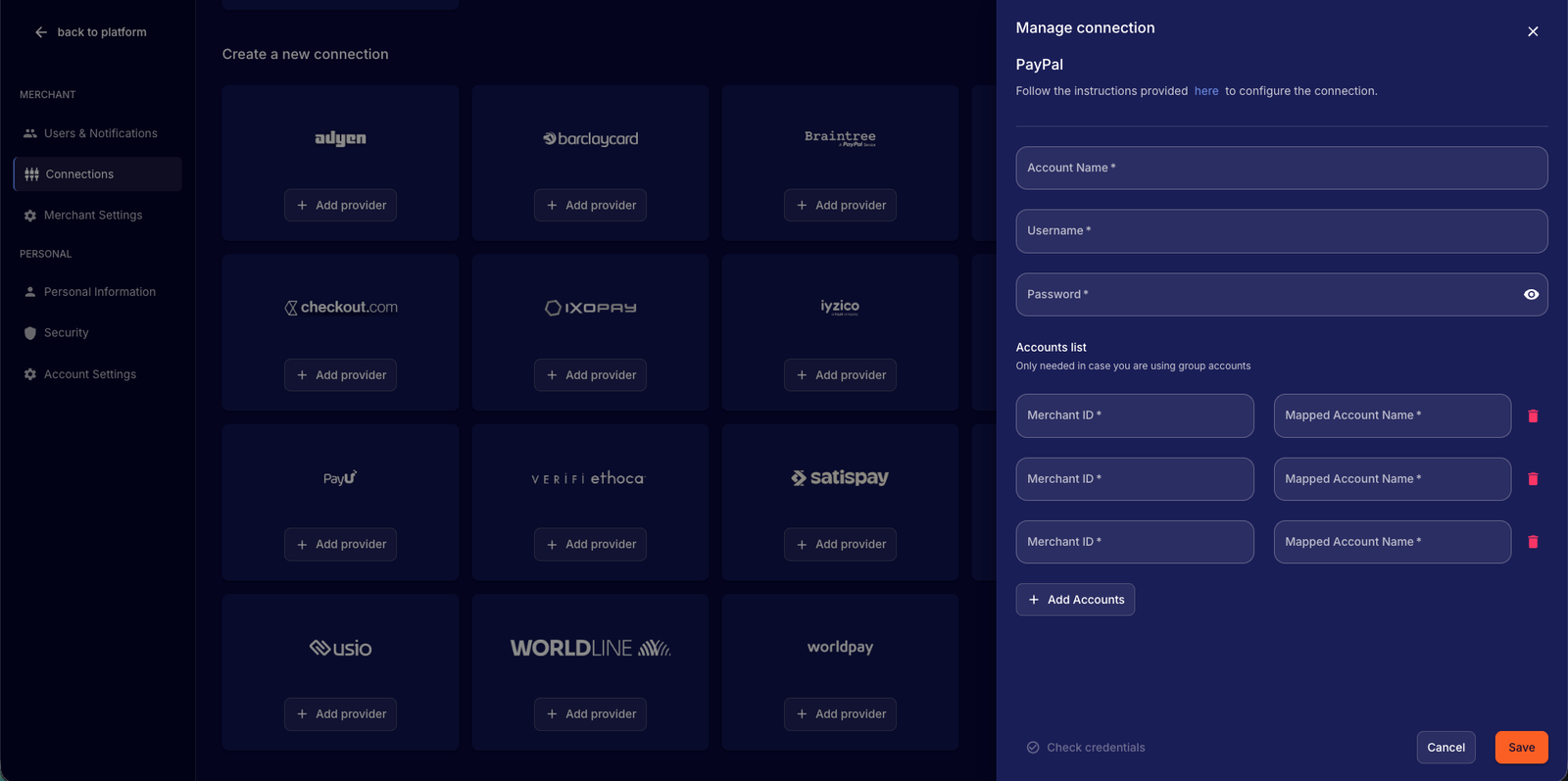
To connect with PayPal, you need an active SFTP (Secure File Transfer Protocol) setup with them. If you don’t already have this configured, follow the steps outlined in PayPal's documentation: https://developer.paypal.com/docs/reports/sftp-reports/access-sftp-reports/.
Required access credentials
For IXOPAY Payments Intelligence, you will need the following information:
- Account Name
The name of the PayPal account. - Username
The username used to connect to the PayPal SFTP server. - Password
The password required for authentication when connecting to the PayPal SFTP server. - MerchantID (Required for Multiple Accounts Management)
You can configure multiple SFTP accounts within IXOPAY Payments Intelligence as provided under the PayPal Multiple Account Management program. You can enable this by assigning the PayPal Merchant ID (i.e. unique identifier issued by PayPal) to the "Mapped Account Name", but you must specify the unique Merchant ID for each "Mapped Account Name" to ensure the data is fetched for the correct account.
Importing Historical Data
During the onboarding process with IXOPAY Payments Intelligence, you can import historical data from PayPal. Please reach out to the IXOPAY Payments Intelligence team to confirm which data can be historically downloaded, based on the SFTP data retention configuration.
Available Reports
The following reports are available for the PayPal integration and will provide the necessary data for a successful integration with IXOPAY Payments Intelligence. Please ensure that you select these reports as a minimum when configuring your PayPal connection:
- Dispute Detail report
- Settlement report
- Transaction Details Report