IXOPAY
IXOPAY (https://www.ixopay.com/) is a leading payment orchestration platform that streamlines global online payments for enterprise-level businesses. Designed for scalability and flexibility, IXOPAY enables merchants to connect to hundreds of payment service providers and methods through a single, unified API.
It offers intelligent transaction routing, secure tokenization, PCI-compliant data management, and advanced fraud-prevention tools — ensuring optimized approval rates, lower processing costs, and enhanced reliability. IXOPAY also provides automated reconciliation, comprehensive reporting, and support for subscription billing, making it an ideal solution for international e-commerce companies, marketplaces, and recurring-revenue businesses.
How to connect with Ixopay
To integrate IXOPAY with IXOPAY Payments Intelligence, you will need to provide the following credentials:
- Merchant Account Name
- API Key
- API Key Password
For detailed guidance on how to obtain these credentials, refer to the API Keys page in the IXOPAY User Manual.
Find your API Key & API Key Password
To create your API Key and API Key Password in IXOPAY, follow these steps:
-
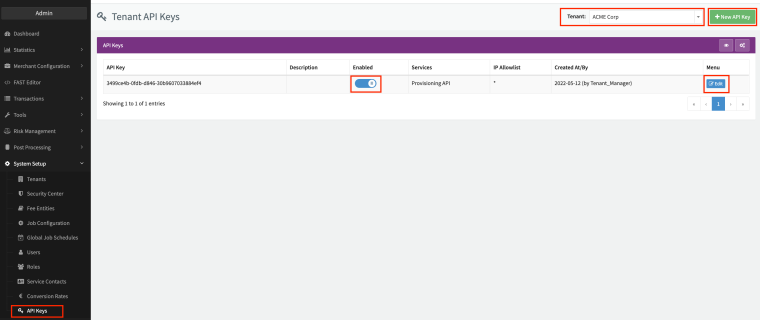
Log in to the IXOPAY portal and navigate to System Setup → API Keys.
-
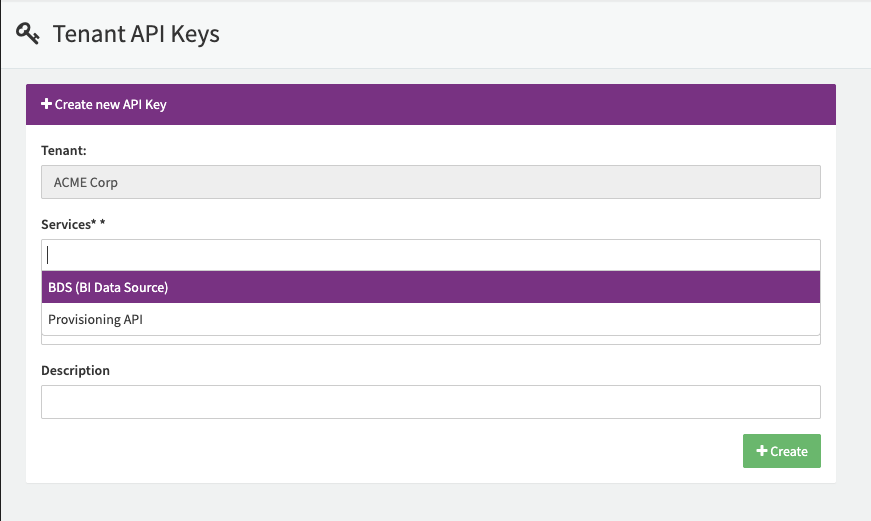
Click New API Key, then select BDS (BI Data Source) under the Services section.
-
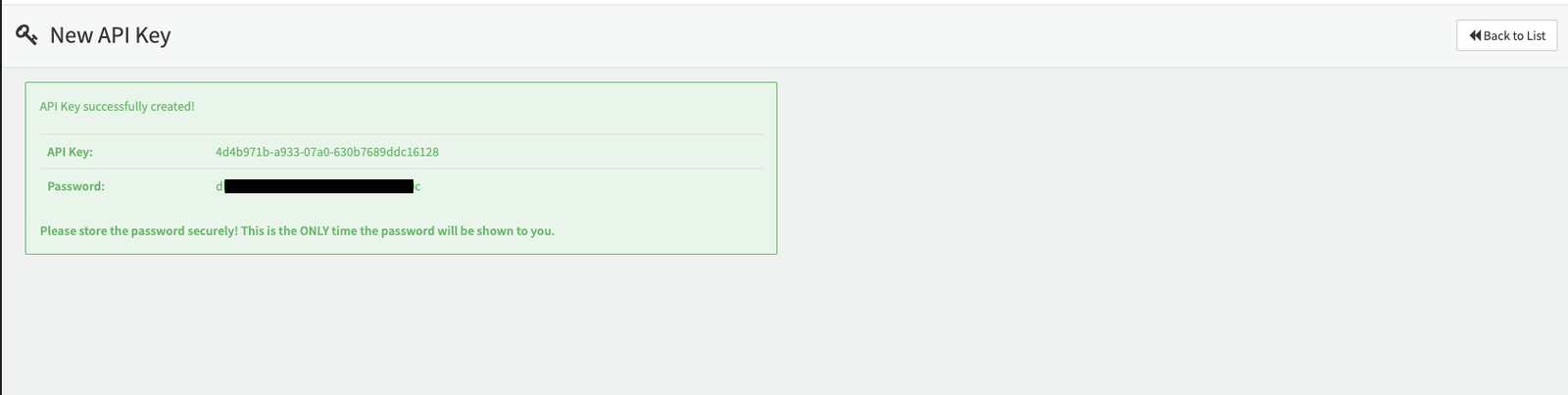
After creating the key, your API Key and API Key Password will be displayed. This is the only time the password will be visible, so make sure to securely store it before closing the window.
-
Enter your credentials in the IXOPAY Payments Intelligence → Connections → IXOPAY Connection section.
Importing Historical Data
During onboarding, you may choose to import historical transaction data from IXOPAY into IXOPAY Payments Intelligence.To initiate this process, please contact the support team or your designated account representative.