Checkout.com
Checkout.com (https://www.checkout.com/) is a leading global payment processing platform that enables businesses to accept, process, and manage payments with ease. Offering a flexible and unified solution, it supports a wide range of payment methods, currencies, and geographies, making it ideal for businesses looking to scale internationally. With advanced features such as fraud detection, real-time reporting, and robust analytics, Checkout.com helps optimize payment operations while ensuring security and efficiency. Trusted by global brands, it empowers businesses to deliver seamless payment experiences to their customers.
How to connect with Checkout.com
To integrate Checkout.com with IXOPAY Payments Intelligence, you need to generate an Access Key Pair from the Checkout.com dashboard and share it with IXOPAY Payments Intelligence.
-
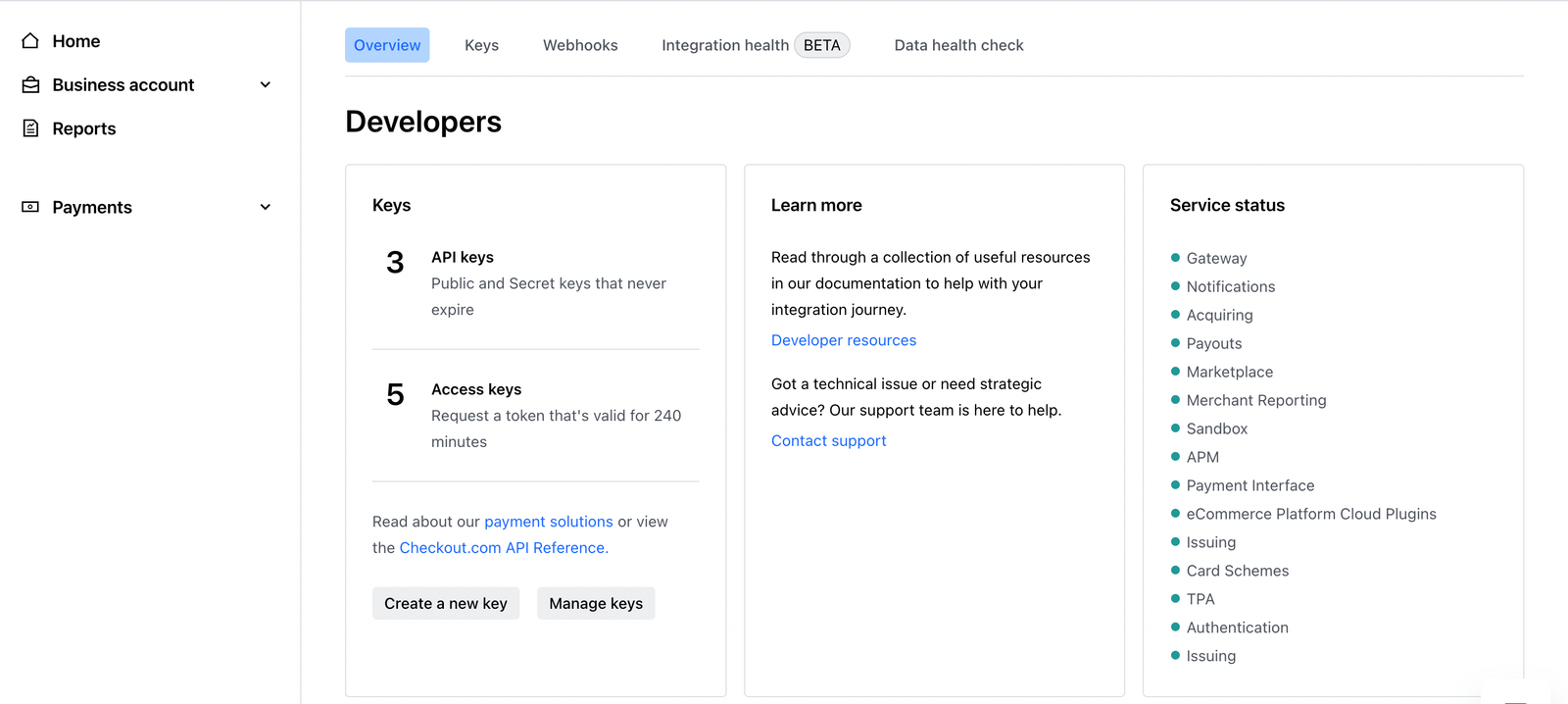
Navigate to Developers In the Checkout.com dashboard, click Developers in the top-right corner. The left-side panel will look similar to the image below:
-
Create a New Key
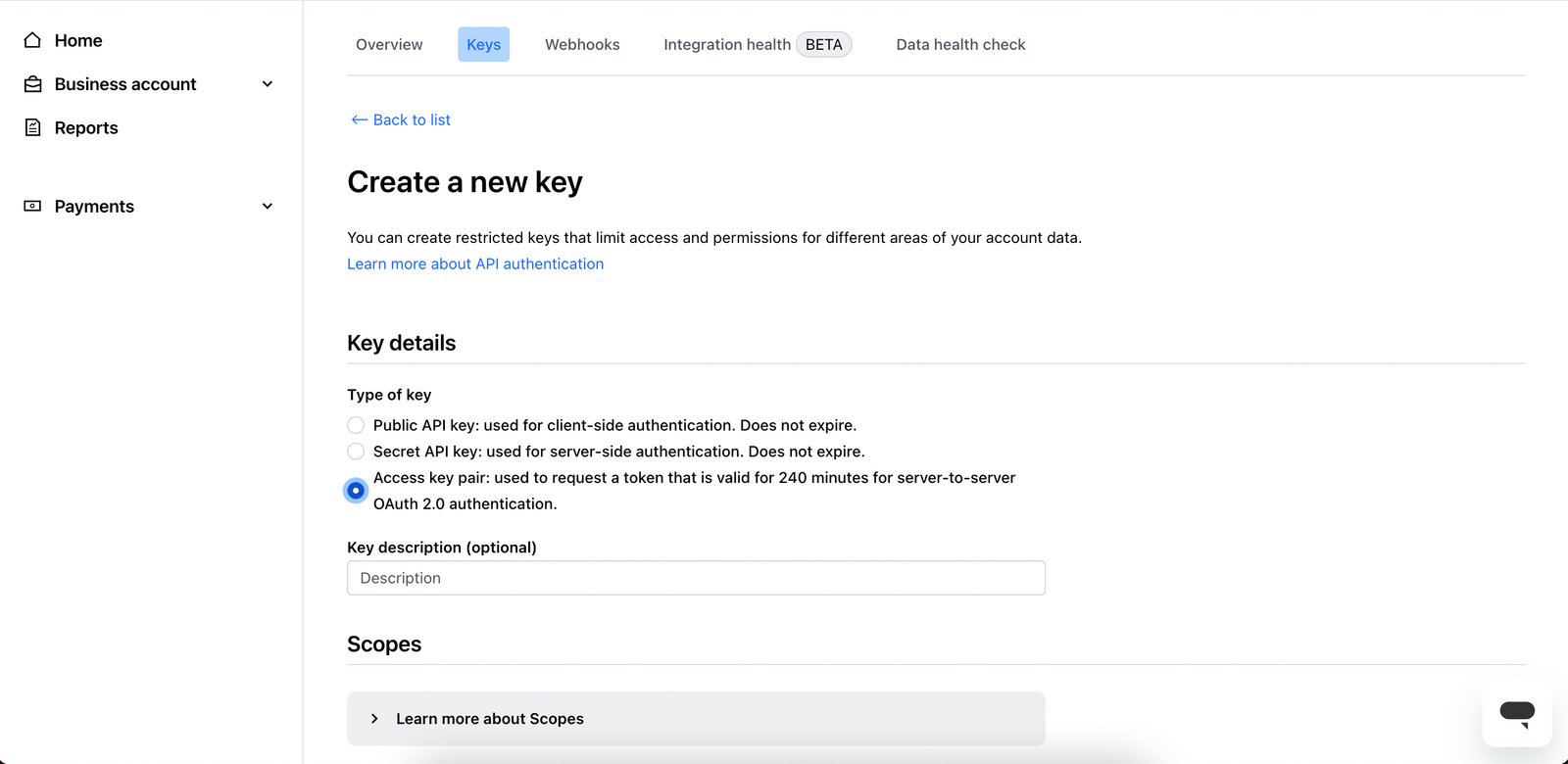
- Select Create a new key, which opens the configuration screen.
- Under Type of Key, choose Access Key Pair.
-
Configure permissions
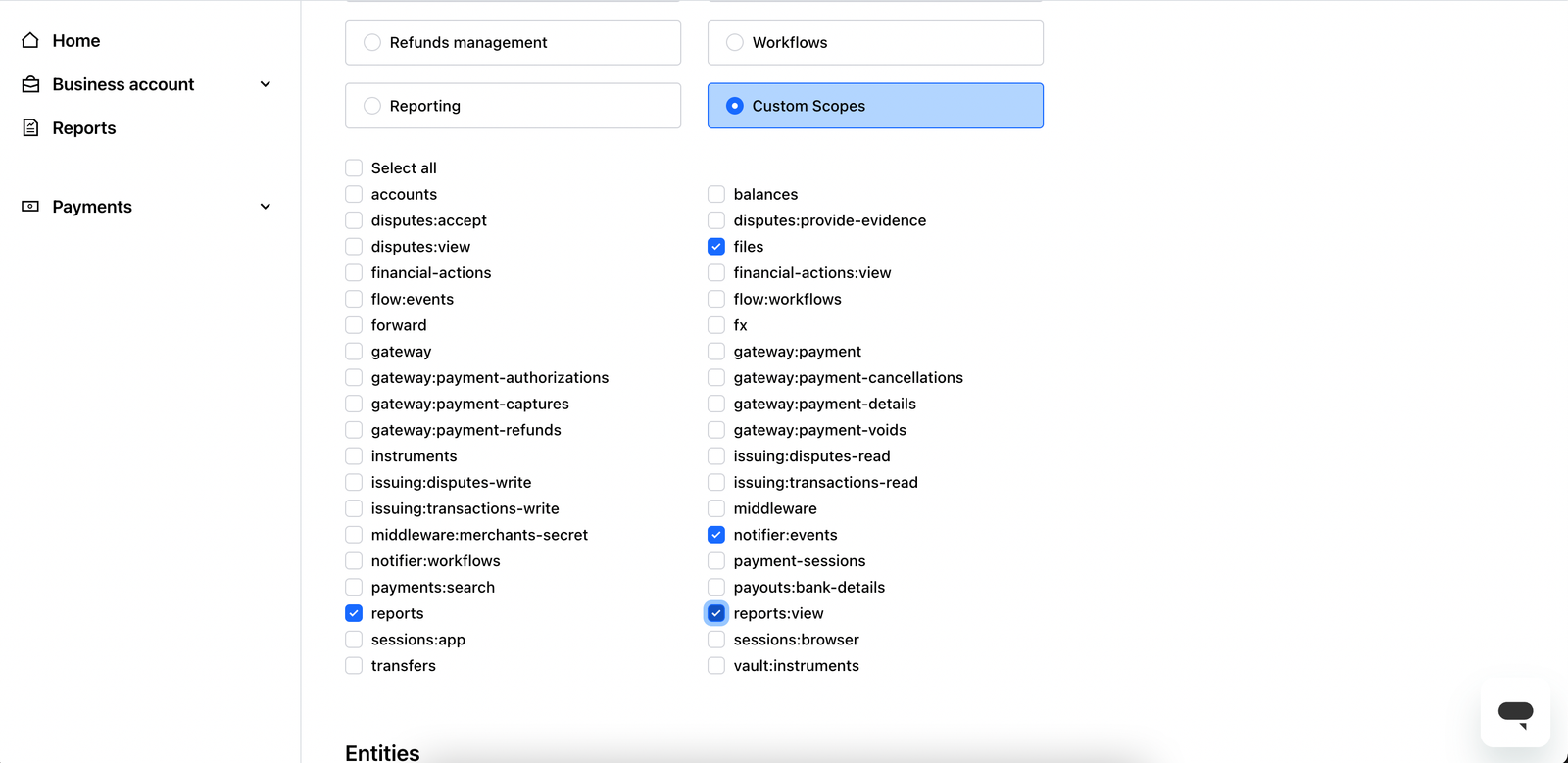
Check the following options:
- files
- notifier:events
- reports:view
- reports
-
Select the Entity and Finalize
- Choose the required entity.
- Click Create Keys and share them with IXOPAY Payments Intelligence.
Importing Historical Data
During the onboarding process with IXOPAY Payments Intelligence, you have the option to import historical data from Checkout.com. To initiate this, simply inform the IXOPAY Payments Intelligence team of the desired timeframes for the historical reports.
Available Reports
The following reports are essential for Checkout.com's integration with IXOPAY Payments Intelligence. These reports ensure that the necessary data is available for a successful integration.
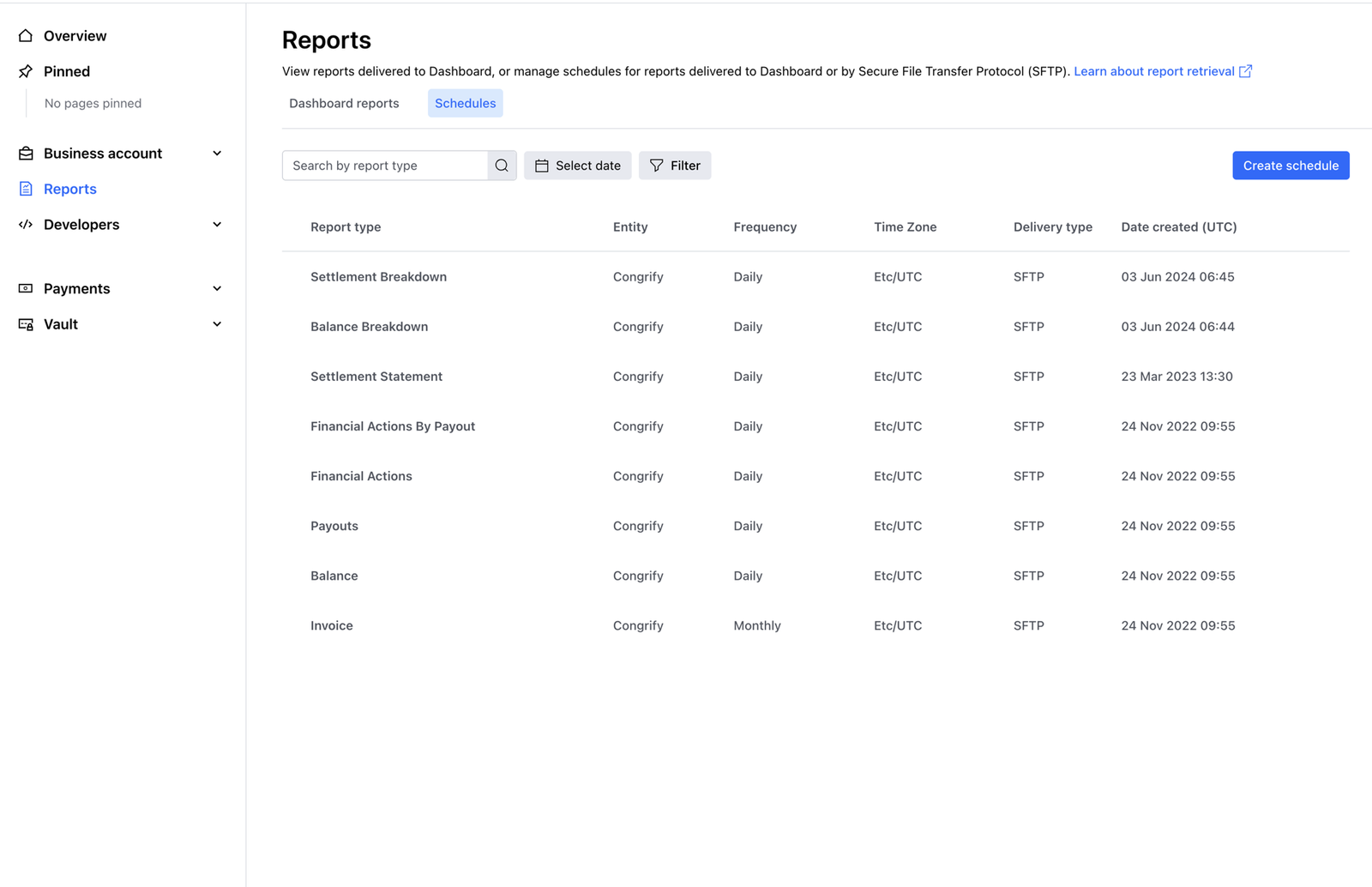
Please verify that these reports are activated and accessible on Checkout.com's side. To activate each report, navigate to Reports section on Checkout.com portal and create a daily schedule for each of these report, shared over SFTP:
- Authentication report
- Balance report
- Dispute report
- Financial actions report
- Fraud detection report
- Payment report
- Payout report
- Reported Fraudulent Transactions report
- Retrievals report
- Settlement breakdown report
Post activation, you can verify the accessible reports from Checkout.com’s like the sample picture below:
If you have any questions or require assistance, don't hesitate to contact IXOPAY Payments Intelligence's support team or Checkout.com's support.