Adyen
Adyen (https://www.adyen.com/) is a leading global payment platform that provides businesses with a seamless way to accept payments online, in-app, and in-store. Known for its all-in-one solution, Adyen supports a wide range of payment methods and currencies, enabling companies to scale internationally with ease. Its advanced features, such as real-time data insights, fraud prevention, and a unified payment system, empower businesses to optimize their payment processes while delivering a smooth customer experience. Trusted by major global brands, Adyen is a preferred choice for companies seeking innovative and reliable payment solutions.
How to connect with Adyen
To integrate Adyen with IXOPAY Payments Intelligence, you must create a Reporting User and configure a Webhook. Below are the detailed steps for each process.
Creating a Reporting User
To create a Reporting Service User:
-
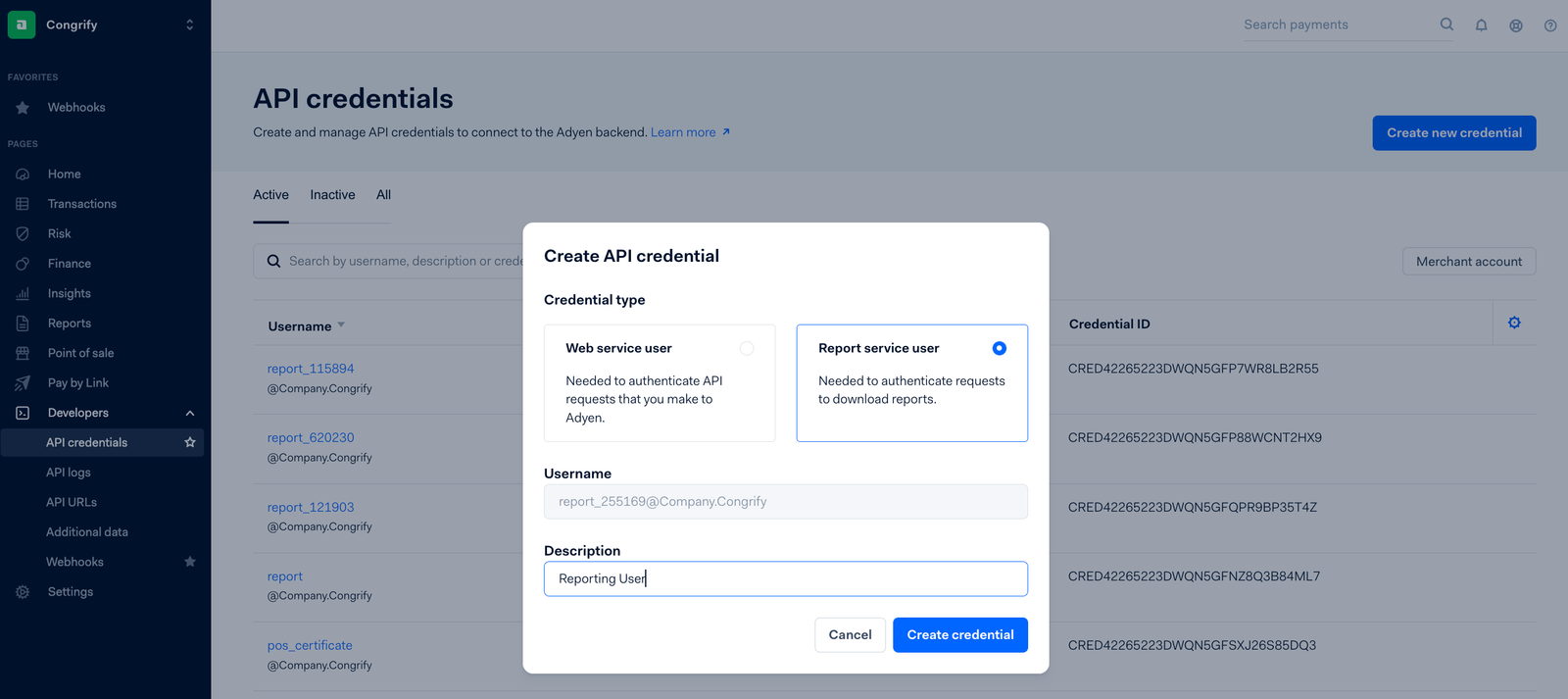
Navigate to Developers > API Credentials in the Adyen dashboard.
-
Select Create new credentials and set the credentials type to Report Service User.
-
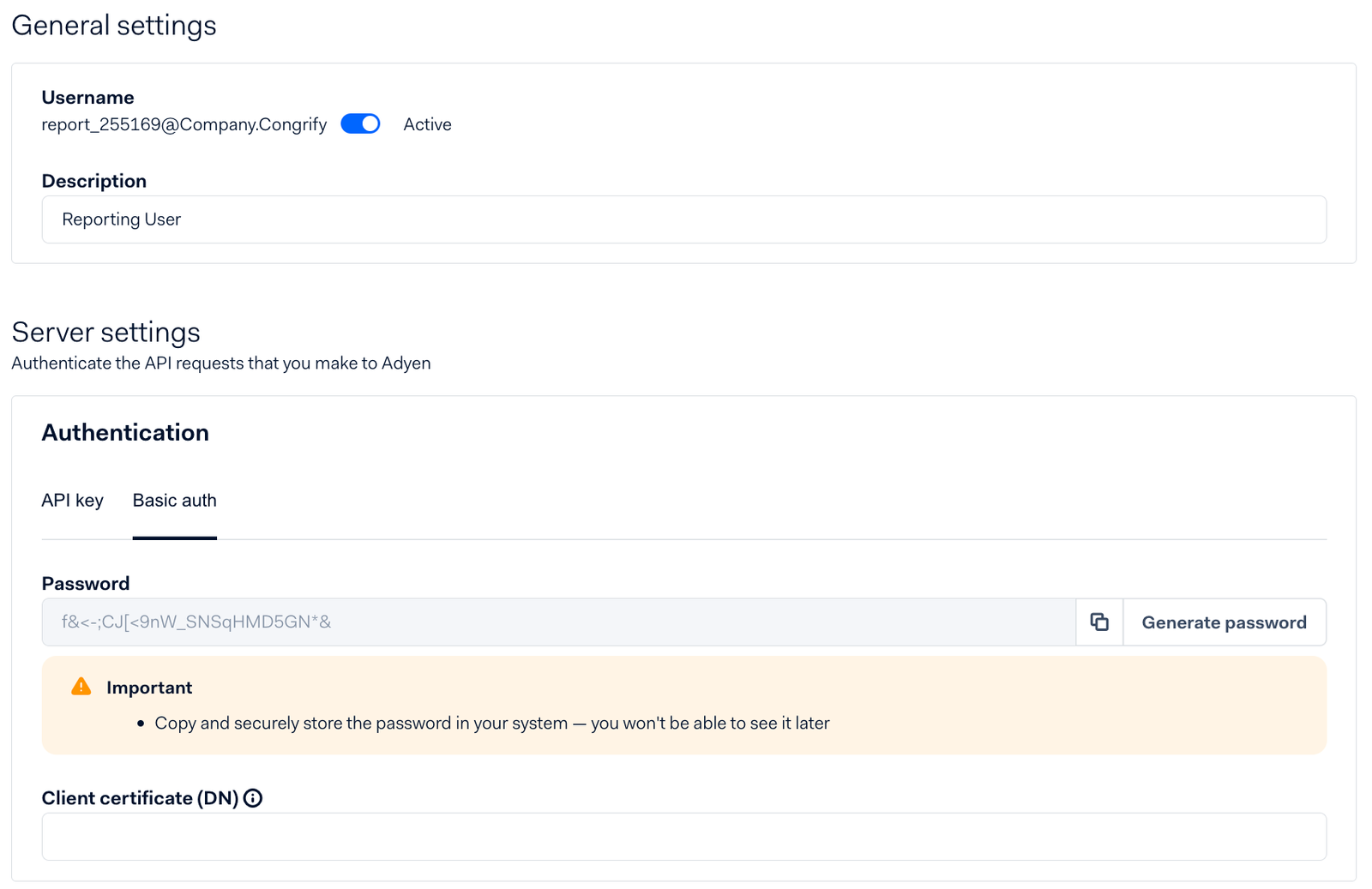
Save the username and password (Basic Auth option) generated by Adyen in IXOPAY Payments Intelligence.
Configuring Webhooks
-
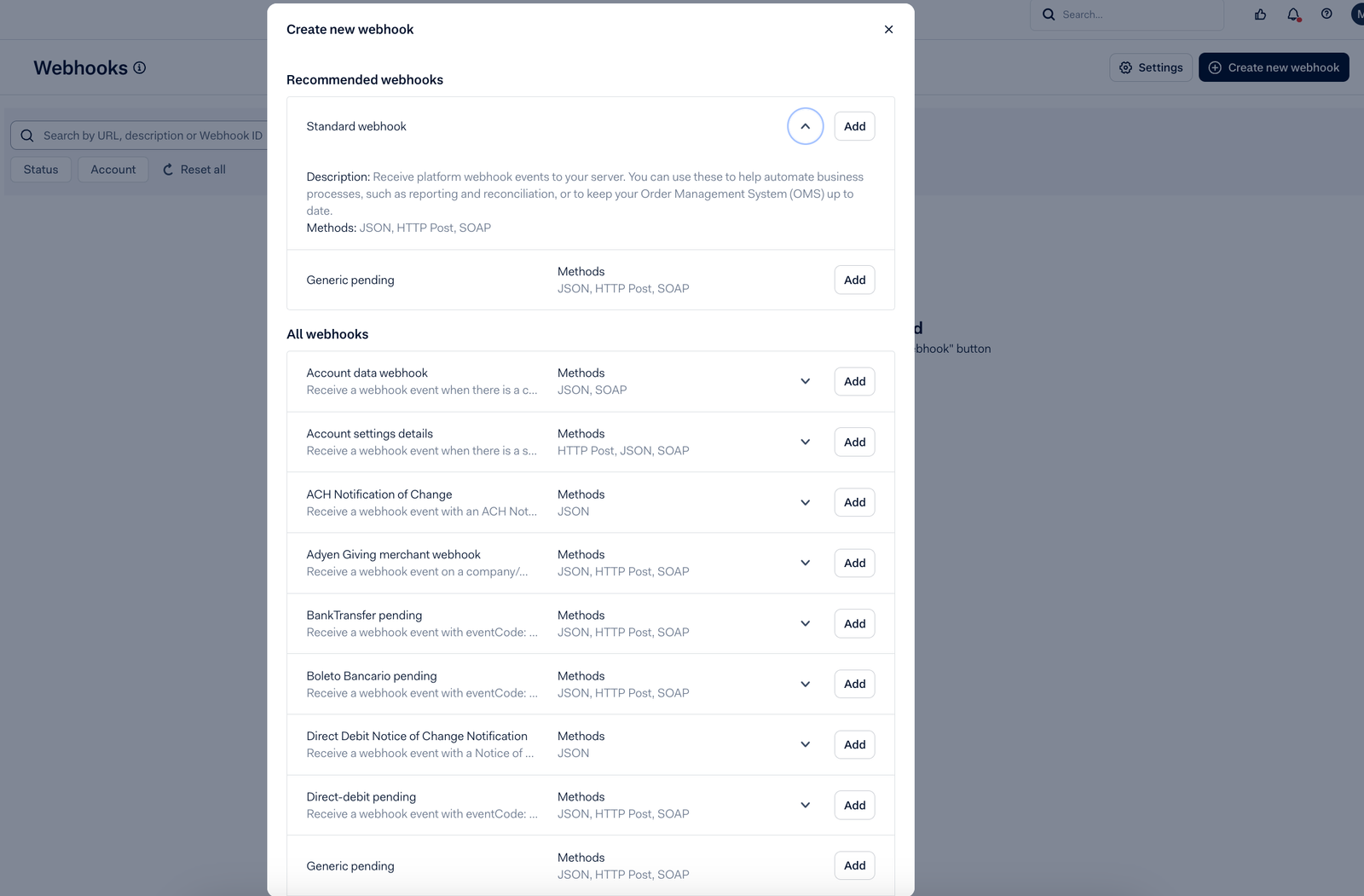
Create a New Webhook Navigate to Webhooks > Create new webhook and add a Standard Webhook.
-
Set Up the Server Configuration
- Create a Username and Password, then generate the HMAC Signature.
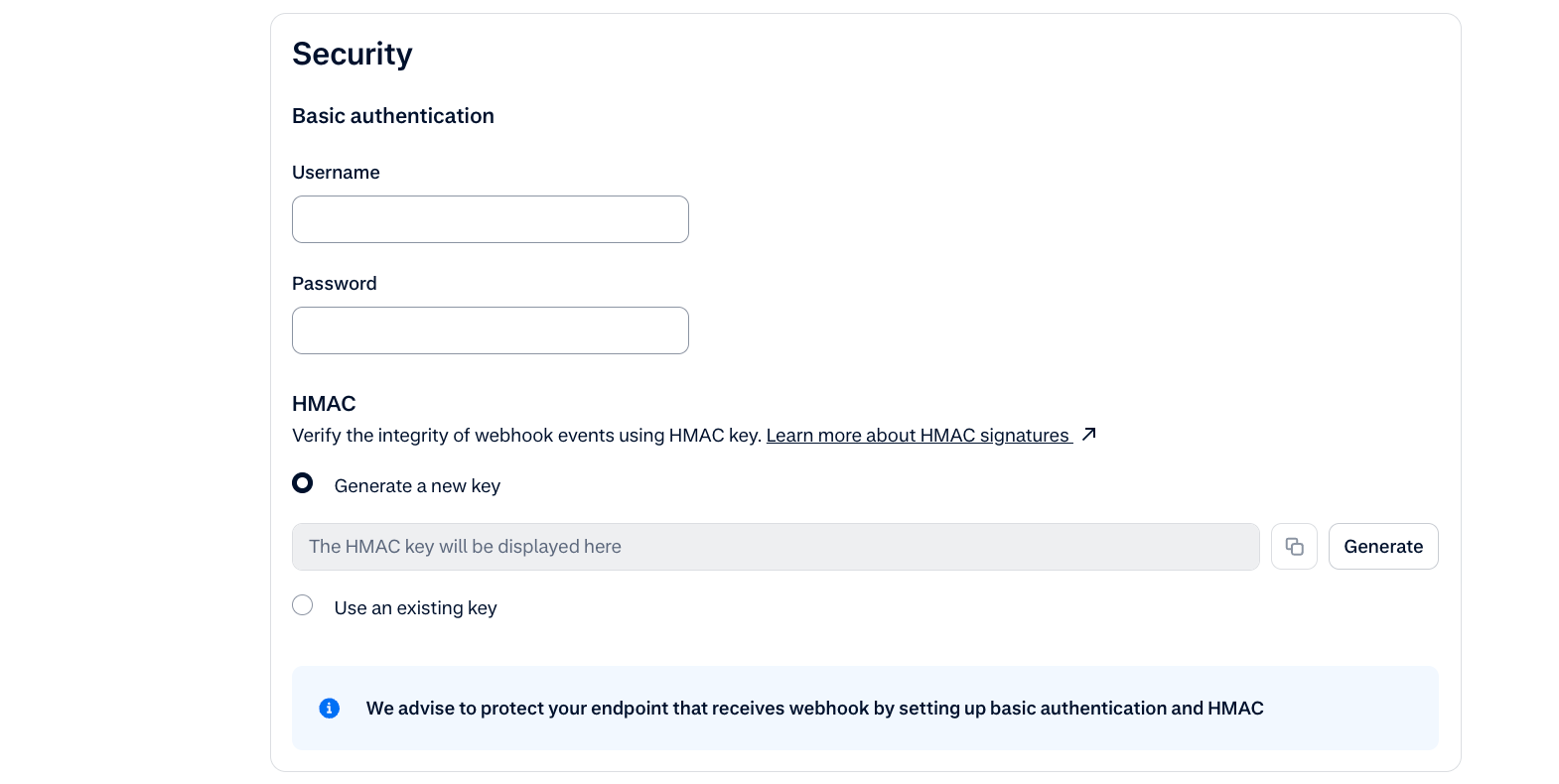
- Insert your Adyen credentials, including HMAC key generated, on the Ixopay Payments Intelligence platform.(User Profile → Connections → Adyen 'Add Provider', and create the server configuration URL)
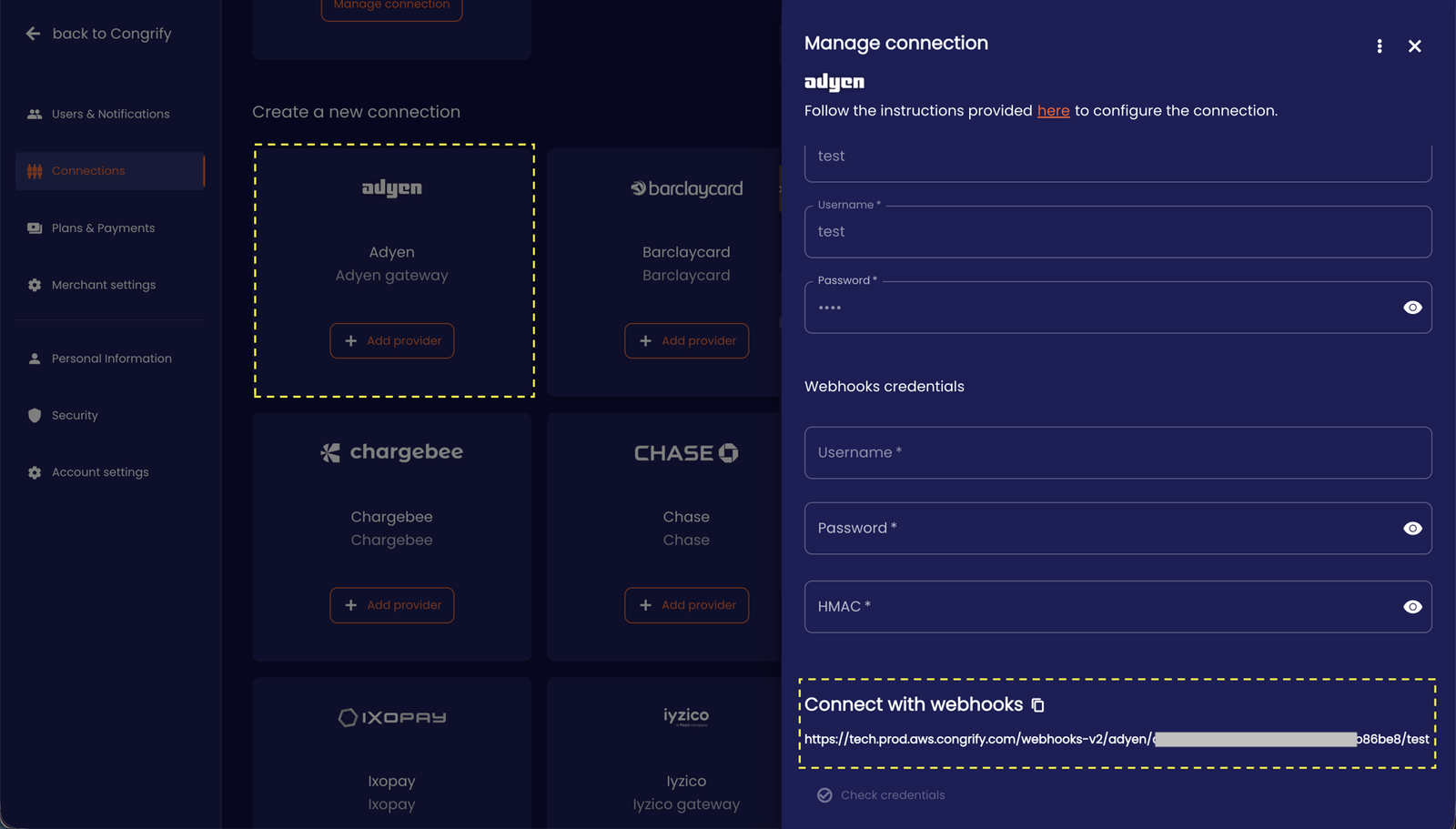
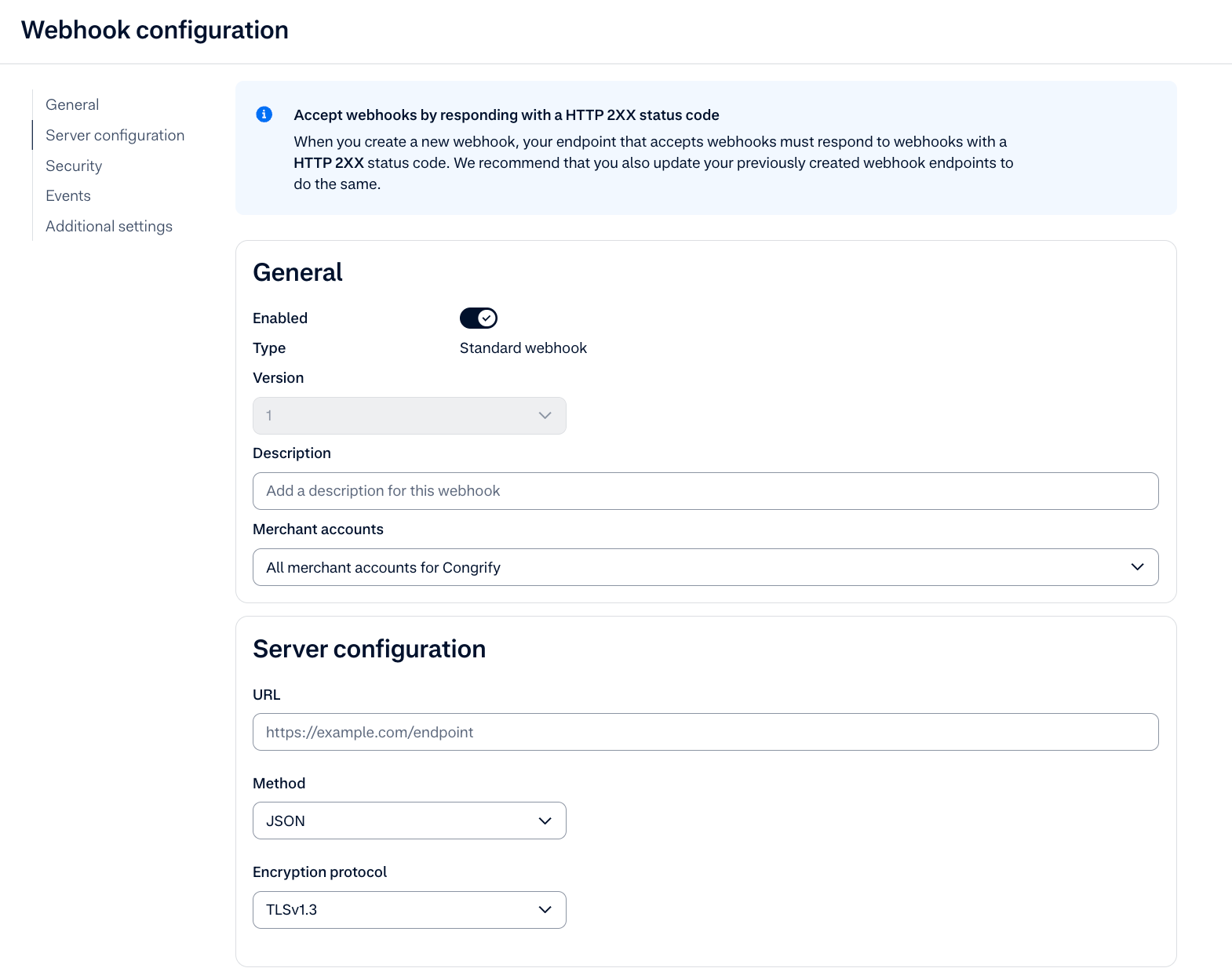
- Enter the Server configuration URL provided by IXOPAY Payments Intelligence, for webhook configuration on Adyen.
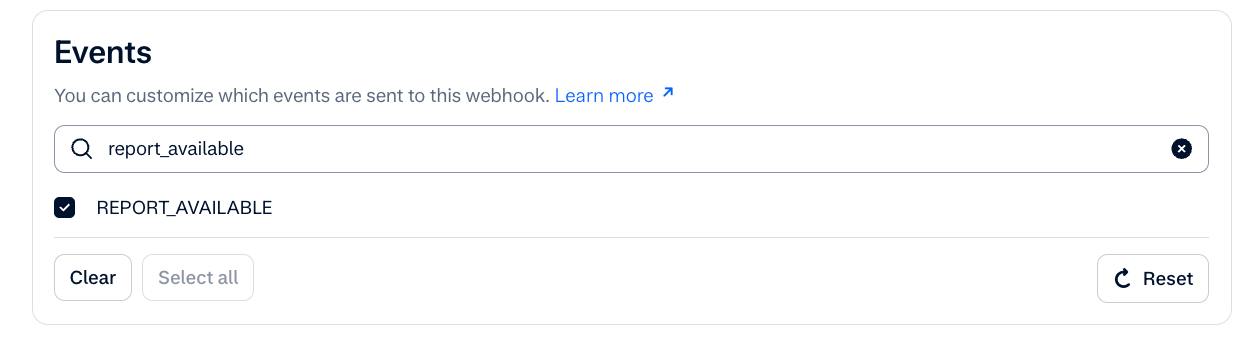
- Select only the REPORT_AVAILABLE webhook event.
- Save these details in IXOPAY Payments Intelligence.
-
Enable Automatic Report Generation
Go to Reports > Report overview
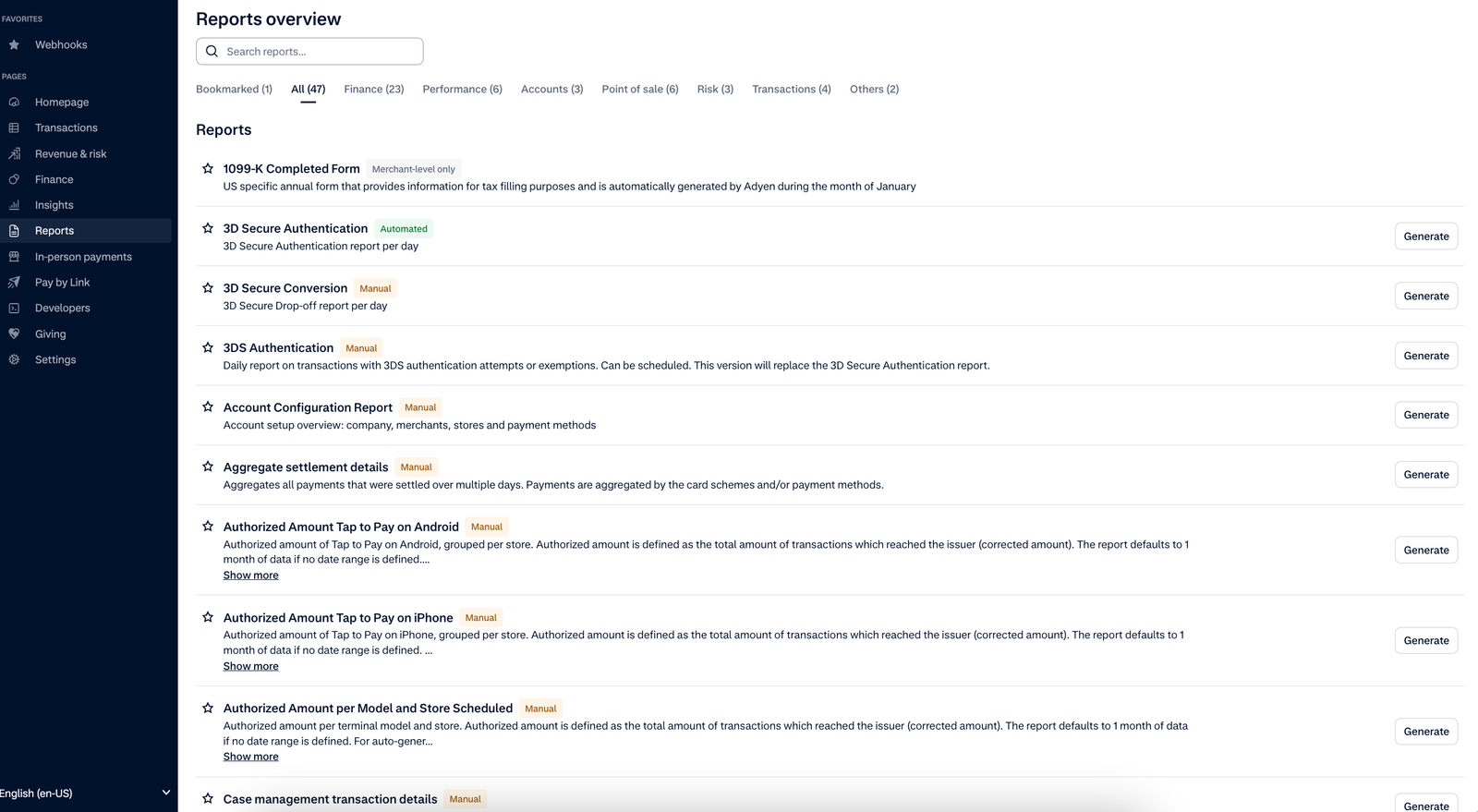
Enable the Automatic generation for the following reports:
- 3DS Authentication

- Dispute transaction details

- Payment accounting
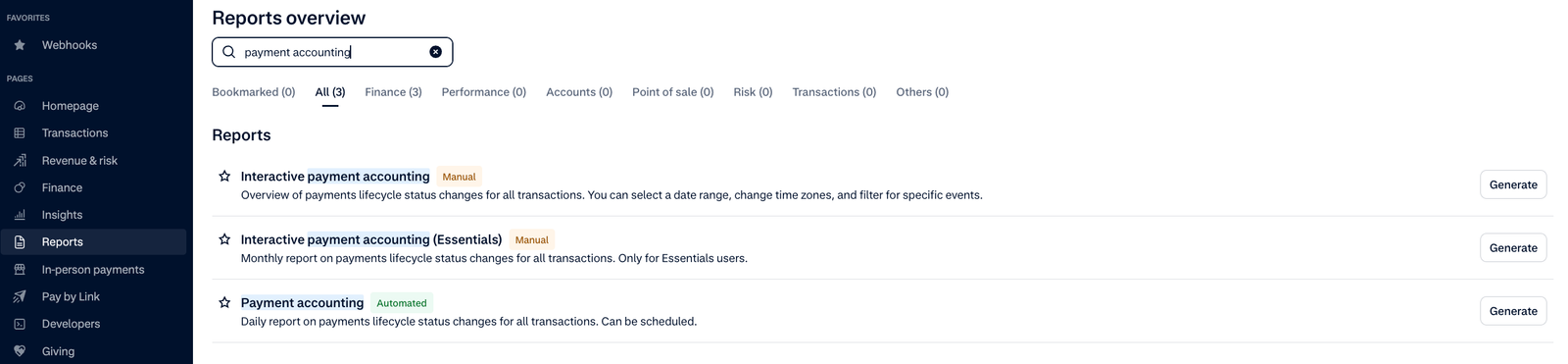
- Received payments details

- Settlement details
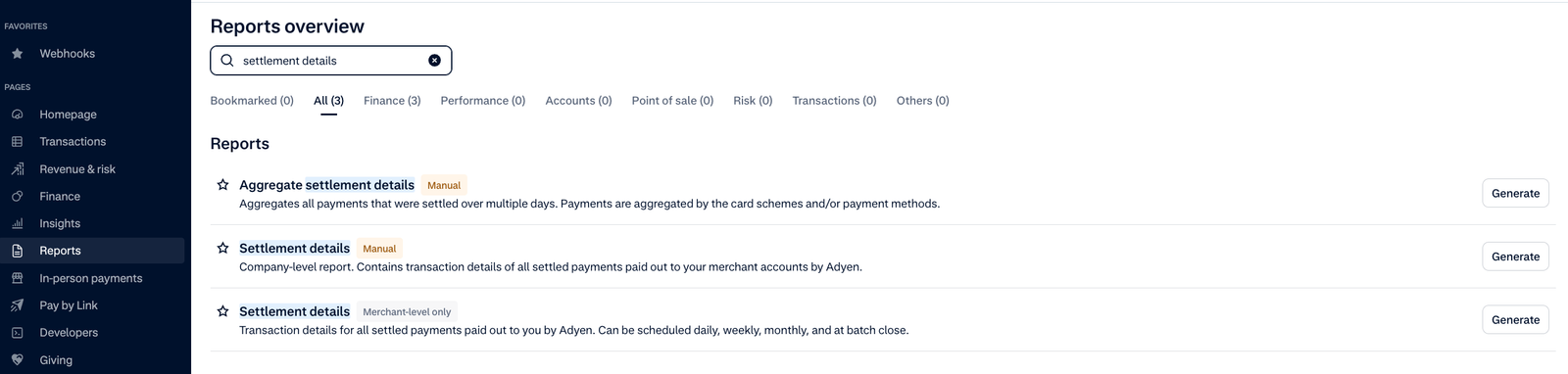
- 3DS Authentication
-
Test the Webhook
- Generate a report manually by clicking Generate.
- Check System messages to confirm the webhook was successfully received.
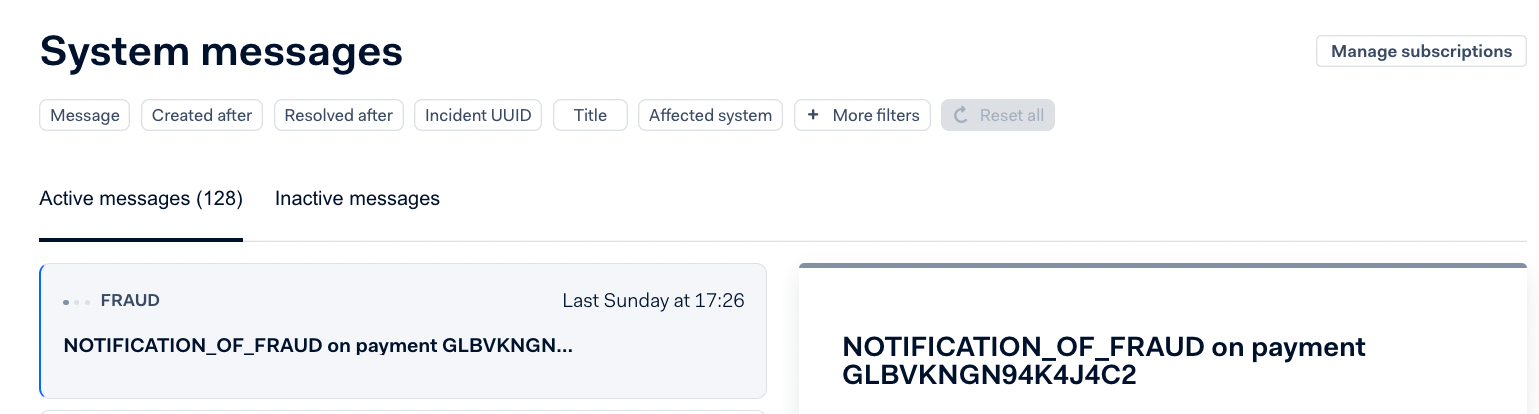
Importing Historical Data via SFTP
During the onboarding process with IXOPAY Payments Intelligence, you can import historical data from Adyen. The most efficient method is to grant the IXOPAY Payments Intelligence team access to the shared SFTP folder with Adyen. This allows IXOPAY Payments Intelligence to directly select and import the desired historical data.
Available Reports
The following reports are essential for the Adyen integration. These reports will provide the necessary data for a successful integration with IXOPAY Payments Intelligence.Please ensure that you select these reports as a minimum when configuring your Adyen connection:
- Payments Accounting Report
- Received Payments Report
- Settlement Details Report
- Dispute Details Report
- 3DS Authentication Report
- Monthly Invoices