Schedules Overview
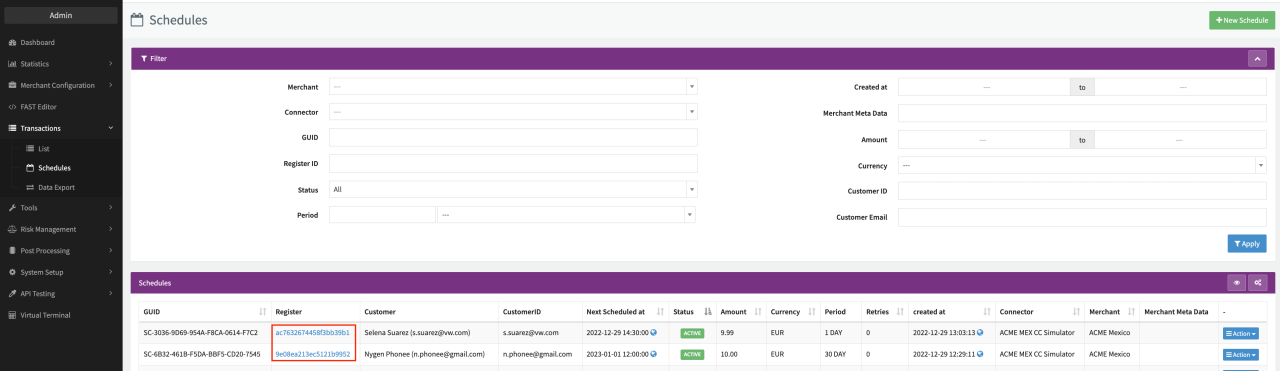
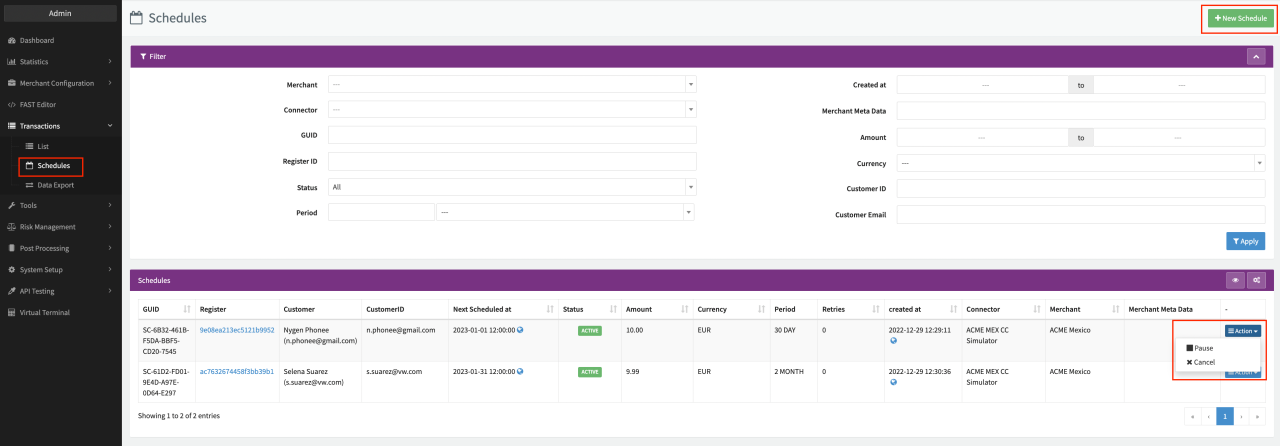
The Schedules Overview contains all scheduled (follow-up) transactions to a register transaction within the IXOPAY platform. In the Overview you have the option to pause, continue, retry or cancel an existing schedule or to create a new schedule. With the Schedules Filter you can narrow down your results by filtering according to various data points.
- Navigate to the Transactions section, sub-section Schedules. All scheduled transactions are listed in this overview.
- Filter to refine the search results (see Filter Table)
| Filter name | Description |
|---|---|
| Merchant | Select a specific Merchant from the list |
| Connector | Select a specific Connector from the list |
| GUID | Fill in the Schedule GUID |
| Registration ID | Fill in the Registration ID (UUID of the related Register Transaction) |
| Status | Select the Schedule status: All, Active, Conceled, Create-Pending, Error, Paused |
| Period | Fill in the Period Length and select the Period Unit |
| Created At | Filter a specific range by selecting a from and a to date. |
| Merchant Meta Data | Fill in Merchant Meta Data |
| Amount | Filter a specific range by selecting a from and a to amount. |
| Currency | Select the Currency |
| Customer ID | Fill in a Customer ID |
| Customer E-Mail | Fill in a Customer E-Mail |
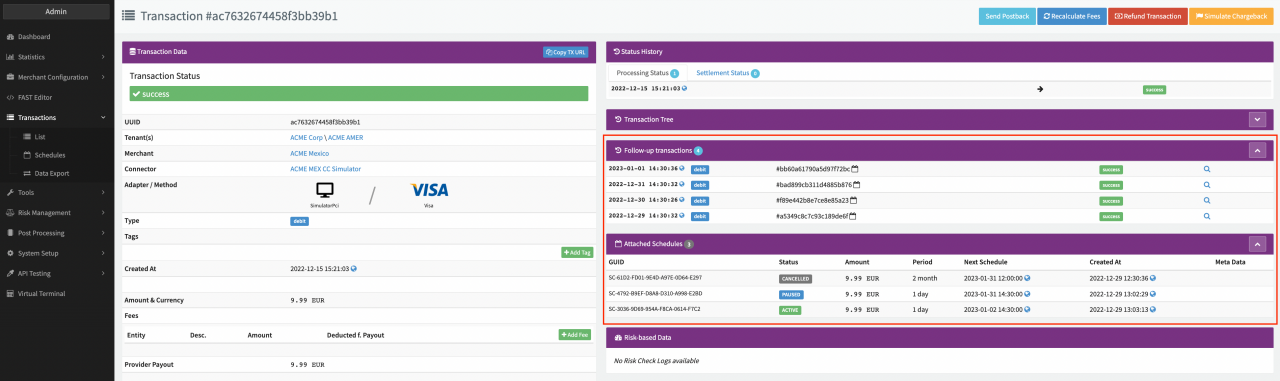
For each schedule, the Transaction Details of the related Register Transaction will show the Follow-Up Transactions performed by the schedule and the Attached Schedules to the Register Transaction. Follow the link to the related Register Transaction in the Register column.