Refund
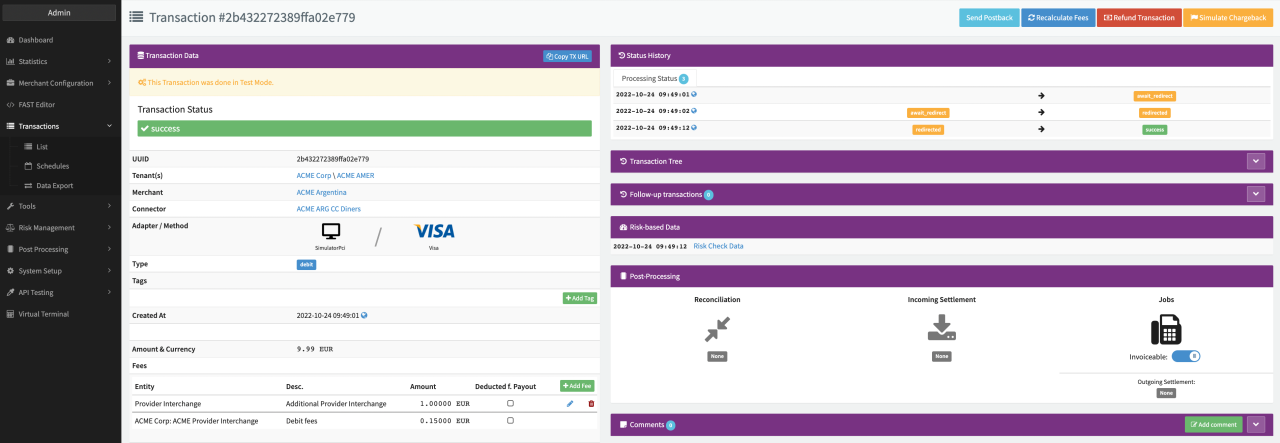
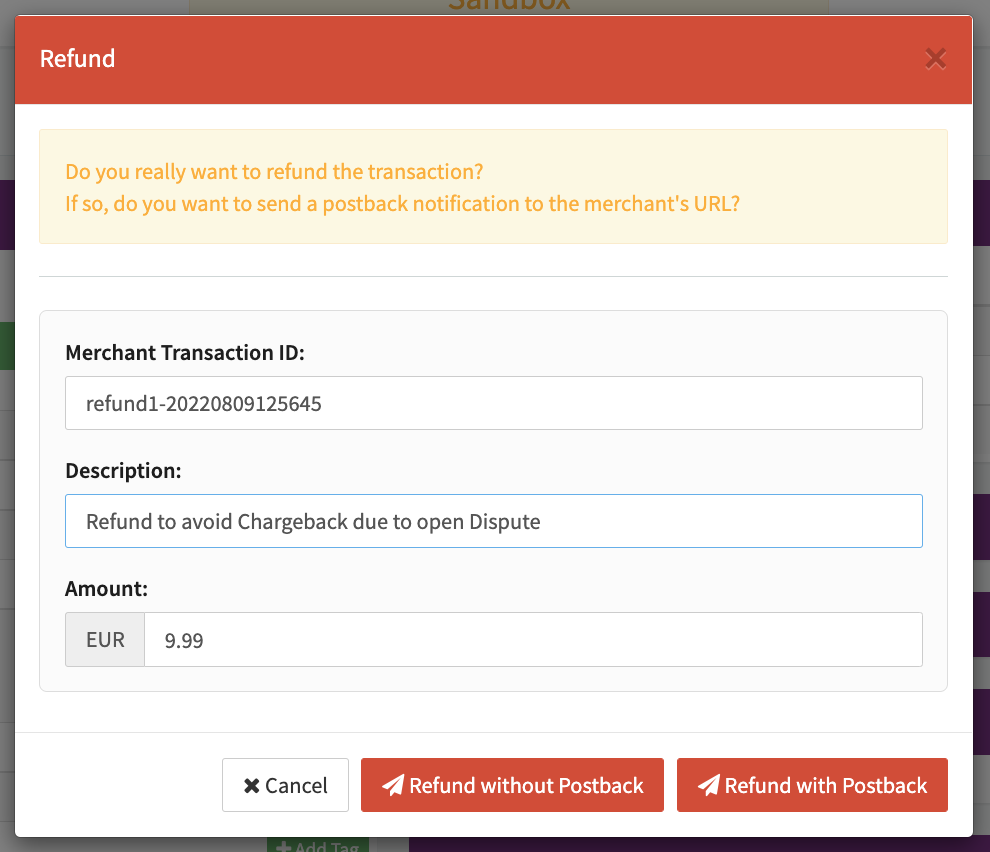
Depending on the given Permissions and prerequisites, Users can refund transactions manually (e.g. to avoid chargebacks). This can be done by using the Refund Action Button in the Transaction Details.
To refund a Transaction, the Transaction has to fulfill some conditions:
- The Transaction Type has to be Debit or Capture
- The Transaction status has to be success or pending
- The Transaction must not be charged back or fully refunded already
- The Connector must support Transaction Type Refund
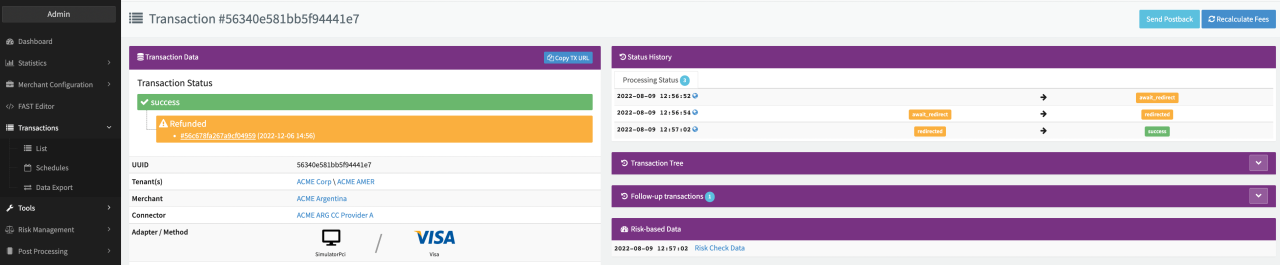
Once confirmed the Refund Transaction will be created and shown in the Transaction Status of the original Debit / Capture Transaction.
Additional Connector Settings
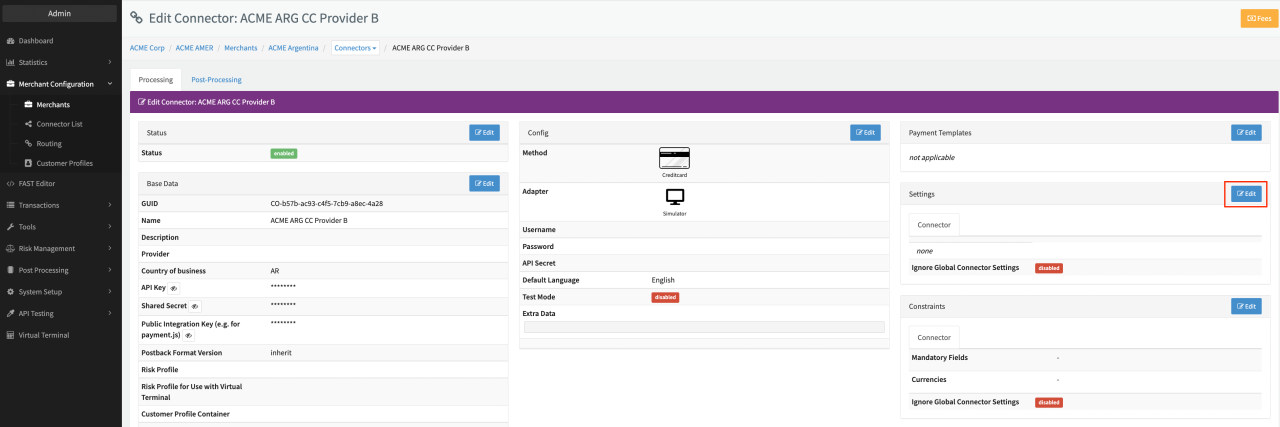
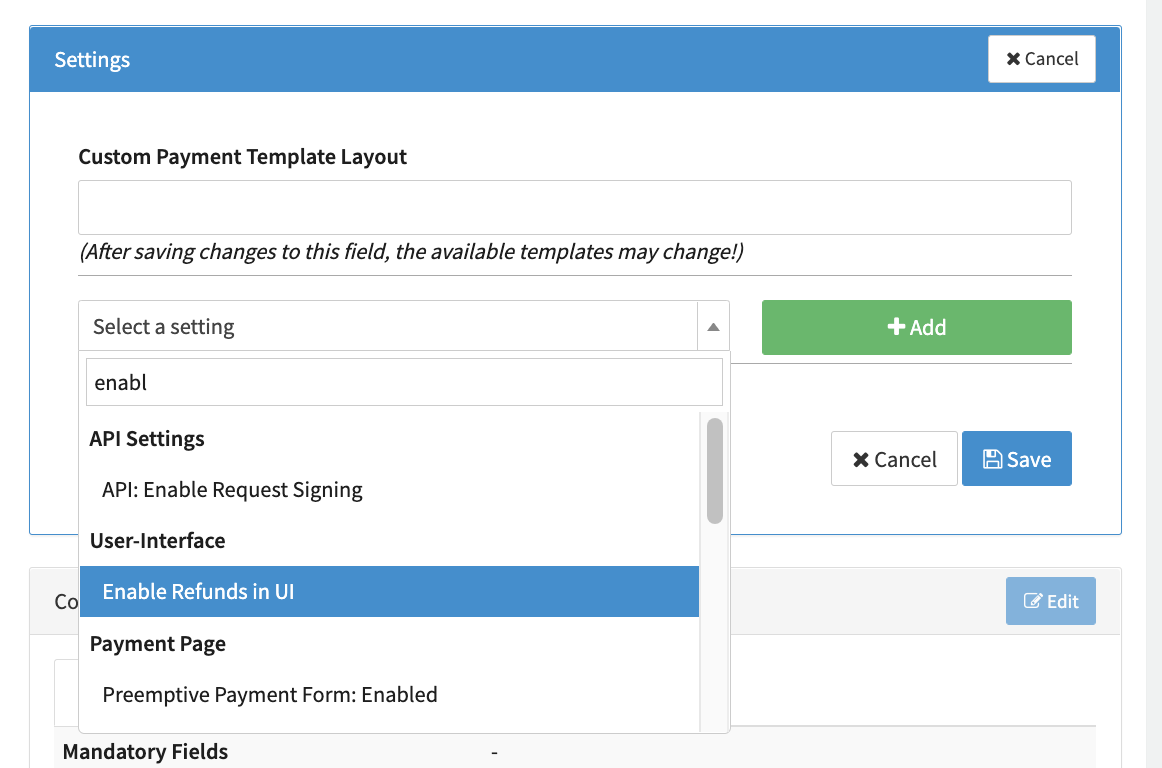
In case you do not see the Refund Action Button (e.g. for Merchant Users), but have the Permission enabled, you might need to enable an additional Connector Setting Enable Refunds in UI.
Follow these steps to activate the Connector Setting:
- Navigate to the Connectors Details Overview of the Connector you want to manually create Refunds for in the Transaction Details.
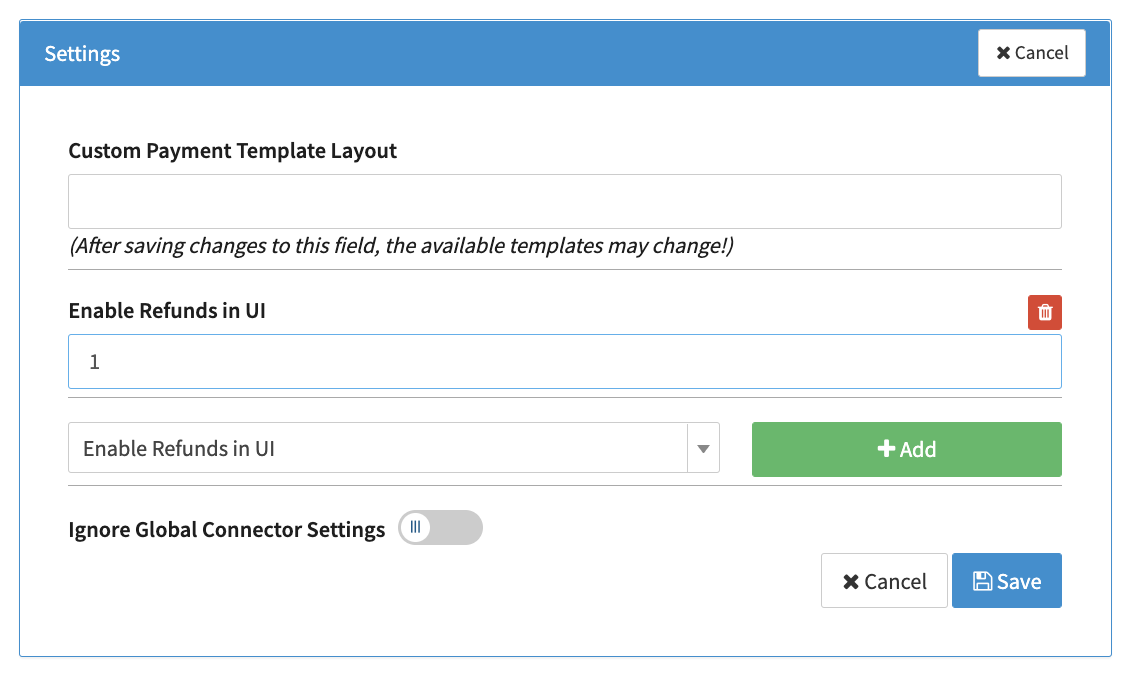
- Click Edit in the Connector Settings section and search for Enable Refunds in UI
- Click Add and enter 1 to activate the setting
- Click Save
Refunds can also be initiated via the IXOPAY platform's API Testing Tool. In this case the Reference UUID must be provided.