Approve/Decline
Approve / Decline Transaction
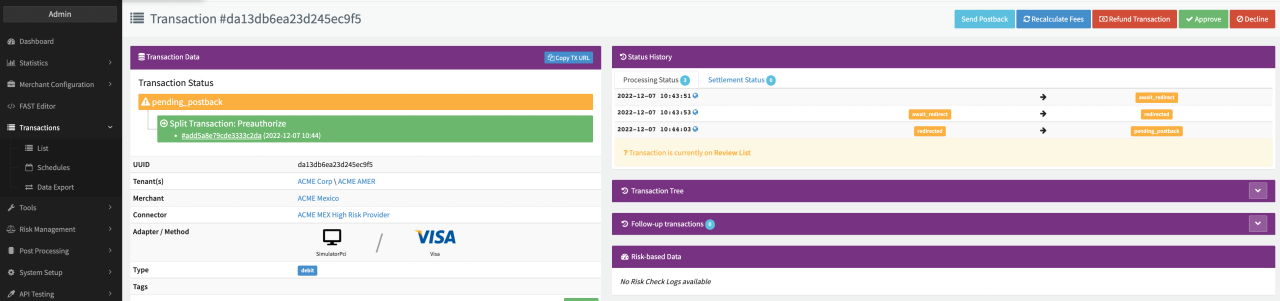
Depending on the given Permissions and prerequisites, Users can approve respective decline transactions manually (e.g. if transactions are marked by the Risk Engine for manual review). This can be done by using the Approve respective Decline Action Buttons in the Transaction Details.
- To approve respective decline a Transaction, the Transaction has to be marked for manual review (see Risk Management - Create Risk Rules for Your Risk Profile) and therefore meet the requirements for manual review
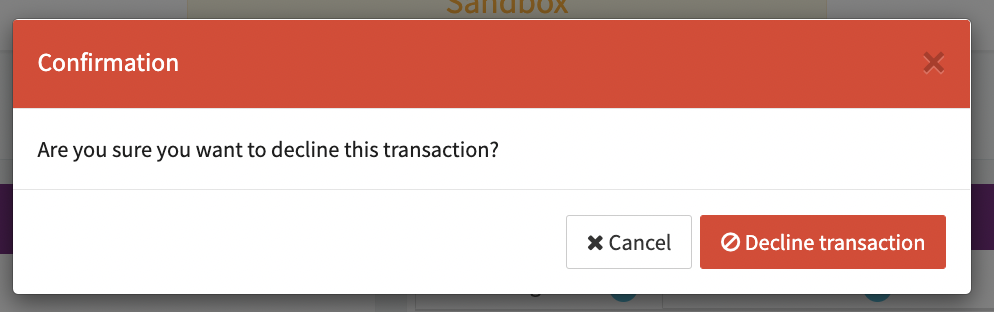
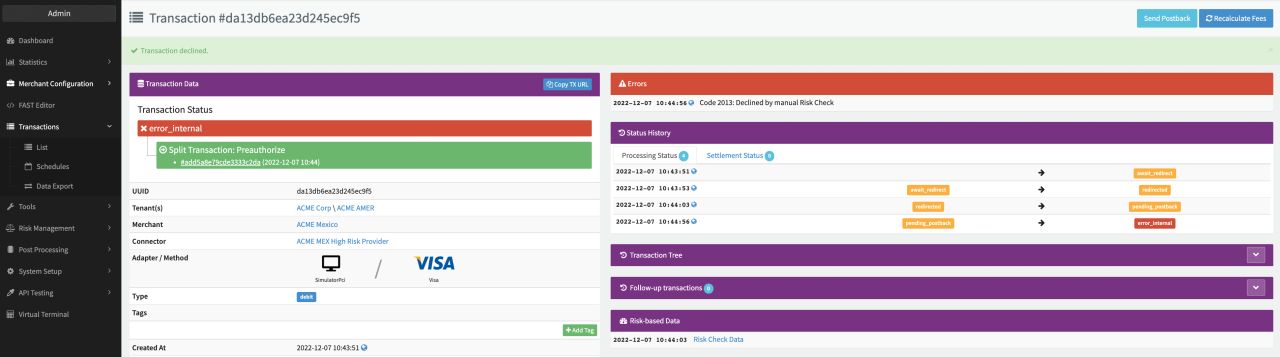
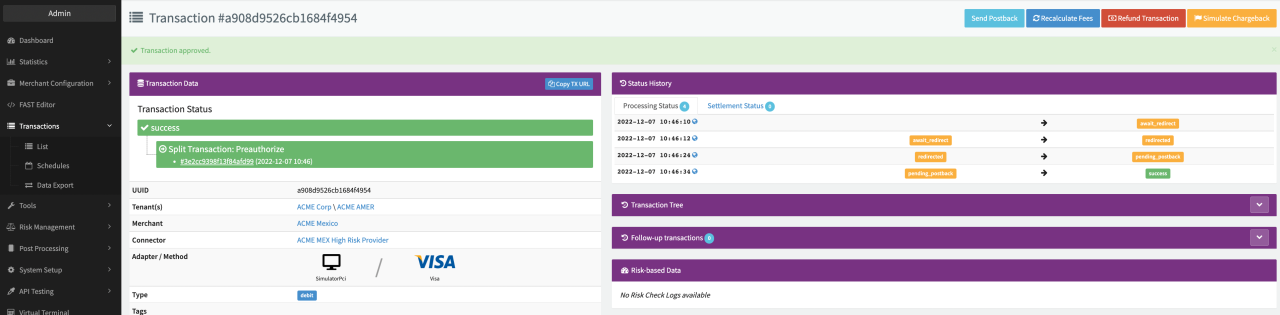
Once confirmed the Transaction will be either declined or approved (actions depend on the Transaction Type).
note
The same actions can be performed in the Risk Management - Review List. Keep in mind that Debit Transactions set to manual review will be split into a pre-auth and a capture/void transactions (depending on the manual review user action) and therefore counted as two separate Transactions. This behavior does not apply to pre-auth transactions.