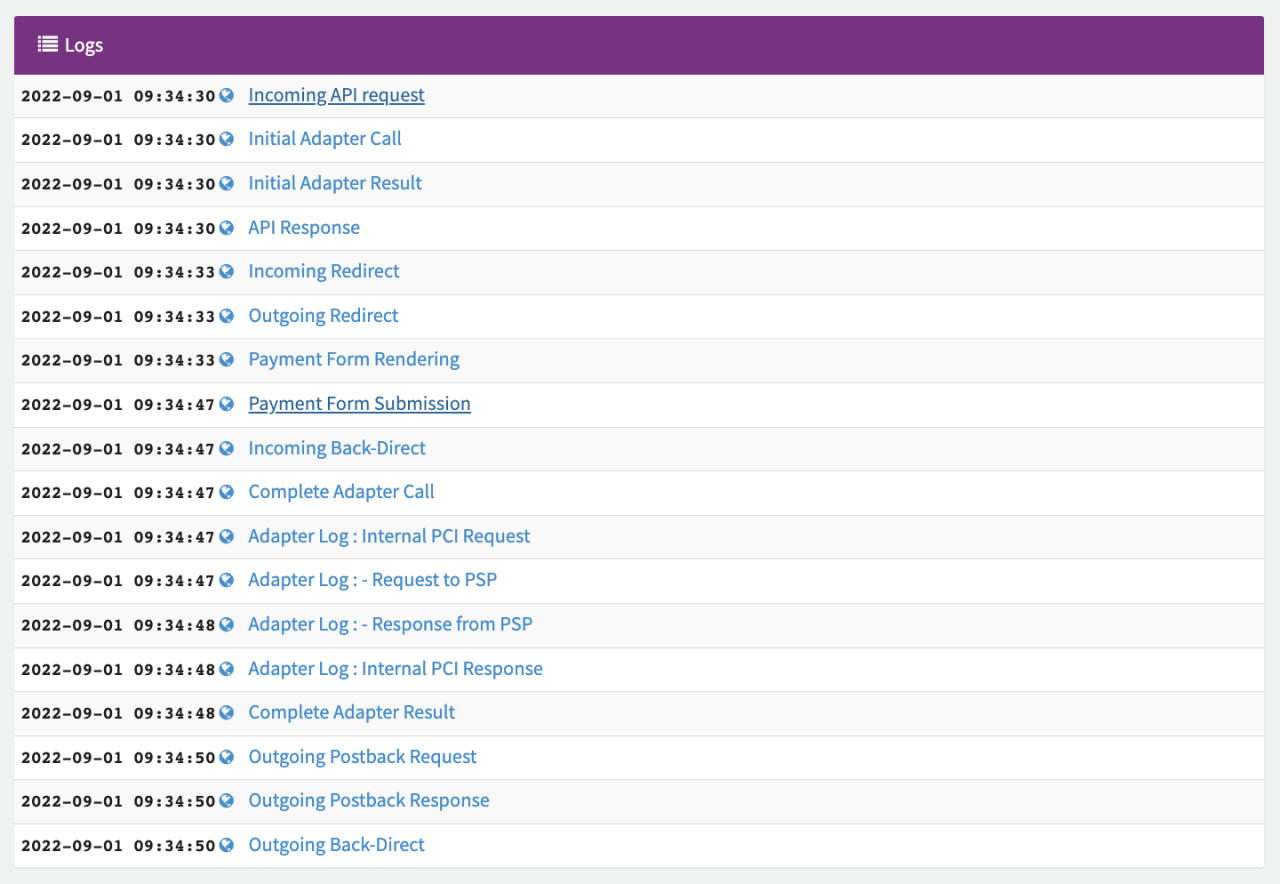
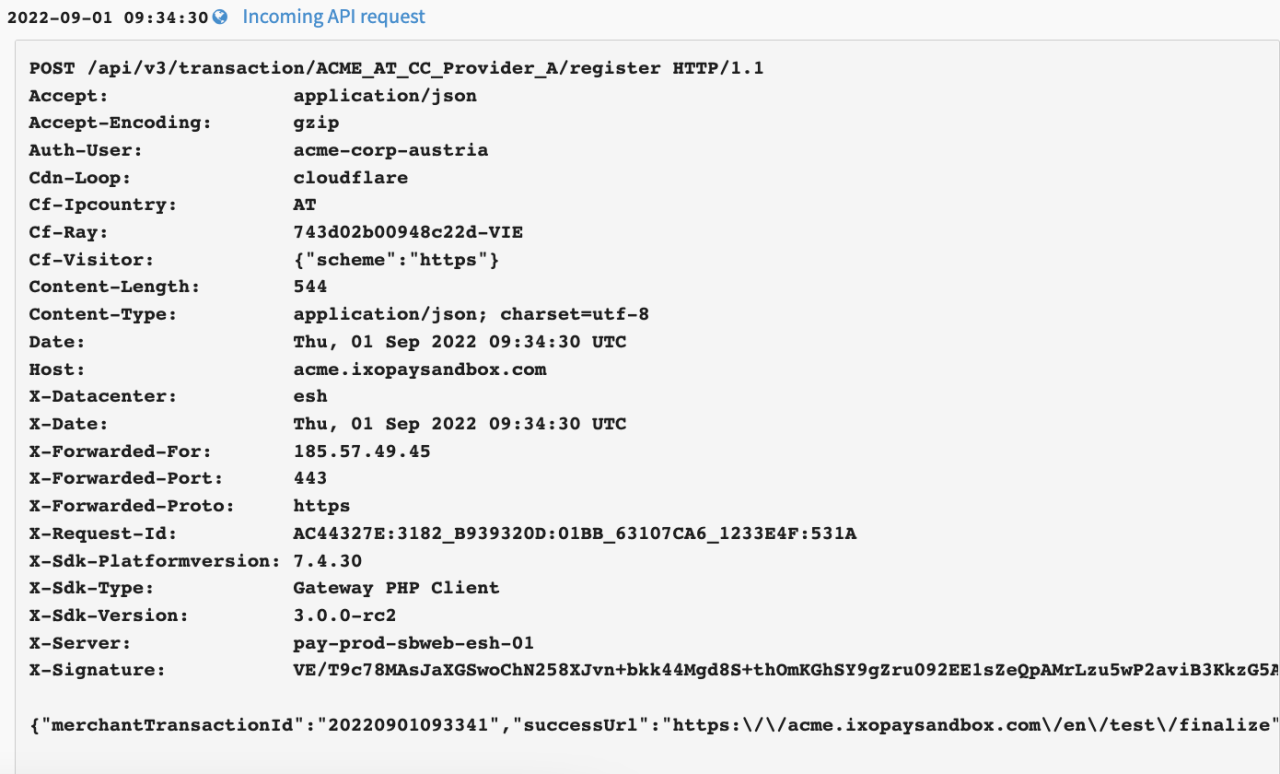
Transaction Details
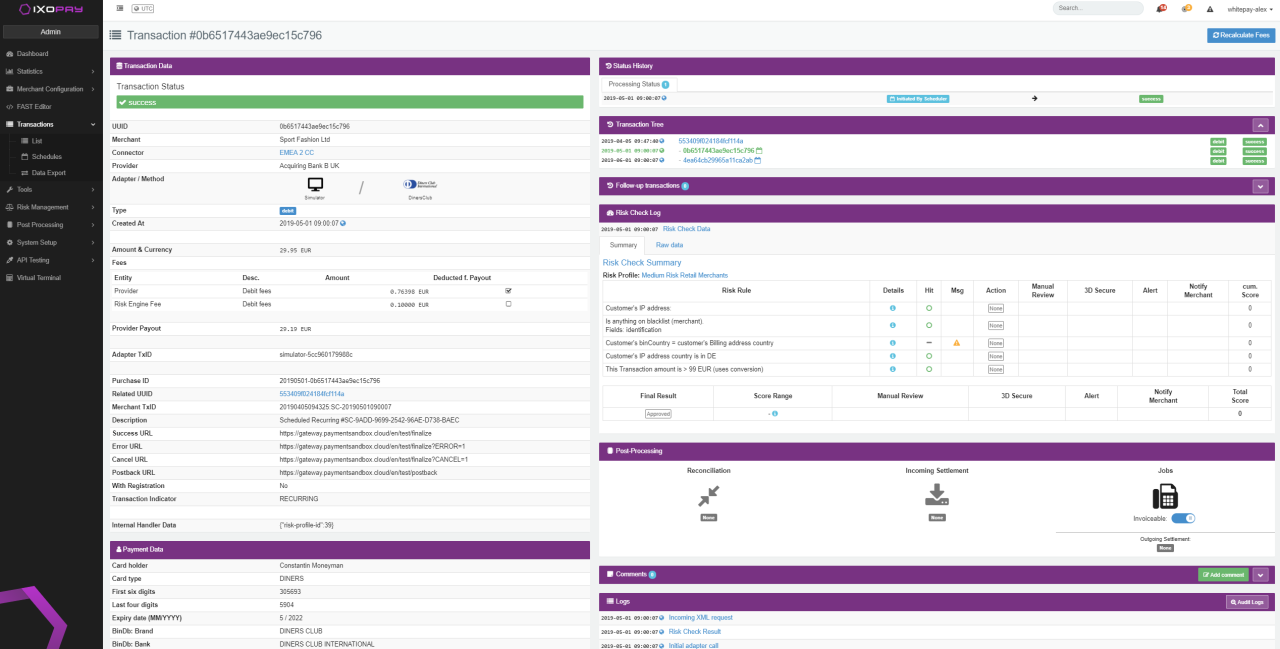
For each Transaction shown in the Transaction list you have the option to show more Details such as Transaction, Payment, Customer, History, Risk, Postprocessing or Log Data by selecting the Details Button for the individual Transaction.
Let's have a look at the individual sections:
Action Buttons
Depending on your Permissions, you will see different Action Buttons in the top right corner:
- Send Postback, Recalculate Fees,
- Capture / Void Transaction,
- Refund Transaction,
- Approve / Decline,
- Cancel, Resolve,
- Simulate Chargeback / Chargeback Reversal
Transaction Data
In this section you will find data relating to the transaction itself (see Transaction Data Table)
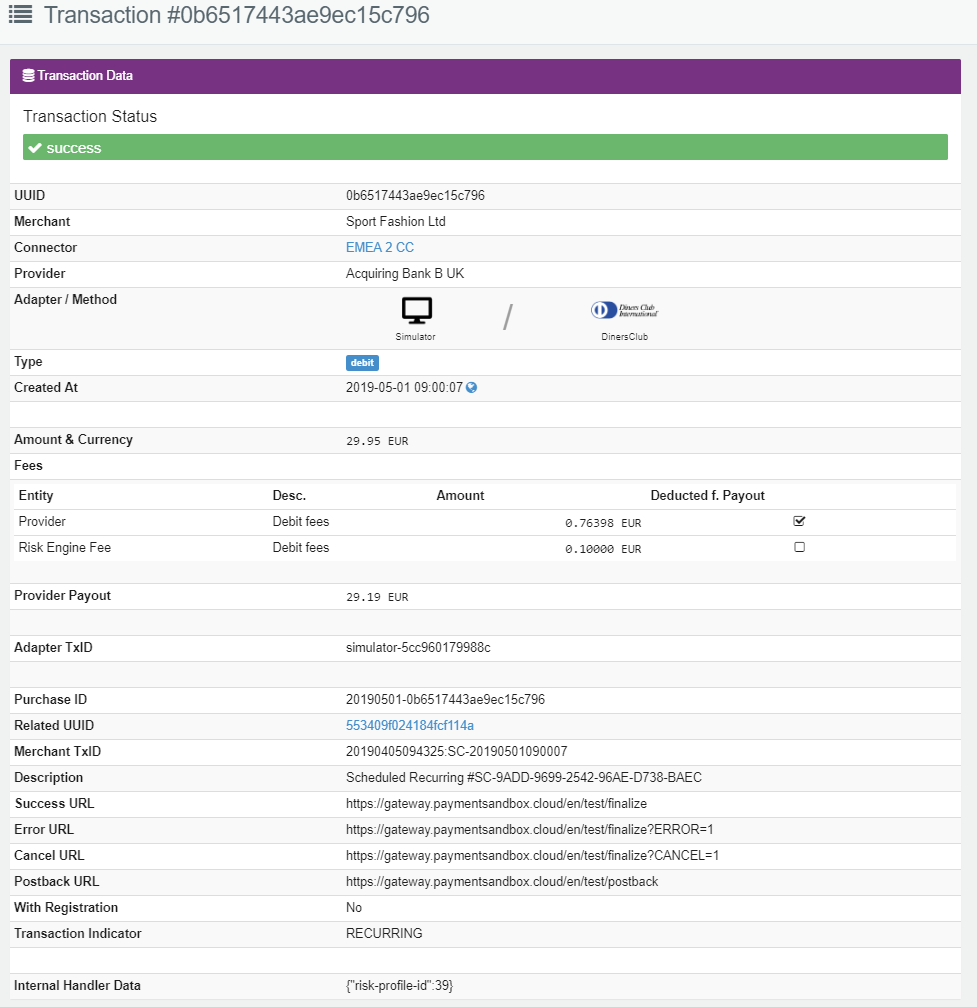
To ensure investigations and troubleshooting are as quickly as possible, please include as much of the information (e.g. sample Transaction UUID, description of issue) as you can when contacting our Support Team in the IXOPAY Customer Experience Portal when encountering issues. For easy use click the Copy Tx URL Button in the Transaction Data.
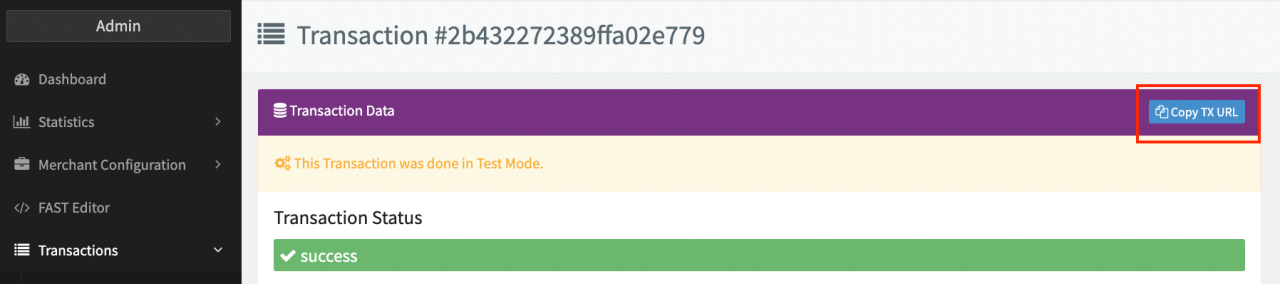
| Field | Description |
|---|---|
| Transaction Status | Green: Successful Transaction Red: Error, transaction failed (e.g. declined, connection error, due to Risk check declined, etc.) Orange: manual review, pending_postback, redirected Black: Voided Transaction |
| UUID | Universal Unique Identifier of the Transaction |
| Tenant(s) | Name of the Tenant and/or Sub-Tenant for which the Merchant was created |
| Merchant | Merchant name for which the Transaction was initiated |
| Connector | Connector name that processed the Transaction |
| Adapter/ Method | Adapter name and chosen payment method for the processed Transaction |
| Type | Transaction Type |
| Tags | see also Transaction Tag |
| Created At | Date and time (UTC) when the Transaction was created |
| Amount and Currency | Transaction Amount and currency |
| Fees | Fees that were calculated for this Transaction. Incl. entity, description, amount and if deducted from payout. See also Set up Fees/Fee Calculation. |
| Provider Payout | Provider Payout (depending on the Transaction Type, Fees - deducted from Payout and Rolling Reserve) |
| Adapter TxID | Adapter Transaction ID, received by the IXOPAY platform in the PSP's / Acquirers response |
| Adapter Token | Tokenized payment instrument |
| Adapter Redirect URL | Adapter Redirect URL including the UUID |
| Purchase ID | Purchase ID, a unique Identifier the Merchant received within the API Transaction Response referring to a Transaction |
| Registration ID | Registration ID for Register Transactions |
| Merchant TxID | Merchants Transaction ID received by the IXOPAY platform in the API Transaction Request |
| Description | Transaction Description |
| Success/Error/Cancel/Postback URL | Different URLs where the customer will be redirected, depending on the status of the Transaction |
| Extra Data | Transaction Extra Data |
| With registration | Yes or No |
| Transaction Indicator | Single: One-off Transaction Initial: First Transaction of a recurring series Recurring: Subsequent Transaction of a recurring series Cardonfile: Transaction using a stored tokenized Credit Card MOTO: Mobile order / Telephone order - Transaction initiated by Virtual Terminal |
Payment Data
In this section you will find data relating to the customers payment instrument used for the Transaction (see Payment Data Table)
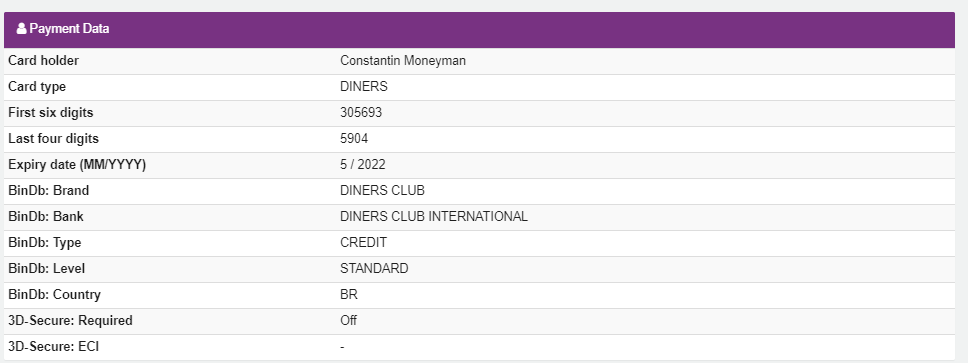
| Field | Description |
|---|---|
| Card Holder | Card Holder name |
| Card Type | Card Type such as Visa or Mastercard |
| First six digits | First six digits of the customer credit card. See also Blocklist Customer Data from Transaction list |
| Last four digits | Last four digits of the customer credit card |
| Expiry date (MM/YYYY) | Expiry date of credit card |
| CC Fingerprint (Merchant) | |
| CC Fingerprint (Global) | |
| BinDb: Brand | Card brand |
| BinDb: Bank | Issuing Bank |
| BinDb: Type | Type of card (card funding type) |
| BinDb: Level | Credit Card type such as business, standard, gold, etc... |
| BinDb: Country | Country of issuing bank. See also Blocklist Customer Data from Transaction list |
| Card region | Relation between issuing and acquiring country. (domestic, intra-EEA, interregional) |
| 3D-Secure: required | Enabling in the Merchant’s Webshop if 3D-Secure is optional or mandatory - With Optional the 3D-Secure process will be performed, if the customer's card is enrolled, otherwise the Transaction will be processed without 3D-Secure liability. The flag can be overruled by the Risk Engine |
| 3D-Secure: ECI | 3D-Secure: Electronic Commerce Indicator is a code returned by the processing network and bank, to notify a Merchant about the authentication and status of the card holder under 3D-Secure |
Customer Data
In this section you will find data relating to the customer itself (see Customer Data Table). This data is provided by the Transaction Request.
In case the customer data is linked to a Customer Profile, you can navigate to the Customer Profile directly by using the Show Button.
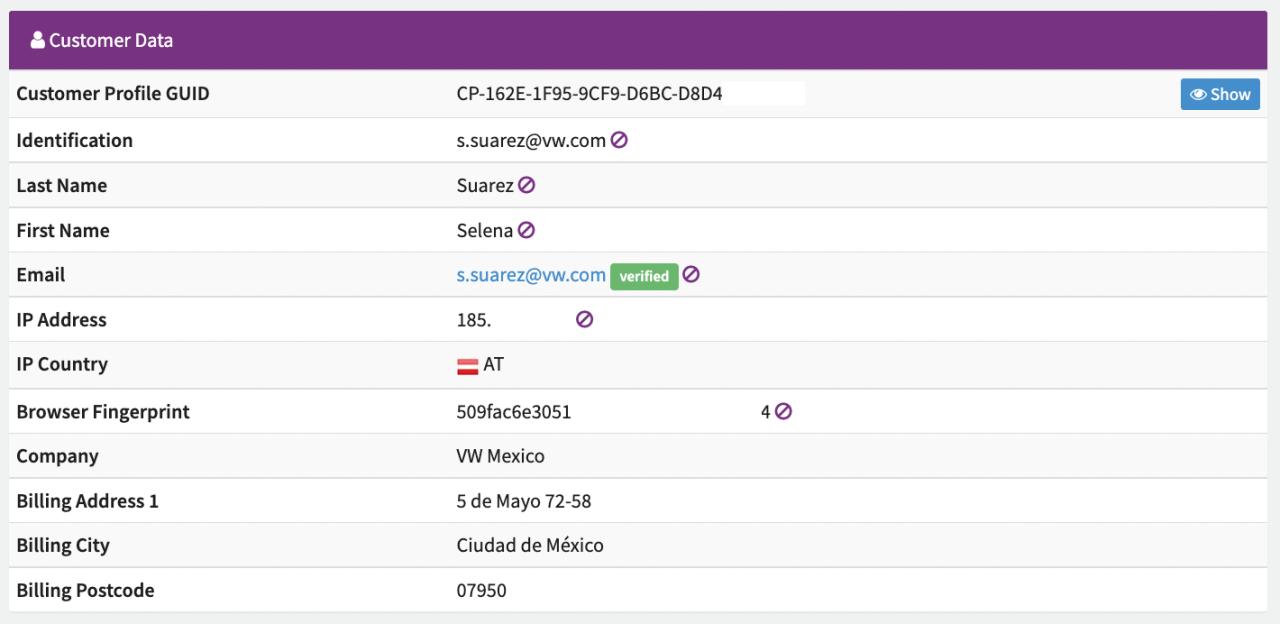
| Field | Description |
|---|---|
| Last Name | Customer last name. See also Blocklist Customer Data from Transaction list |
| First Name | Customer first name. See also Blocklist Customer Data from Transaction list |
| Customer email address. See also Blocklist Customer Data from Transaction list | |
| IP Address | Customer's IP Address. See also Blocklist Customer Data from Transaction list |
| IP Country | Customer's IP Country. |
| Browser Fingerprint | Browser Fingerprint. See also Blocklist Customer Data from Transaction list |
| Company | Customer Company Name |
Status History
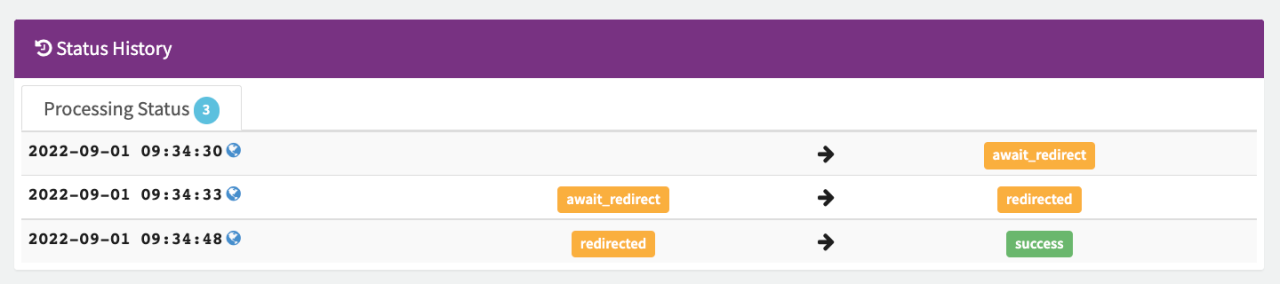
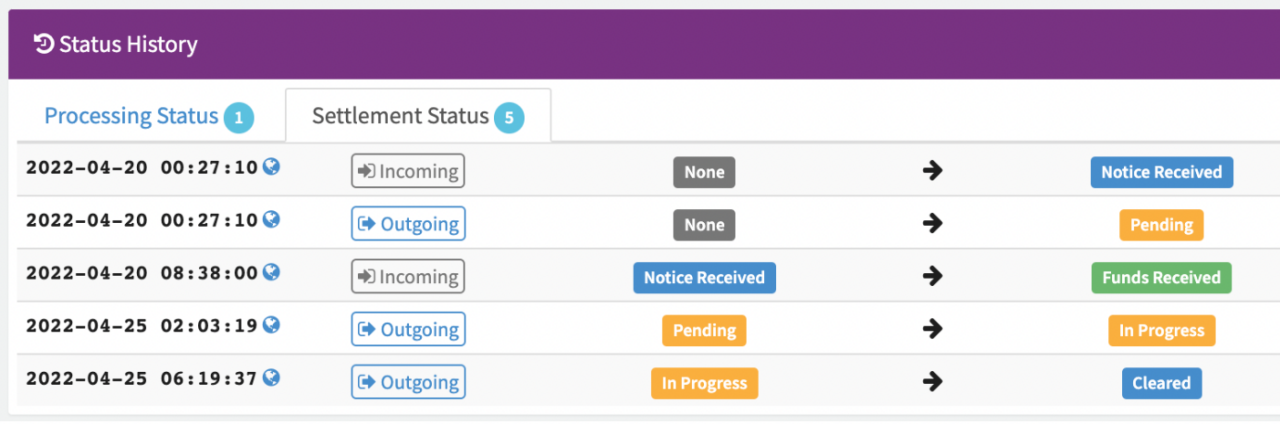
In this section you will find the different Processing Status Changes (e.g. await_redirect to redirected, redirected to success) as well as Settlement Status Changes (e.g. Notice Received, Funds Received, Pending, In Progress, Cleared) incl. timestamp.
Transaction Tree & Followup Transactions
In this section, similar to the Transaction Status, you will find data and links to related transactions (e.g. pre-authorize and capture transactions, splits, refunds, chargebacks) and followup transactions (e.g. scheduled transactions) to the current transaction

Risk-based Data
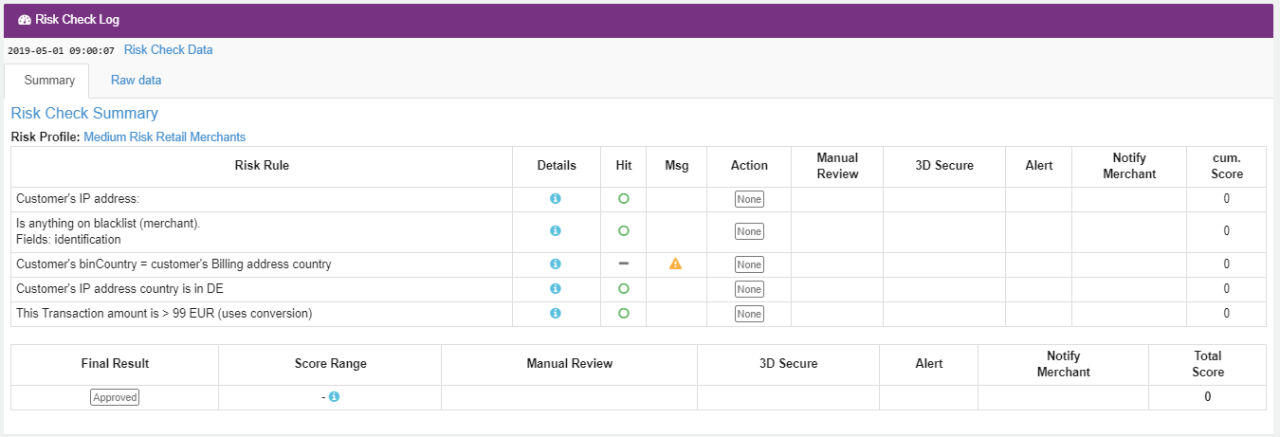
In this section you will find data related to performed Risk Checks (see Risk-based Data Table). This section will only appear in case a Risk Profile is assigned on Merchant and/or Connector level. Transactions processed by the Connector will be checked against the Risk Rules configured in the assigned Risk Profile and based on the Risk Score and associated Score Card Actions, Transactions will be approved, declined or require a manual review, etc.
| Field | Description |
|---|---|
| Risk Profile and Risk Rule | Applied Risk Profiles and Rules |
| Details | Risk Rule parameter details (Mouse over at the info icon) |
| Hit | Provides information whether a Risk Rule was classified as false (green: no Hit) or true (red: Hit) |
| Msg | Message/ additional information |
| Action | Consecutive action as defined in the Risk Rule: If any immediate action is performed |
| Manual review* | Consecutive action as defined in the Risk Rule: If a manual review is required/active |
| 3D-Secure | Consecutive action as defined in the Risk Rule: Whether 3D-Secure as mandatory, optional or disabled |
| Alert | Consecutive action as defined in the Risk Rule: Shows whether an alert notification has been sent or not |
| Notify Merchant | Consecutive action as defined in the Risk Rule: Shows whether the Merchant has been notified or not |
| Cum. Score | Cumulated Card score results within a Risk profile check run |
| Final result | Summarize all used Risk Rules together and thus gives more detailed information about the overall Transaction Risk Score and configured / performed Score Card Actions |
For more information about Risk Profile, Risk Rules and Strategies see the Risk Management section.
Attached Schedules
This section will be shown in case a Transaction is scheduled. For more information see also Transaction Schedules

Post-Processing Data
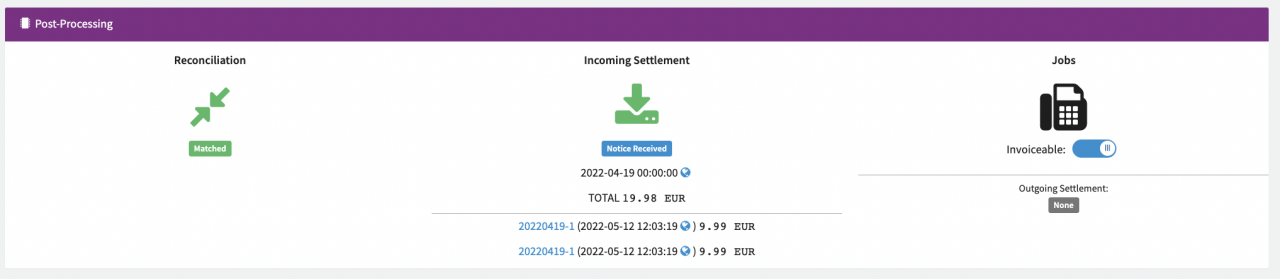
Depending on your System Setup and Postprocessing Configuration you may be able to see further information about Post-Processing data.
This includes:
- Reconciliation: Is the Transaction reconciled with the Provider's data
- Provider Settlement: Is the Transaction settled by the Provider
- Jobs: Are there any Post-Processing Jobs where this Transaction was considered for or Outgoing Settlements. Additionally you can set/remove the invoice-able flag, which may be relevant for particular job steps.
Files are retained for 12 months and permanently deleted thereafter.
Comments
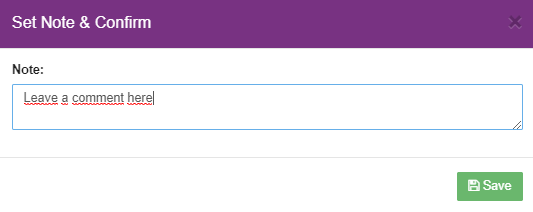
In this section you have the possibility to add internal comments to the individual Transactions. Follow these steps to leave a comment:
- Select Add comment
- Enter the comment and select Save

Logs
In this section you will find all data relating to the transaction processing starting from the moment the API Request is received by the IXOPAY platform, including all intermediate (Payment Form Rendering, Redirecting, Postback Notifications) and executed actions with different PSPs in the background (Adapter Calls) with exact timestamp (UTC).