Network Token Services
If you want to get access to this IXOPAY platform feature you need an add-on to your plan. Please contact our sales team or your Customer Success Manager for more information.
Network tokenization uses random unique merchant-specific tokens for credit cards, the so-called network tokens, directly issued by credit card schemes (Visa, Mastercard). Changes to the underlying PAN data are automatically updated by the schemes and do not require a new token to be generated. Instead, the existing token continues to reference the same PAN with the updated information. Benefits for clients include:
- PAN data being always up-to-date
- Sensitive information being stored in vaulted environment
- Reduced PCI scope & compliance costs
- Potential for lower processing fees
- Higher authorization rates
The IXOPAY platform provides network token services as a Token Requestor Aggregator service, approved by Visa and Mastercard, allowing clients to:
- Request a Token Requester ID (TRID) from both schemes (VISA, Mastercard)
- request network tokens from Visa and Mastercard on behalf of merchants (OBTR/TR-TSP) and handle network token lifecycle events, as well as store and delete network tokens for PAN data (in the IXOPAY platform PCI Vault)
- Use network tokens to process transactions made by return customers (card on file), provided the adapter supports network tokens
Furthermore the Analytics and Reporting Capabilities of the IXOPAY platform will be adopted in regards to network tokens.
The Network Token Services is only available in the Production environment.
Network Token Services Permissions
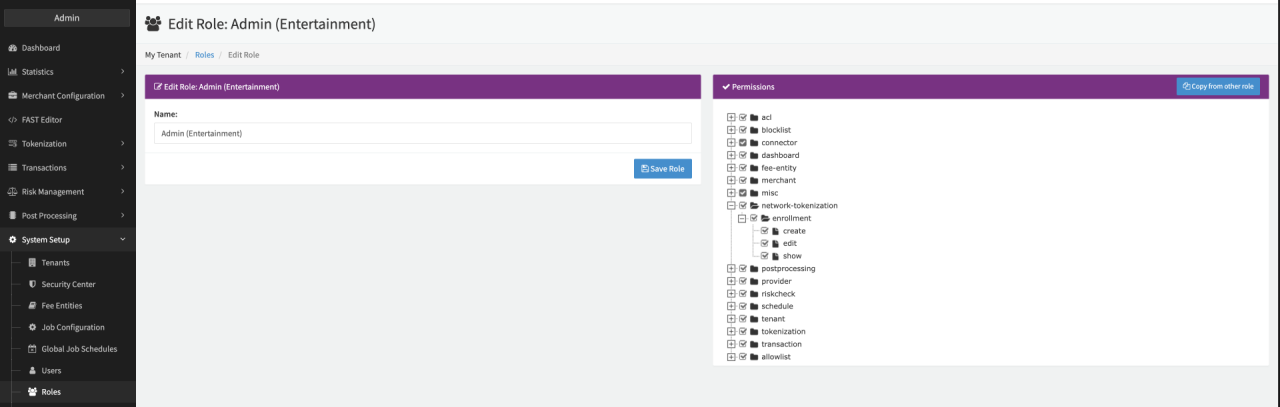
To be able to setup the feature, the permissions network-tokenization.enrollment.* must be enabled for your tenant and activated for your Admin User Role (see Network Token Services Permission). This will be done by our Customer Success Team for you.
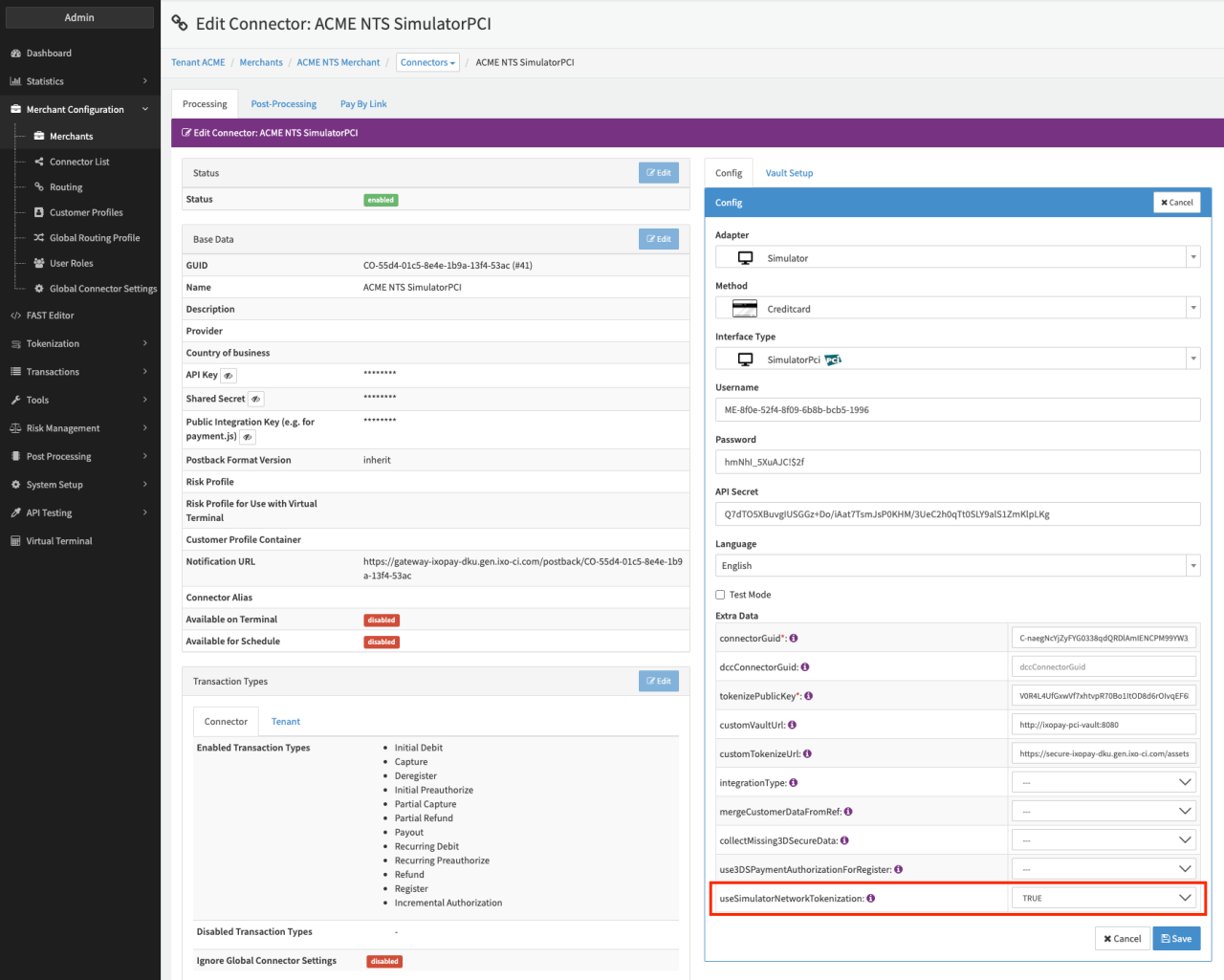
Testing IXOPAY's Network Token Services you can use the SimulatorPCI adapter configured with useSimulatorNetworkTokenization set to True.
Enrolling a Merchant for Network Token Services
Once activated for the admin user role, a so called Token Requester ID (TRID) can be requested for both card schemes upon enrollment for the network token services.
Enroll a Merchant for the network token services, by:
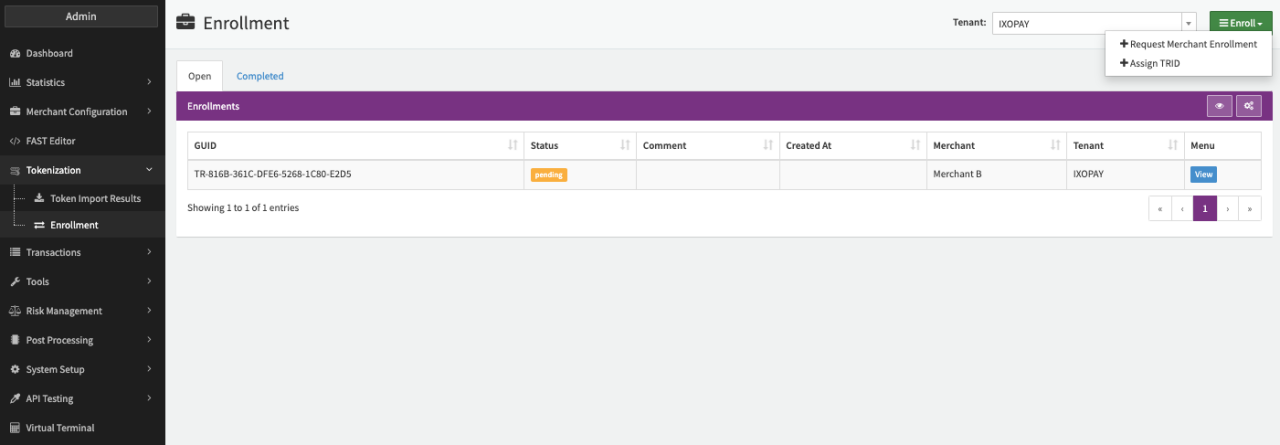
- Navigate to the Tokenization section, sub-section Network Tokenization (see Merchant Enrollment).
- In the Enrollment Tab, select + Enroll.
- Select either
- + New Enrollment Request, in case you want to request a new TRID for the Merchant
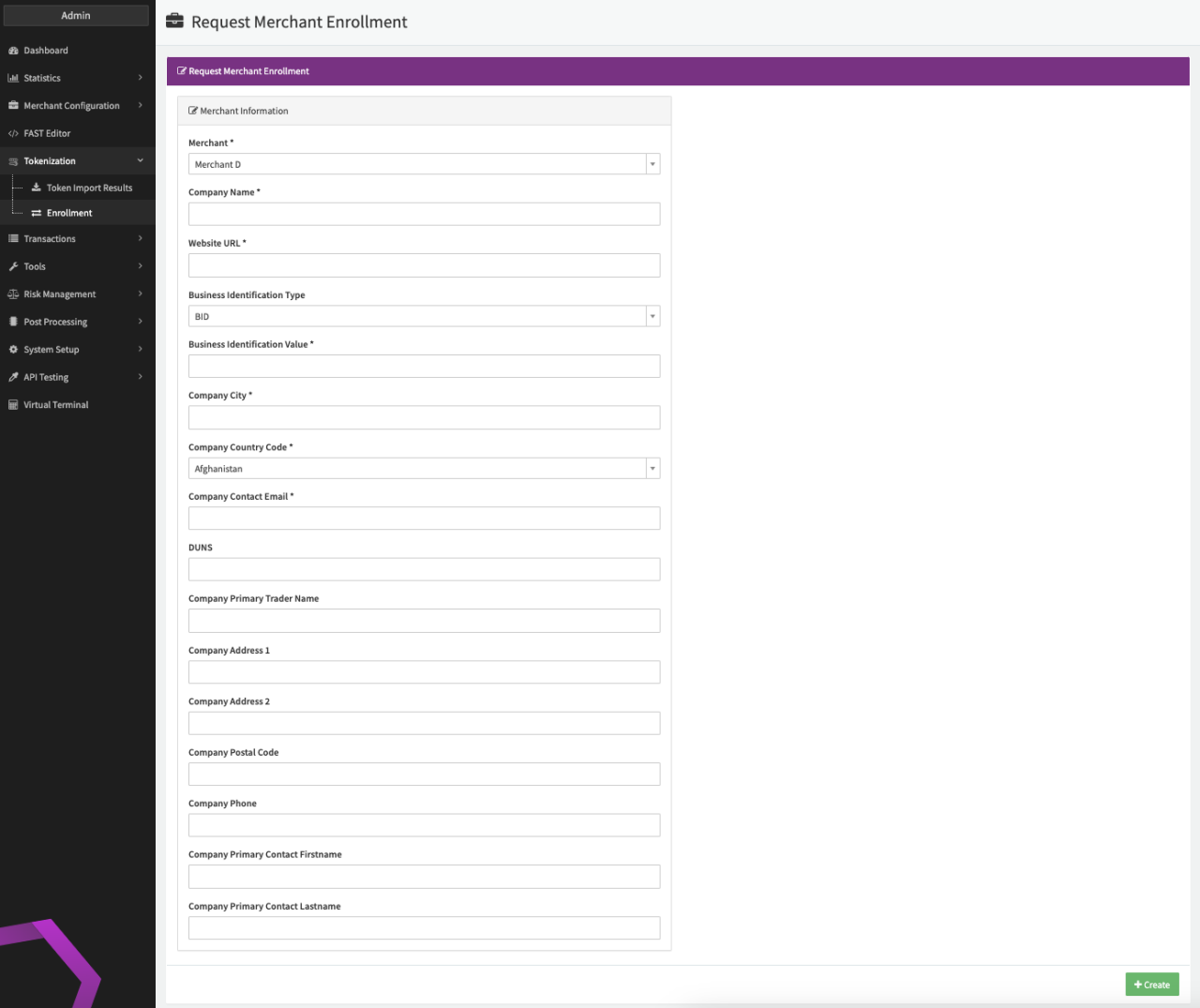
- Fill in the additional merchant information requested by the card schemes for a new enrollment (see Additional Merchant Information).
- Select + Create and create the new enrollment. Once started, the enrollment can be seen in the overview in state pending and can be cancelled.
- In case the enrollment is rejected, you will receive a notification including a comment as to why the enrollment got rejected (e.g. insufficient or wrong merchant information). A new enrollment request for this merchant can be started in case of a rejected or cancelled enrollment.
- + Assign TRID, in case you want to assign an existing TRID to a Merchant.
- + New Enrollment Request, in case you want to request a new TRID for the Merchant
Once enrollment is successful and the TRID has been generated and/or assigned to the merchant, tokenization is automatically enabled for all credit card connectors of this merchant, with default configuration to tokenize PAN data of any register or withRegister transaction before processing the transaction. Each tokenization is creating a register-nt transaction.
Network tokenization can be disabled for specific connectors on connector level via configuration as well as globally (see Connector Configuration).
Keep in mind that it might take up to 3 business days before you will be able to create tokens after successfully enroll your Merchants due to technical scheme restrictions. Merchants sharing a Customer Profile or Tokens stored in the IXOPAY platform PCI Vault need to have the same TRID assigned in order to use Transaction Processing using network tokens.
Configuring Network Tokenization per Connector
Want to exclude Network Tokenization for several connectors or change the configuration? Use our Global connector settings feature as described here.
To change the network tokenization behavior for a connector or exclude the connector, follow this steps:
- Go to the Connectors Overview on the configured merchant and click Edit.
- In the section Settings click on Edit (see Connector Details View).
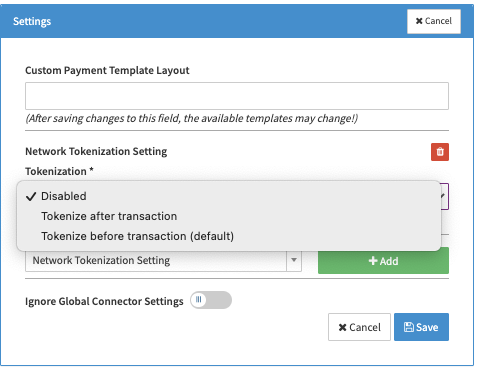
- Search for the Tokenization - Network Tokenization and click +Add (see Select Setting).
- Select the value to Disabled, Before transaction processing or After transaction processing (see Select Setting) and click Save.
After configuration the PAN data from register, debit+register and preauth+register transactions will either not be tokenized or tokenized before / after transaction processing. Generated network tokens are stored among the PAN data in the PCI Vault.
Clients with already stored PAN data need to contact our Customer Success Management team to initialize the tokenization of the existing data.
Transaction Processing using Network Tokens
Scheme Rules
When processing payments with network tokens, merchants must comply with card network scheme regulations based on the transaction type:
- Merchant Initiated Recurring (RECURRING): The initial transaction must have a valid Scheme Reference ID.
- Merchant Initiated Unscheduled (MIT / CARDONFILE_MERCHANT): The initial transaction must have a valid Scheme Reference ID and be successfully 3DS authenticated (ECI 05 for Visa or ECI 02 for Mastercard).
Processing Transactions
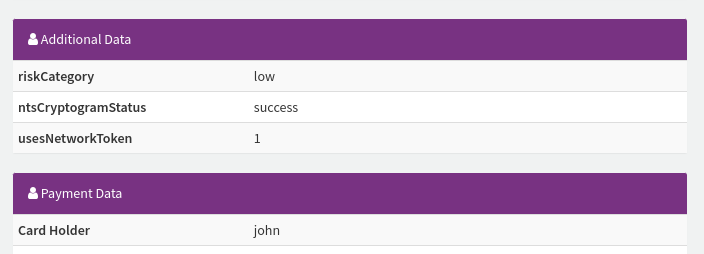
Network tokens will be used for transaction processing in case the adapter supports it. Depending on your connector configuration either starting from the initial register, debit+register and preauth+register transactions or the first transaction made by return customers (card on file) after that initial transaction (see Transaction Details - Additional Data).
Depending on your business case it might make sense either to select the option to tokenize card data before (potential for lower processing fees) or after (shorter processing times) transaction processing. Keep in mind, that network tokens can only be used with adapters that support transaction processing using network tokens. This is indicated in IXOPAY’s Adapter Catalog under the adapter’s capabilities ("Network Tokens (IXO-based)").
Network Token Lifecycle
Network Tokens Lifecycle Events received from the card schemes, such as:
- Token active
- Token suspended
- Token unsuspended
- Token deleted
- Product configuration change (e.g. card art)
- Underlying PAN changed
will trigger a postback notification will be sent. For further details have a look in the
API Documentation — Network token notification
(see Network Token Status)
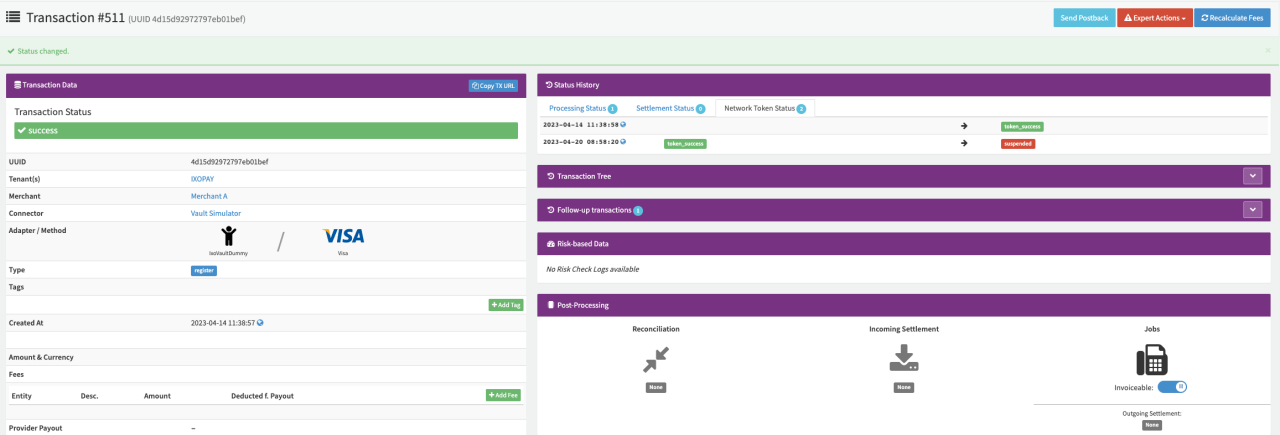
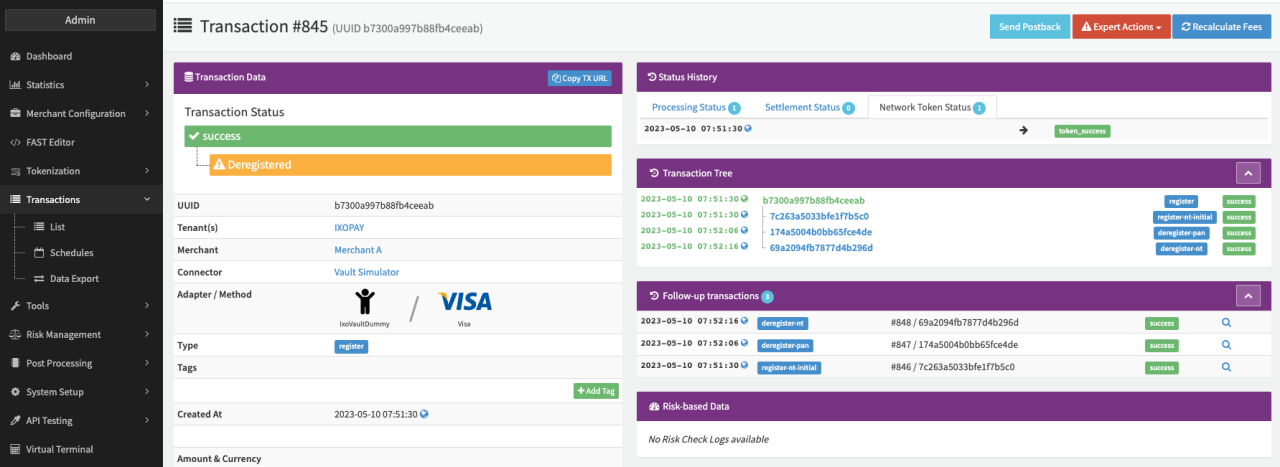
By default the PAN data and the network token are stored in the IXOPAY PCI Vault. You have the option to either deregister only the network token (deregister-nt) or only the PAN data (deregister-pan) or deregister both (deregister = deregister-pan + deregister-nt) with one API call (see Transaction Details - Register Transaction). Keep in mind that deregistering both, PAN data and network token will automatically create a deregister-pan and deregister-nt transaction (see API Documentation - Deregister TokenType).