Account Updater
If you want to get access to this IXOPAY platform feature you need an add-on to your plan. Please contact our sales team or your Customer Success Manager for more information.
By using the IXOPAY Account Updater, businesses are able to maintain accurate account information, and reduce the fees associated with transactions that are declined for the below reasons:
- Card expired
- New account number
- Re-issued card
This is done via automatic updates of the cards stored in the IXOPAY platform Vault. The IXOPAY Account Updater can be used for MasterCard, Visa, and Discover cardholder accounts and includes updates due to changes to card account numbers and expiration dates or re-issued cards, mergers, portfolio flips, and upgrades. The IXOPAY Account Updater does not support change of address or AVS.
Users will be able to see how many cards have been updated in the Dashboard as well as detailed overview in the Account Updater List.
The Account Updater is only available in the Production environment.
Account Updater Permissions
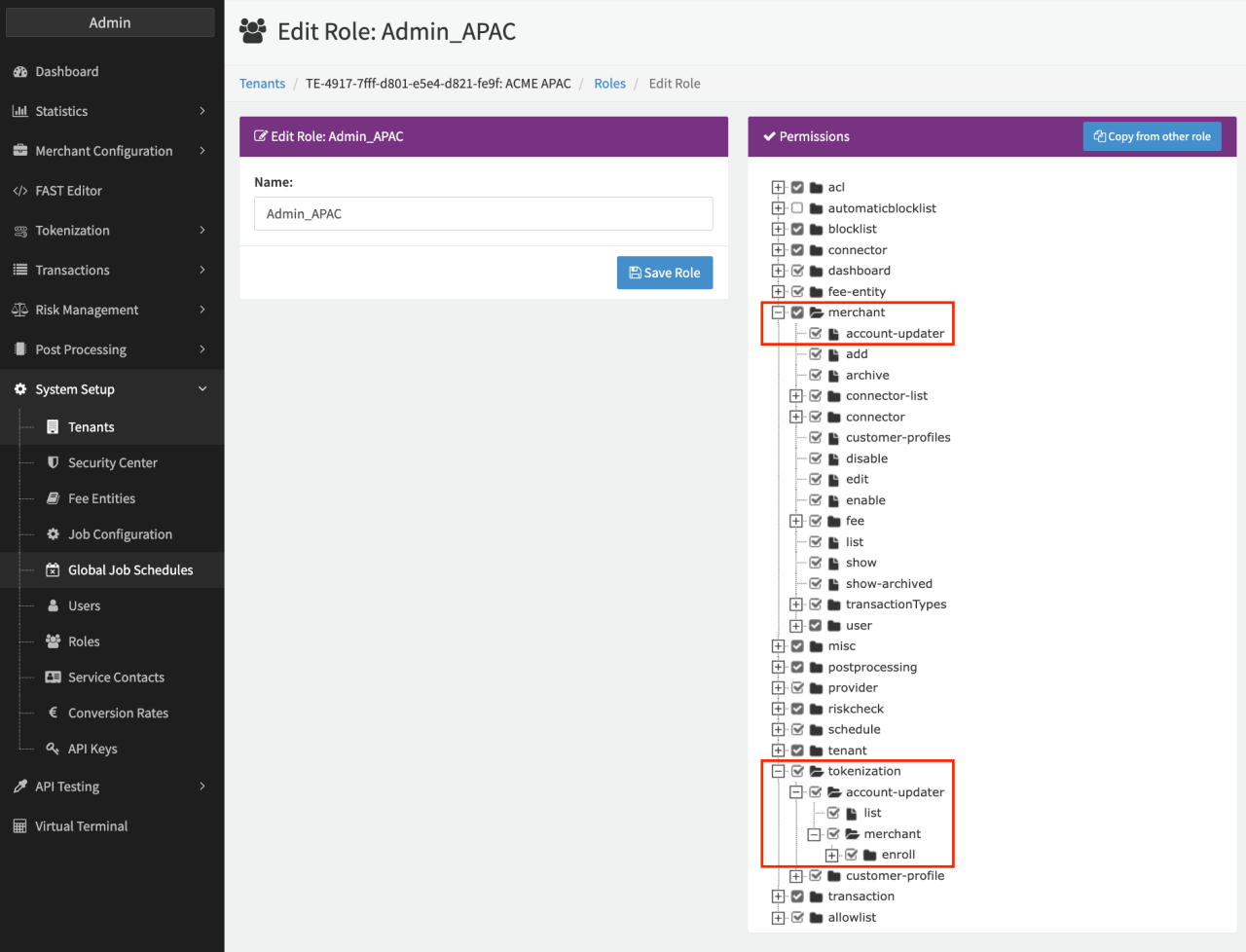
To be able to setup the feature, the permission must be enabled for your tenant and activated for your Admin User Role. This will be done by you Customer Success Manager for you.
Configuring the Account Updater per Merchant
Once activated for the admin user role, the IXOPAY Account Updater can be configured per merchant. The following parameters have to be configured:
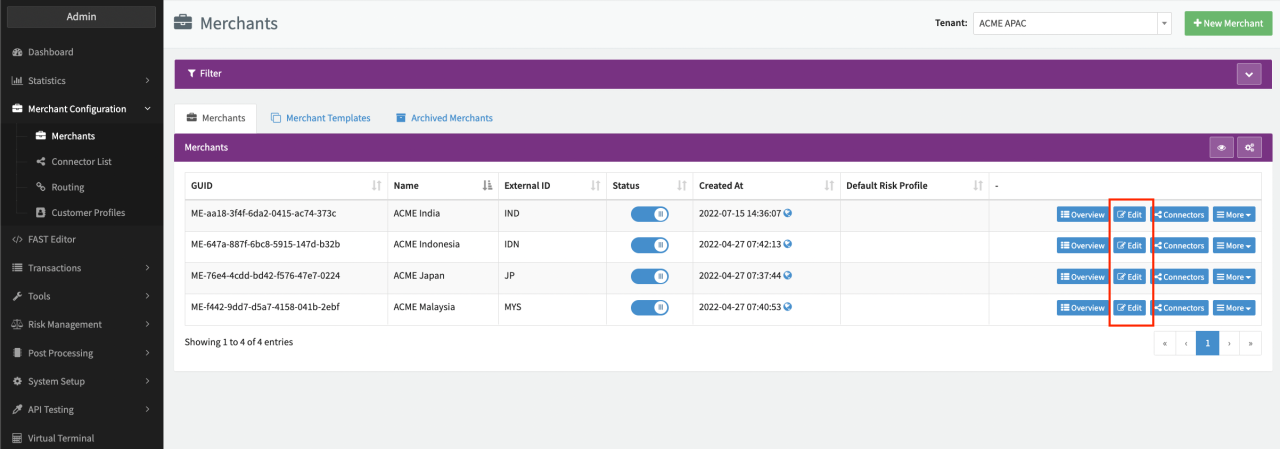
- In the Merchant Overview click on Edit for the Merchant you want to configure the IXOPAY Account Updater for
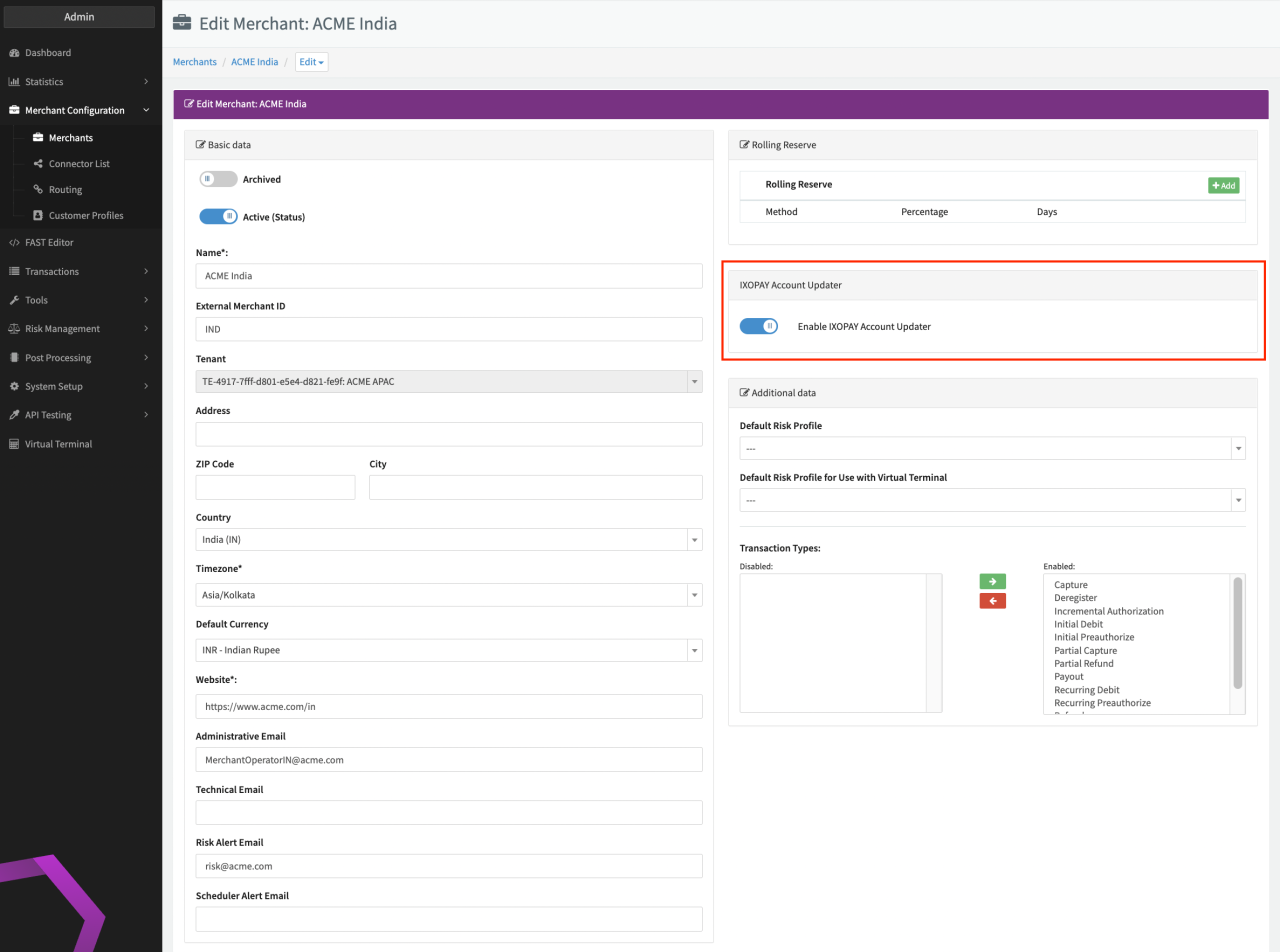
- Enable the IXOPAY Account Updater (see Image Merchant Details)
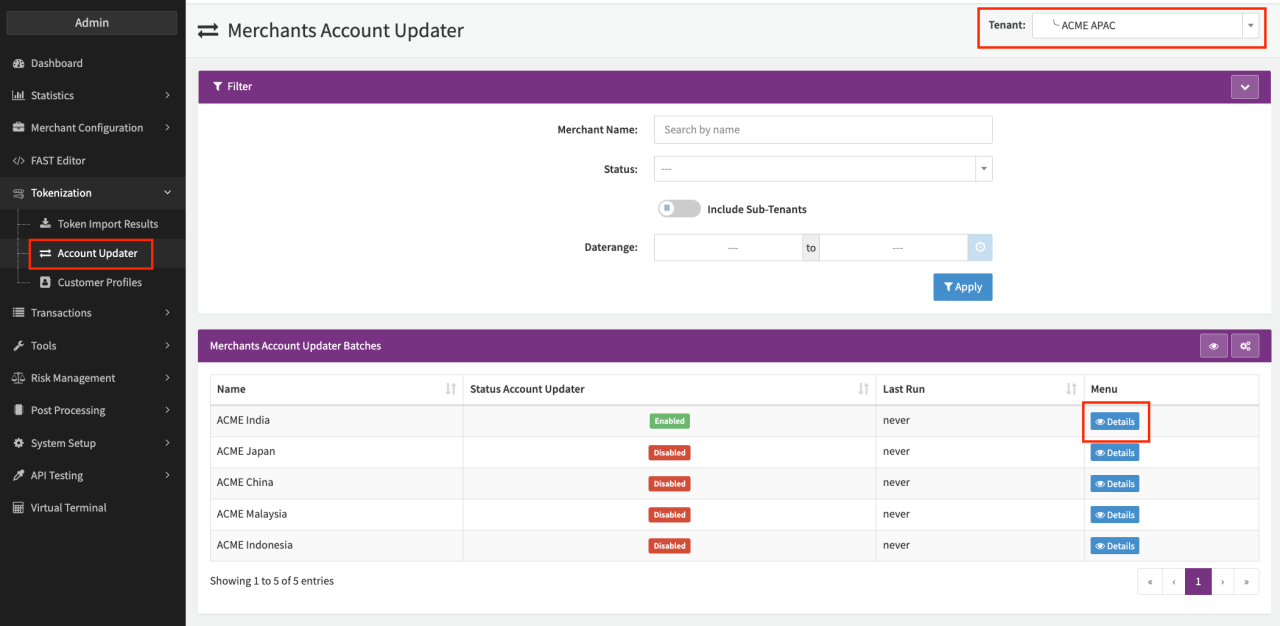
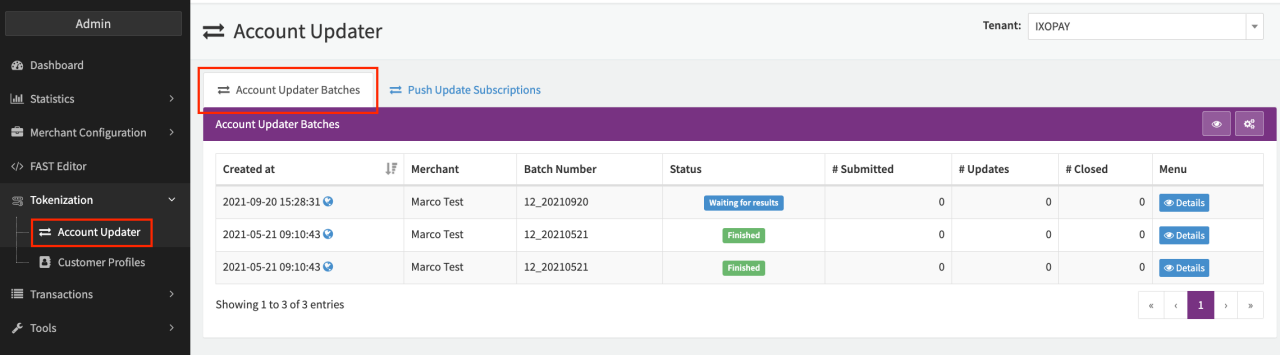
For an overview of all enrolled Merchants for the IXOPAY Account Updater, navigate to the section Tokenization sub-section Account Updater (see Overview enrolled Merchants). You can either use the Tenant Filter or Filter to narrow down your search. Select Details to find the Account Update List.
The following information updates are included for register, debit + register and preauth + register transactions (also prior to activation) of all Creditcard Connectors of this Merchant:
- Account Number updated - The account number was changed
- Account closed - The card account was reported as closed. Treat this as a strong indicator that the stored card credential should no longer be used and that the cardholder should be contacted for a new or alternative payment method. This result is not an authorization decision and should not be used as the sole basis for irreversible deregistration or deletion of the customer payment relationship.
- Expiry Date updated - The expiration date was changed
- Contact cardholder for update - The cardholder needs to be contacted for updated information by merchant!
Only for cards where one of the above events is true, updates will included in the Account updater list Additional configuration on (Creditcard) connector level can be done in order to exclude Connectors from the Account updater.
Disabled and archived Connectors are included in the IXOPAY account updater. Make sure to exclude these connectors individually if no updates are desired for these Connectors.
Connectors which have Test Mode enabled and Adapter Simulator are NOT included at all in the IXOPAY account updater.
Excluding a Connector from the Account Updater
Want to exclude the IXOPAY Account Updater for several connectors? Use our Global connector settings feature as described here.
To exclude the IXOPAY Account Updater for a connector, follow this steps:
- Go to the Connectors Overview on the configured merchant and click Edit
- In the section Settings click on Edit (see Connector Details View)
- Search for the Account Updater: Exclude connector from Updates and click +Add (see Image Select Setting)
- Set the value to 1 (see Image Setting configured) and click Save
After configuration all cards from register, debit+register and preauth+register transactions (also prior to activation) will not be included in the monthly update runs in order to be compared to the scheme information.
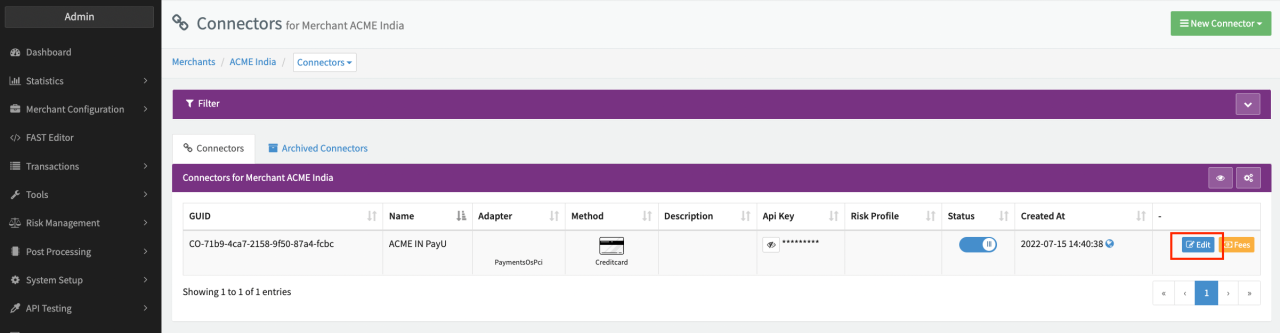
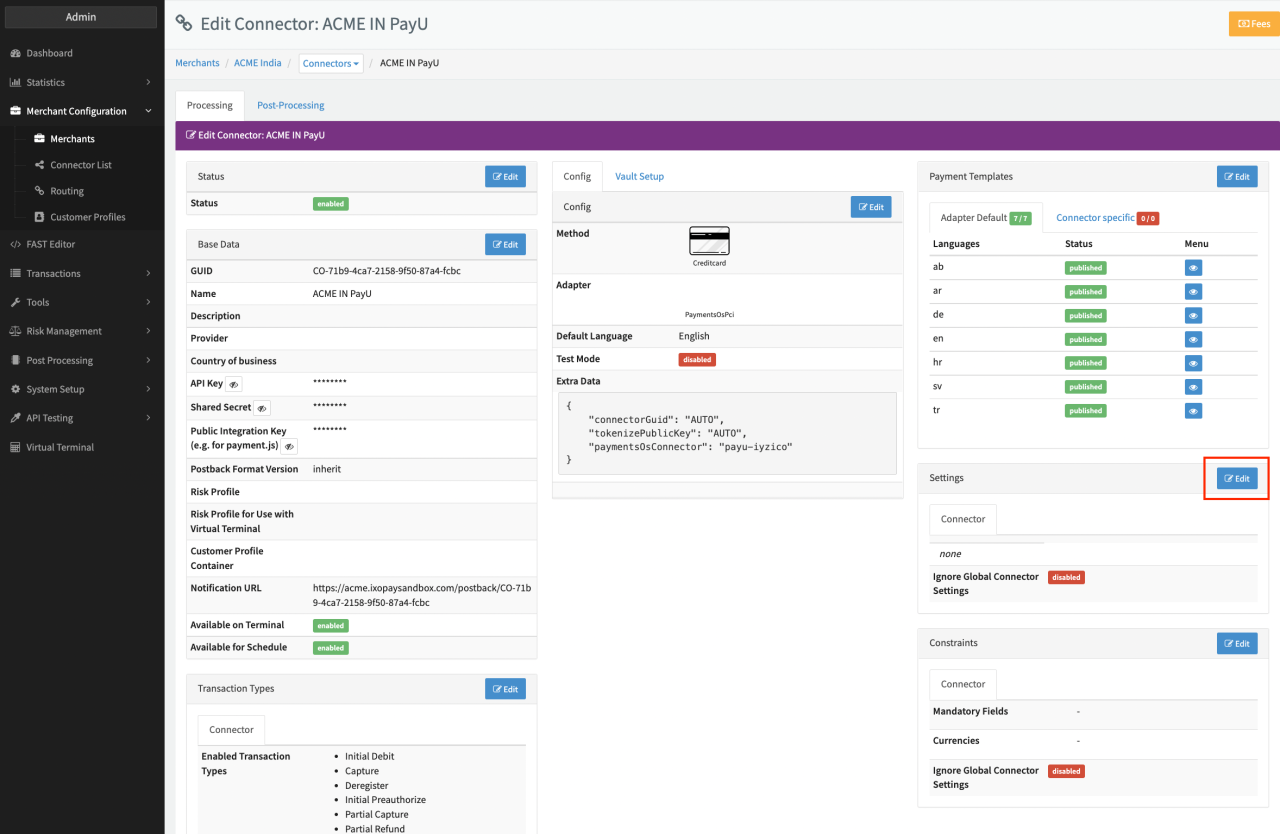
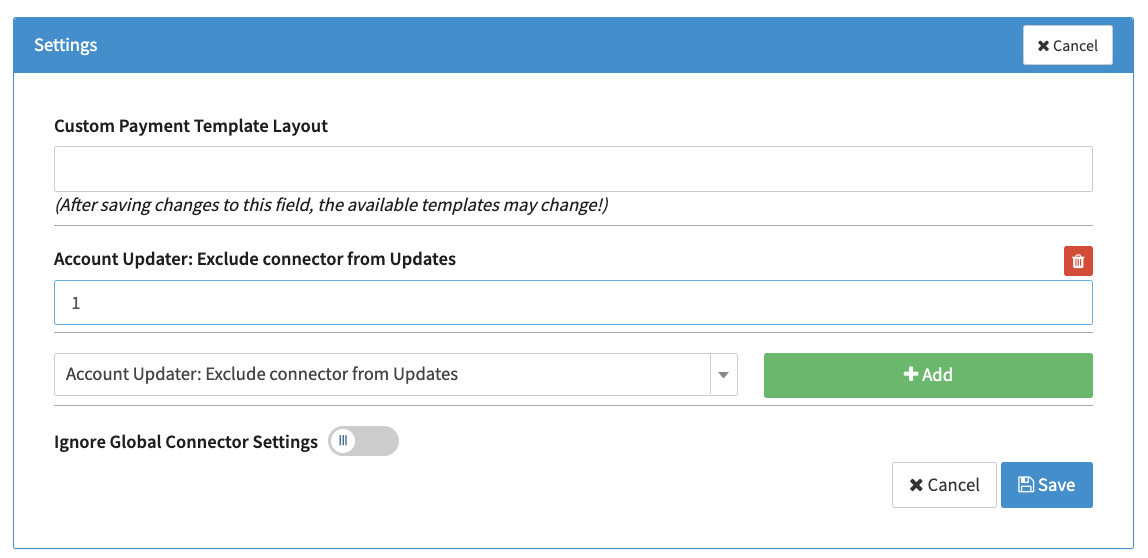
Keep in mind that the IXOPAY Account Updater can only update cards where the Acquirer is providing the update information to the scheme network. Furthermore update information can take up to 5 days.
Account Updater Reports and Update Details
We have created a widget, providing a complete overview of the cards that have been updated. You can update your Dashboard with the widget Updated Cards as described here (see Dashboard Widget).
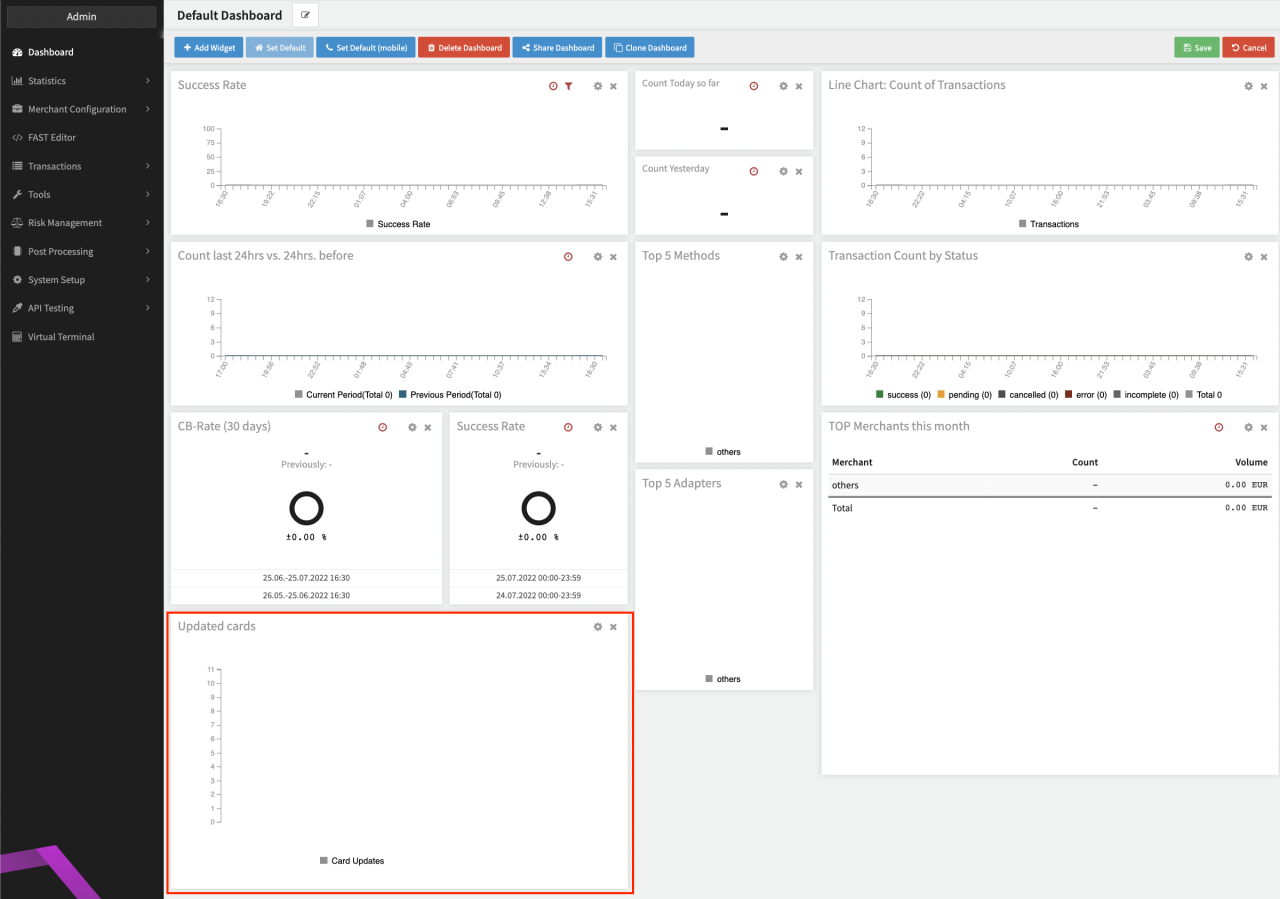
Furthermore you can get detailed information about received updates in the section Tokenization > Account Updater (see Account Update Lists). Select Details for the enrolled Merchant to see the list of updates (see Overview enrolled Merchants).
For each send batch the current Status can be seen in the overview. Clicking on Details (see Update Details) shows a list of all updated information
- Account Number updated - The account number was changed
- Account closed - The card account was reported as closed. Treat this as a strong indicator that the stored card credential should no longer be used and that the cardholder should be contacted for a new or alternative payment method. This result is not an authorization decision and should not be used as the sole basis for irreversible deregistration or deletion of the customer payment relationship.
- Expiry Date updated - The expiration date was changed
- Contact cardholder for update - The cardholder needs to be contacted for updated information by merchant!
in this batch as well as the related Register Transaction UUID. Additionally, for the updates a postback notification will be sent. For further details have a look in the
API Documentation
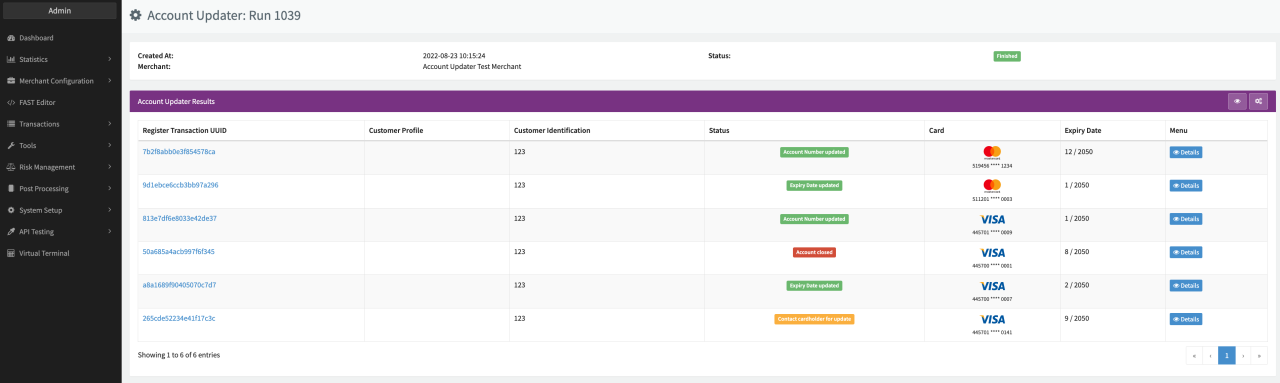
Keep in mind, that if no update is available, the card respective related Register Transaction will not show up in the Details View.
An Account Updater Account closed result is a lifecycle/account-update signal, not an authorization response. Merchants should keep a customer recovery path and track subsequent authorization outcomes separately from Account Updater results.
If you want to get access to all IXOPAY platform features you need to upgrade your plan. Please contact our Support Team in the IXOPAY Customer Experience Portal for more information.
Post Processing — Update Fee and Count Calculation
The IXOPAY Post Processing Engine enables Update Fee and Count Calculation. The following parameters have to be configured:
- Set up a Fee Entity for Update Fees
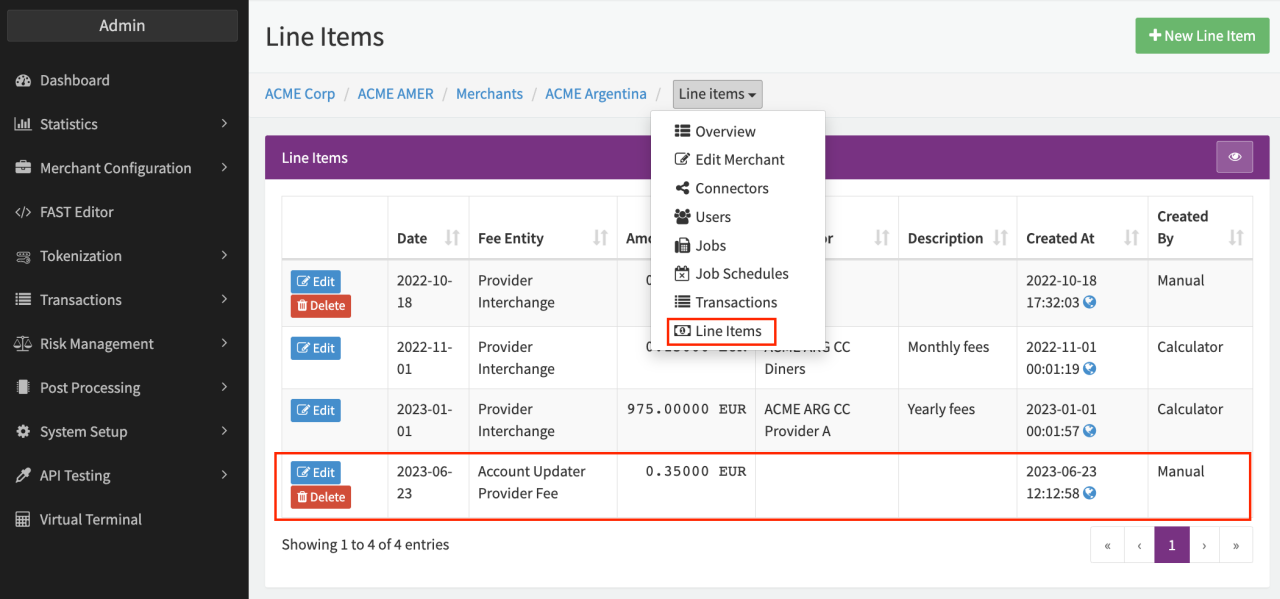
- Create a Merchant Line Item, configured with the created Fee Entity from 1. and Amount
- Create a new Job Type including
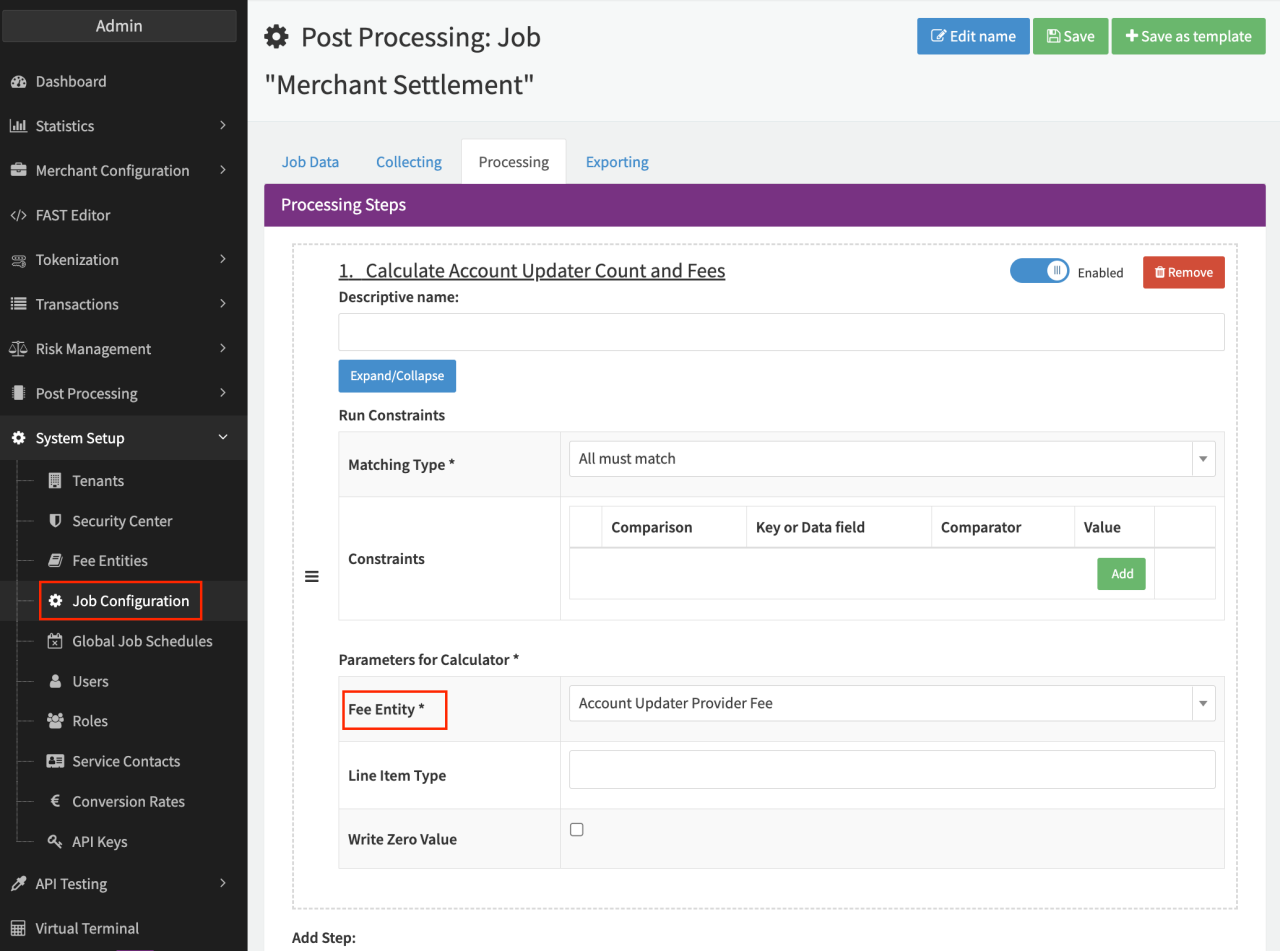
- the Processing Step Calculate Account Updater Count and Fees, configured with the created Fee Entity from 1. and including the Line Item Type
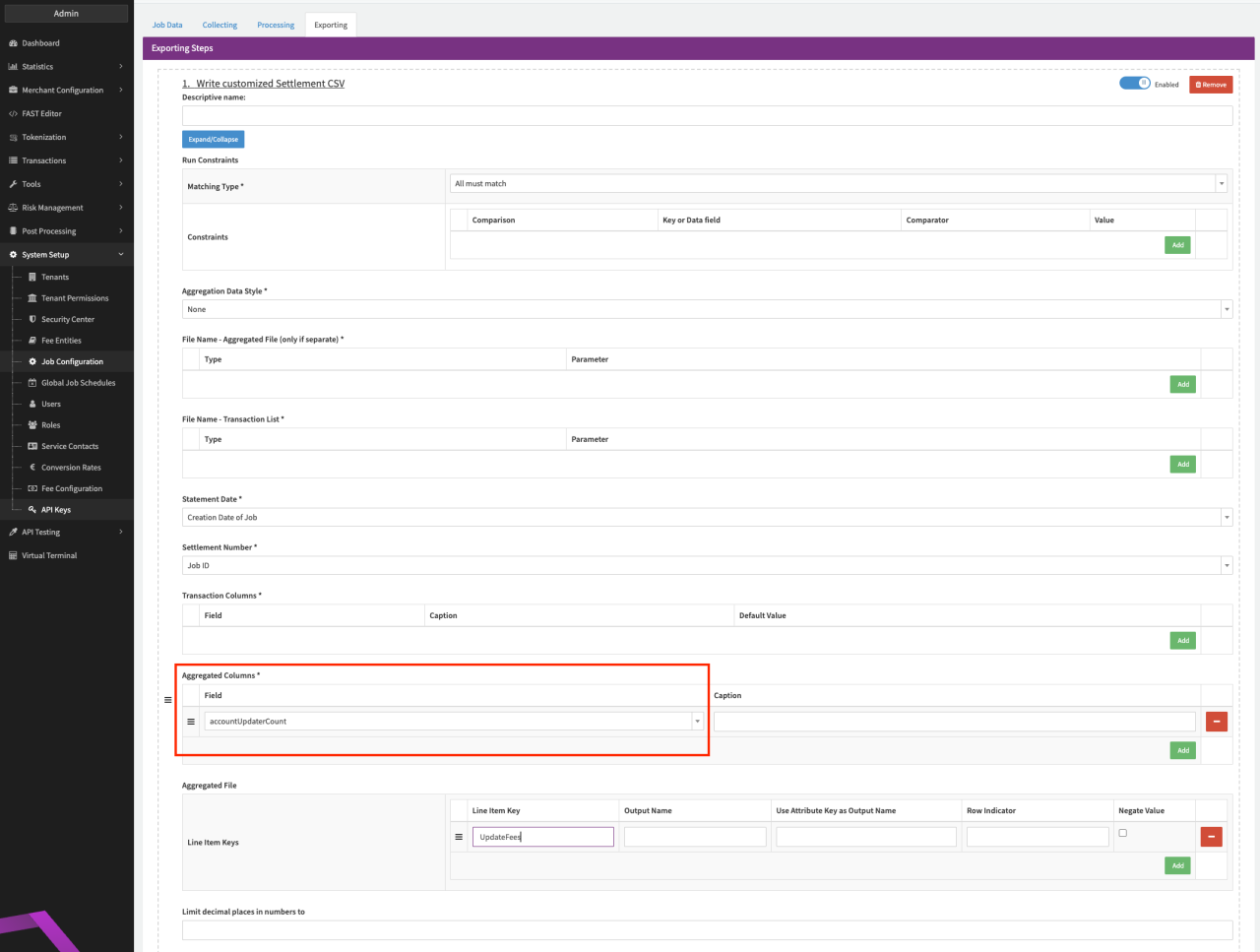
- the Exporting Step Write customized Settlement CSV, configured with the Aggregated Columns — accountUpdaterCount and Line Item from 3.a.
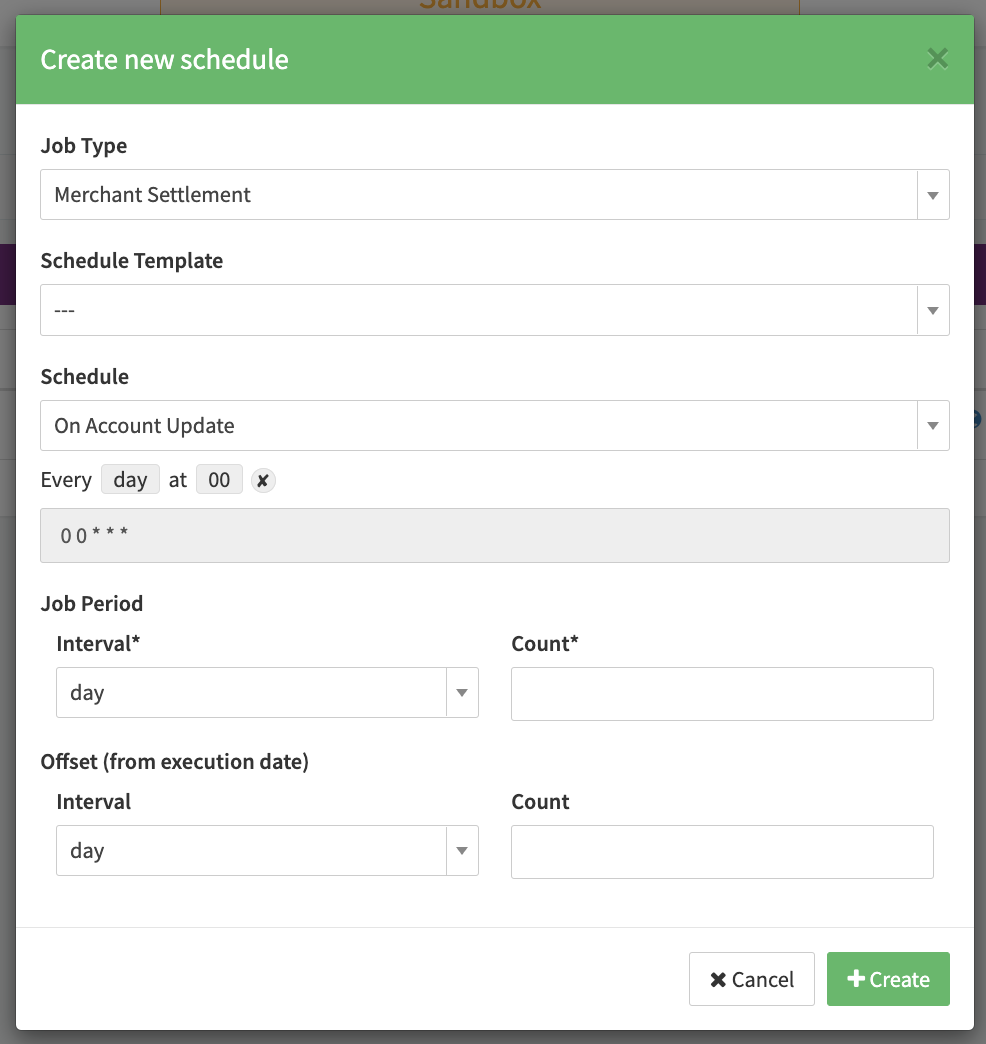
- Create a new Job Schedule with Schedule On Account Update