User
User access is possible from all common web browsers (incl. on mobile devices). Mobile devices support is limited regarding administrative functions (e.g. Post-Processing, Fast Editor)
Create and edit Users who shall have access to your Payment management platform (Tenant level):
- Navigate to the Users section in the System Setup
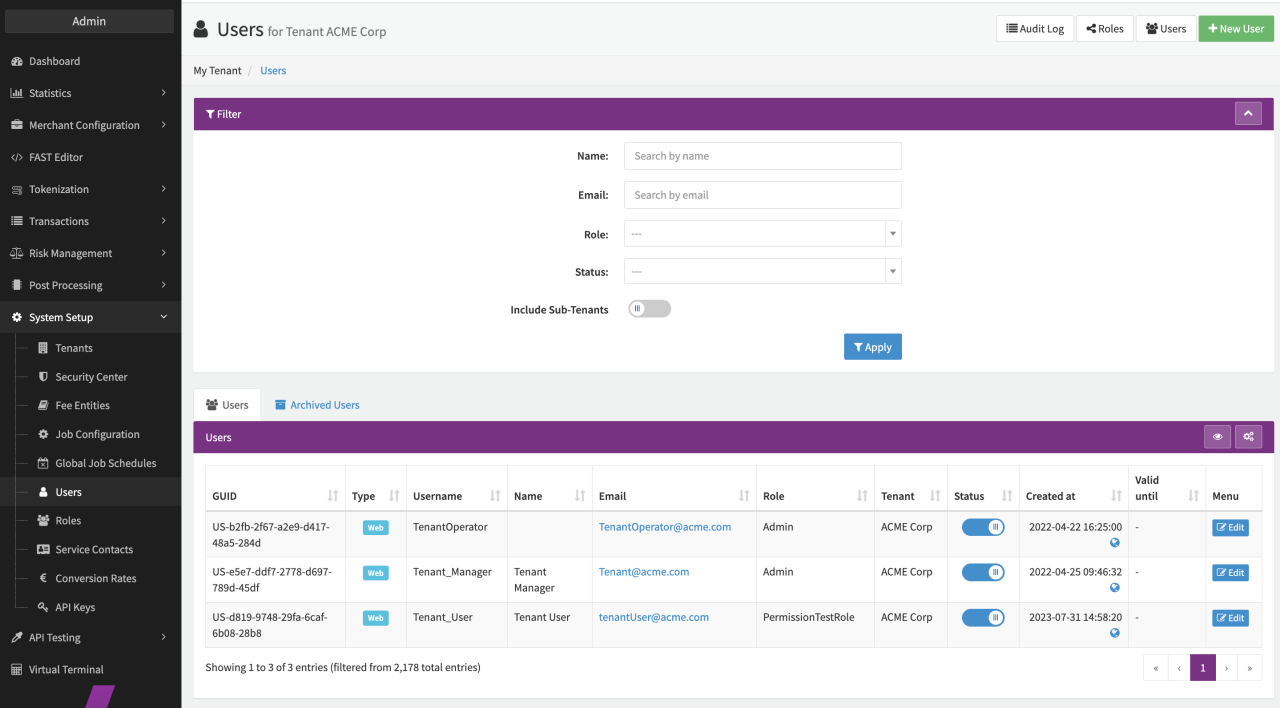
- Select + New User in the Tenant User Overview (see Tenant User Overview)
- Fill in the needed information to create a new user (see User Form):
- Username: Give a significant login name
- First Name
- Last Name
- Email - needed to sent Notifications and Alerts
- Assign a Role for the user (see also Roles)
- Enter a Password according to the Password Policy or select Generate for the IXOPAY platform to create a random one for the user
- Alternatively, select Send e-mail with link to reset the password for the user to reset the password themselves (the reset password link validity is 24 hours with exception of the setup link for a newly created user which is valid for 7 days)
- Validate your entries and save the created user with + Create User
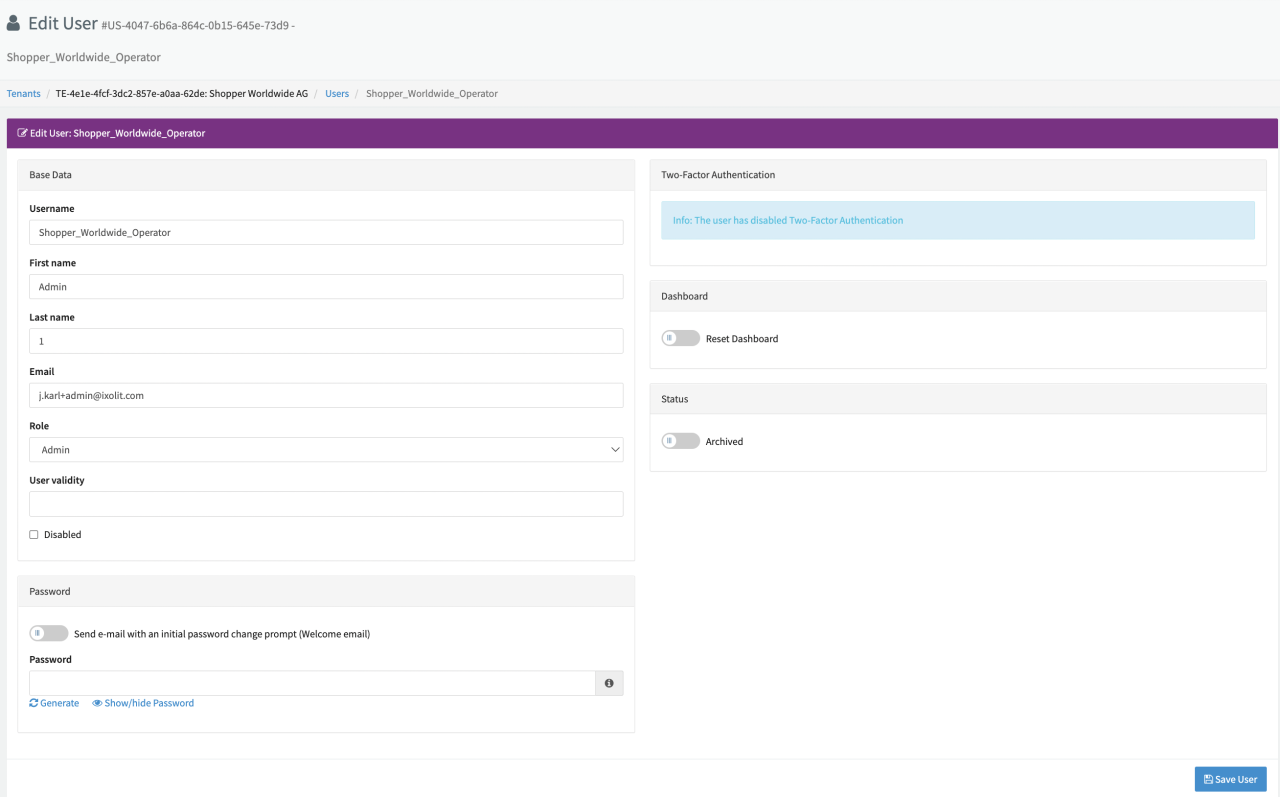
After creation the new user will shows up in the Tenant User Overview for further editing among all other tenant users including their Status and Role. This view can be filtered (including Sub-Tenant Users) and you also can directly disable users. Further select Edit to;
- Edit all the option mentioned during user creation
- Reset the Dashboard
- Archive the user
- Disable the user
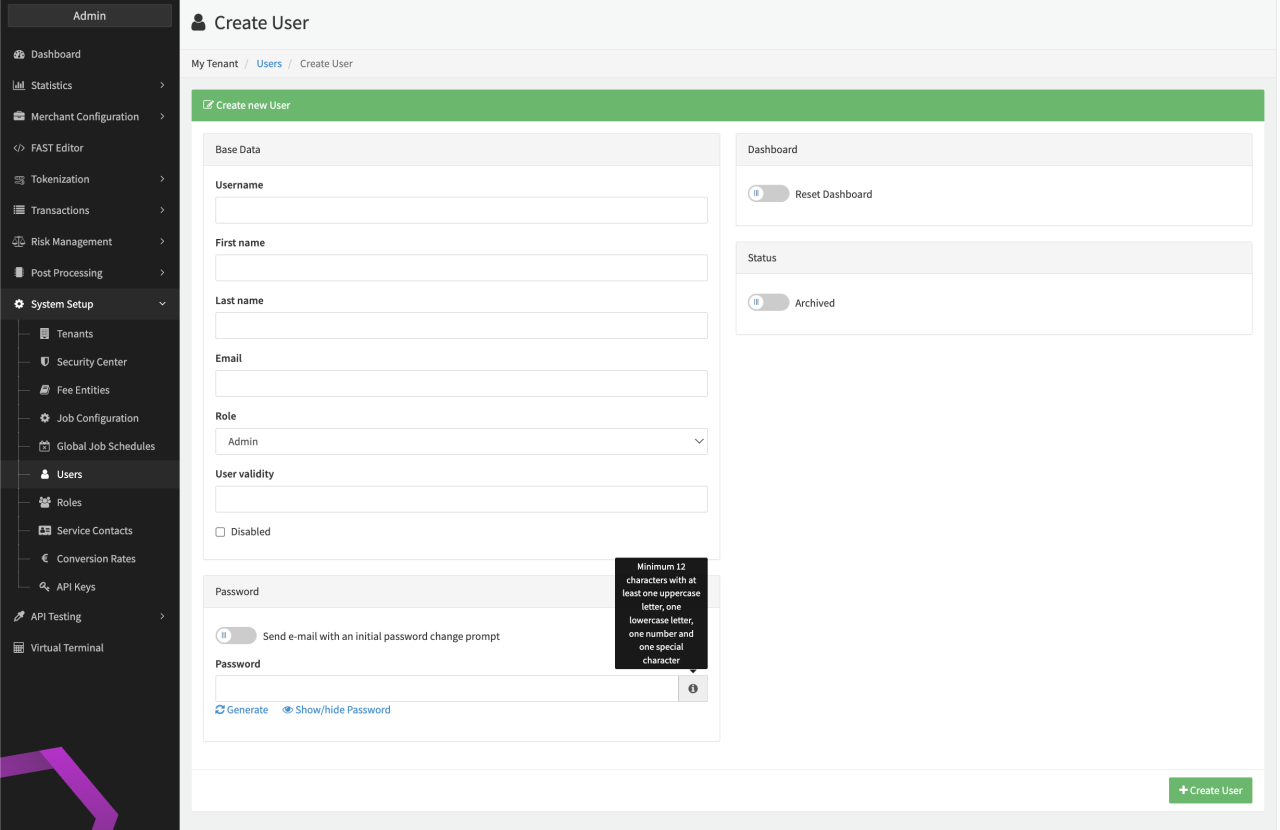
The following password criteria must be fulfilled:
- At least 12 characters required
- Includes a lower case character
- Includes a upper case character
- Includes a number
- Includes a special character
The IXOPAY platform gives you the option to grant limited access to the platform by entering a User Validity. After this date the user will not be able to access the IXOPAY platform anymore.