API Keys
If you want to get access to all IXOPAY platform features you need to upgrade your plan. Please contact our Support Team in the IXOPAY Customer Experience Portal for more information.
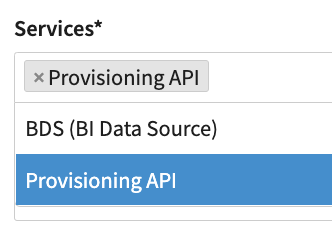
The IXOPAY platform provides additional services as the Provisioning API and the BI Data Source to be accessed via API. Any request to both APIs must be authenticated via BASIC Authentication credentials.
The username is the API Key, the password is the API Key's password. In this section you can create and edit API Keys for the Tenant / Sub-Tenant as follows:
Creating an API Key
- Click on + New API Key in the API Key Overview
- Select the Service for which you want to create the API Key
- Enter any IP Addresses that should be able to access the service using this API Key
- Click on + Create to save the API Key
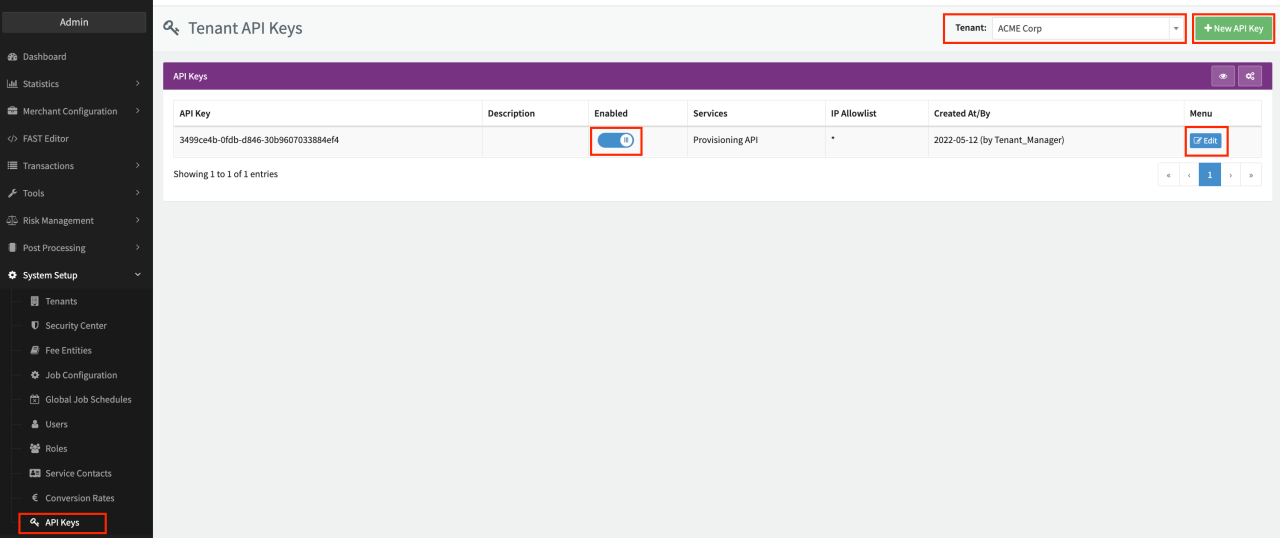
Separate multiple IP addresses with a comma (and NO whitespace, e.g. 198.51.100.101,203.0.113.103).
You can also use CIDR notation for the IP addresses (e.g. 198.51.100.0/28 for all IP addresses from 198.51.100.0 to 198.51.100.15)
Make sure to securely store the generated password, this is the only time it is shown to you. After that you can only reset it.