Financial Reports
Video: Creating Financial Reports

Learn how to easily create financial reports.
The Statistics section provides you with options to generate extensive Financial Reports and Pivot Tables directly in the IXOPAY platform.
To generate a report:
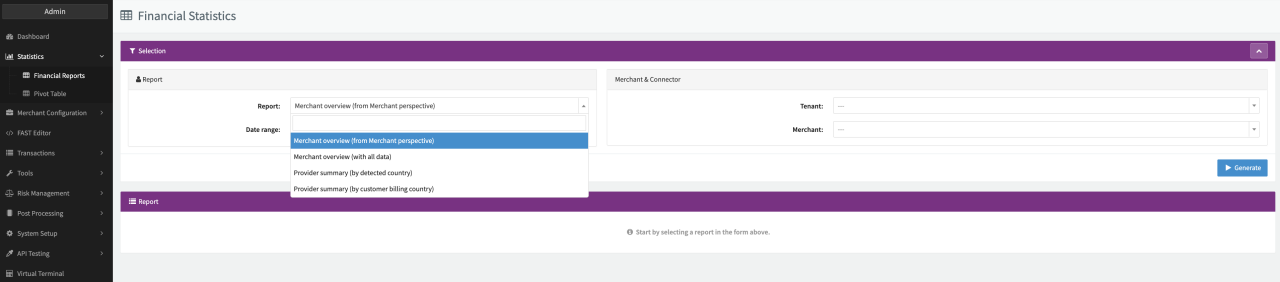
- Select Statistics in the menu and select Financial Reports.
- Select the type of report to be generated.
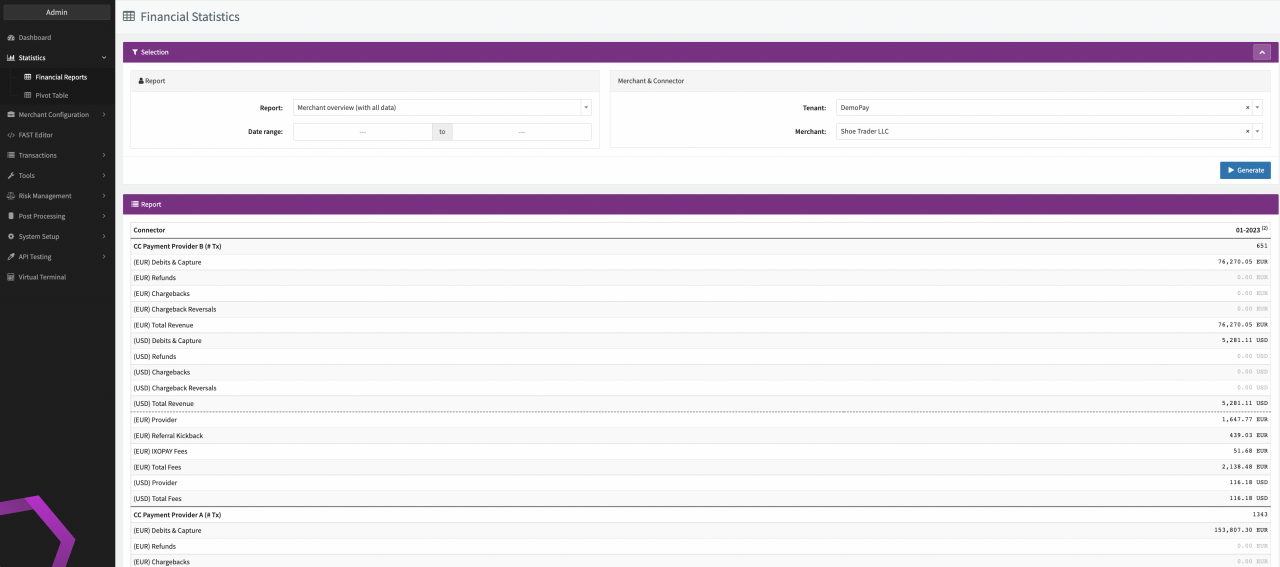
- Merchant Overview either from Merchant perspective or with all data: provides information about total Transaction Volume and Fees (only if Fee Entity is marked as Merchant Visible) of the Merchant (see Merchant Overview) including the Overall (Sum of all Connectors) Volume at the bottom of the report.
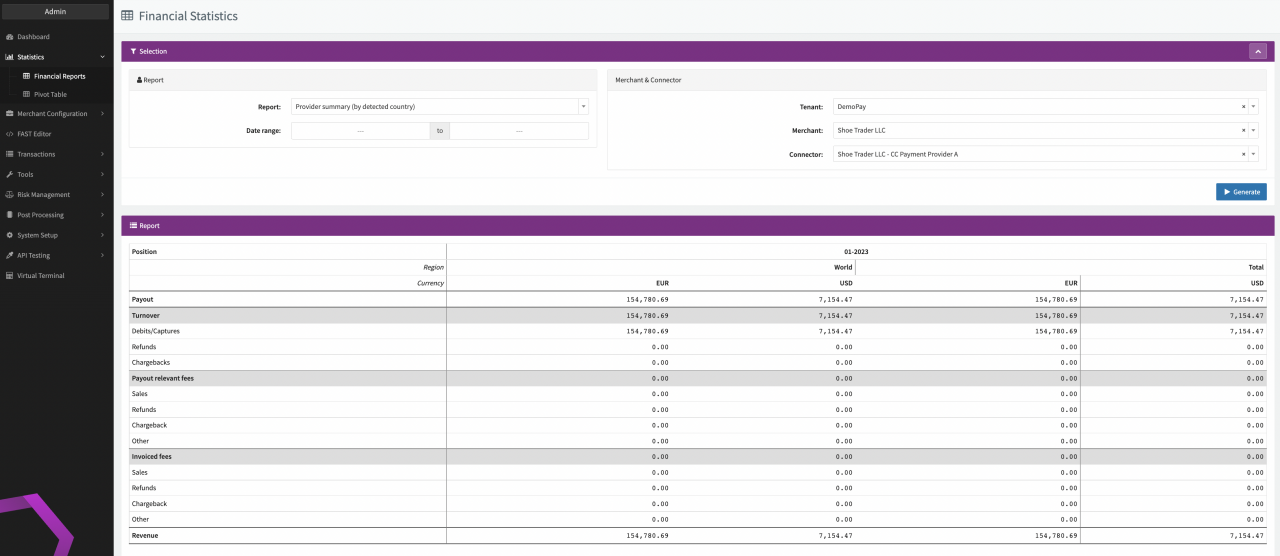
- Provider Summary either by detected country or by customer billing country: provides an overview about the total Transaction Volume by Currency/Region per Provider (see Provider Summary).
- Select the Date range for the report.
- Select a Tenant, Merchant and Connector for which the report should be generated.
- Click Generate.

tip
For more details have a look at the Pivot Table.