Score Card & Actions
You can define score card actions for each risk profile to trigger specific actions based on the risk score assigned to the transaction. You can approve or decline transactions, apply (additional) 3D Secure requirements, require a manual review transaction or send alerts. The total score of the transaction after all risk rules have been checked against the transaction determines what action is triggered, and you can define different actions for different score ranges.
To define score card actions:
- Navigate to the risk profile you want to define score card actions for (Risk Management | Risk Profiles).
- Click on Configure Risk Rules.
- Click on Score Card Actions on the Risk Profile Configuration page.
- Click on + Add Boundary to add a new range.
- Define your individual score ranges and actions by
- Enter the minimum score of the range in Lower Bound field (the Upper Bound is determined automatically by the IXOPAY platform based on the next highest score range).
- Select an Action from the drop-down list: Approve, Manual Review, Decline.
- Select the 3D-Secure requirements: Mandatory (not for recurring, all) or Optional (not for recurring, all) for the range.
- Select an optional Exemption Indicator: The transaction will be enhanced/updated with an Exemption Indicator, if not set or inferior (according to their value). For the exact value behind each selection, refer to the API Documentation on 3D-Secure 2.0 Data.
- Select an optional Challenge Indicator: Conditional option if 3D-Secure is selected. The transaction will be enhanced/updated with a Challenge Indicator, if not set or inferior (according to their value). For the exact value behind each selection, please refer to the API Documentation on 3D-Secure 2.0 Data.
- You can toggle whether an Alert is triggered and/or if you want to Notify Merchant.
- Click on + Add Boundary to add additional ranges.
- Click Save once you have defined all the ranges you need.
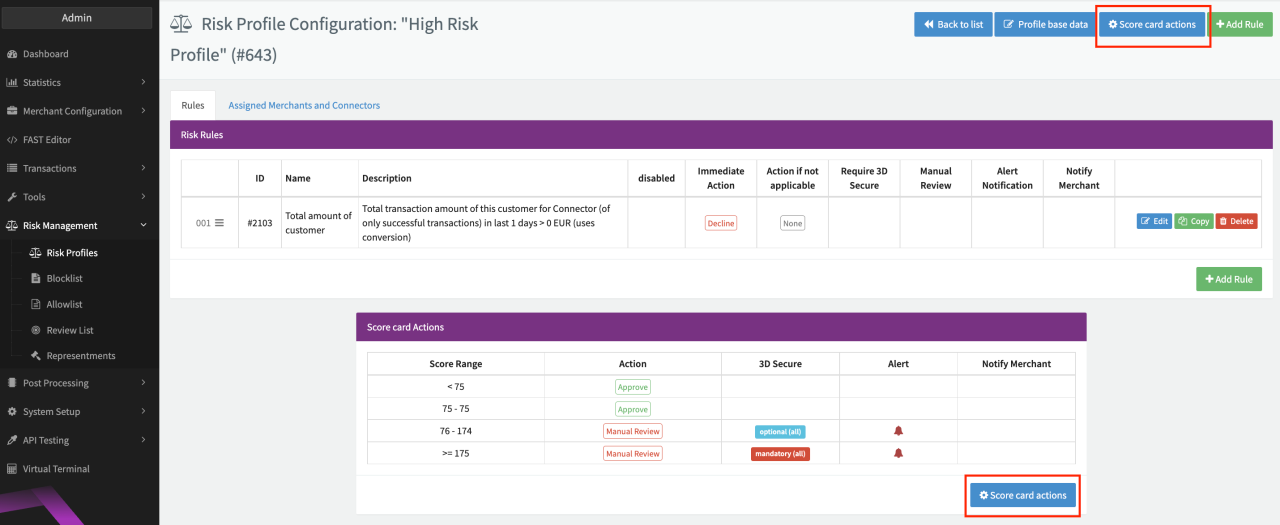
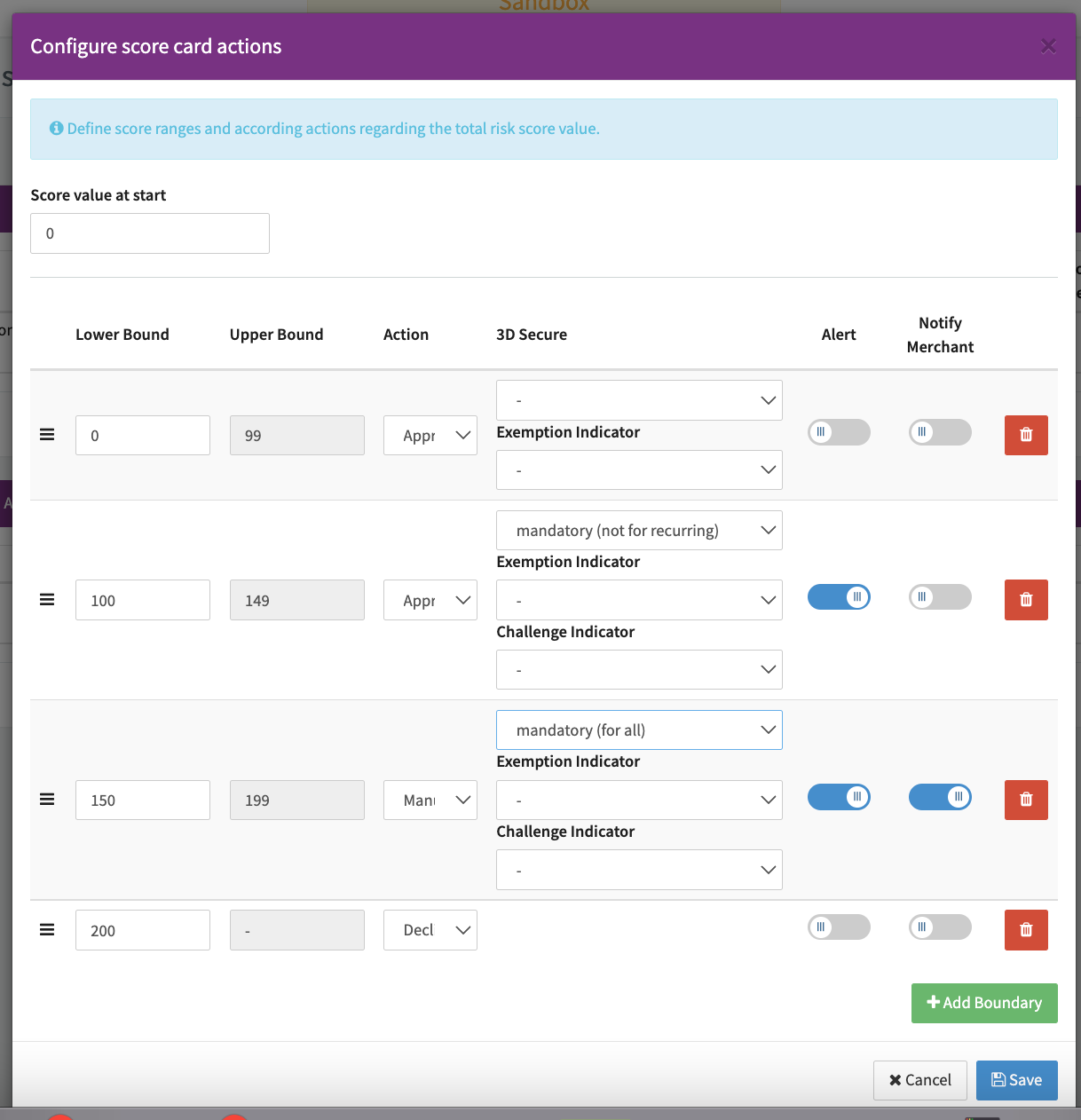
Example: 4 ranges are defined with different actions performed for each range (see Score range example screenshot):
- Transactions with a score < 100 are automatically approved without further action.
- Transaction with a score between 100 and 149 must perform 3D Secure (except recurring transactions). Users subscribed to alerts will be notified of the transaction in the dashboard.
- Transactions with a score between 150 and 199 might be suspicious. These transactions are put on the Review List, 3D Secure is set as mandatory, and users subscribed to the alert will be notified. An email notification is also sent to the merchant (to the email address entered for the merchant in the Basic Data section of the merchant record).
- Transactions with a score of 200 or more are automatically declined.