Create Risk Profile
Set up a new Risk Profile
Before you can assign a risk profile to a connector or merchant, you need to create the risk profile. Do do so:
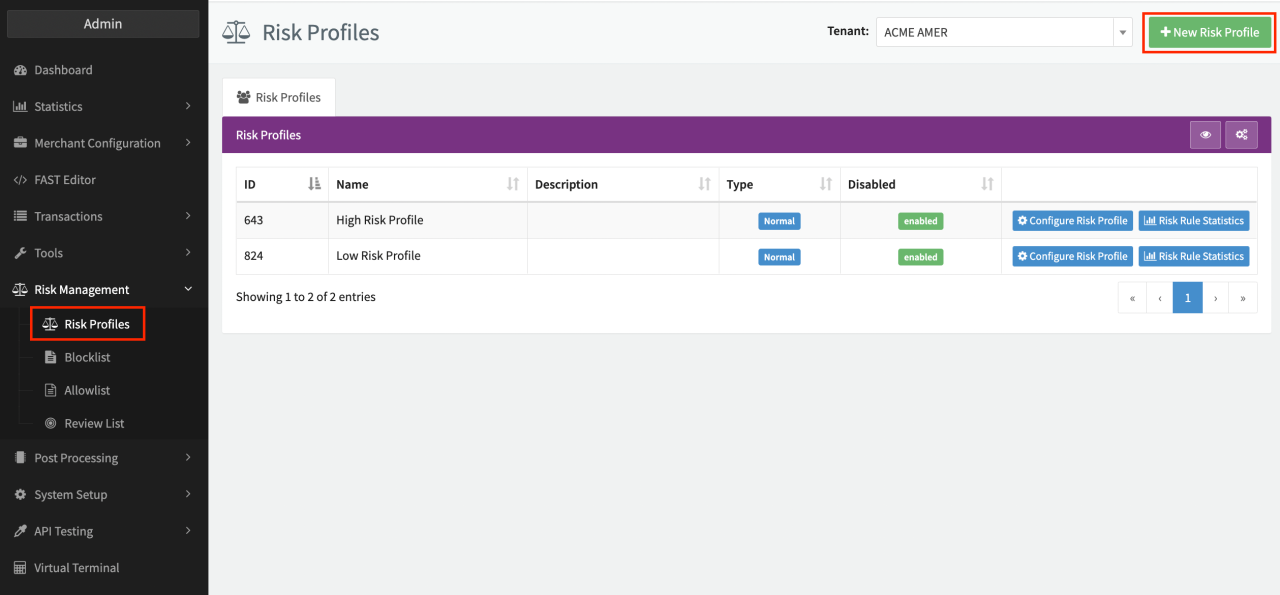
- Open the Risk Management section in the navigation menu and select Risk Profiles (see Risk Management).
- Click on + New Risk Profile in the top right corner to add a new risk profile.
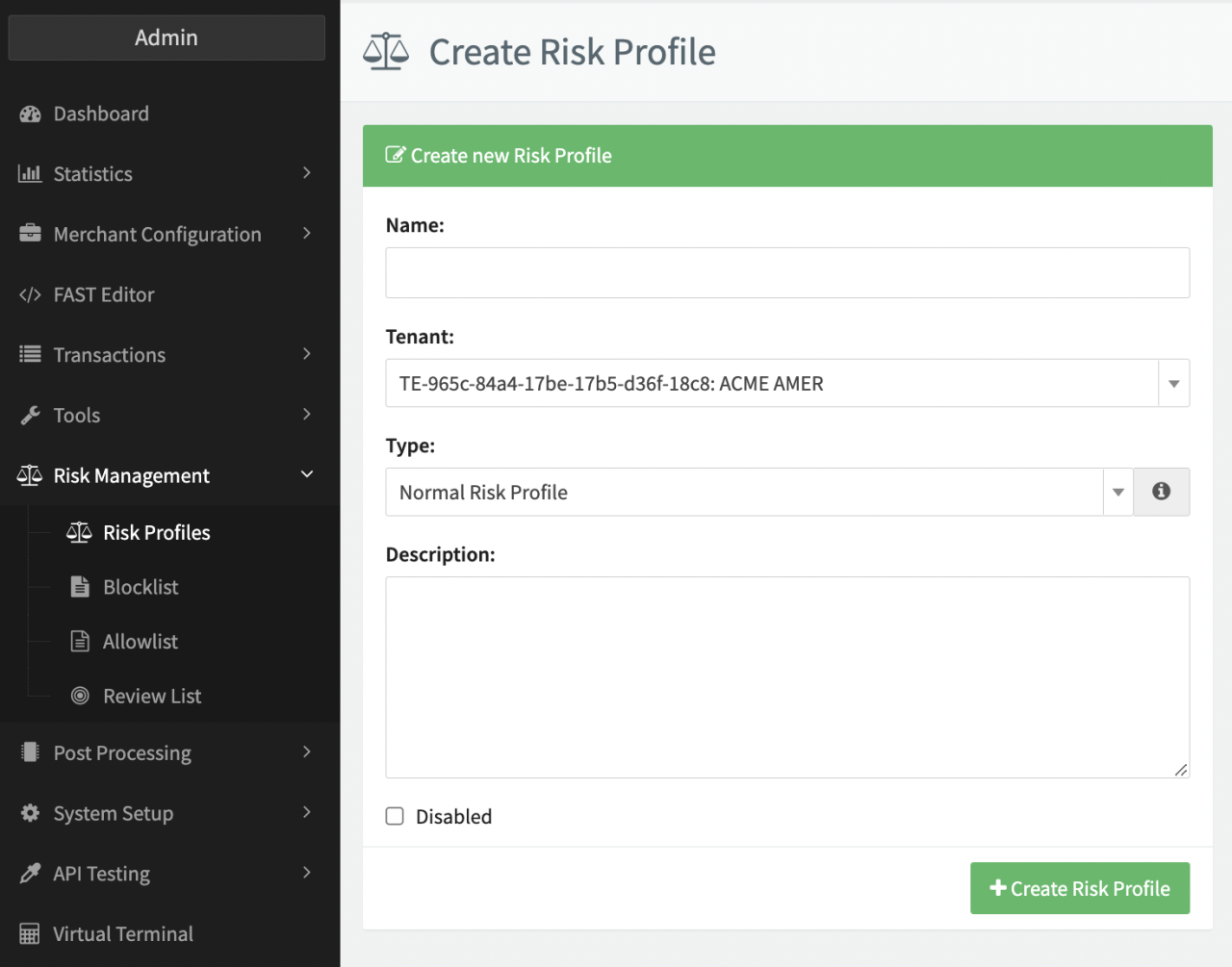
- Enter a Risk Profile Name (e.g. "High Risk", see Risk Profile Base Data)
- Select the Tenant and enter a Description, if needed.
- Select the Type - Normal Risk Profile, Risk Profile for Meta Connectors
- Click + Create Risk Profile
After creating a risk profile, the risk profile is displayed in the Risk Profiles Overview. From there you can select a risk profile to configure based on your Risk Management strategy by creating and assigning risk rules, defining scores and actions. For more information, see Create risk rules for your risk profile.
Not all existing rules are available for Risk Profiles of type Risk Profile for Meta Connectors due to transaction flow restrictions.
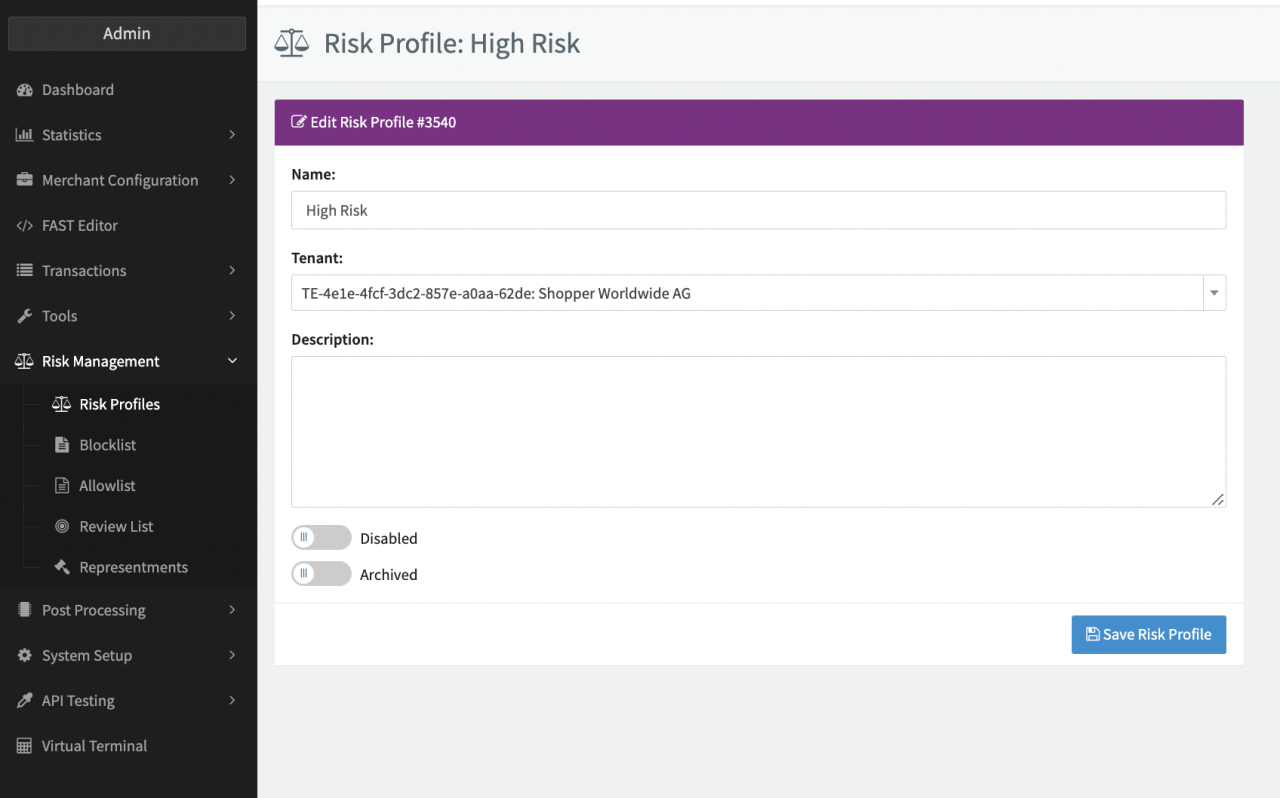
After creating a risk profile, you can open the profile to edit the profile's base data, including disabling and archiving the risk profile as well as adding and changing the risk rules in the profile.