Secure Payouts / Manual Review
Manual Review of transactions can be used for different use cases:
- Secure Payouts
- Fraud Prevention
- Chargeback Prevention
- Compliance
The general configuration for all scenarios remains the same and is described following Secure Payouts.
Secure Payouts
Secure payouts give you complete control over each financial disbursement. You can apply the four-eyes-principle and configure review rules that follow your risk profiles. If the amount being paid out exceeds a predefined limit, the IXOPAY platform's secure payouts can trigger customizable notifications sent to key personnel and payment is delayed until the transaction is verified.
Secure Payouts are only available in case the adapter supports the transaction type payout (see also adapters.ixopay.com).
In this example, we are using a Simulator.
Manual Review Permission
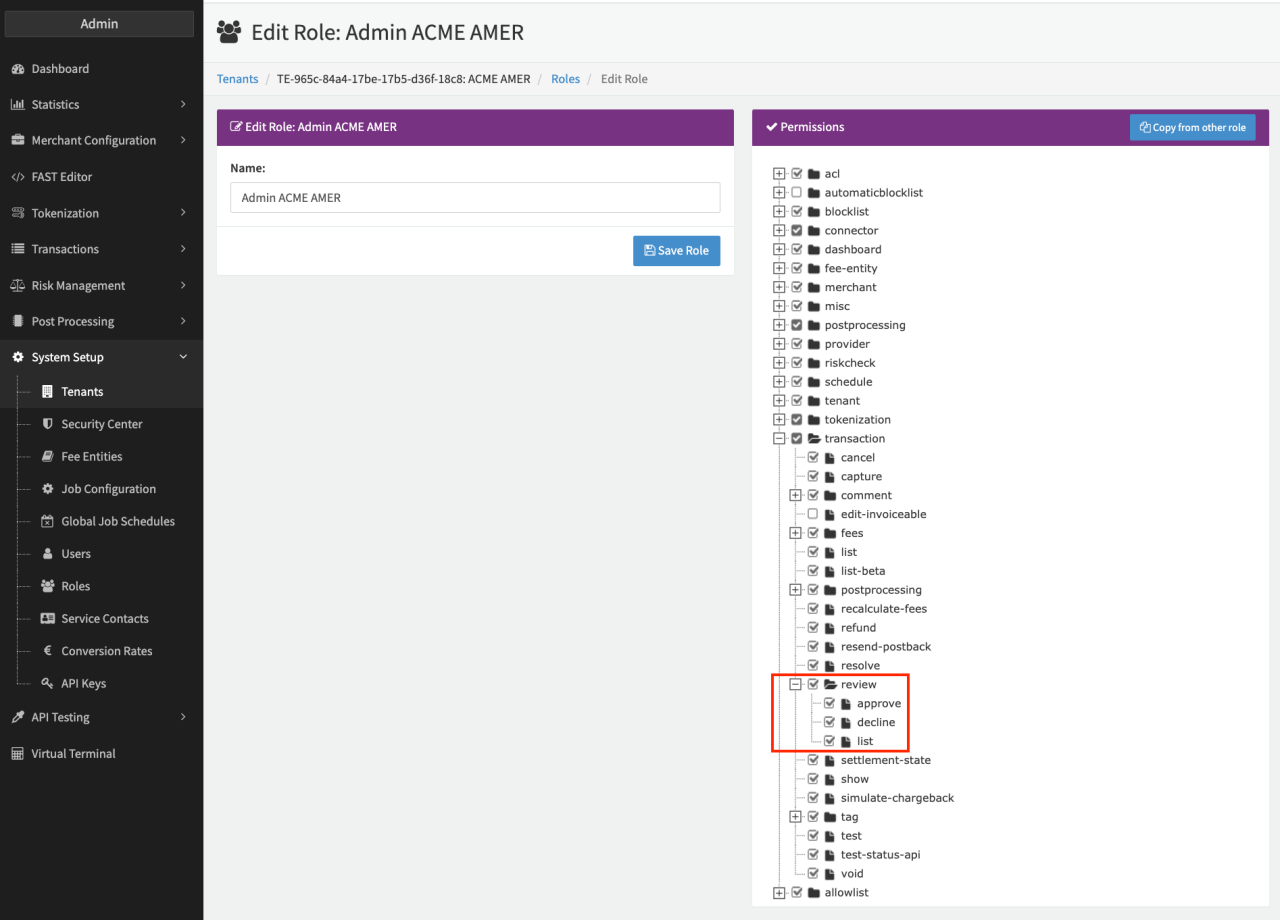
To be able to setup the feature, the permissions transaction.review.* must be enabled for your tenant and activated for your Admin User Role (see Permissions Admin User).
Connector Configuration
Once activated for the admin user role, Manual Review can be configured per Connector. The following parameters have to be configured:
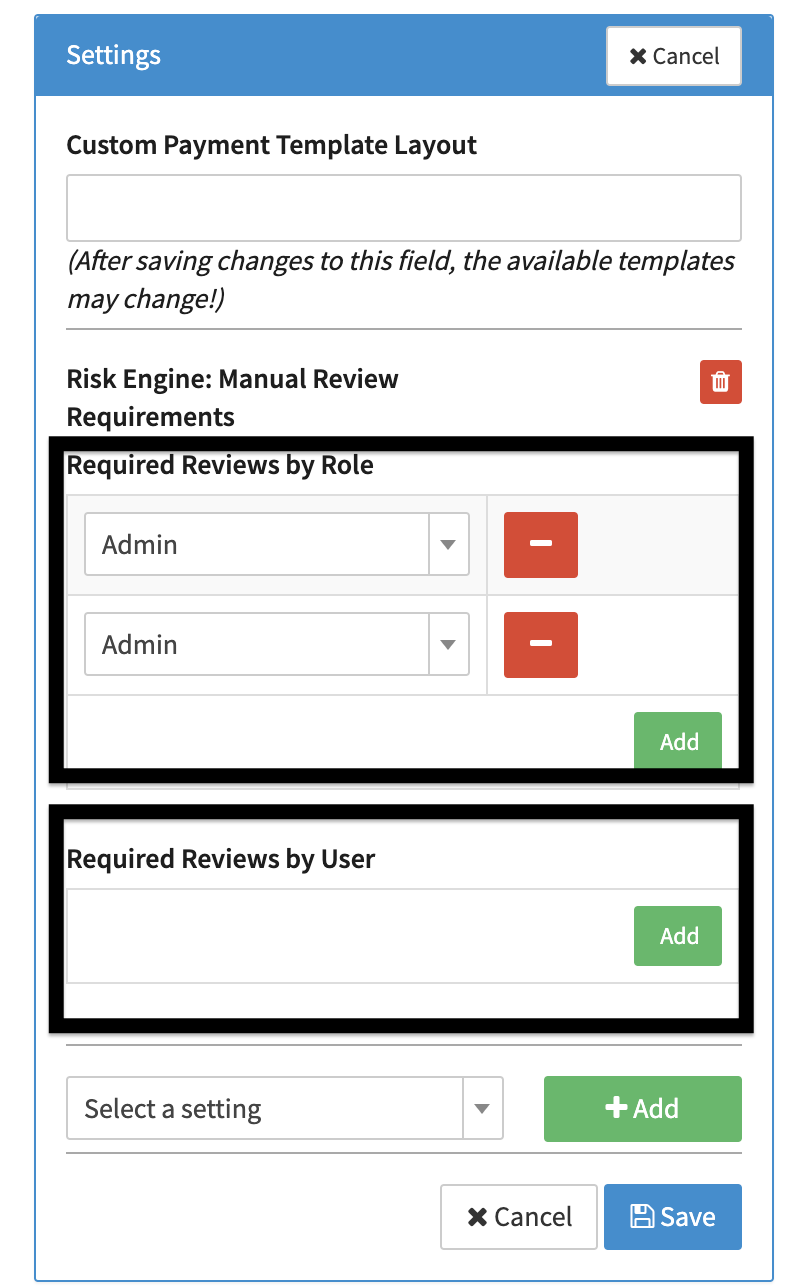
- In the Connector Details Overview add the connector setting Risk Engine: Manual Review Requirements (see Connector Setting). This setting allows you to choose which role or user needs to verify the payout.
- Add as many roles or users as you like
The payout is only released if the selected roles or users confirm it.
Want to configure the setting for several connectors? Use our Global connector settings feature as described here.
The Manual Review can be configured to be automatically approved/declined after a configured period of time with the Connector Setting Risk Engine: Manual Review Delay.
Risk Profile Configuration
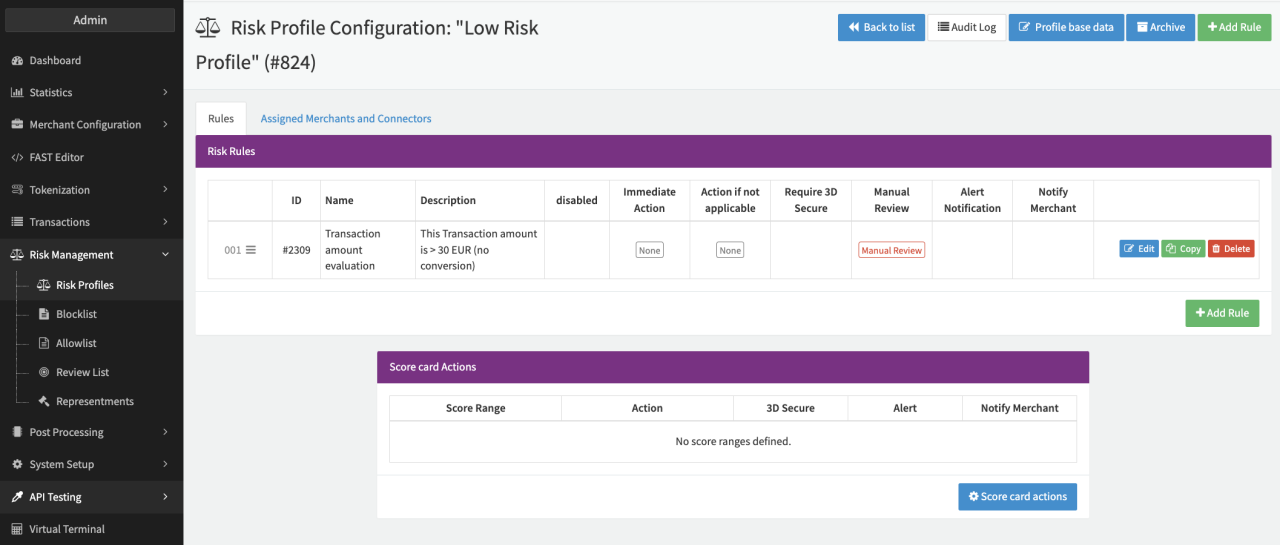
After the connector is configured, a risk profile needs to be configured and assign to the connector (refer to Risk Management)
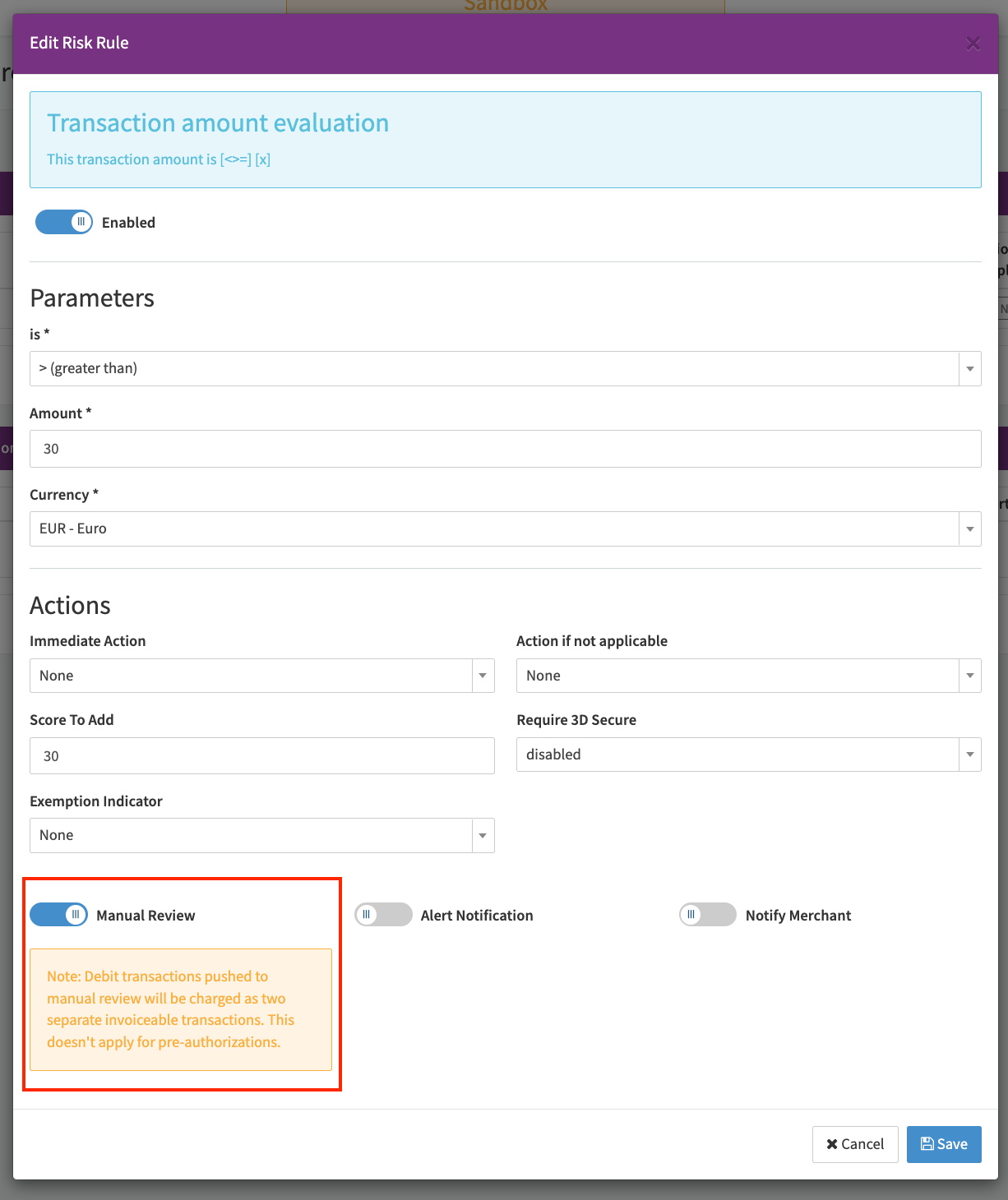
In this example, we will use the risk rule Transaction amount evaluation to manually review every payout transaction with a value higher than EUR 30 (see Risk Rule & Risk Profile).
Testing Secure Payouts
Using the API Testing Tool you can test your configuration, following these steps:
- Navigate to the API Testing - Transaction API
- Select the configured Connector for Manual Review and load the (API User) Authentication
- Select the transaction type payout, choose an amount over EUR 30 and fill in all necessary parameters
- Select Submit
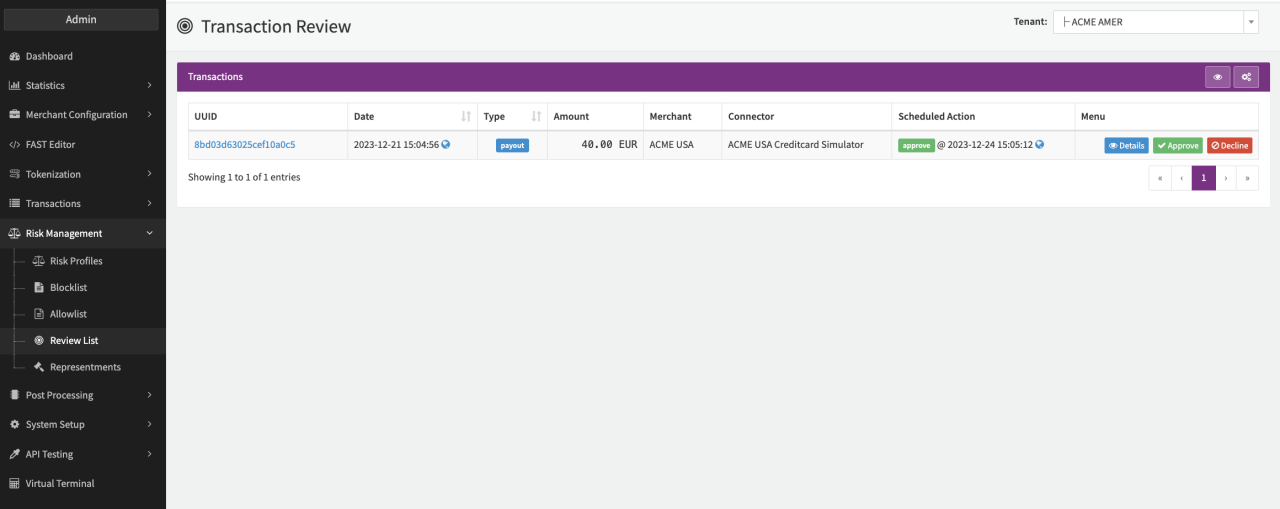
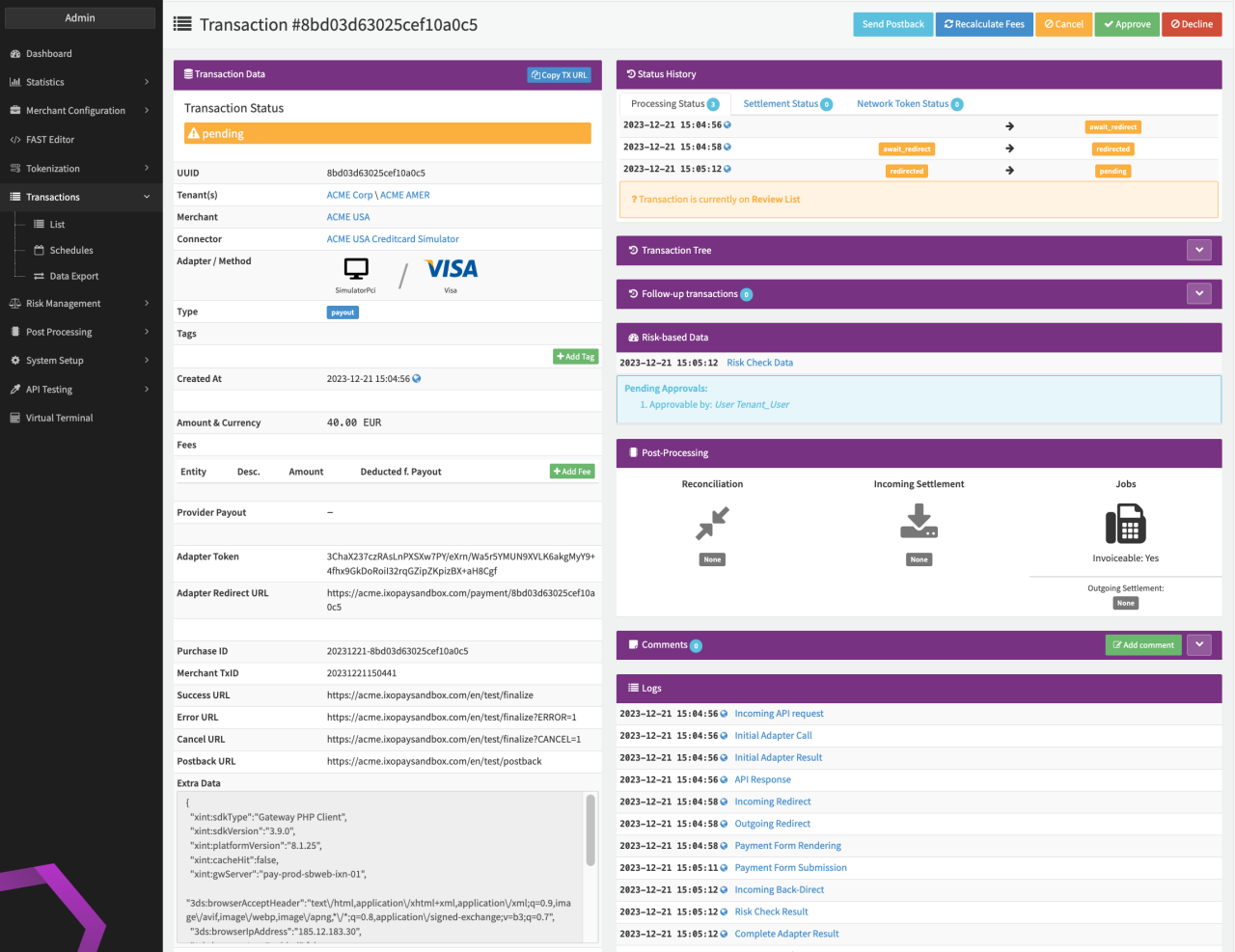
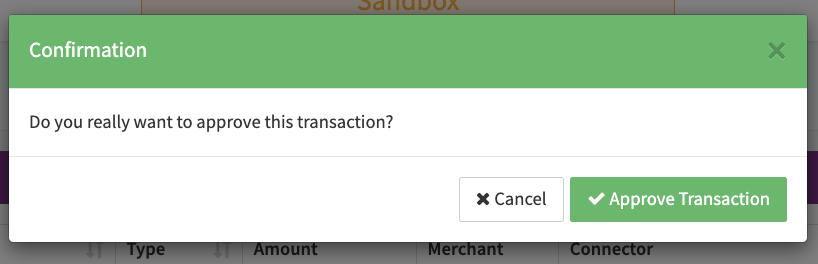
The transaction will show up in the review list (see Review List & Transaction Details) where the configured roles or users can confirm the payout (see Approval).