Rolling Reserve
If you want to get access to all IXOPAY platform features you need to upgrade your plan. Please contact our Support Team in the IXOPAY Customer Experience Portal for more information.
The term Rolling Reserve stands for process of securing a certain percentage of the processed Transaction volume for a defined period of time to cover potential Risks, due to Chargebacks. In the IXOPAY platform the Rolling Reserve can be configured for each payment method individually, per Merchant to be used in the Post Processing. Additionally the Rolling Reserve can be added per Provider this parameter though is not used for further calculations.
To configure the Rolling Reserve
- Select the Payment Method from the drop-down. Leave empty to enable the Rolling Reserve for all payment methods.
- Fill in a Percentage number of Transaction Volume to be secured
- Fill in the number of Days Rolling Reserve should be secured.
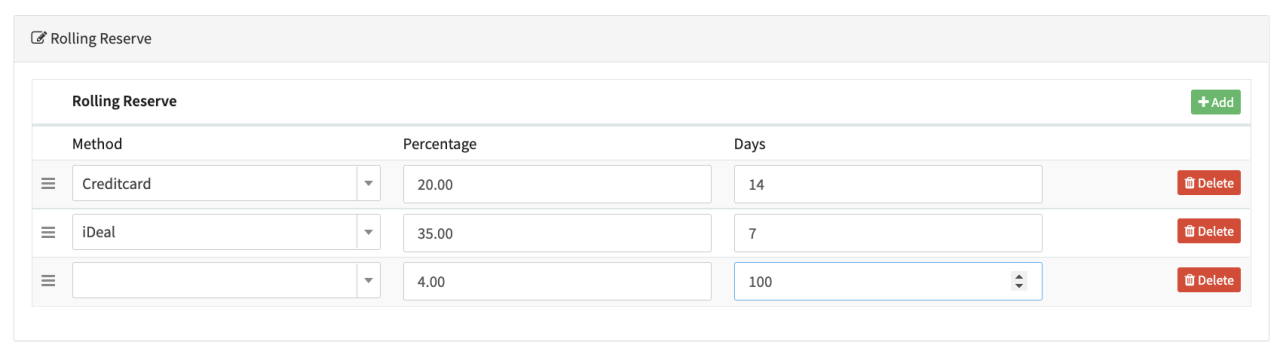
The configured Rolling Reserve per Merchant can then be used for Merchant Settlement calculation within Post-Processing Jobs (e.g. on daily/weekly/monthly etc. base).
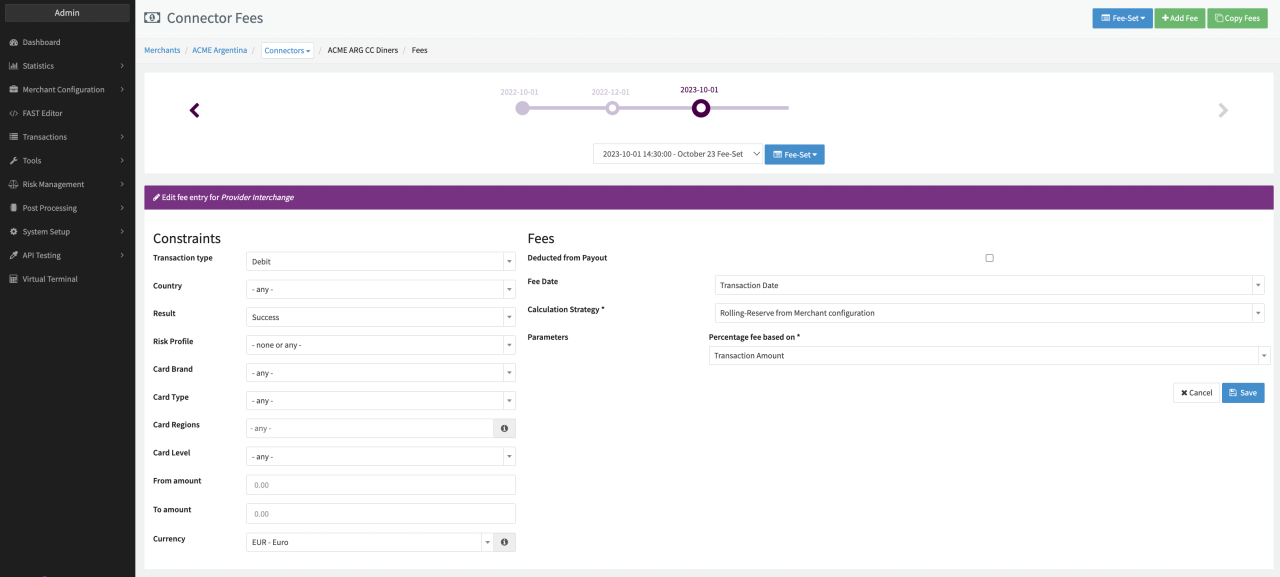
Alternatively Rolling Reserve per Merchant can be used within the Fee Management to calculate line items per Transaction (Calculation Strategy Rolling-Reserve from Merchant Configuration)