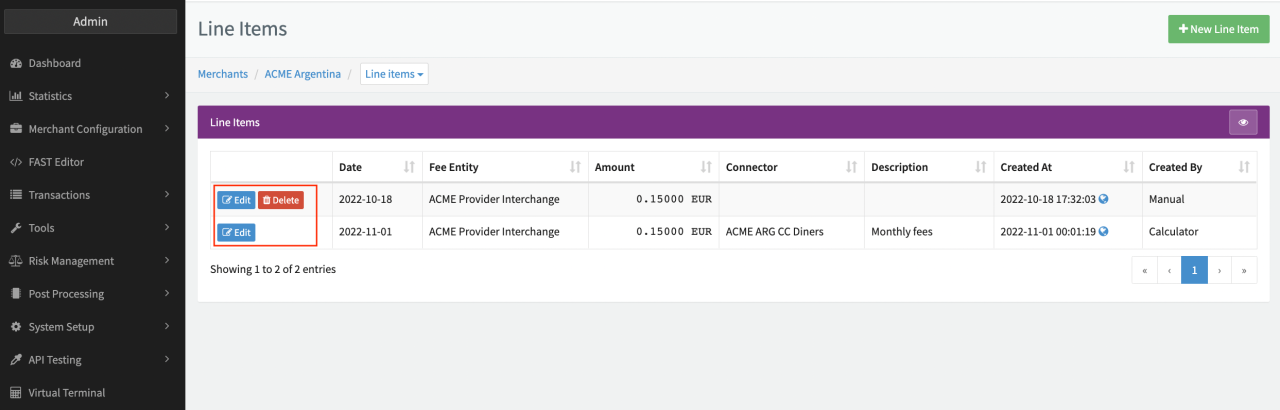
Line Items
Create Line Items
In comparison to transactional and periodic fees based on Connectors, the IXOPAY platform enables clients to define so called Line Items on Merchant level.
As a first step you should create Fee Entities to group and structure your Line Items accordingly. Then follow these steps to create Line Items on Merchant level:
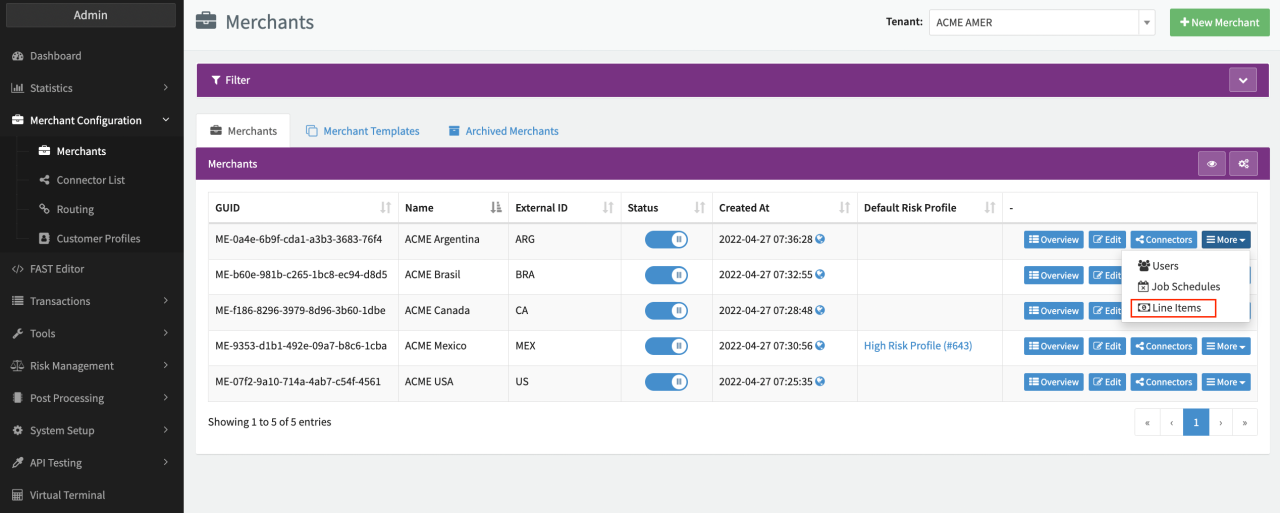
- Navigate to the Global Merchants Overview
- Click on More for the Merchant you want to create Line Items for
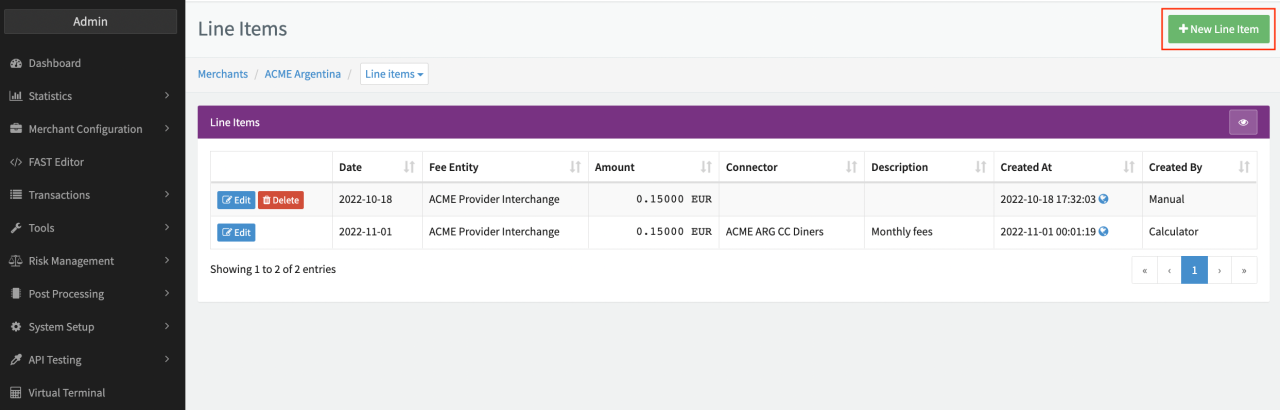
- Click on + New Line Item in the Line Items Overview
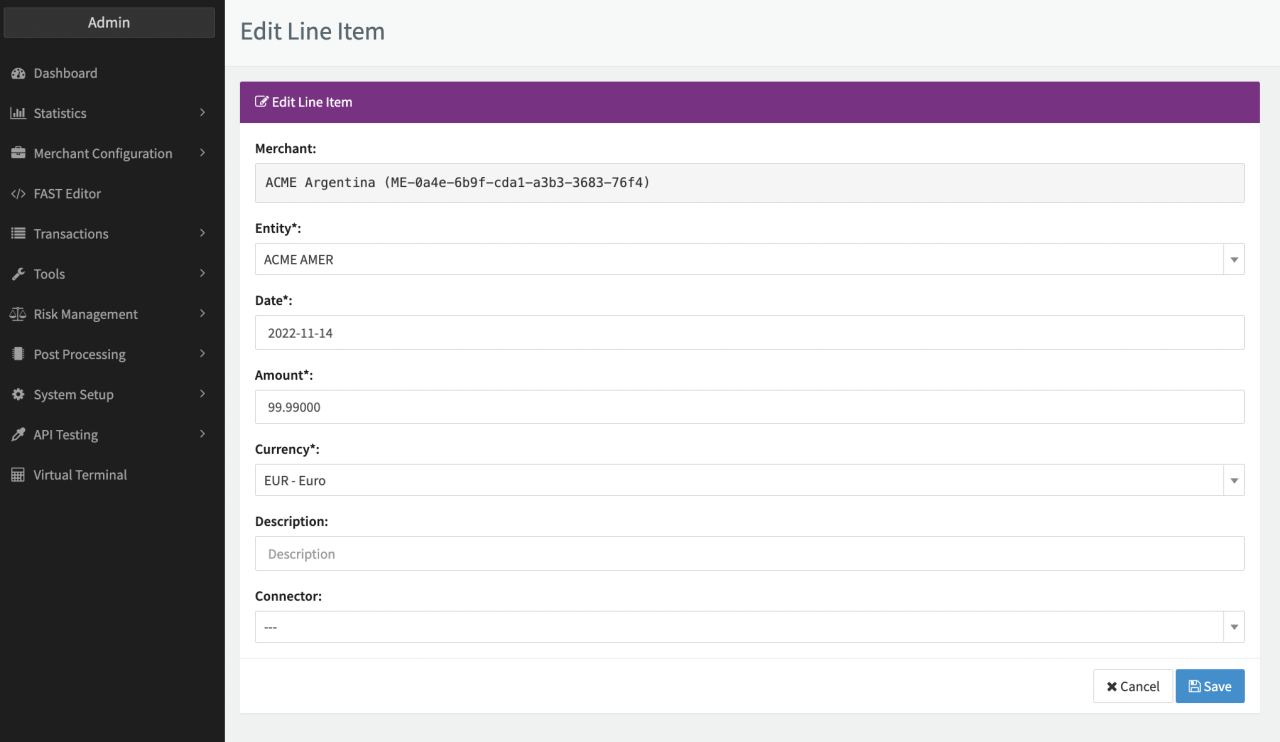
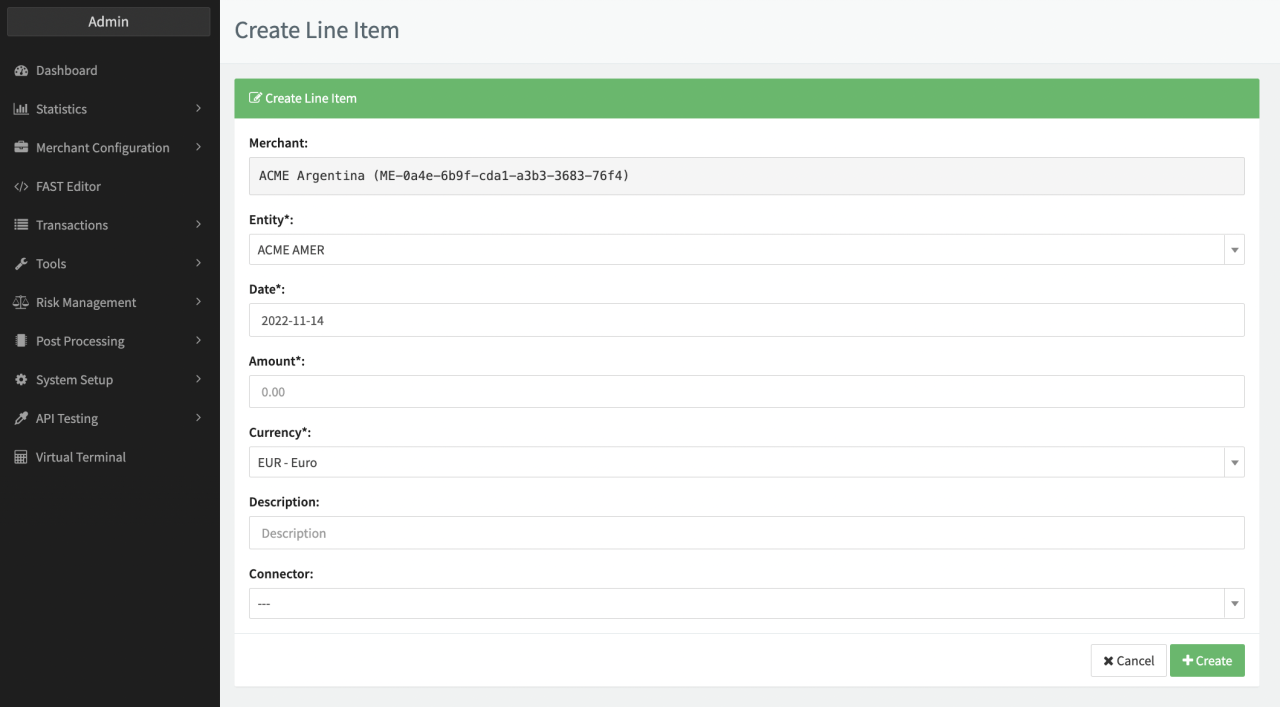
- Select in the mandatory Entity, Date, Currency to specify the Line Item
- Fill in the mandatory Amount to specify the Line Item
- Fill in the optional Description of the Line Item
- Select the optional Connector for the Line Item
info
You can either select pre-defined Fee Entities for Line Items or use Generic Entities defined by the IXOPAY platform (Provider, Tenant / Sub-Tenant).
Edit and delete Line Items
Once created you can edit or delete Line Items. Follow these steps to edit Line Items:
- Navigate to the Line Items Overview
- Click Edit for the Line Item you want to edit
- Change the configuration (see Edit Line Item)
Follow these steps to delete Line Items:
- Navigate to the Line Items Overview
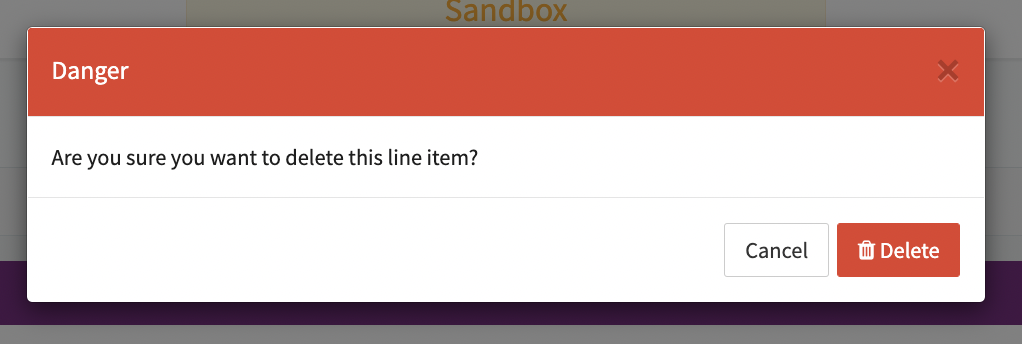
- Click Delete for the Line Item and confirm