Merchants Overview
Use the Merchants Overview to display your merchants and access associated configuration elements such as connectors and users.
Global Merchants Overview
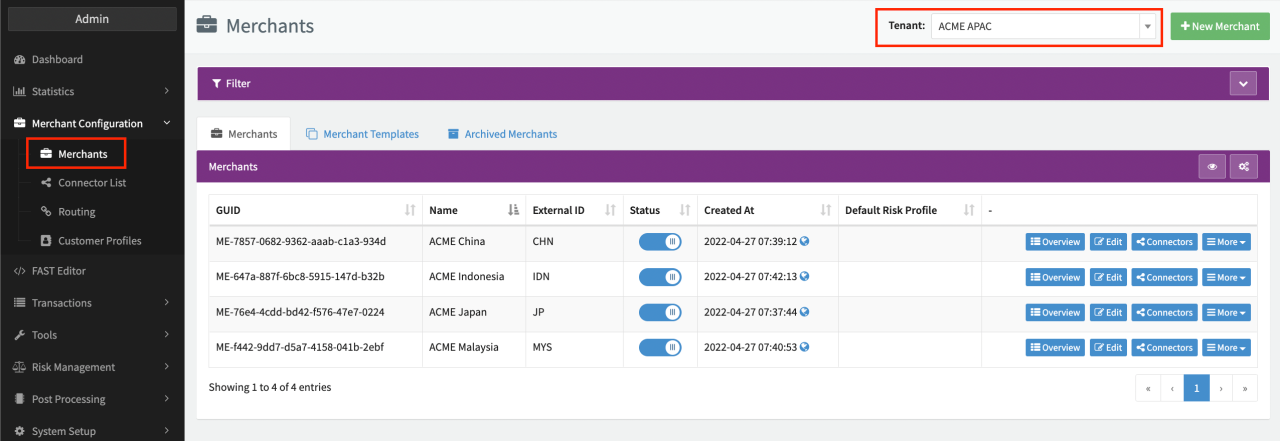
The global Merchant Overview lists all merchants configured under the selected tenant, providing quick access to associated configuration elements for individual Merchants. You can:
- Create and edit Merchant Base Data
- Enable/Disable Merchant
- Archive Merchants
- Create Merchant Templates
Detailed Merchants Overview
Click on Overview for a merchant in the global Merchants Overview to display a detailed overview of that merchant.
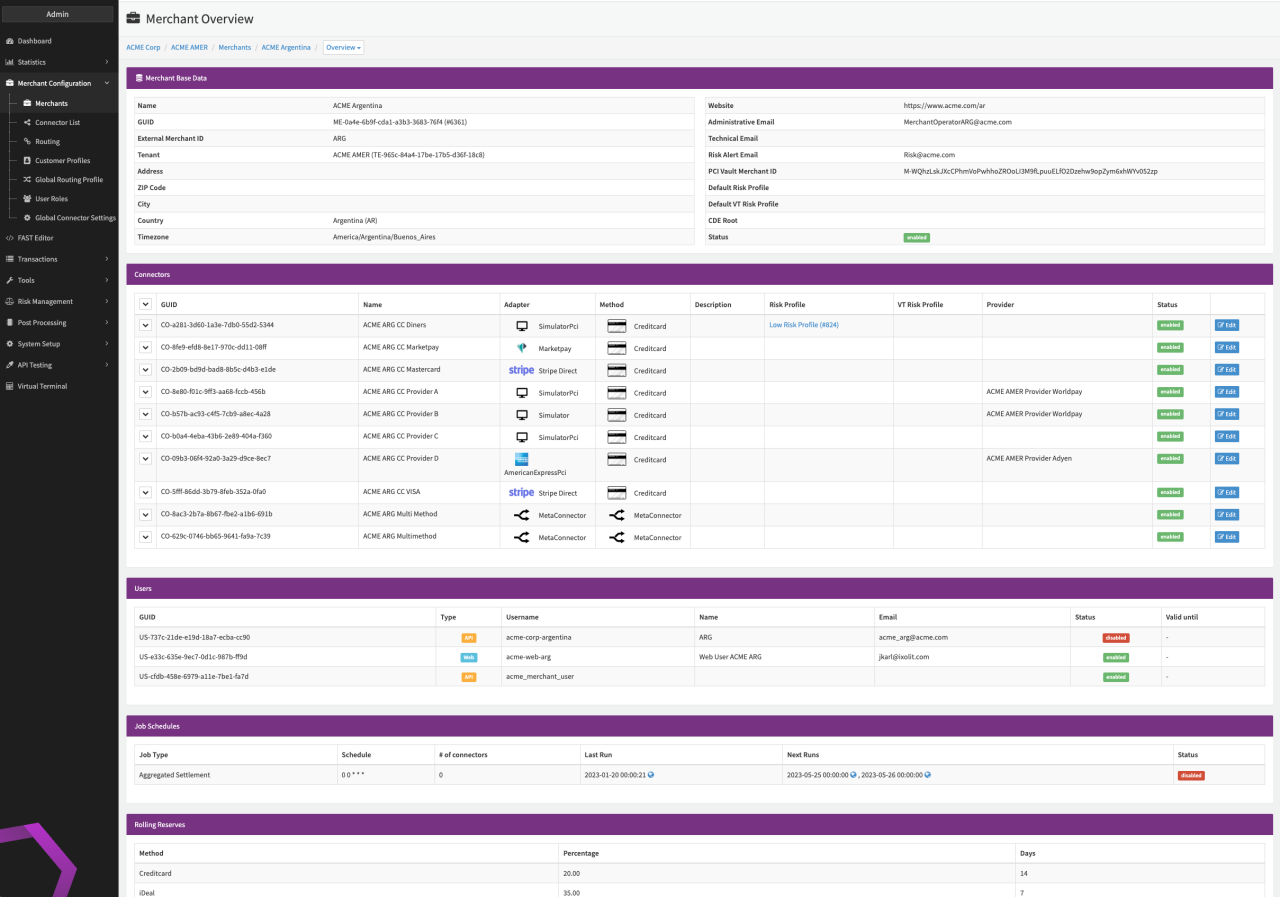
- Merchant Base Data - The merchant base data summarizes all key elements of a merchant profile and its business.
For more information see our tutorial on how tol Create and Set Up a Merchant Profile
- Name: Name of the Company, business or shop of the merchant
- GUID: Global unique identifier of the selected merchant
- External Merchant ID: Such as CRM system ID, if available
- Tenant: The tenant the merchant is assigned to
- Address, ZIP Code, City, Country: Location information
- Timezone: Merchant's current time zone
- Website: URL of the company or shop of the merchant
- Administrative, Technical and Risk Alert Email: Displays multiple contact email addresses within an organization
- Default Risk Profile and Default VT Risk Profile (Virtual Terminal): Indicates whether a specific risk profile has been assigned to a merchant
- Status: Indicates whether a merchant is enabled or not
- Connectors - The Connectors sections displays all configured adapters and their respective payment methods assigned to a merchant profile.
- GUID: Global unique identifier of the connector
- Name: Name of the connector
- Adapter: The selected adapter and interface type, in case the adapter and its payment method offers several API connections.
- Methods: Displays the selected payment method offered by the adapter.
- Description: A description of the adapter, which can be entered when setting up and assigning the adapter
- Risk Profile: The risk profile assigned to the adapter and its payment method
- Provider: The contractual provider for the connector
- Status: Indicates whether the connector is enabled or not
- For further information about a connector, click on the downward arrow on the left
- Users - The users section displays the API users as well as
merchant users (web) who have been granted access to the payment platform.
- GUID: Global unique identifier of the user
- Type: Indicates whether the user is a web or API user
- Username: The user name
- Name: First and last name of the user
- Email: Email address of the user
- Status: Indicates whether access to the payment platform is enabled or not
- Valid Until: If needed, administrators can restrict access to a specific time period, which is indicated here
- Job Schedules - This section displays an overview of all predefined tasks or processes that are automatically started at specific dates and times for the merchant.
- Job Type: Name or definition of the job
- Schedule: Information on the schedule settings in cron syntax
- # of Connectors: Indicates how many connectors are related to this job
- Last run & Next Run: The date the job was last run and when it will next run
- Status: Indicates whether a job schedule is enabled or not
- Rolling Reserves
- Method: Lists the payment methods
- **Percentage & days :**A pre-defined percentage that is withheld for an agreed period of time.