Connector List & Routing
Connector List
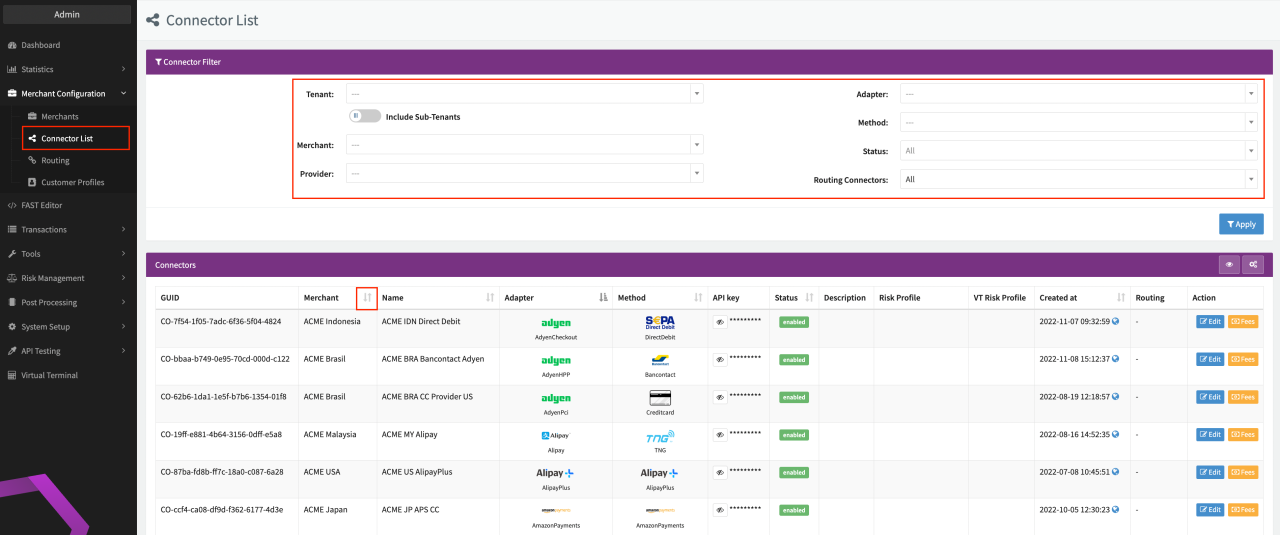
At some point during your IXOPAY journey, you may have many different connectors distributed across different (Sub-)Tenants and Merchants. To get an overview of your Connector Setup and to filter and find specific Connectors, you may use the Connector List.
- Navigate to Merchant Configuration > Connector List
- Order the Connector List entries alphabetically according to specific columns by clicking Up and Down Arrows (see Connector List), or
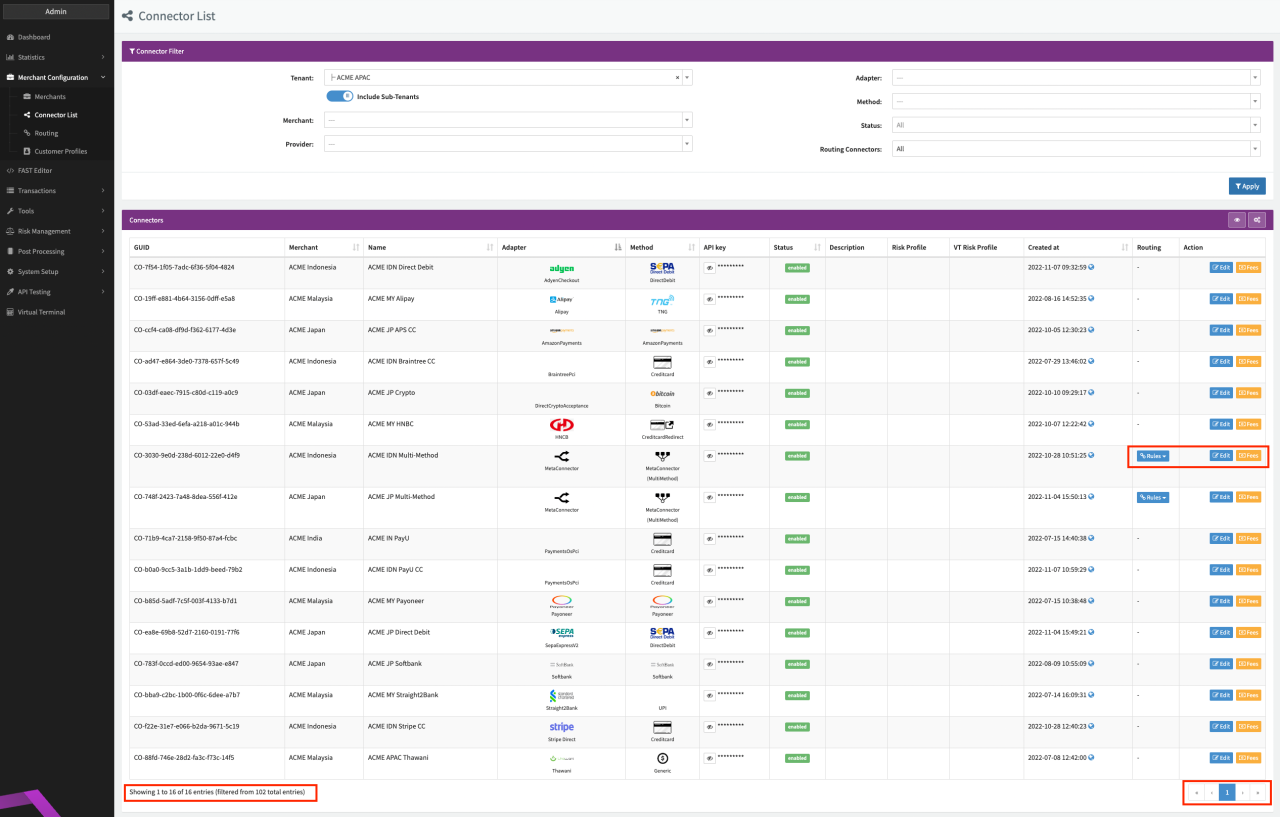
- Filter the List according to your needs (see Filter Criteria Table) and click Apply (see Filter Result)
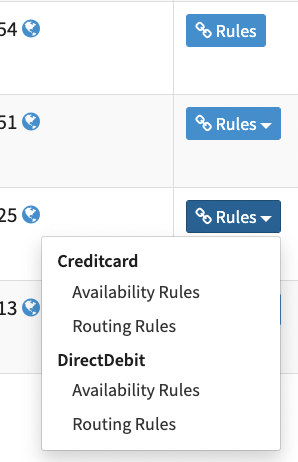
In the Connector List you have the option to directly edit the Connector Settings, Fees or the Rules see also Multi-Method Connector and Meta-Connector section by using the Action Buttons (see Filter Result). Click on the Rules Button for Meta-Connectors to be redirected to the Rule Editor. For Multi-Method Connectors select from the drop-down which Rules you want to edit, before being redirected to the Rule Editor (see Connector List Edit).
| Filter | Description |
|---|---|
| Tenant | Filter list by Tenant / Sub-tenant. Enable Include Sub-Tenant to include Connectors of Sub-Tenants of the selected Tenant in the result. |
| Merchant | Filter list by selected Merchant |
| Provider | Filter list by selected Provider |
| Adapter | Filter list by selected Adapter |
| Method | Filter list by selected Method |
| Status | Filter list by selected Status - Enabled / Disabled |
| Routing Connectors | Filter list by Routing Connectors
|
The number of list entries per page is limited, you can navigate the pages at the bottom of each page.
Routing
The Routing section gives you an overview of your Routing Connector Setup and to filter and find specific Routing Connectors. Order Options, available Actions and Filter Options are identical to the Connector List, except Filter Option Routing Connectors, which is set to Yes by default.