Merchant archiving
If you want to get access to all IXOPAY platform features you need to upgrade your plan. Please contact our Support Team in the IXOPAY Customer Experience Portal for more information.
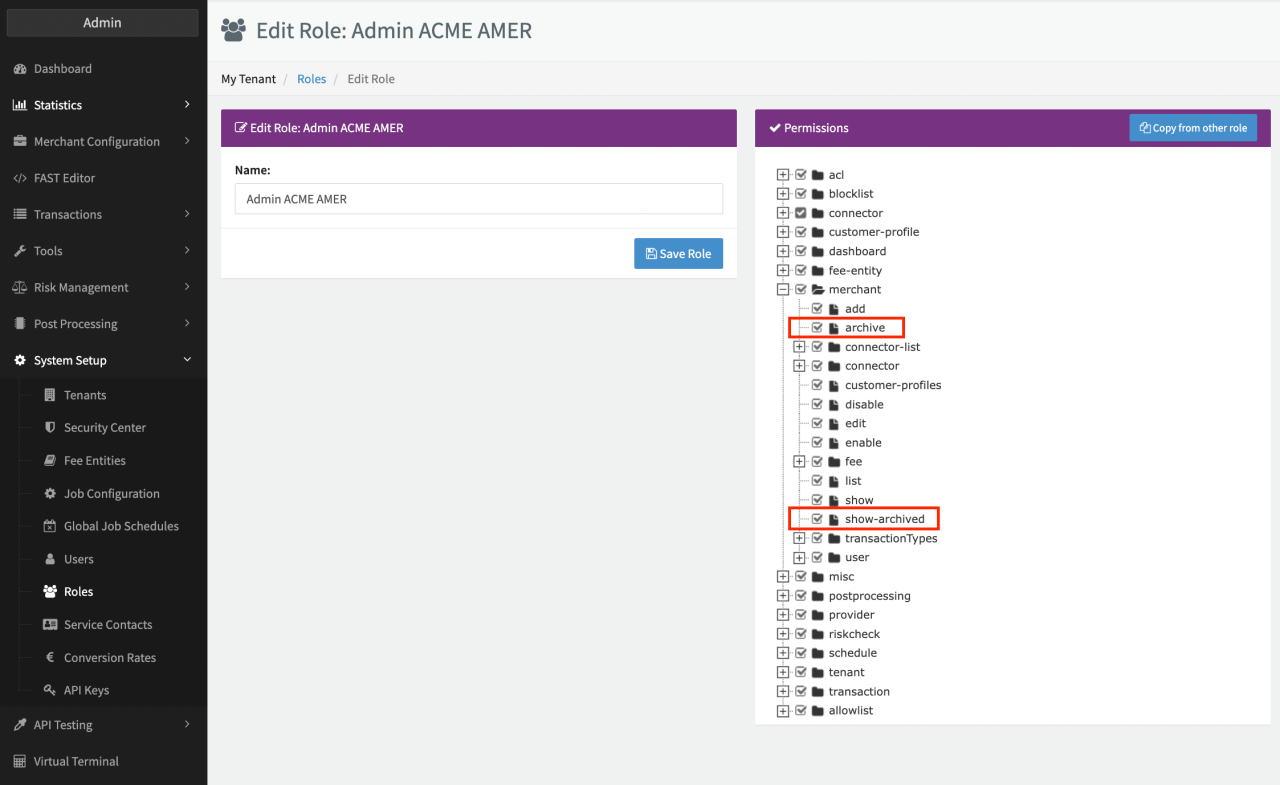
By archiving Merchants you can keep the Global Merchants Overview tidy without losing valuable data. To be able to do that your user must have the permissions "merchant.archive" and "merchant.show-archived"
Once a Merchant is archived all of his associated configuration elements such as Connectors, Users, Templates are also archived. After archiving you still have the option to un-archive a Merchant.
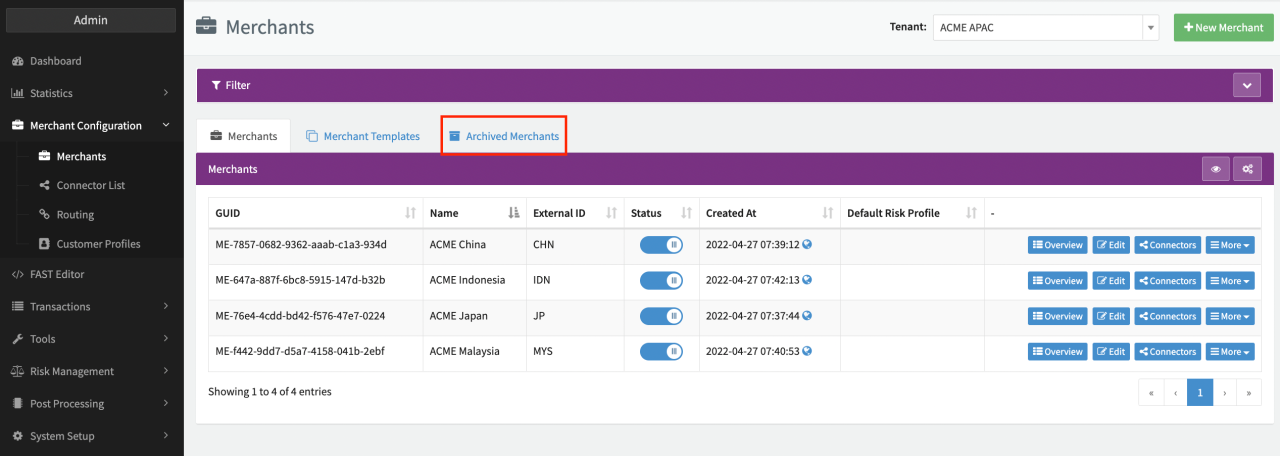
If the feature is enabled, you will find an Archived Merchants Tab in the Global Merchants Overview.
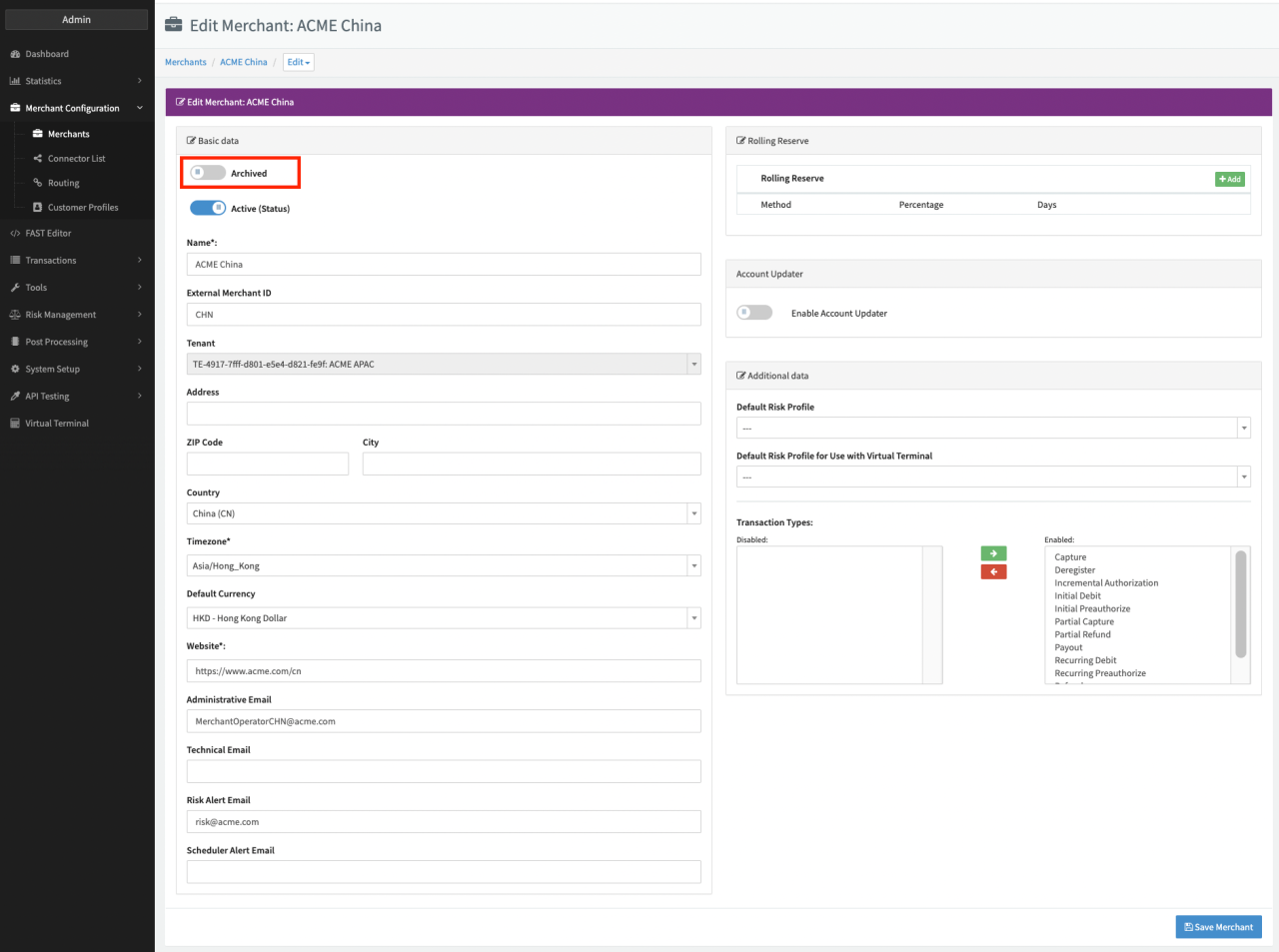
Archive a Merchant from your setup:
- Click Edit on the desired Merchant in the Global Merchant Overview
- In the form an Archive switch will be available in the basic data Section. Enable the switch
- Click Save Merchant
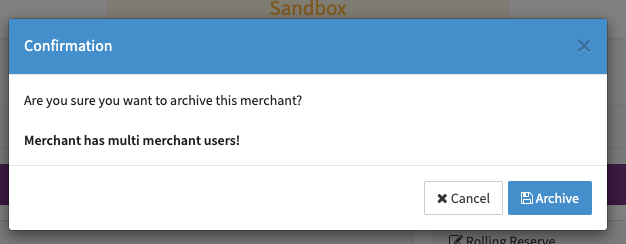
- Click Archive to confirm your action
The Merchant and his associated configuration elements are disabled and archived immediately. The Merchant now can be found under the Archived Merchants tab.
Un-archive a Merchant:
- Click Edit on the desired Merchant in the Archived Merchant tab
- In the form an Archive switch will be enabled in the basic data Section. Disable the switch
- Click Save Merchant
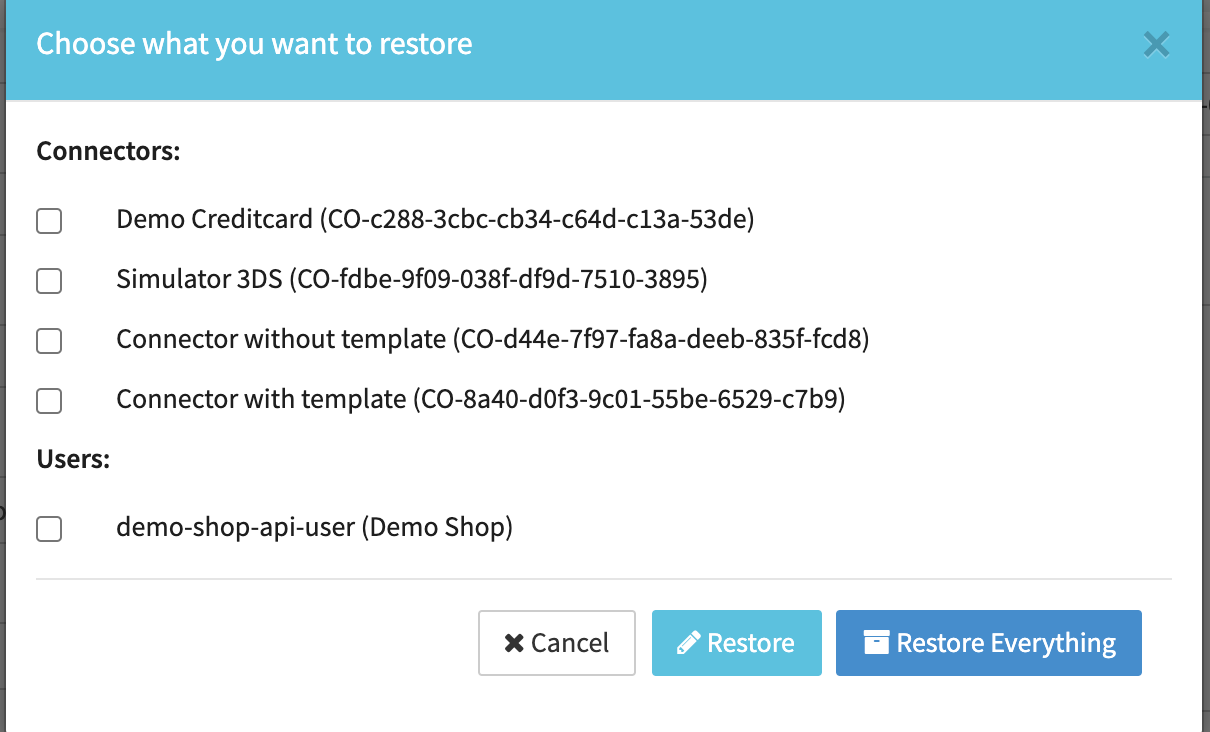
- Each component archived under the Merchant can be selected or deselected individually for unarchiving along with the Merchant, or the user can restore all components instead.
- Click on Restore or Restore Everything
The Merchant will be restored in the Global Merchant Overview.