Terminals
Some Adapters integrated in the IXOPAY platform are using protocols based on the ISO 8583 standard (like GICC, e.Link). The ISO 8583 is a low-level protocol, communicating directly with the Acquirer's authorization host and is also used by card schemes (Visa, MasterCard etc.) internally.
Adapters using a ISO 8583 interface require some additional configuration due to the nature of the protocol (see Terminal configuration). In theory, each Connector represents a digital POS terminal. Since in the ISO 8583 protocol each Terminal can only process one Transaction at a time, The IXOPAY platform supports the creation of multiple Terminal IDs per Connector to allow simultaneous processing of multiple transactions.
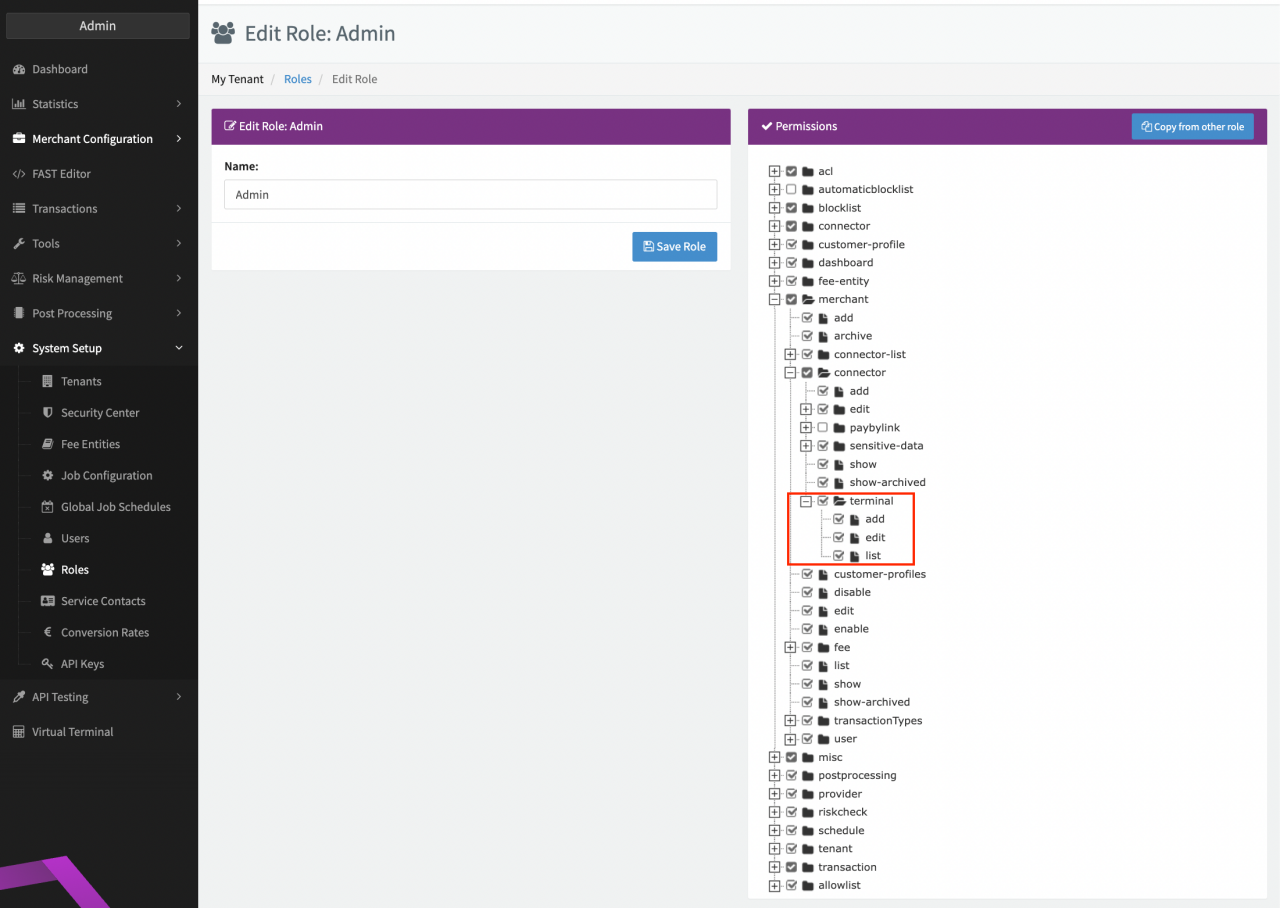
In case you do not see the Terminal Tab for an Adapter integrated using a protocol based on the ISO 8583 standard, make sure to check your User Permissions for the merchant.connector.terminal.* Permissions
Configuring Terminal IDs
To configure Terminal IDs for your Connector please follow these steps:
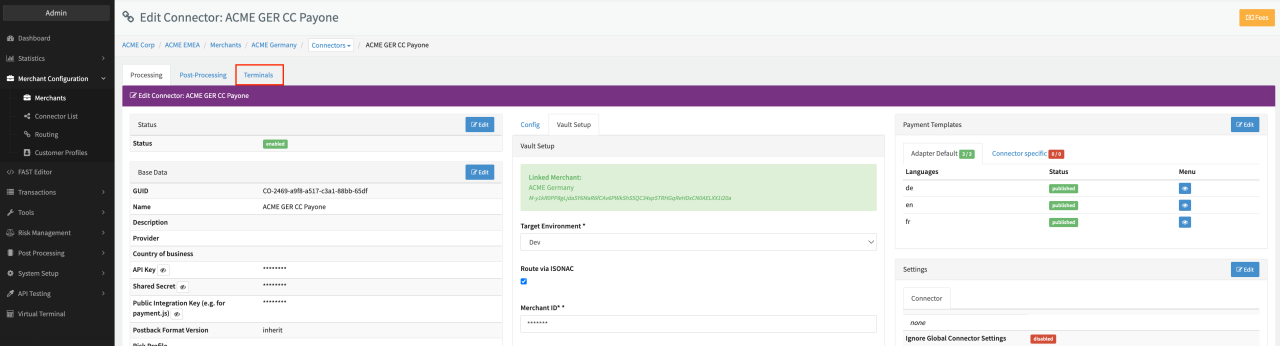
- Navigate to the Connector Detail Overview
- Select the Tab Terminals
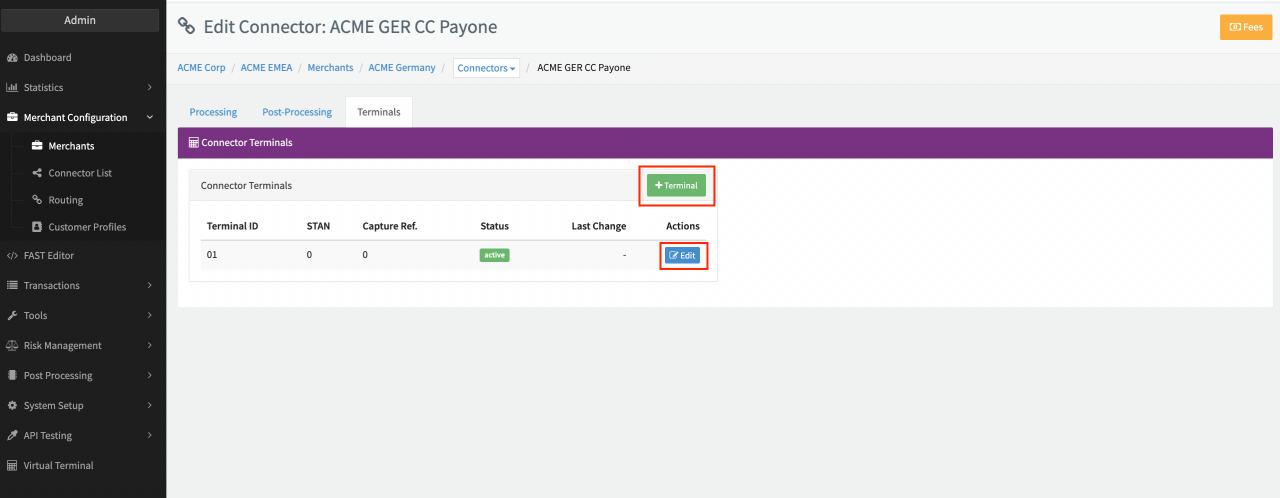
- Click + Terminal to configure a new Terminal ID (see Terminals)
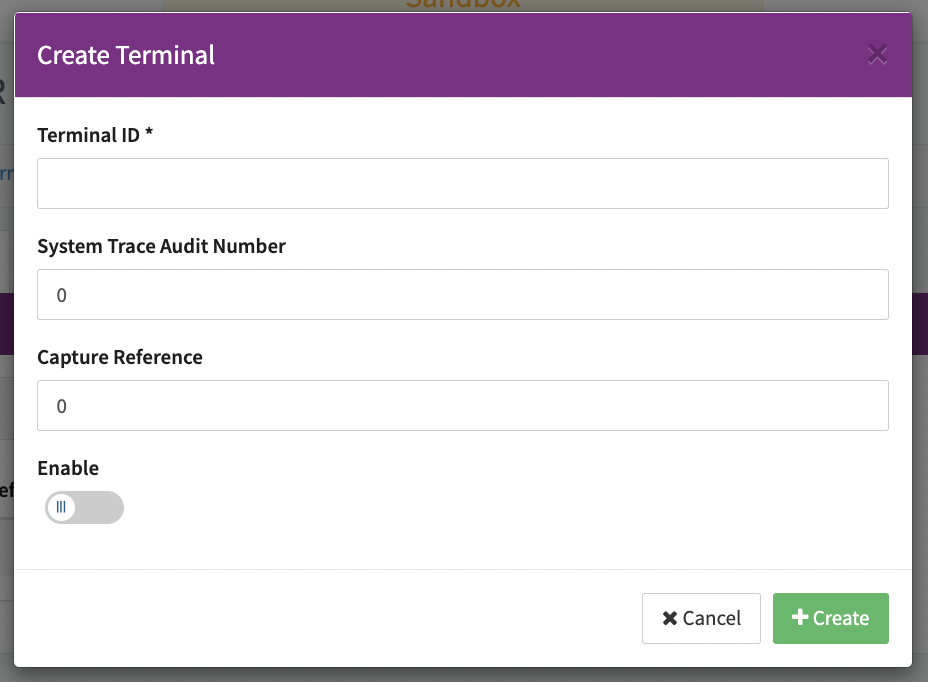
- Fill in the unique Terminal ID,
- Change the System Trace Audit Number (STAN) - prefilled starting from zero
- Change the Capture Reference - prefilled starting from zero
- Enable the Terminal and click + Create.
After creating the Terminal it can be edited using the Edit Action button.
In case you do not know which IDs to configure, please get in touch with our Support Team in the IXOPAY Customer Experience Portal.
Handling Concurrent Terminal ID Errors
As described above one Terminal ID can only process one Transaction simultaneously. The Terminal ID is blocked during the transaction processing by the IXOPAY platform and, depending on the integration, any further incoming transaction for this Connector will wait for a few seconds to be processed. If no Terminal ID becomes available, the transaction will end up in the error state with error reason "too many concurrent requests" (Transaction List filtered for this Connector). In this case simply add additional Terminal IDs for all Transactions to be processed.