Fee Entities
Video: Create a New Fee Entity and Set Up Fees

For each Merchant you can define and assign individual transactional and/or periodic fees (for detailed information see Fee Setup) within so called Fee Entities. Generally speaking with Fee Entities you can create categories to bundle individual fees per Merchant / Connector. They enable Admin Users to easily define a fee structure using generic terms and are very helpful for accounting, statistics and management purposes.
In order to create a new Fee Entities for your (Sub-)Tenant, follow these steps:
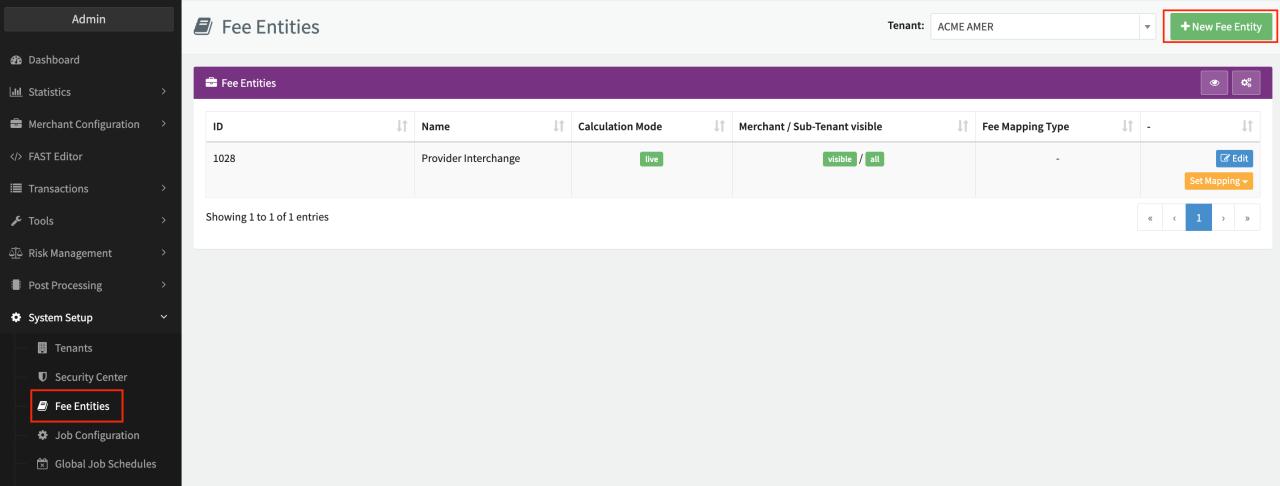
- Navigate to System Setup, sub-section Fee Entities (see Fee Entities Overview)
- Click + New Fee Entity
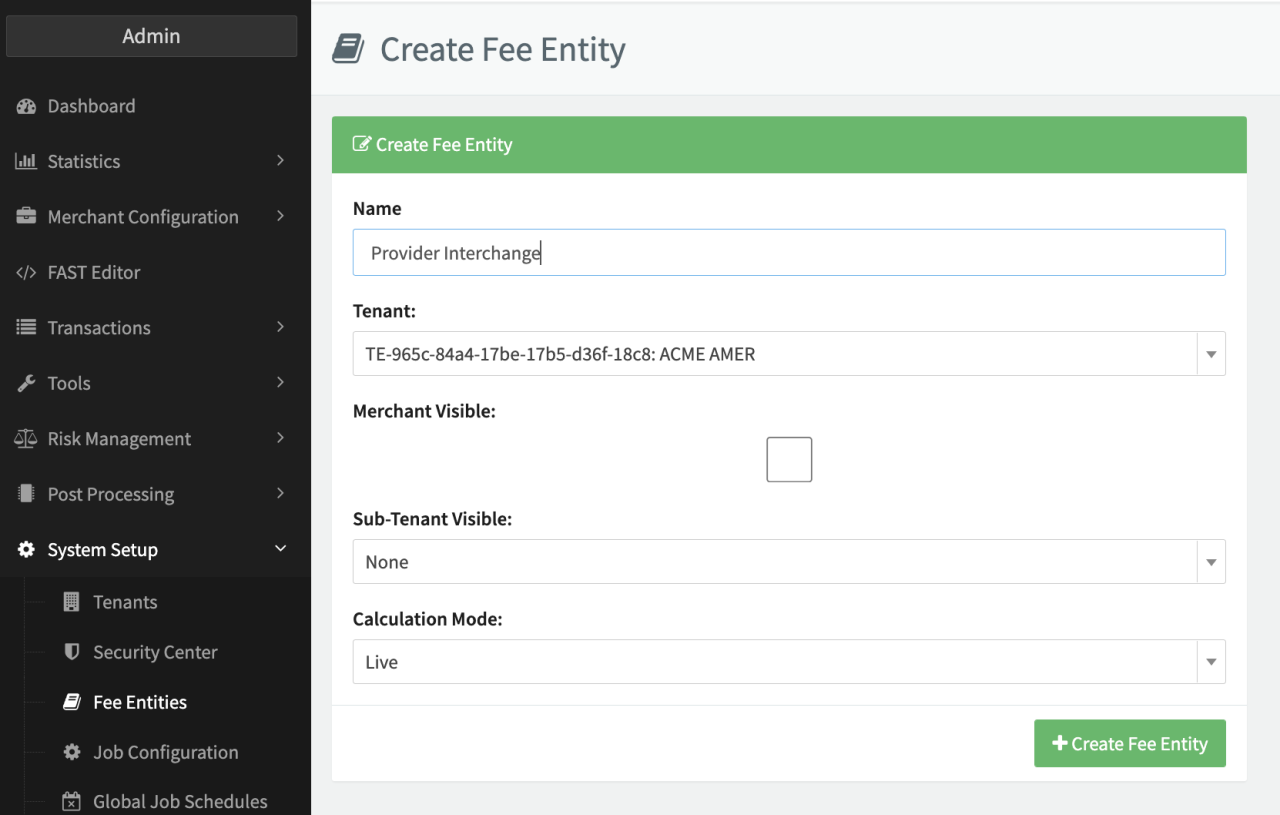
- Fill in a Name and select the (Sub-)Tenant (beneficiary party) from the drop-down (see Create New Fee Entity)
- Enable/disable the checkbox Merchant visible. If enabled Merchant Users will see the Fee Entity in the Transaction Details
- Select the option Visible for Sub-Tenants. Available options None, First or All Sub-Tenants
- Select the option Calculation Mode. Available options Live (default) to calculate fees during the transaction processing or Only via post-processing no fees are calculated during transaction processing, but only if a Post Processing Job is configured, scheduled and executed to do so.
- Click + Create Fee Entity
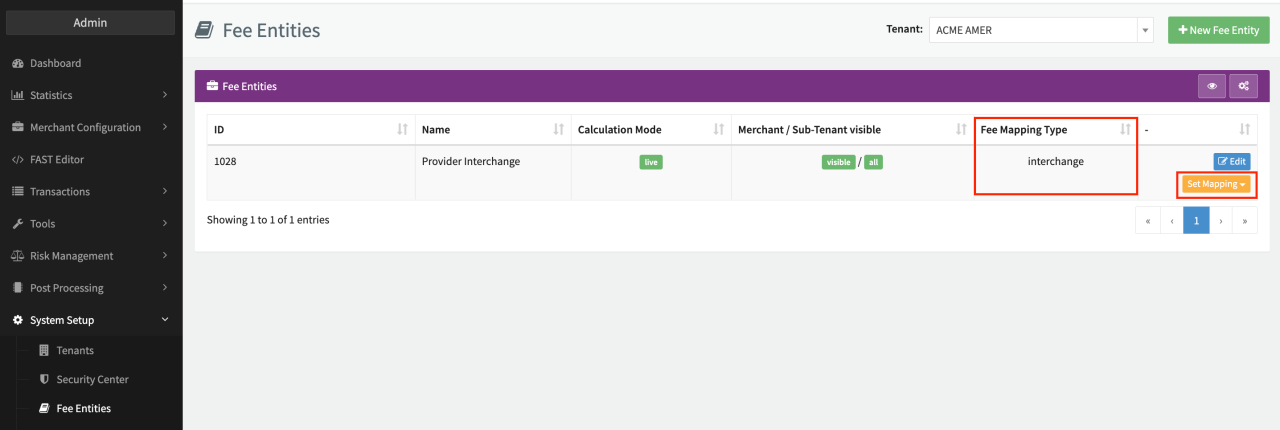
The new Fee Entity will appear in the Fee Entity Overview with options to Edit the Fee Entity (all options above except the (Sub-)Tenant selection) or Set Mapping. Once finished you need to assign the transactional and/or periodic fees on Merchant / Connector level as described in Set up Fees.
Fee Entities are defined per IXOPAY (Sub-)Tenant with the option to make it visible for Sub-Tenants (first or all). The configuration depends on the Setup you have chosen for your IXOPAY platform Tenant. Keep in mind, in comparison to other entities in the IXOPAY platform, Fee Entities cannot be archived.
Fee Mapping
In the transaction processing world there are some standard categories of fees (e.g. Markup-, Interchange-, Scheme- or Conversion Fee).
Depending on the Provider, those fee categories are reported back to the IXOPAY platform (see also Post Processing) and can be mapped to your individual created Fee Entities.
Follow these steps to map standard fee categories to your Fee Entities:
- Click Set Mapping (see Fee Entity Overview) on the Fee Entity you want to map
- Select the standard fee category that should be mapped from the drop-down
The mapping of those standard fee categories to your fees structure helps you standardize and optimize your Fee Management independently of the provider for all your merchants.
The mapping is also shown in the Fee Entities Overview.