Surcharge - GST Fee
Surcharge / GST Fee Configuration
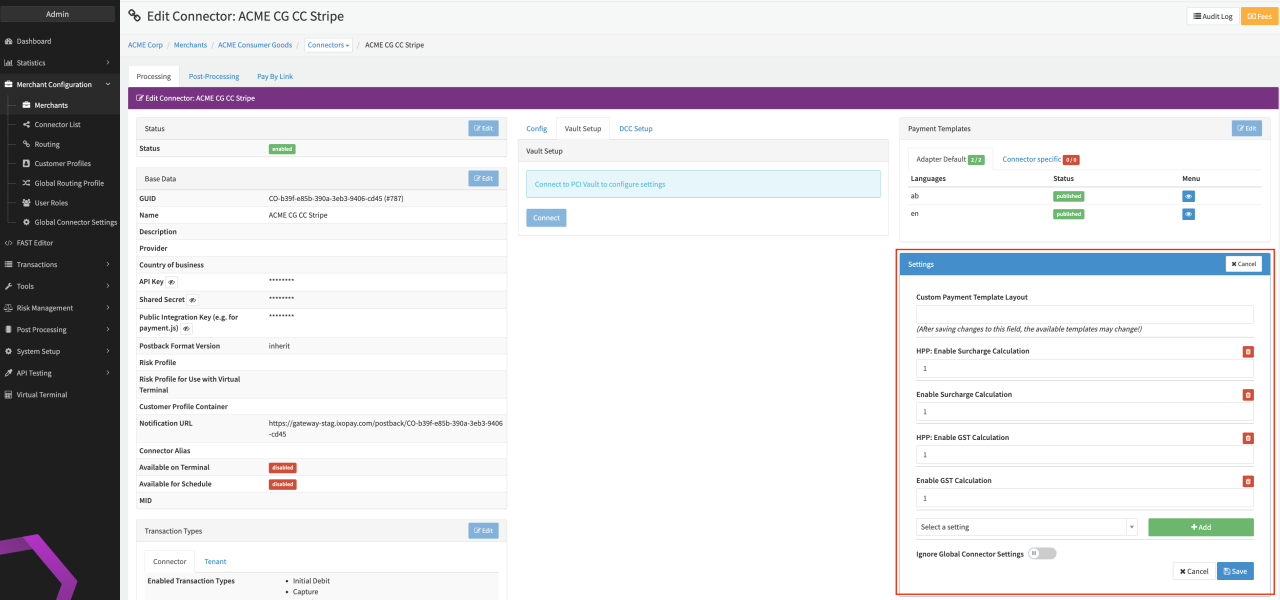
In order to use Surcharge / GST Fee calculation you first need to set up a Surcharge / GST Fee Entity and map it to the Surcharge respective GST Fee (see Fee Entities). Set up a Fee Set on the Connector for which you want to calculate Surcharge / GST Fees and enable the setting in the Connector Details Overview (see Connector Settings):
- Navigate to the Connector Details Overview - Settings
- Type in HPP: enable Surcharge Calculation respective HPP: enable GST Calculation and click + Add
- Enter 1 to activate the setting
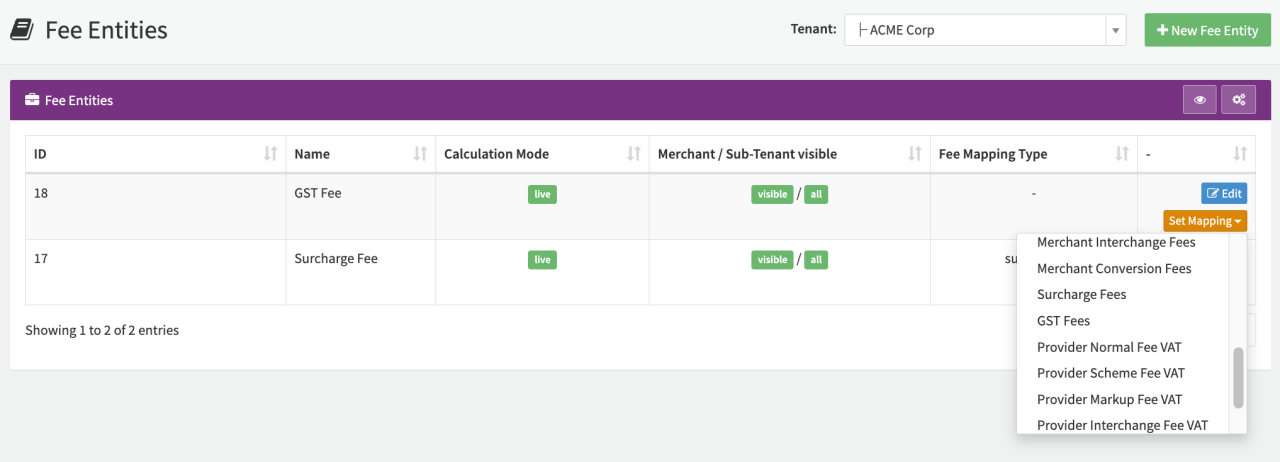
The Surcharge Fee and GST Fee are calculated before transaction processing in comparison to all other fees calculated in the IXOPAY platform. The transaction has no status yet, therefore it is recommended to use Result = "All" when setting up your Fee Set. In case a surchargeAmount parameter is sent in the API request, the surcharge calculation will be skipped, and the surchargeAmount will simply be added to the total amount. For GST fees the Fee Configuration is slightly adopted since the GST Fee will be calculated as a percentage of the configured Surcharge Fee.
Hosted Payment Page (HPP) Configuration for Surcharge / GST Fee
To use the Surcharge / GST Fee calculation for the IXOPAY platform Hosted Payment Pages (HPP), a Connector that supports Surcharge / GST Fees needs to be configured as described above. To activate the Surcharge / GST Fee calculation in the IXOPAY platform HPP the following adoptions need to be added to your payment.js implementation.
Surcharge / GST Fee Calculation on Hosted Payment Pages is only supported using payment.js.
var paymentJs = new PaymentJs("1.2");

function onSurchargeComplete(surchargeAmount, newTotalAmount) {
  if (newTotalAmount) {
    // display amount to users
  } else {
    // hide surcharge amount as no surcharge is charged
  }
}
using payment.js, you have to call the surcharge calculation non CC number change
paymentJs.init("public integration key", "{{ creditcard div id }}", "cvv div id", function (payment) {
  Ixopay.PaymentFormV2.initializeSurchargeWithPaymentJs(payment, onSurchargeComplete);
});
Additionally for the GST Fee Calculation the gstAmount must be added to the onSurchargeComplete function:
function onSurchargeComplete(surchargeAmount, newTotalAmount, gstAmount) {
  if (newTotalAmount) {
    // display amount to users
  } else {
    // hide surcharge amount as no surcharge is charged
  }
}
Virtual Terminal
Additionally, if you want to use the Surcharge Fee calculation in the Virtual Terminal, enable the setting in the Connector Details Overview:
- Navigate to the Connector Details Overview - Settings
- Type in Enable Surcharge Calculation and click + Add
- Enter 1 to activate the setting
With this, the Surcharge Parameter (in Percentage or Absolute Amount) can be entered for transactions initiated by the Virtual Terminal (see Virtual Terminal).
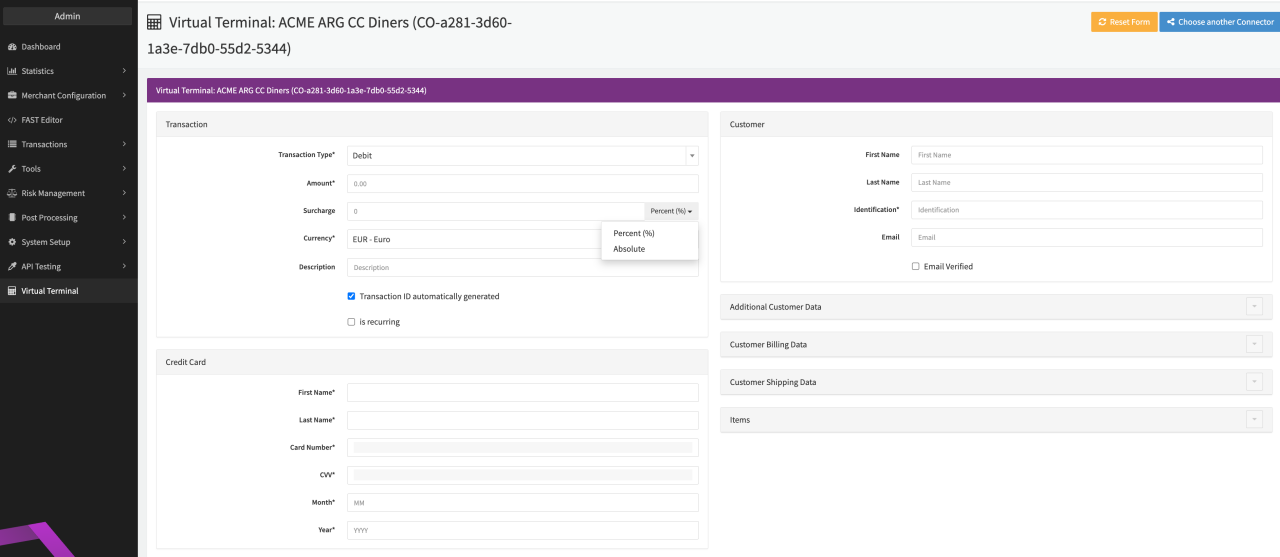
misc.virtual-terminal.surcharge respective frontend.virtual-terminal.surcharge permission must be enabled for users.