Risk Engine: Manual Review
With the Connector Setting Risk Engine: Manual Review Requirements and Risk Engine: Manual Review Delay you can implement a manual review step for different transaction flow scenarios. (e.g. Secure Payouts). This setting is used in combination with the available risk rules defined in risk profiles to configure the conditions for transactions to be marked for manual review. You can then add as many User Roles or Users as you want to approve the transaction in their Review List before the transaction flow can continue or set a delay time period after that the manual review is approved/declined automatically.
To configure the connector setting Risk Engine: Manual Review Requirements follow this steps:
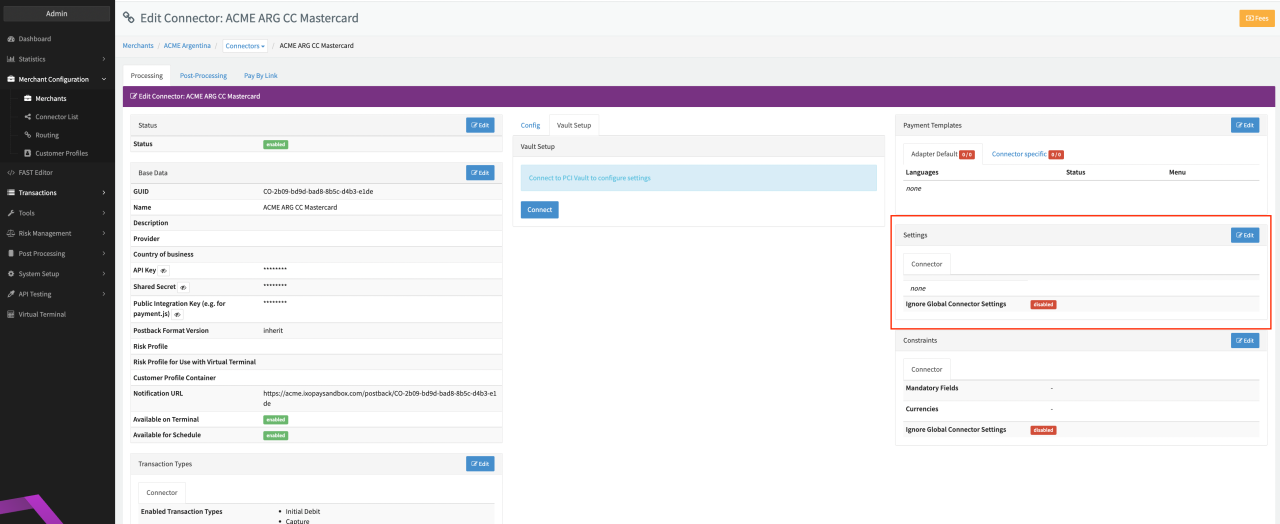
- Go to the Connector Detail Overview of the desired Connector
- Click Edit on the Settings section (see Connector Detail Overview)
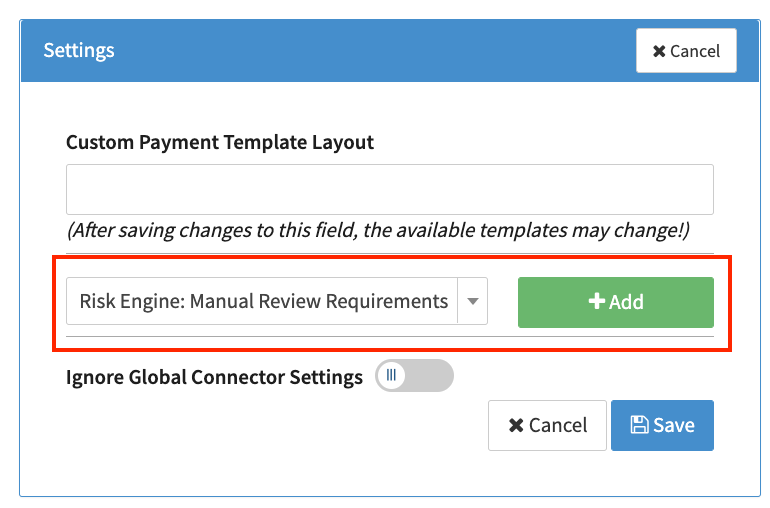
- Select the Connector Setting Risk Engine: Manual Review Requirements and click Add (see Connector Settings)
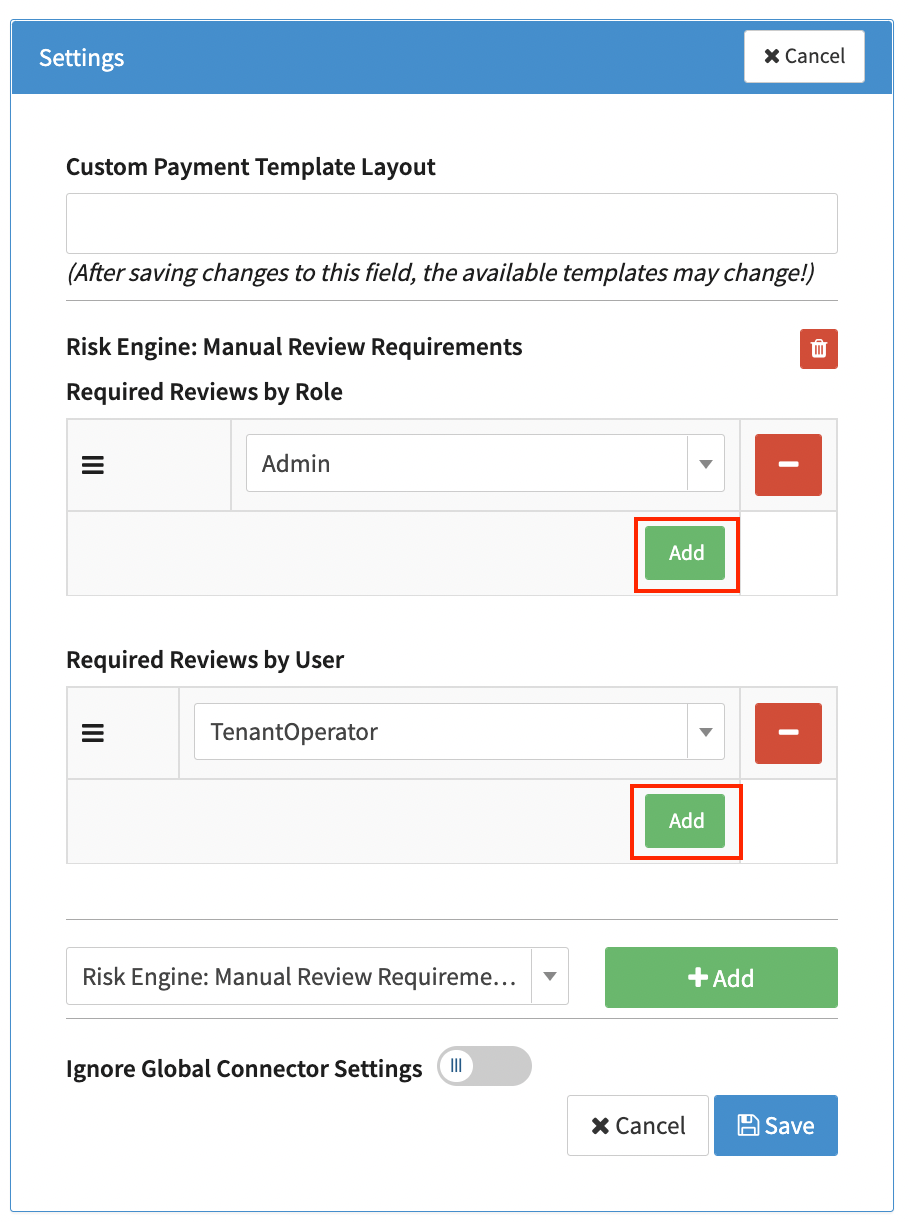
- Click Add to create a new parameter Required Reviews by Role or Required Reviews by User (see Required Reviews by parameter). You can add as many parameters as you want.
- Select Role or User from the dropdown menu and click Save. Only pre-defined Roles and Users are available.
Only if all the selected Roles or Users confirm the transaction (in the Review list) the transaction flow continues.
To configure the connector setting Risk Engine: Manual Review Delay follow this steps:
- Go to the Connector Detail Overview of the desired Connector
- Click Edit on the Settings section (see Connector Detail Overview)
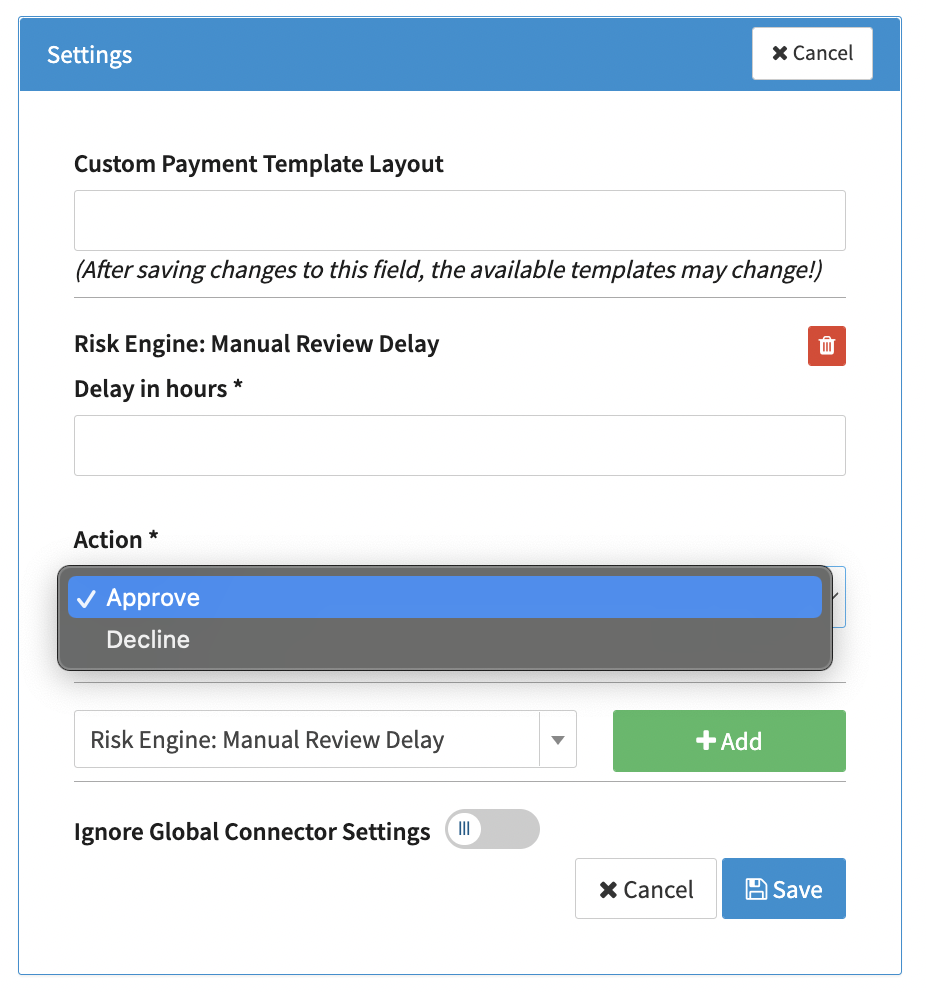
- Select the Connector Setting Risk Engine: Manual Review Delay and click Add (see Connector Settings)
- Define the Delay in hours before an automatic action should be performed as well as the Action (approve, decline) that should be performed and click Save (see Connector Settings Details)
The connector configuration applies immediately to transactions using this connector, so make sure the Risk Profile and Connector Settings are configured before performing transactions with this connector.