Overwrite Merchant Metadata
With the Connector Setting Allow merchant metadata overriding the customer can overwrite existing merchant meta data by entering data in the Hosted Payment Page (HPP)
The setting is configured per Connector, but can also be configured as a Global Settings and needs to be added in the HPP
To configure the connector setting follow these steps:
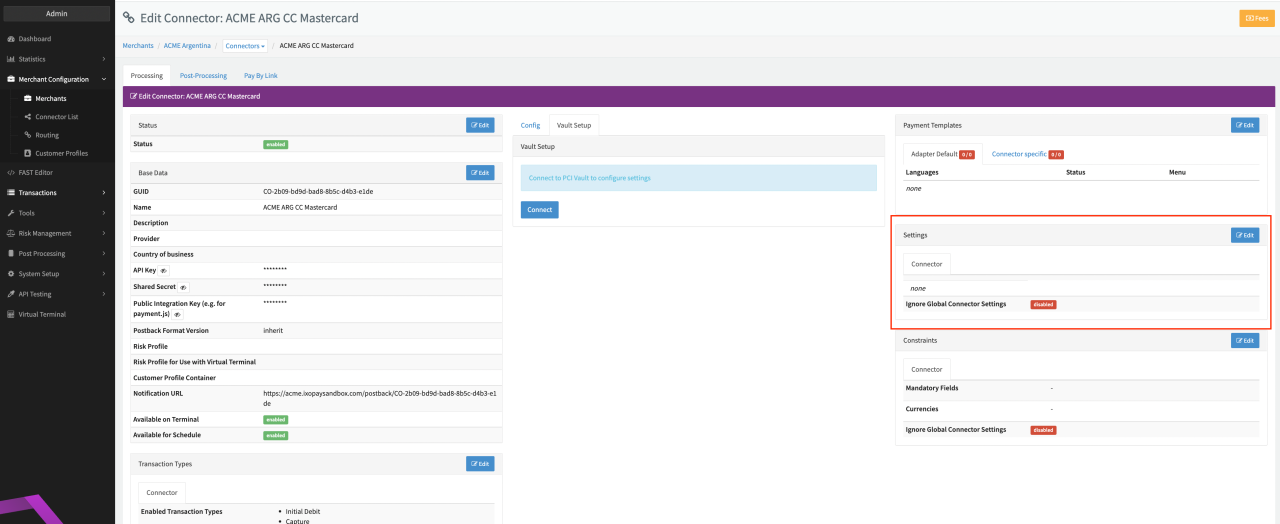
- Go to the Connector Detail Overview of the desired Connector
- Click Edit on the Settings section (see Connector Detail Overview)
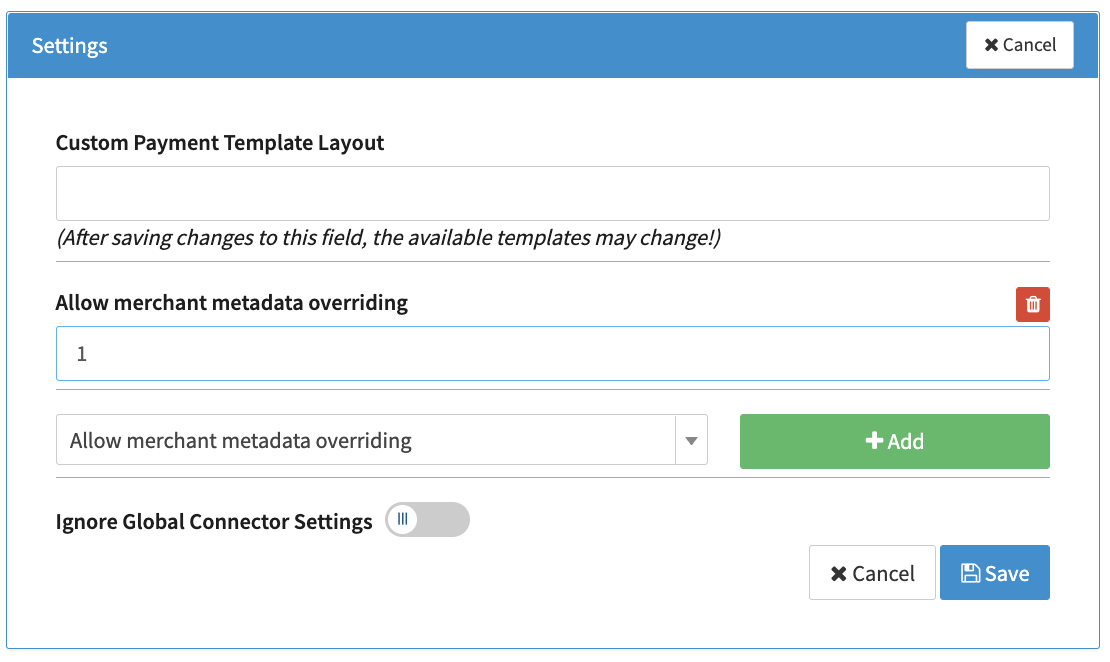
- Select the Connector Setting Allow merchant metadata overriding and click Add (see Connector Settings)
- Activate the Connector Setting with 1 and click Save
To configure the Hosted Payment Page follow these steps:
- Go to the Connector Detail Overview of the desired Connector
- Click Edit on the Payment Templates section
- Click Edit for the template that should include the Overwriting Code (needs to be done for all templates individually)
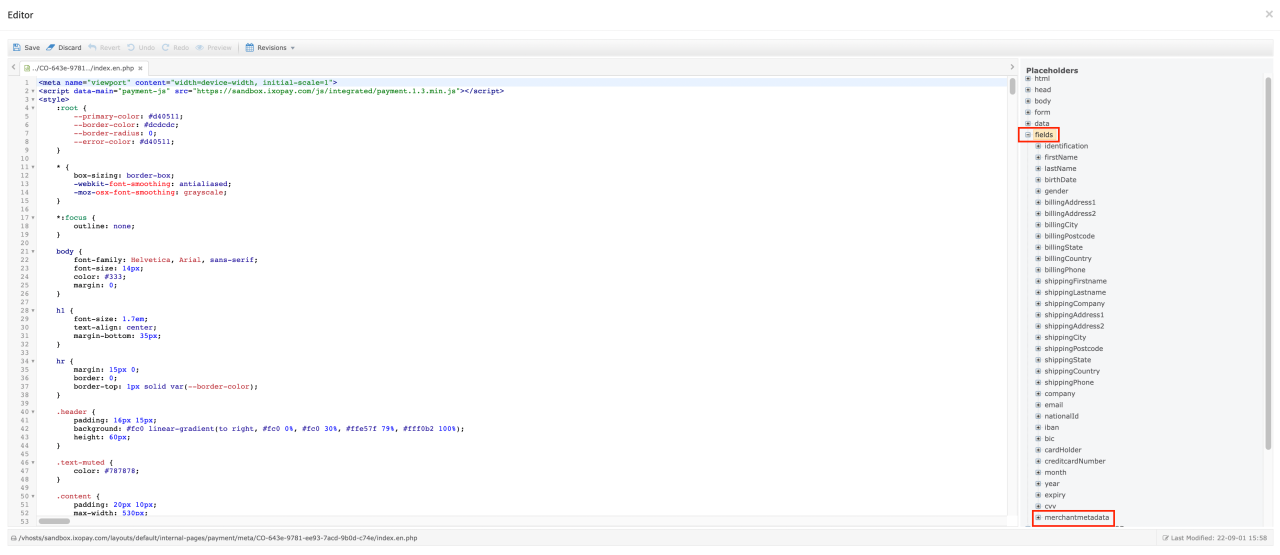
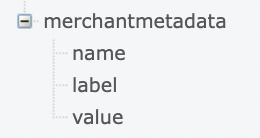
- In the Placeholder Section (see Editor View) navigate to fields, submenu merchantmetadata
- Include the placeholders name, value, label in the HPP as hidden inputs
<input
  type="hidden"
  name="{{ fields.merchantMetaData.name }}"
  id="{{ fields.merchantmetadata.id }}"
  value="{{ fields.merchantmetadata.value }}"
/>
note
Keep in mind, that changes on templates need to be published before they can be used. This needs to be done in Publish Section of the Fast Editor (see Fast Editor Publish)