Handle unknown transactions postbacks
With the Connector Setting Handle unknown transactions postbacks you can automatically define a strategy how the IXOPAY platform should react to unknown transaction postbacks. The setting is configured per Connector, but can also be configured as a Global Settings.
To configure the connector setting follow this steps:
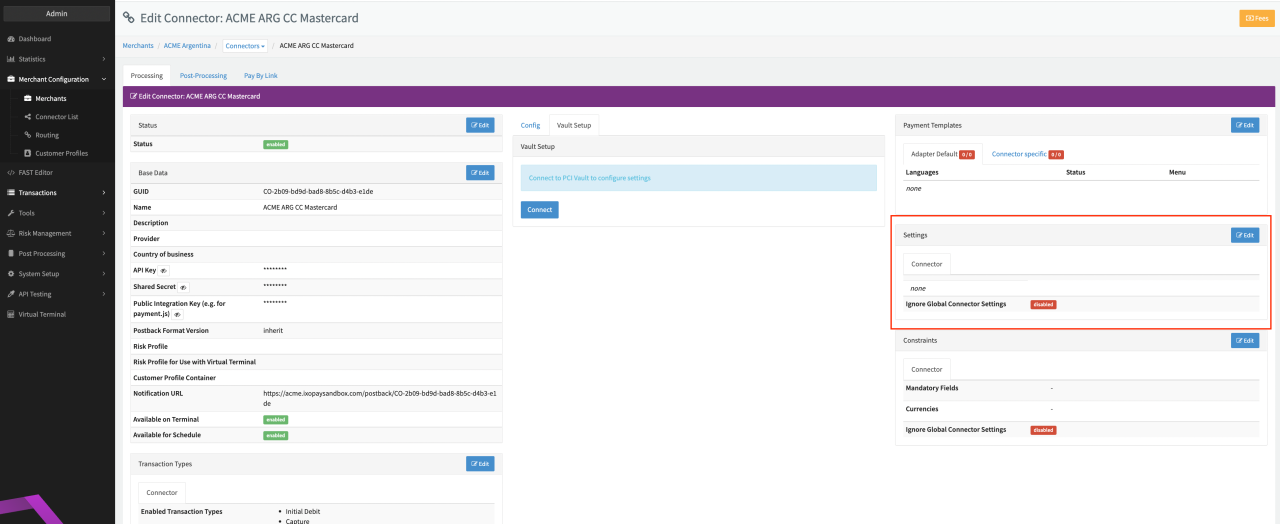
- Go to the Connector Detail Overview of the desired Connector
- Click Edit on the Settings section (see Connector Detail Overview)
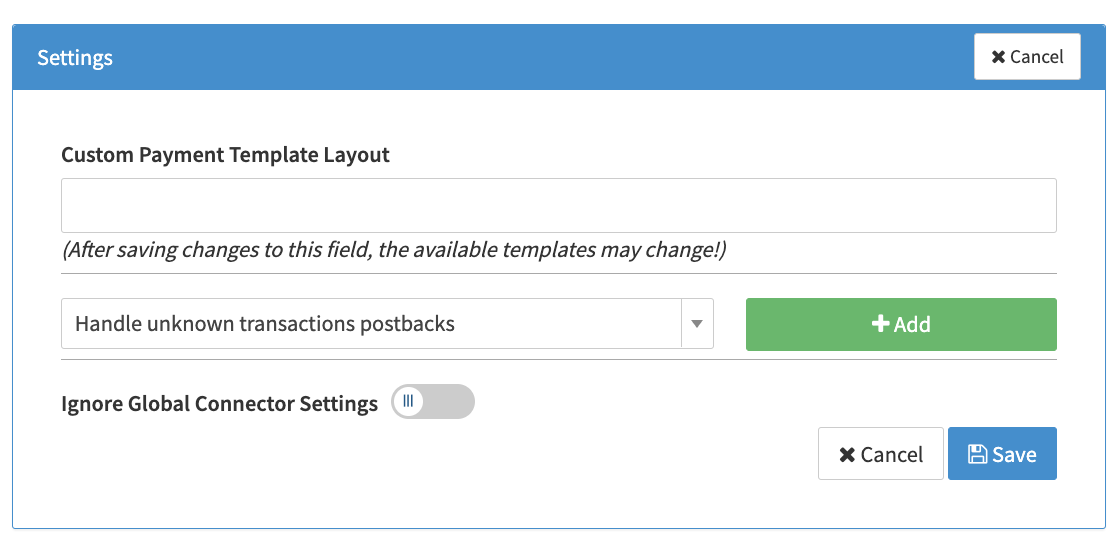
- Select the Connector Setting Handle unknown transactions postbacks and click Add (see Connector Settings)
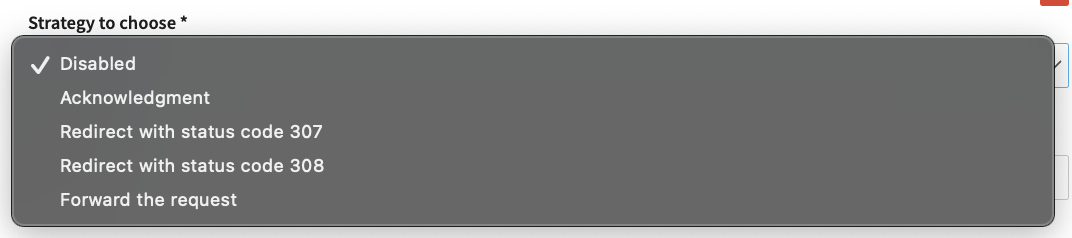
- Select Strategy to choose from the dropdown:
- Disabled
- Redirect with status code 307 (response with same HTTP method as incoming request stating that the URL does not exist and PSP should send the request to the provided URL, Target URL is mandatory),
- Redirect with status code 308 (response with same HTTP method as incoming request stating that the URL does not exist and PSP should send the request to the provided URL, Target URL is mandatory)
- Acknowledgement (status code 200 and adapter-specific response body)
- Forward the request (forwards the incoming request to the provided URL, Target URL is mandatory)
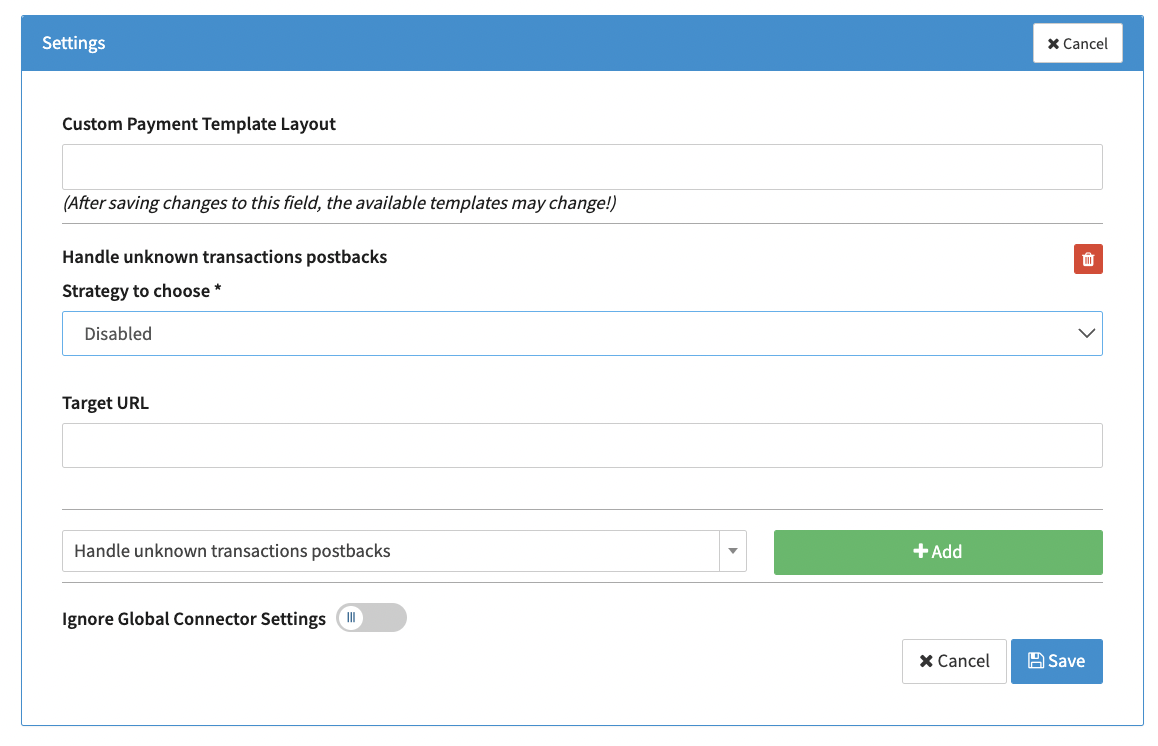
- Insert the Target URL (see Connector Parameter Settings)
tip
For the strategy Acknowledgement no further processing/steps in regards to the postback is/are done in the IXOPAY platform. Strategy Redirect and Forward the request must be supported by the PSP.