Field Operation
With the Connector Setting Manipulation: Field Operation you can perform manipulation operations to different transaction data fields. The setting is configured per Connector, but can also be configured as a Global Settings.
To configure the connector setting follow these steps:
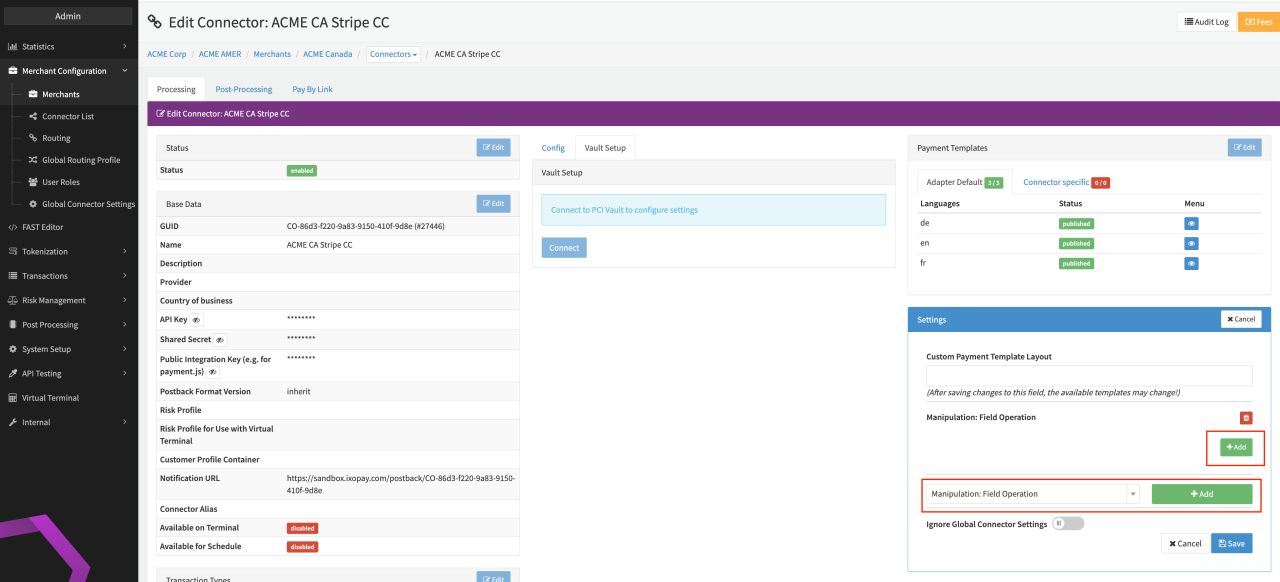
- Navigate to the Connector Detail Overview of the desired Connector.
- Select Edit on the Settings section (see Connector Detail Overview).
- Select the Connector Setting Manipulation: Field Operation and click + Add.
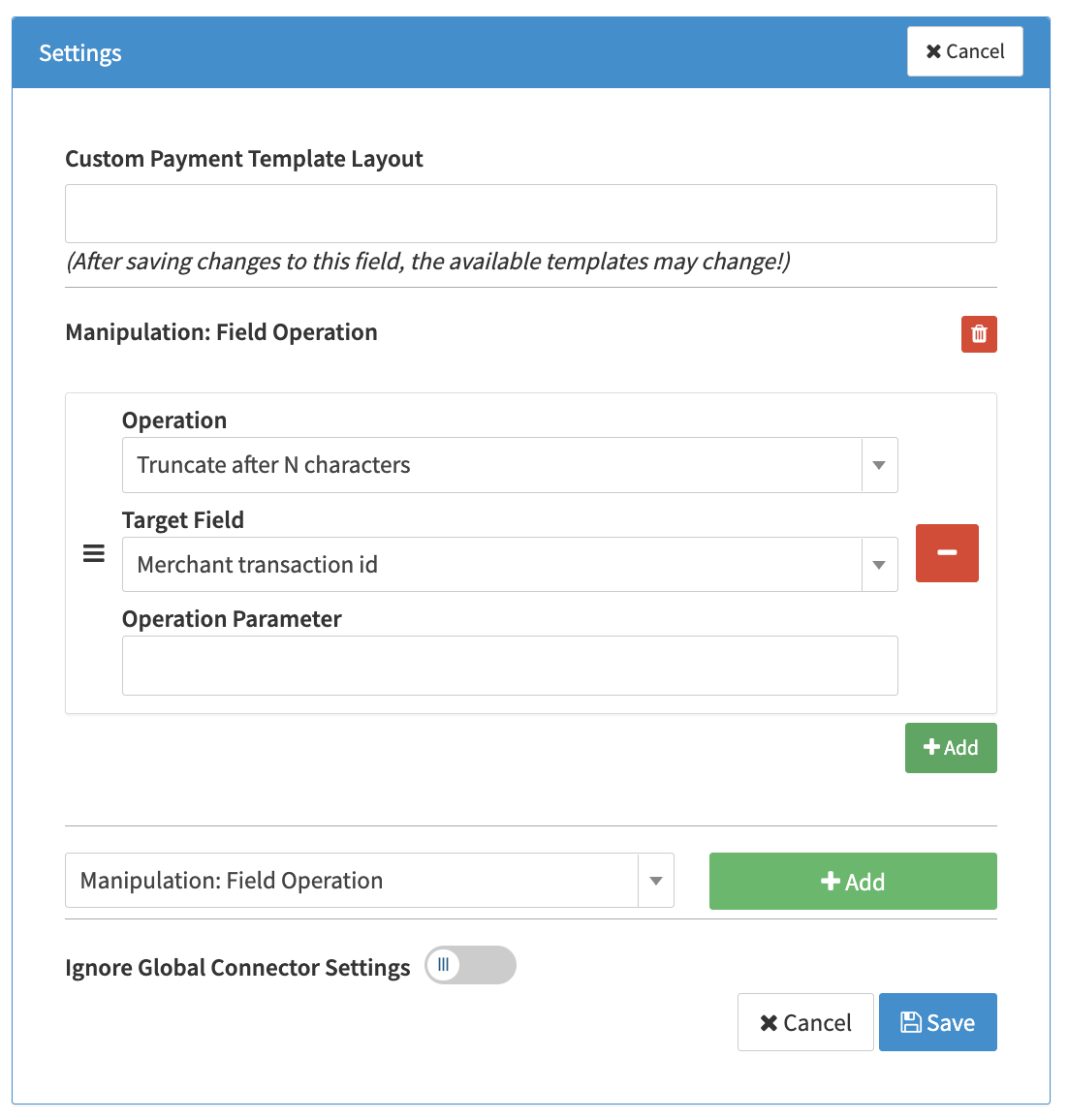
- Select + Add to create a parameter triple (Operation, Target Field, Operation Parameter). You can add as many parameter triples as you want. (see Connector Setting Detail).
- Select an Operation to configure it.
Operations
Truncate after N characters
This operation removes all characters exceeding the specified limit.
Note: The original value remains unaffected; only the modified value is sent to the PSP.
| Field | Description |
|---|---|
| Target Field | Select the field from the dropdown where the characters will be truncated. |
| Operation Parameter | Define the maximum number of characters to keep. Any characters beyond this limit will be removed. |