Convert Register to Debit Transaction
With the Connector Setting Convert Register to Debit Transaction register transaction will automatically converted to either a debit or preauthorize transaction with the pre-configured amount and currency in case a payment method does not support the transaction type register. The setting is configured per Connector, but can also be configured as a Global Settings.
To configure the connector setting follow this steps:
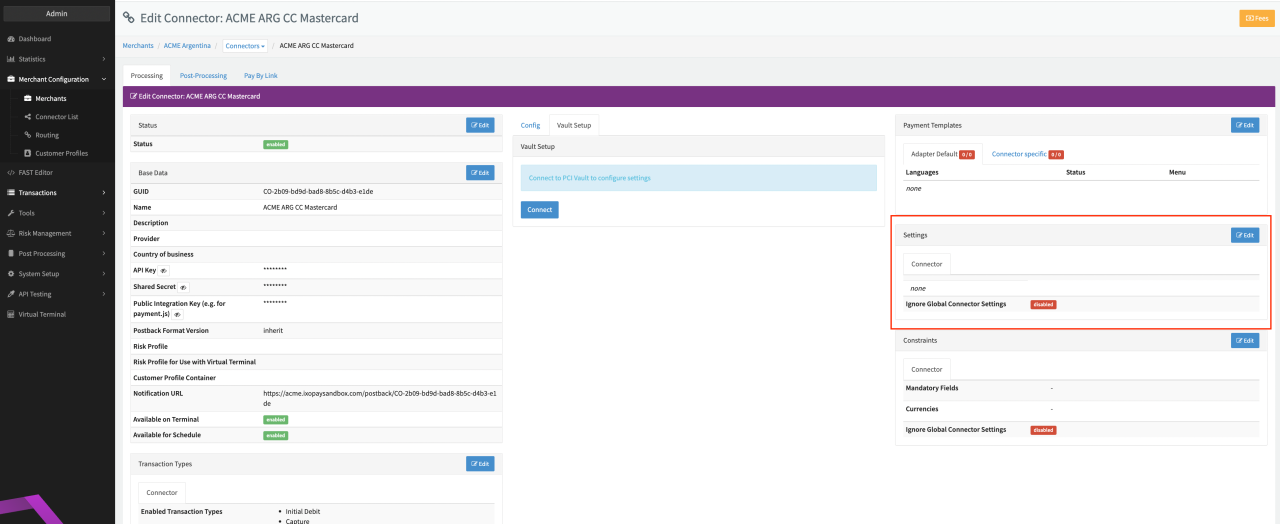
- Go to the Connector Detail Overview of the desired Connector
- Click Edit on the Settings section (see Connector Detail Overview)
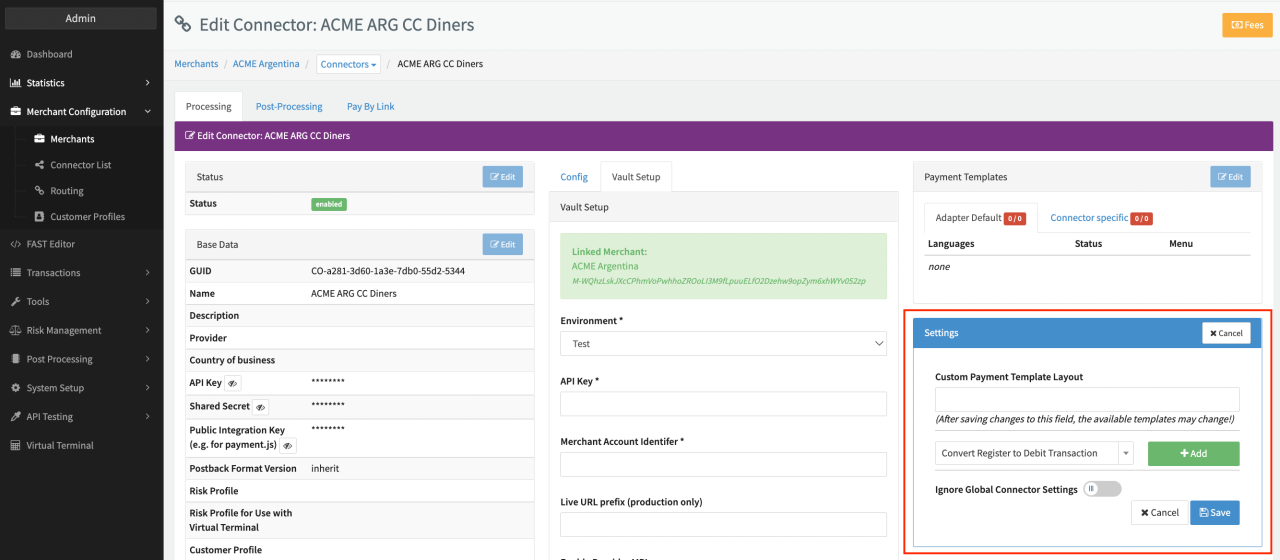
- Select the Connector Setting Convert Register to Debit Transaction and click Add (see Connector Settings)
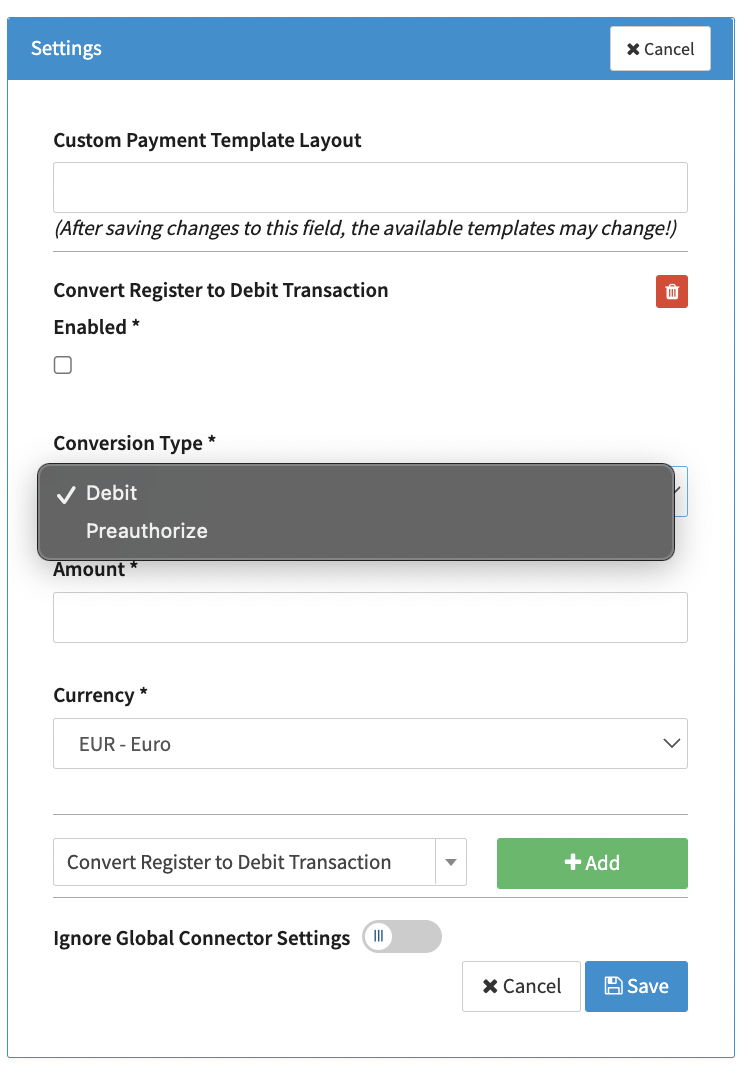
- Check the mandatory Enable checkbox
- Select the mandatory Conversion Type (see Conversion Type Options) for register transactions. Options are either Preauthorize or Debit.
- Insert the mandatory Amount to replace the original transaction amount
- Select the mandatory Currency to replace the original transaction amount and click Save