Status API
To retrieve the status of transactions, the IXOPAY platform provides a Status API (part of the Transaction API). Either use the API Testing directly in the IXOPAY platform or see our Status API documentation for further information. For more information in general about Transactions, check out the Transaction section in the User Manual.
Before you start, please consider that requests using the same Transaction UUID and IP address do have a rate limit of 10 requests per 60 seconds.
In addition a general rate limit of 100 request per 60 seconds applies for the Schedule API and Status API combined, either for the logged-in API user or used domain in combination with the originating IP.
To use the API Testing in the IXOPAY platform, follow these steps:
- Navigate to the API Testing section, sub-section Status API
- Select a Connector from the list (API Key and Shared Secret will be filled automatically) or
- Fill in the API Key and Shared Secret (see Create and Assign Connectors & Adapters section)
- Select User in dropdown list
- The Target URL is pre-filled with the URL to the appropriate IXOPAY platform instance and usually does not require any further adjustments.
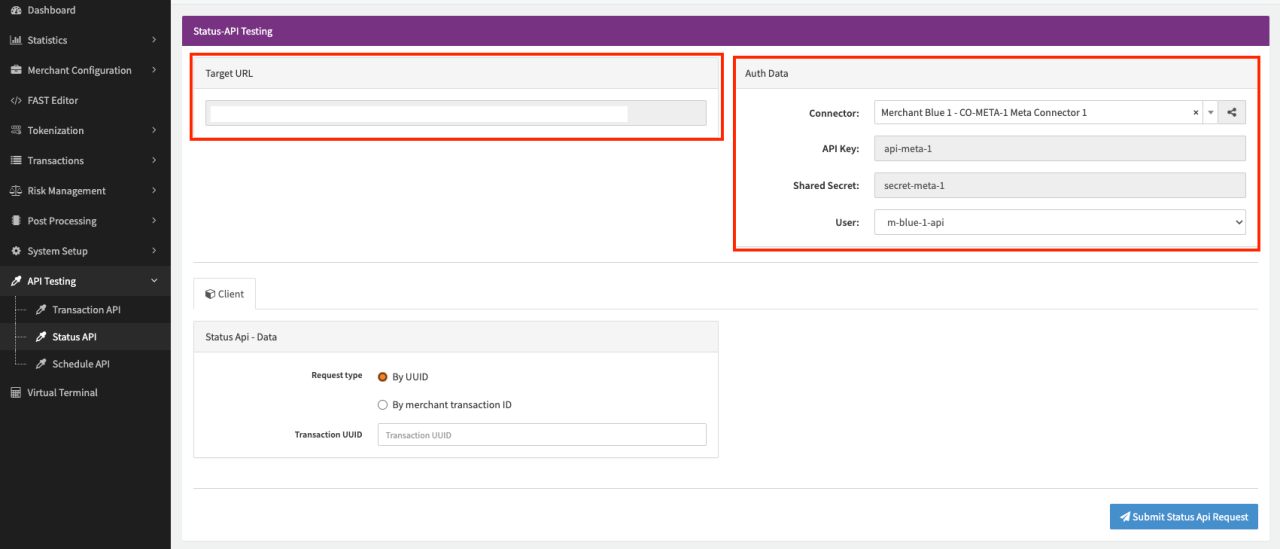
Fill in the necessary parameters for the testing in the Client Form
- Select the Request Type
- By UUID
- By merchant transaction ID


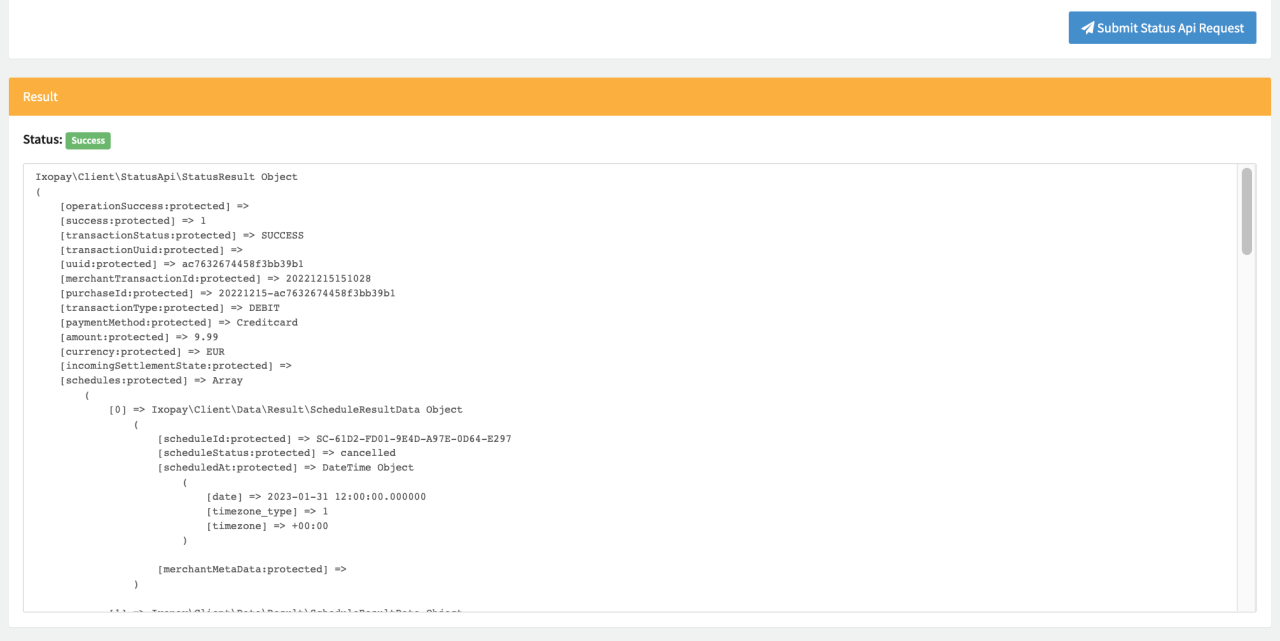
Once you are ready, click Submit Status Api Request. The Result Box will display the response containing information about the request (e.g. current state) Depending on your entered information the request can be successful or result in errors due to missing fields or invalid data.