Two-Factor Setup
You can add an extra layer of security to your account by using two-factor authentication. After enabling two-factor authentication, you will be asked for your credentials (user name, password) and an additional verification code to sign in.
To set up two-factor authentication:
- Open the drop-down menu next to your user name at the top right (see Account Settings).
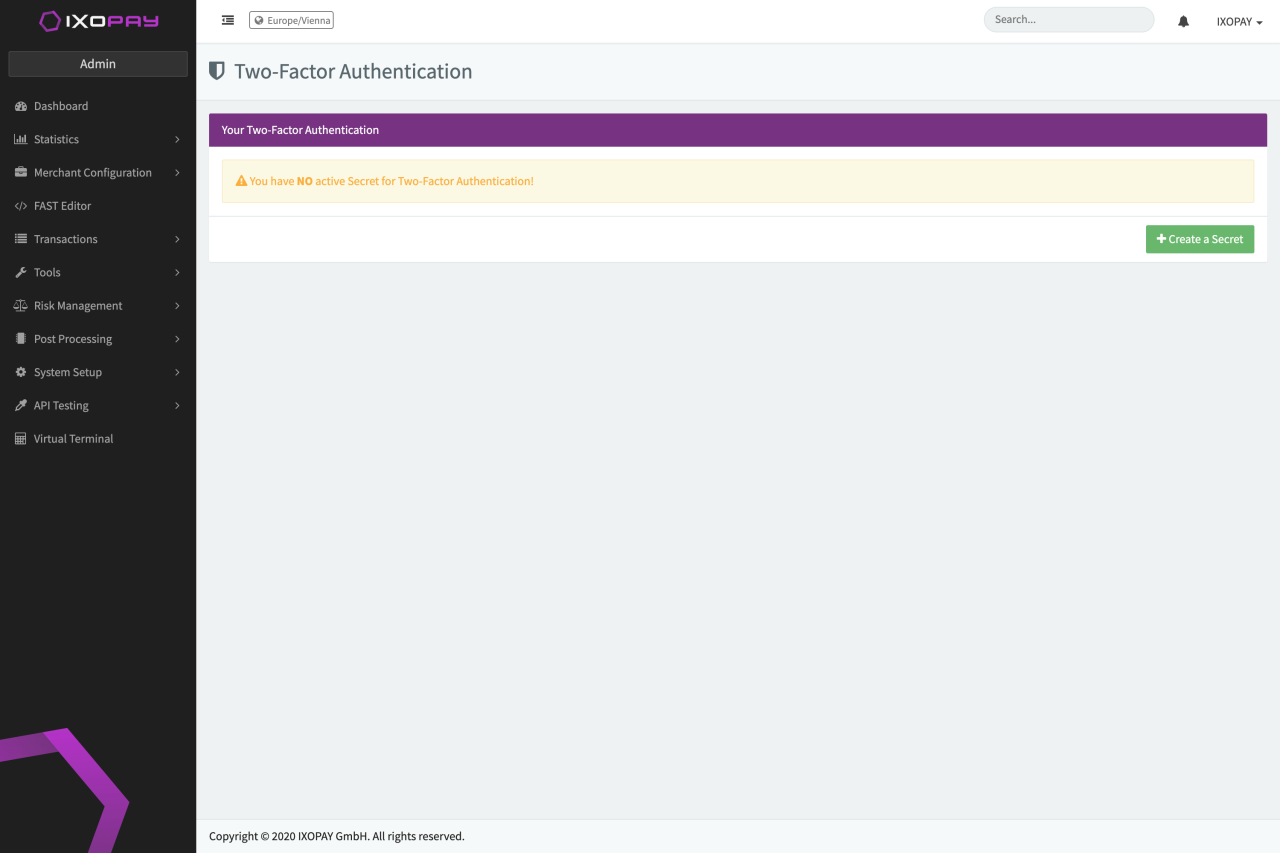
- Select Two-Factor Setup.
- Click Create Secret.
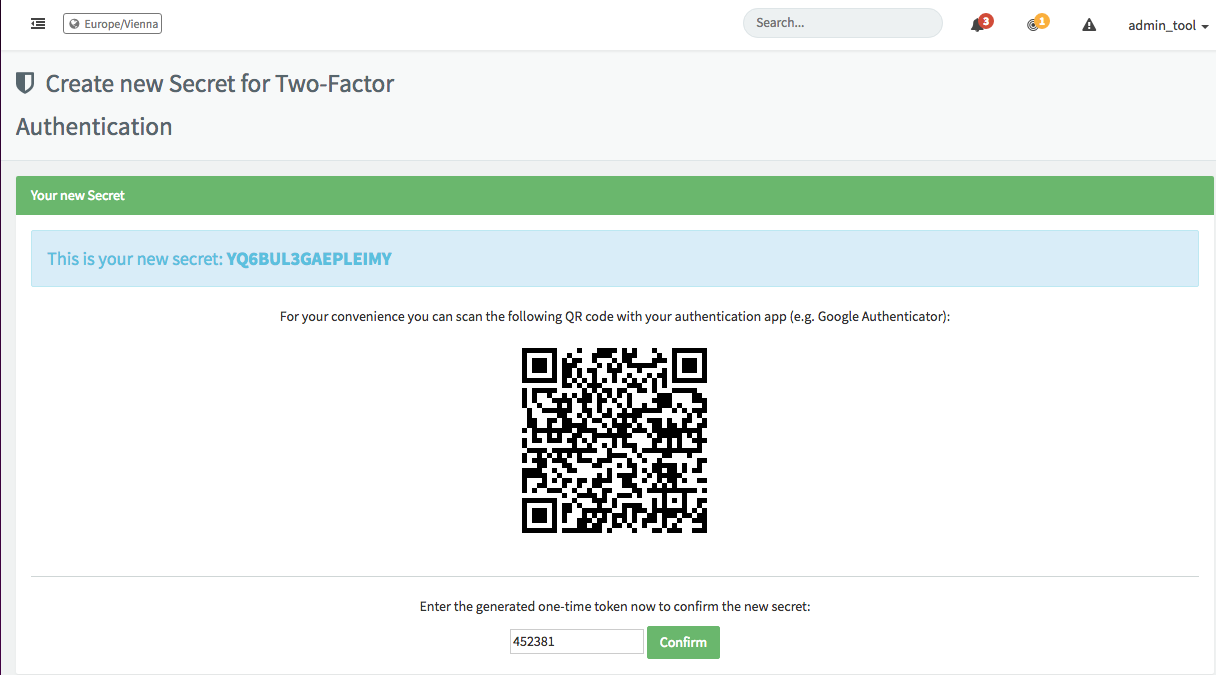
- Scan the provided QR code with your authentication app (e.g. Google Authenticator).
- Enter the generated one-time token provided by your authentication app.
- Confirm the new secret.
When you next attempt to log in, you will be asked to enter your credentials as well as the verification code from the authentication app.