Worldpay
WorldPay
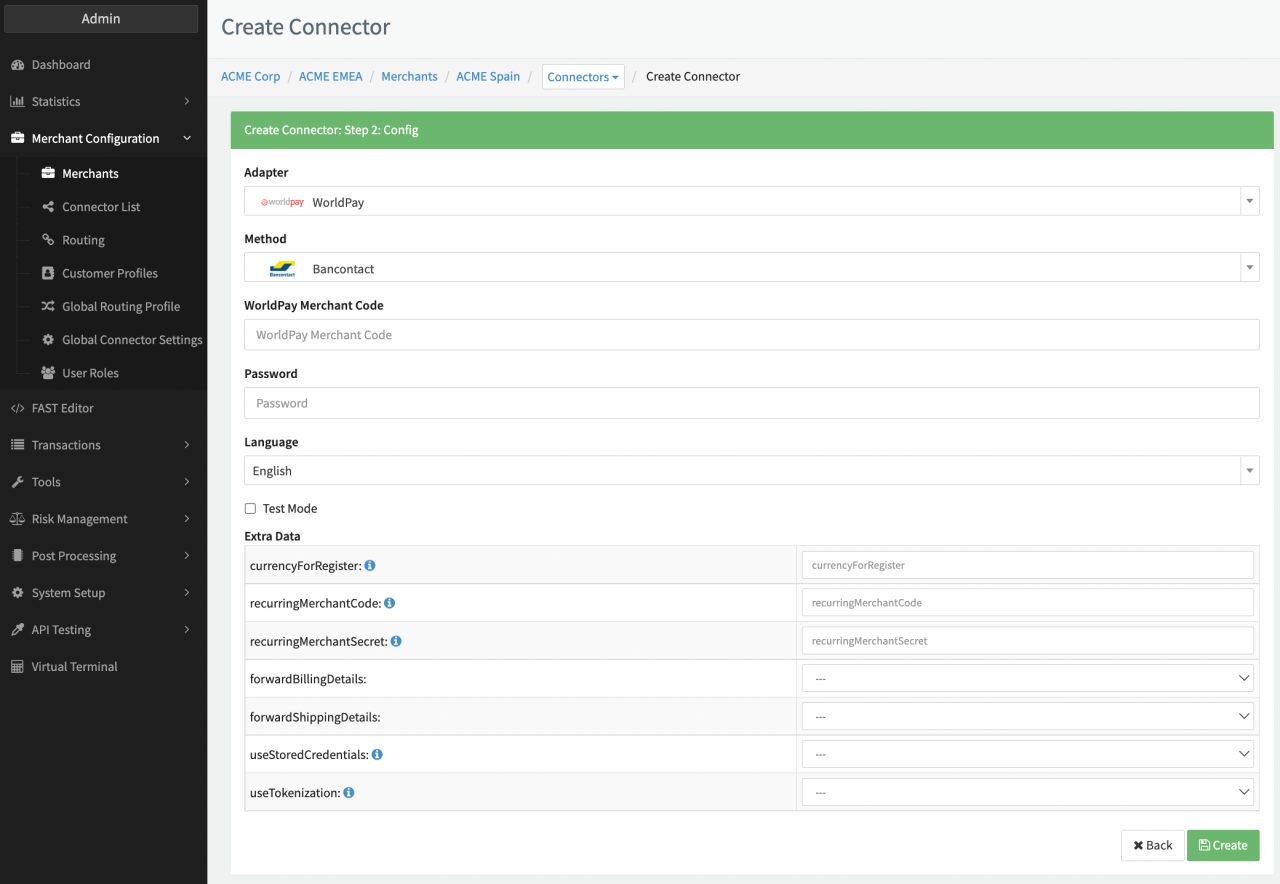
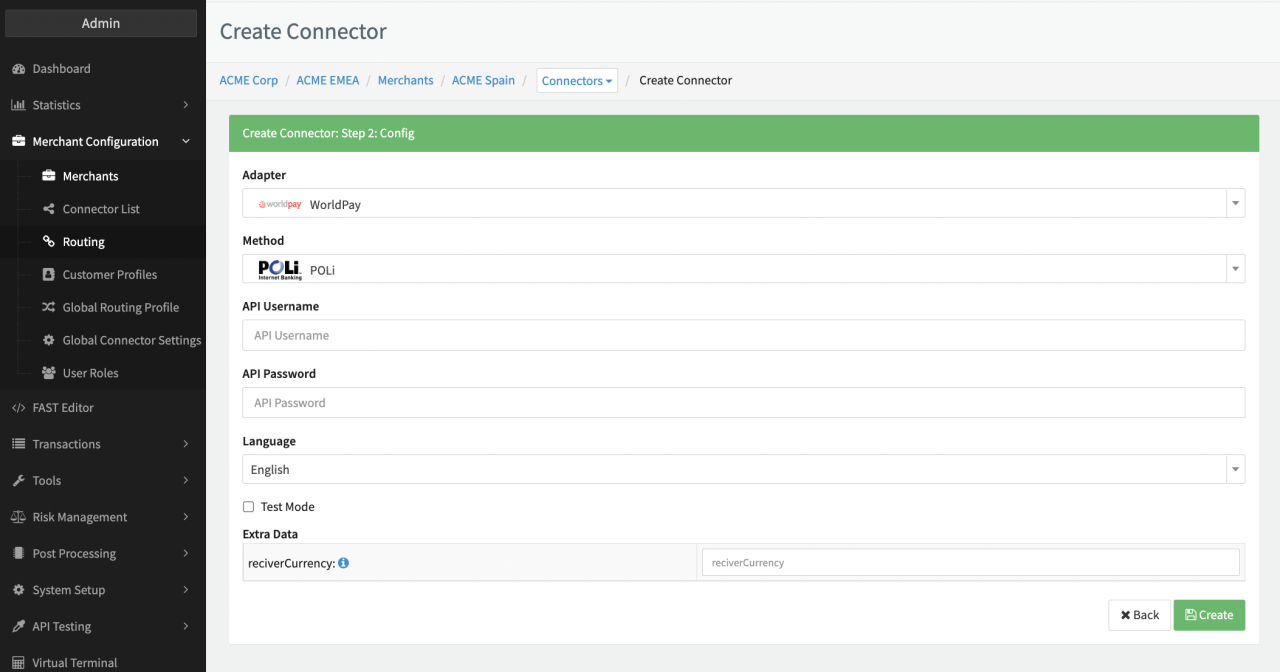
Depending on the chosen method the a subset of the following parameters for the Connector need to be configured (see Connector Config - WorldPay I & II):
- Fill in the mandatory WorldPay Merchant Code
- Fill in the mandatory Password
- Fill in the mandatory API Username
- Fill in the mandatory API Password
Additional Extra Data is available to be configured:
- Fill in the optional Extra Data: currencyForRegister
- Fill in the mandatory Extra Data: recurringMerchantCode
- Fill in the mandatory Extra Data: forwardBillingDetails: True, False
- Fill in the optional Extra Data: forwardShippingDetails: True, False
- Fill in the optional Extra Data: useStoredCredentials: True, False
- Fill in the optional Extra Data: useTokenization: True, False
- Fill in the optional Extra Data: receiverCurrency
- Fill in the optional Extra Data: chargeback911Secret - optional; Secret key is related to the Authentication to accept webhook notifications from Chargeback911 with header CB911_SIG, value to be hash_hmac with sha256 of the timestamp and the secret key (for mapping see Chargeback911 Webhooks)-
Keep in mind that for PCI compliant Adapters you need to connect with the PCI environment and the PCI Vault Configuration is shown.
WorldPay Creditcard
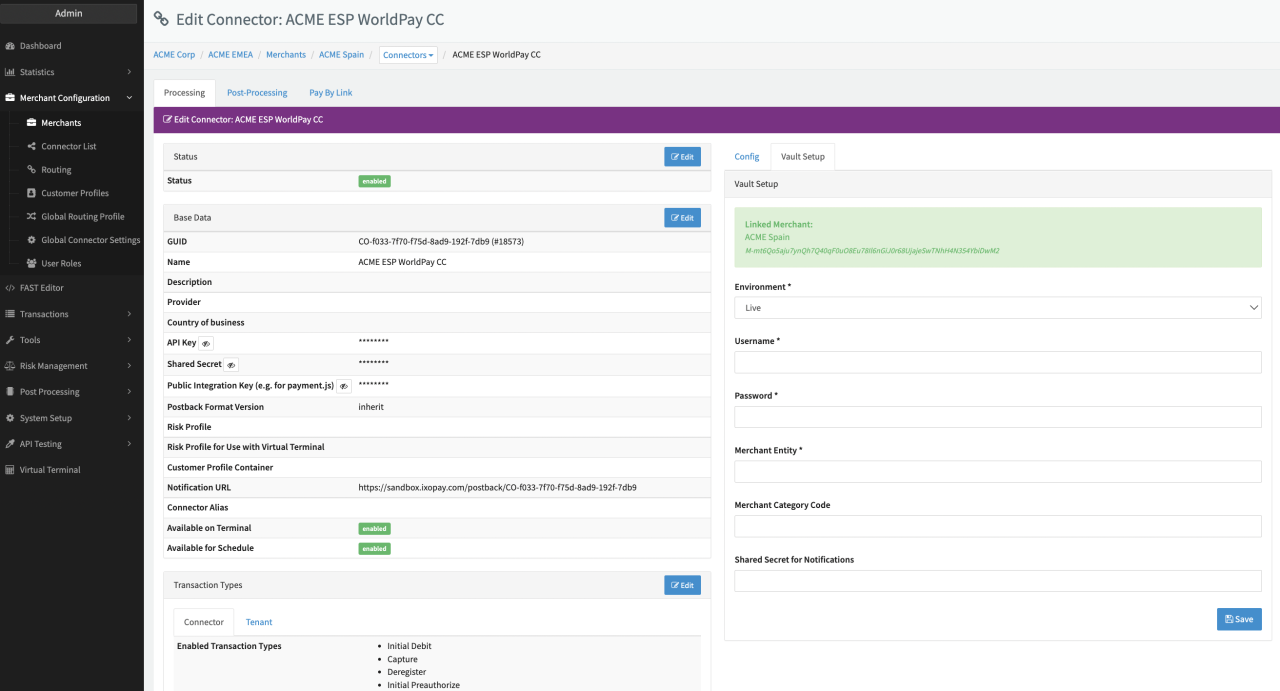
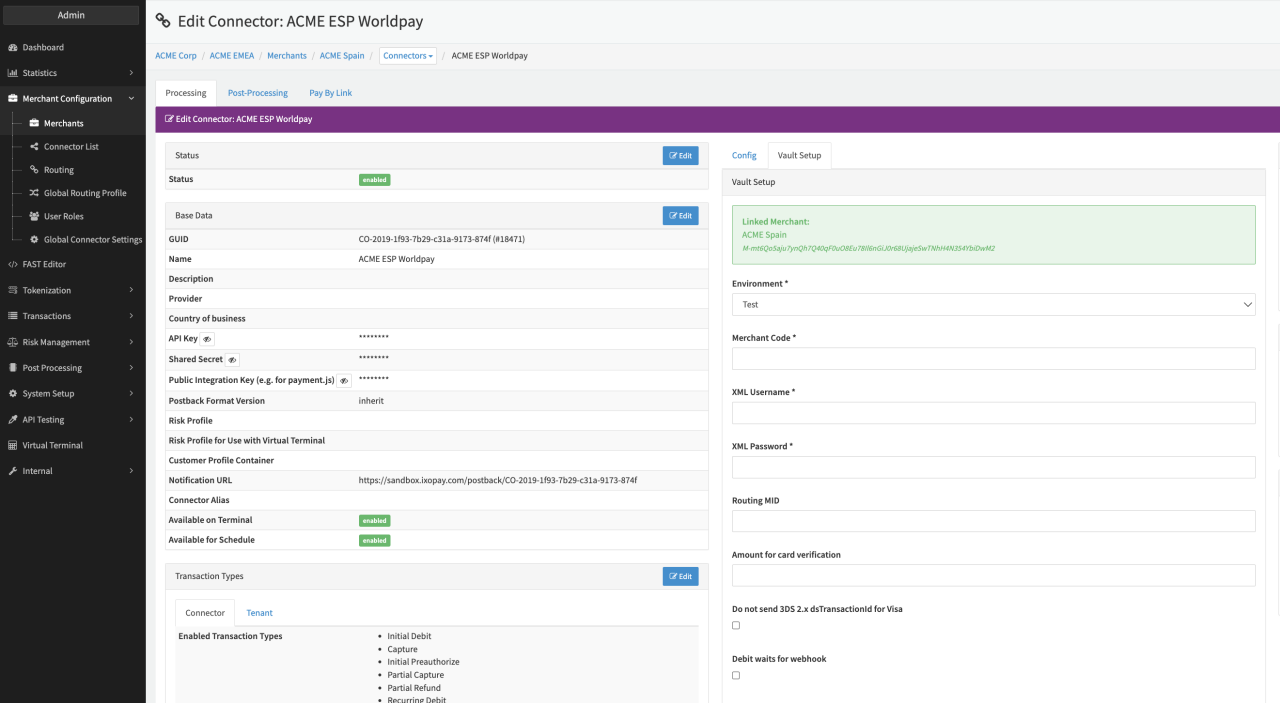
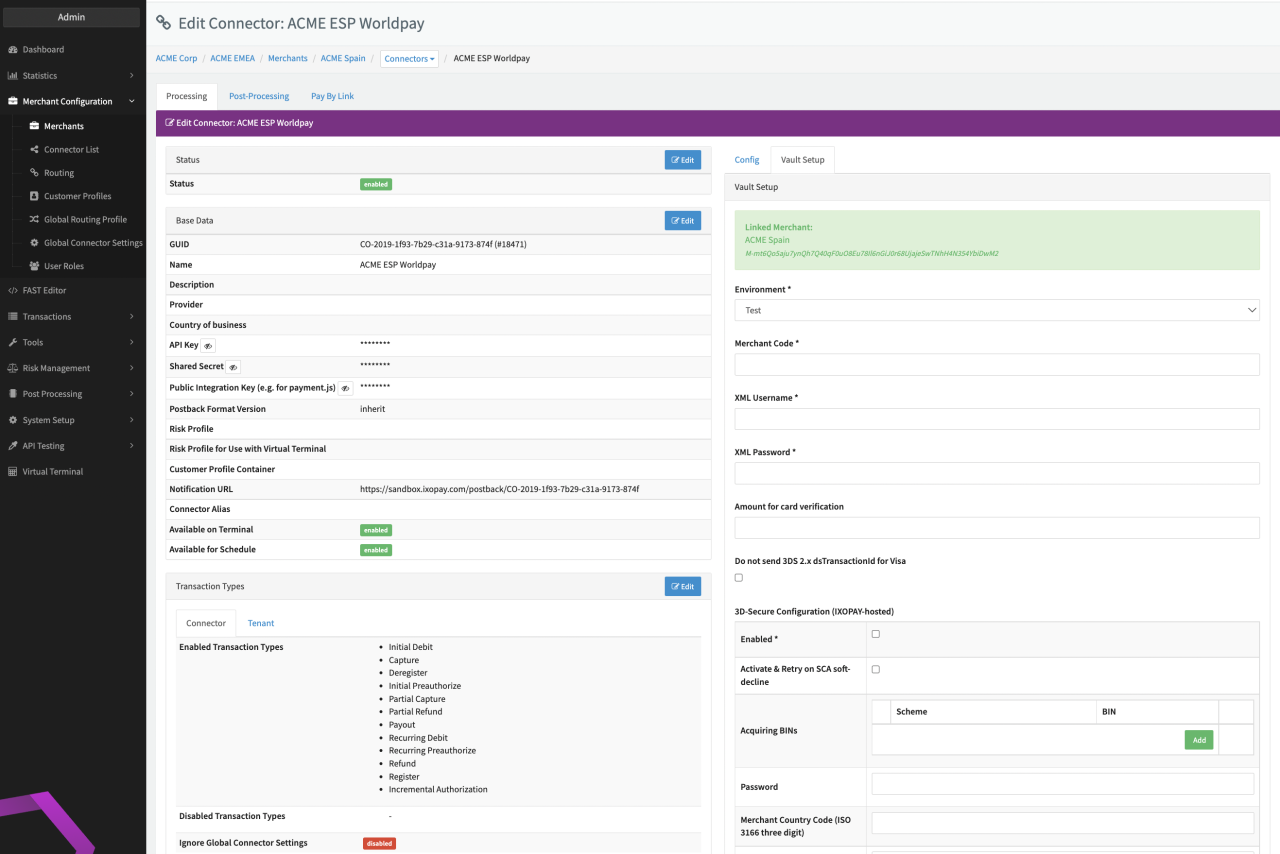
Depending on the chosen Interface Type a subset of the following parameters for the Connector need to be configured (see PCI Vault Configuration - Creditcard WorldPay I, II & III):
- Select the mandatory Environment: Live, Test, Production
- Fill in the mandatory Username
- Fill in the mandatory Password
- Fill in the mandatory Merchant Entity
- Fill in the optional Merchant Category Code
- Fill in the optional Shared Secret for Notifications
- Fill in the mandatory AccountID
- Fill in the mandatory AccountToken
- Fill in the mandatory AcceptorID
- Fill in the mandatory TerminalID
- Fill in the mandatory ApplicationName
- Select the mandatory Currency
- Select the mandatory Market Code
- Check the option Enable Incremental Authorizations
- Fill in the mandatory Merchant Code
- Fill in the mandatory XML Username
- Fill in the mandatory XML Password
- Select an optional Amount for card verification
- Select the optional Debit waits for webhook
- Check the Option Do not send 3DS 2.x dsTransactionId for Visa
Data Fetcher Configuration
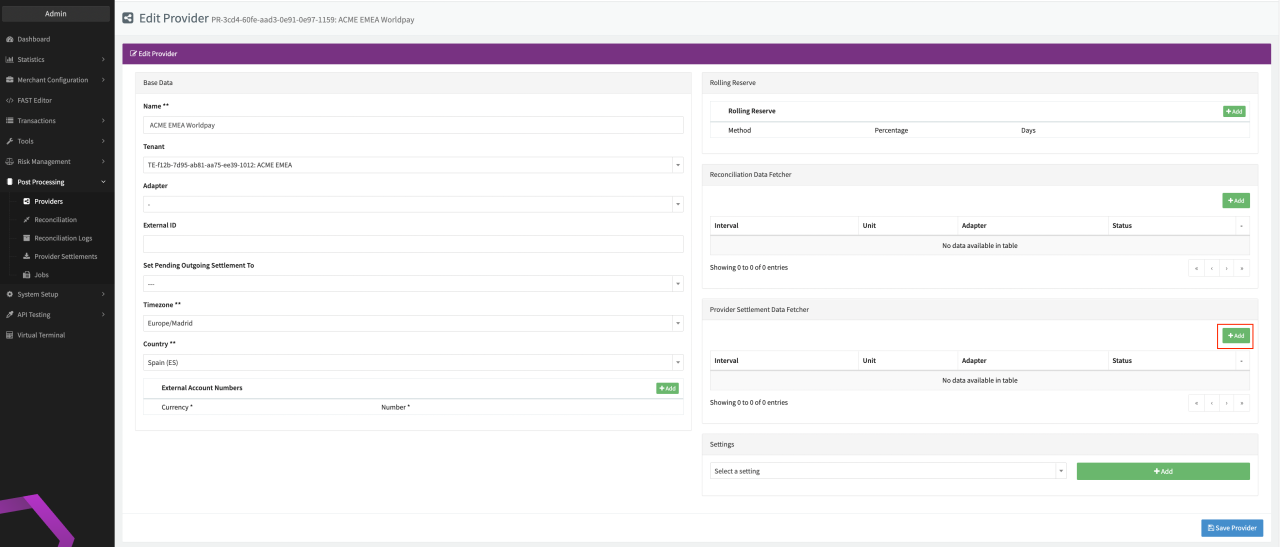
You have the option to configure Data Fetchers (see section Enable and Set Up Reconciliation on the Provider Level) either on Provider or on Connector Level, depending on which setup works better for your provider (see Edit Provider).
Provider Settlement
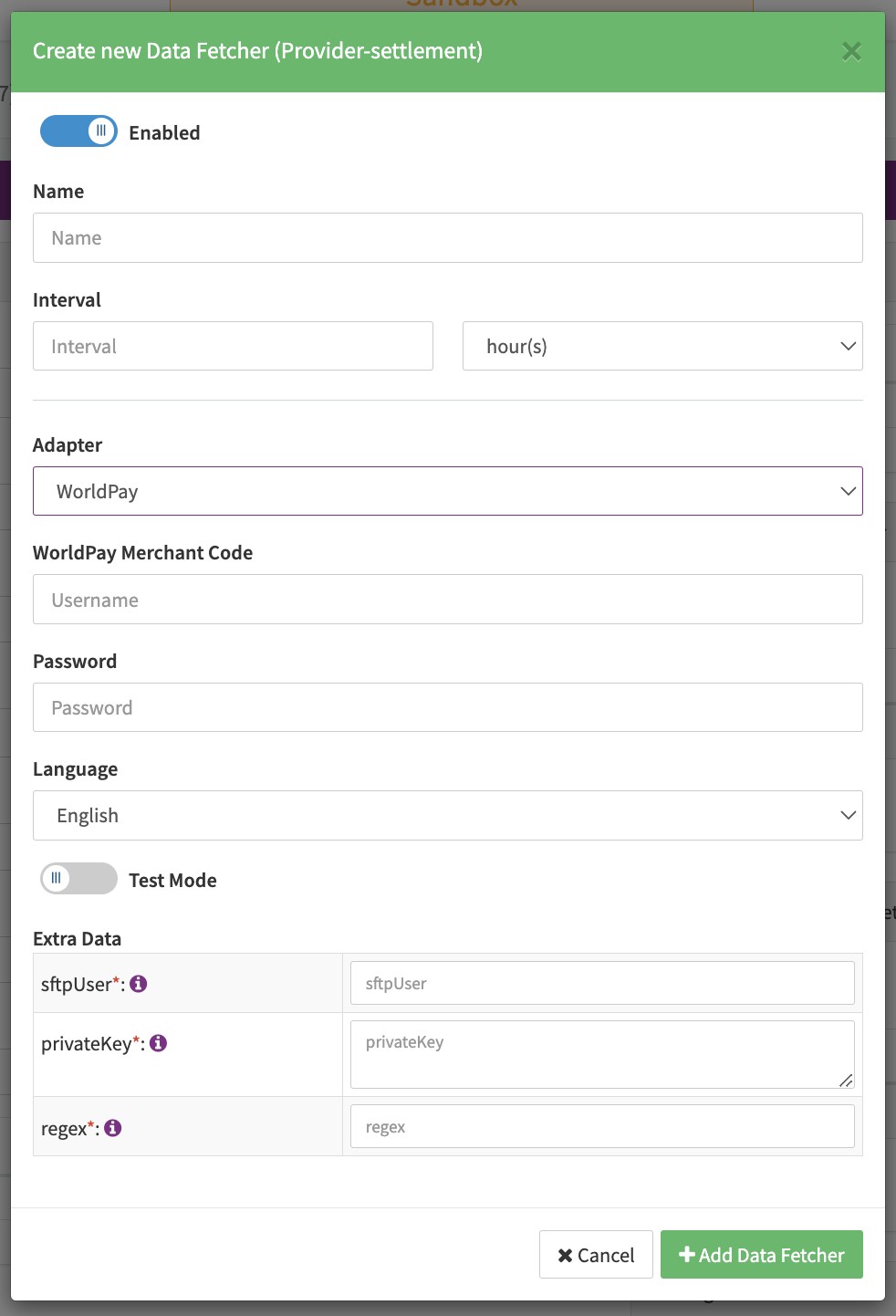
Configure the following Parameters for the Settlements Provider Data Fetcher to fetch Settlement (CSV format) via SFTP (see Edit Provider Settlement Data Fetcher Provider Level):
- Fill in the expected Interval in which the Provider Settlement File should be fetched - days, hours
- Select the Adapter WorldPay
- Enable Testmode - irrelevant for this adapter
- Fill in the mandatory Extra Data: sftpUser used for authentication
- Fill in the mandatory Extra Data: private Key used for authentication
- Fill in the mandatory Extra Data: regex used to specify file pattern
Settlement fields
Batch Number
The batch number is taken from the value of the column "Batch ID".
Mapped Fields
We are mapping the following fields from the Worldpay settlement reports (Provider → IXOPAY platform):
| Provider | IXOPAY platform | default (if not set by Provider) |
|---|---|---|
| Date | transaction settlement date | none |
| Order Code | transaction settlement id | none |
| Settlement Currency | settlement currency | none |
| Payment Amount | settlement amount | none |
| Net Amount | net settlement amount | none |
| Batch ID | settlement batch number | none |
| Event Type | settlement type | none |
| Commission Amount | transaction fee amount | none |
| Settlement Currency | transaction fee currency | none |
For settlement type status:
MISCELLANEOUSSETTLED_MISCELLANEOUSPAYMENT_TO_MERCHANT_INIATEDINVOICE_PAID
an OtherLineItem is created.
Mapped status values
| Provider | IXOPAY platform | default (if not set by Provider) |
|---|---|---|
SETTLED | debit | |
REFUNDED | refund | |
CHARGED_BACK | chargeback | |
CHARGEDBACK_REVERSED | cb-reversal | |
DISPUTED_FUNDS_RELEASED | debit |
Chargeback911 Webhooks
A chargeback is only created when the IXOPAY platform receives a webhook with status New, a chargeback reversal is only created when the verdict = Win is received (see https://apidoc.chargebacks911.com/documentation#tag/Webhooks/paths/~1webhooks/post)
Chargeback
| Chargeback911 | IXOPAY platform | default (if not set by Provider) |
|---|---|---|
| Status | New | none |
order_id | Original transaction id | none |
dispute_amount | Chargeback amount | none |
currency | Chargeback currency | none |
cb_id | Adapter tx id | none |
| Date time | Date time of received Webhook | none |
case_no | Extra data case_no | none |
reason_code | Extra data reason_code | none |
Chargeback Reversal
| Chargeback911 | IXOPAY platform | default (if not set by Provider) |
|---|---|---|
| Status | Win | none |
dispute_amount | Chargeback Reversal amount | none |
currency | Chargeback Reversal currency | none |
order_id | Original transaction id | none |
cb_id | Adapter tx id | none |
reason_code | Extra data reason_code | none |