WeAccept / Paymob
Obtain an integration ID
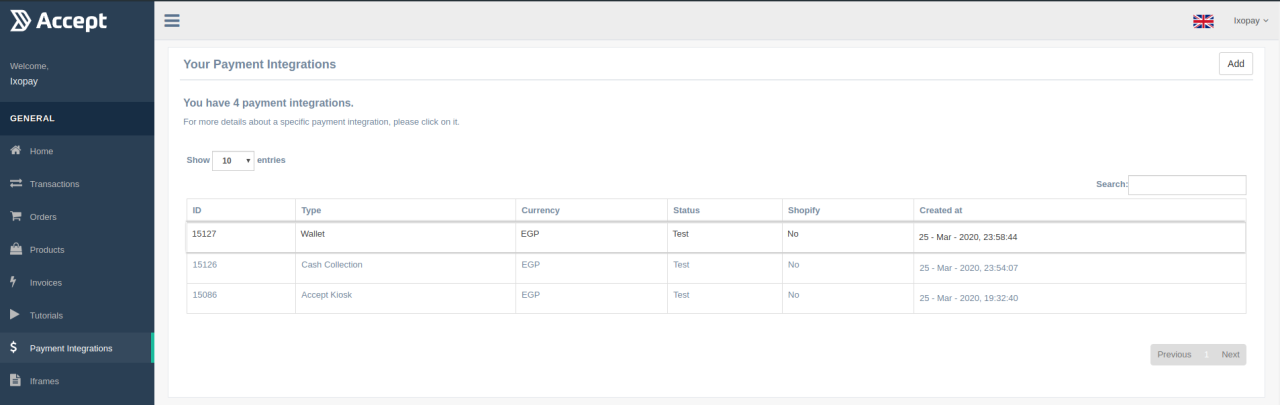
Integration IDs must be generated in WeAccept's Backoffice login (see menu point "Payment Integrations"). New integration IDs may be added by clicking on the "Add" button in the top-right corner. Currently, only "Kiosk", "Cash Payments" and "Wallet" -methods are supported.
Configuring an integration ID (notifications & redirect)
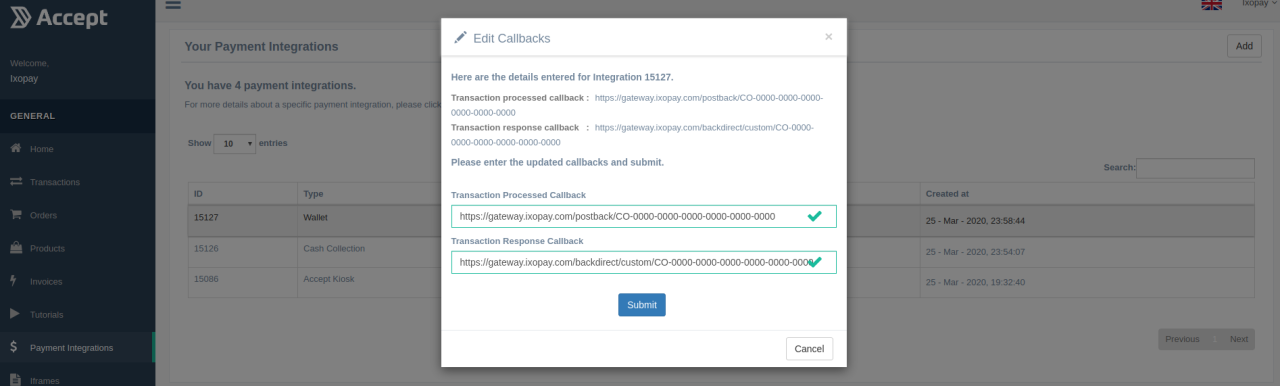
Once the buyer has completed the payment with any method, WeAccept will send a notification to the platform. For every payment method, a URL where WeAccept shall send the notification to, must be configured under the "Transaction processed callback" field. Simply paste the notification URL from the Connector's edit screen. Typically, the URL has the following pattern:
https://{HOST}/postback/{CONNECTOR-GUID}
e.g. https://gateway.ixopay.com/postback/CO-0000-0000-0000-0000-0000-0000
The Transaction response callback may not be set or left blank, except for the Wallet method.
Special case: Wallet method
Unlike the Kiosk- and Cash Payment methods, the Wallet method requires redirection of the buyer to WeAccept. In order to have the buyer properly back-directed to the Merchant's shop, a static back-direct URL must be configured as Transaction response callback. The back-direct URL must have the following pattern:
https://{HOST}/backdirect/custom/{CONNECTOR-GUID}
e.g. https://gateway.ixopay.com/backdirect/custom/CO-0000-0000-0000-0000-0000-0000