Vyne
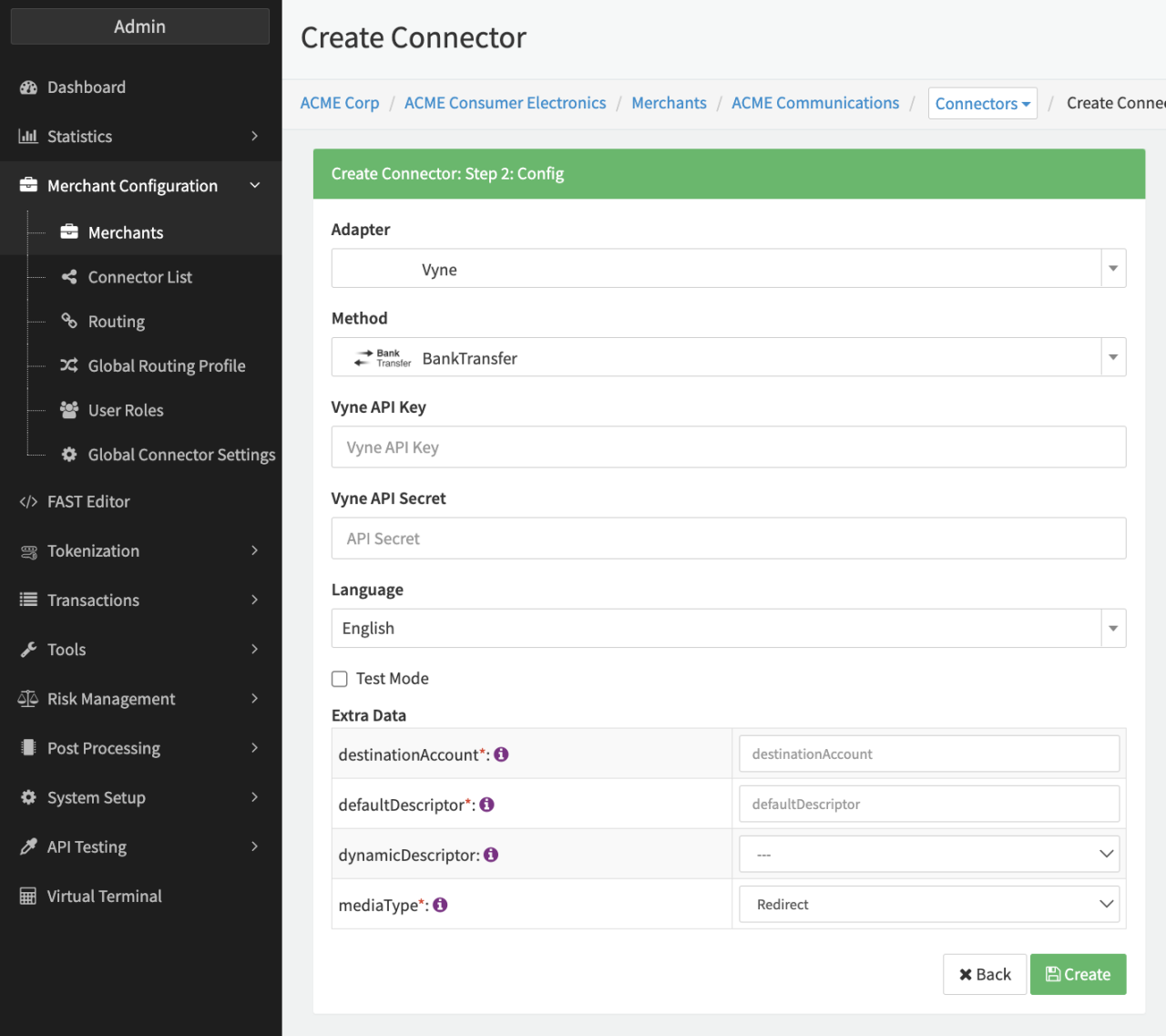
Configure the following parameters for the Connector (see Connector Config - Vyne):
- Fill in the mandatory Vyne API Key
- Fill in the mandatory Vyne API Secret
- Fill in the mandatory Extra Data: destinationAccount — Specifies the ID of the merchants destination bank account (e.g. GBP1, see in the Merchant Portal).
- Fill in the mandatory Extra Data: defaultDescriptor
- Select the Extra Data: dynamicDescriptor: true, false
- Select the Extra Data: mediaType: Redirect, QR Code: Specifies if the response should contain an URL to the payment page or a QR code. The default value is URL.