Trustly
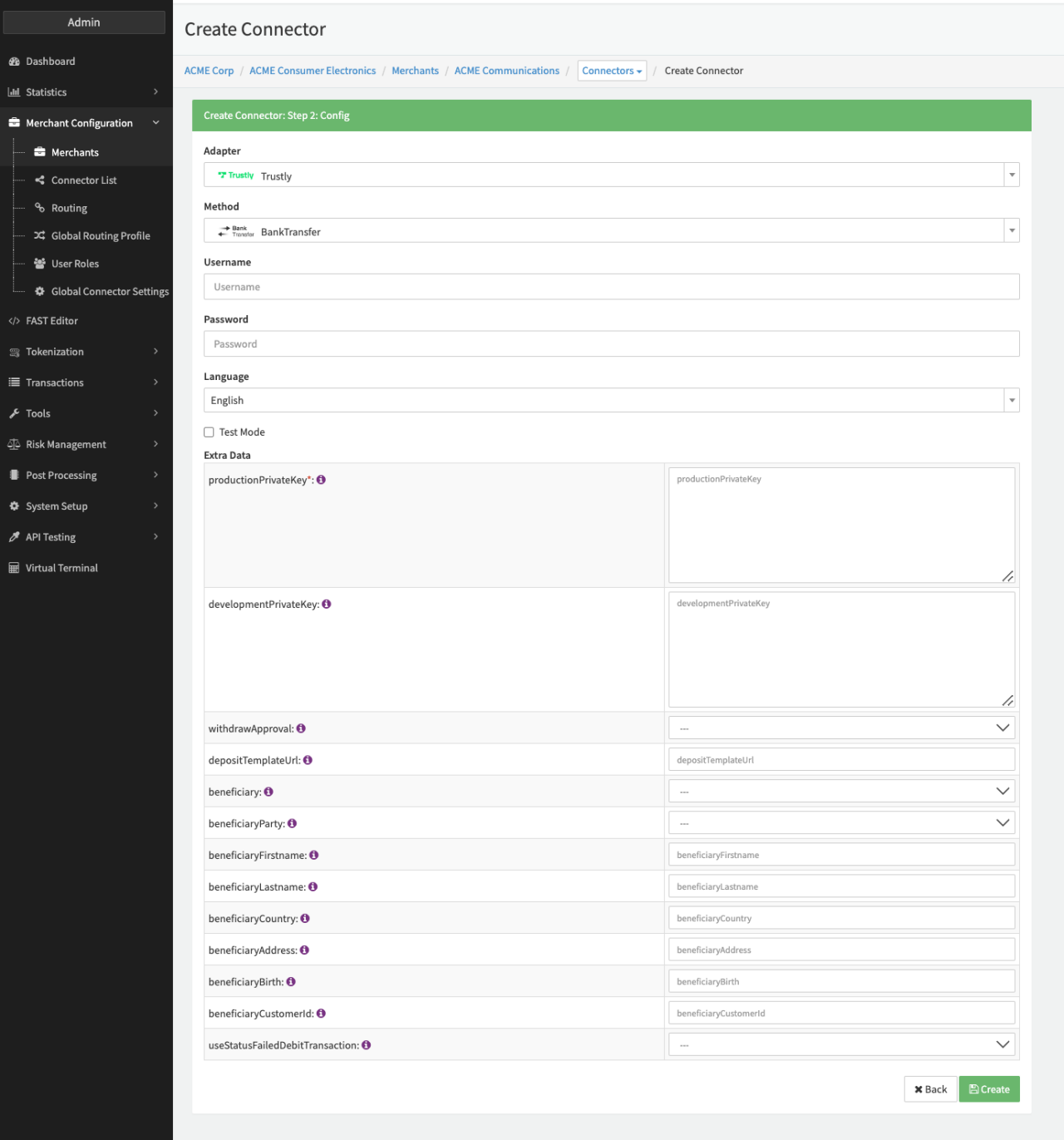
Configure the following parameters for the Connector (see Connector Config - Trustly):
- Fill in the mandatory Username
- Fill in the mandatory Password
- Fill in the mandatory Extra Data: productionPrivateKey
- Fill in the optional Extra Data: developmentPrivateKey
- Select the Extra Data: withdrawApproval — true, false
- Fill in the mandatory Extra Data: depositTemplateUrl
- Select the Extra Data: beneficiary — true, false
- Select the Extra Data: beneficiaryParty — Person, Organisation
- Fill in the Extra Data: beneficiaryFirstname
- Fill in the Extra Data: beneficiaryLastname
- Fill in the Extra Data: beneficiaryCountry
- Fill in the Extra Data: beneficiaryAddress
- Fill in the Extra Data: beneficiaryBirth
- Fill in the Extra Data: beneficiaryCustomerId
- Select the Extra Data: useStatusFailedDebitTransaction — true, false; if set to true failed payout and failed debit transactions to be reported to PSP with status FAILED.