Tikkie
Banktransfer
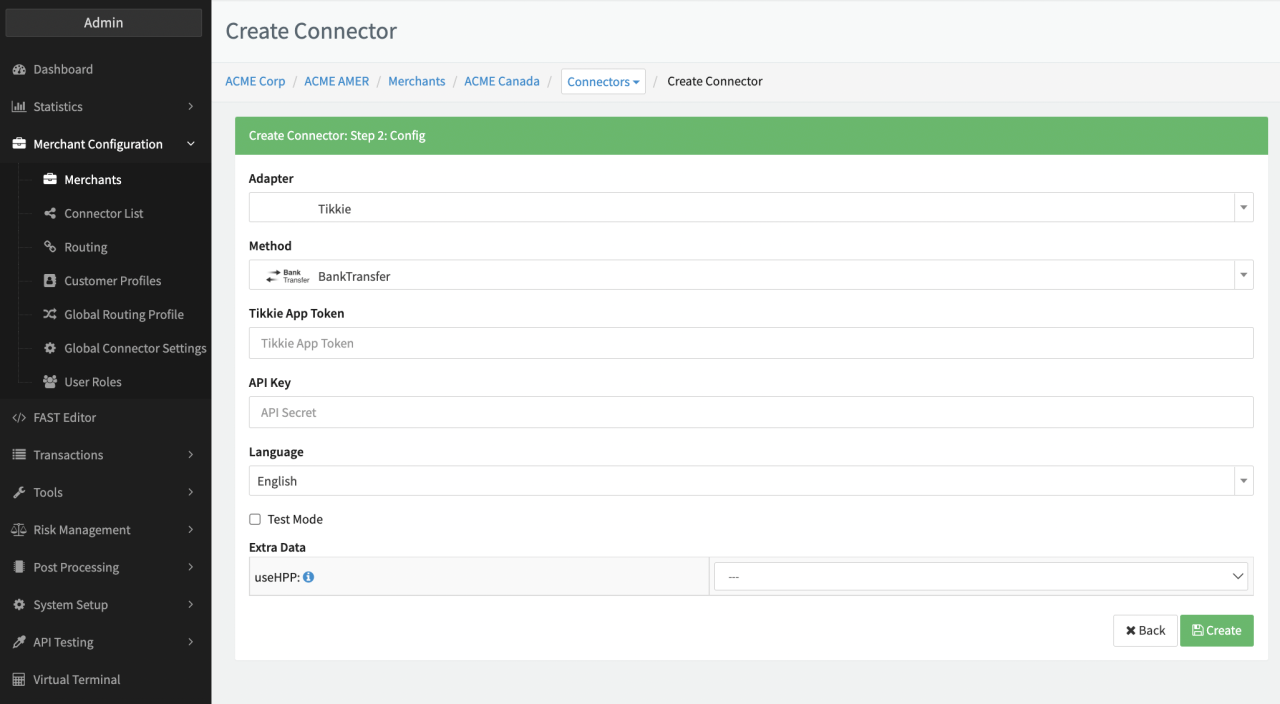
Configure the following parameters for the Connector (see Connector Config):
- Fill in the mandatory Tikkie App Token — (X-App-Token) generated in the Tikkie Business Portal
- Fill in the mandatory API Key — used to authenticate the merchant
- Fill in the optional Extra Data: UseHPP — True, False
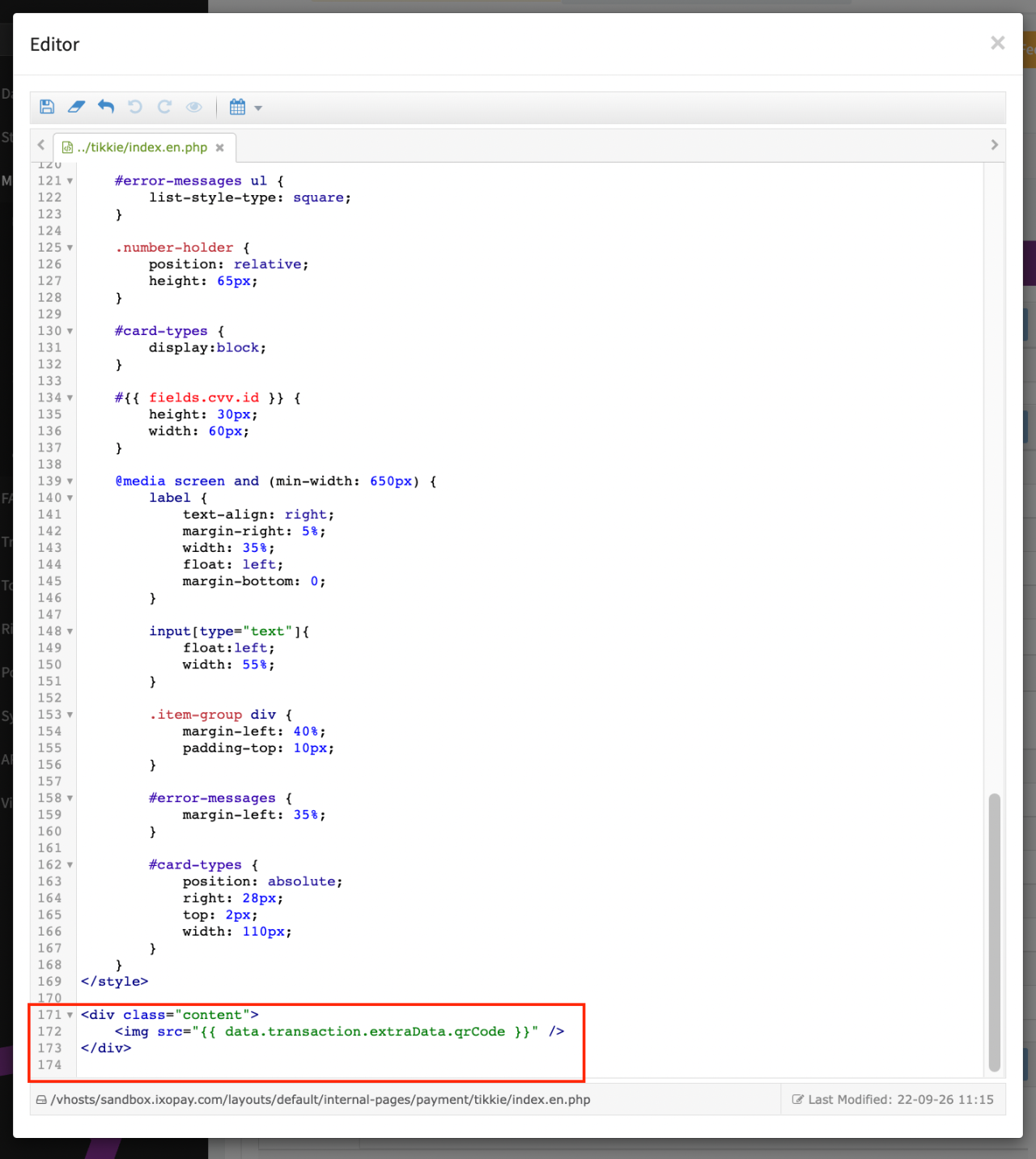
Depending on the selected Extra Data: UseHPP customers will either get redirected immediately or shown a QR code to switch device for payment. The code snippet to be used is already included in the Default Templates (see HPP code snippet).
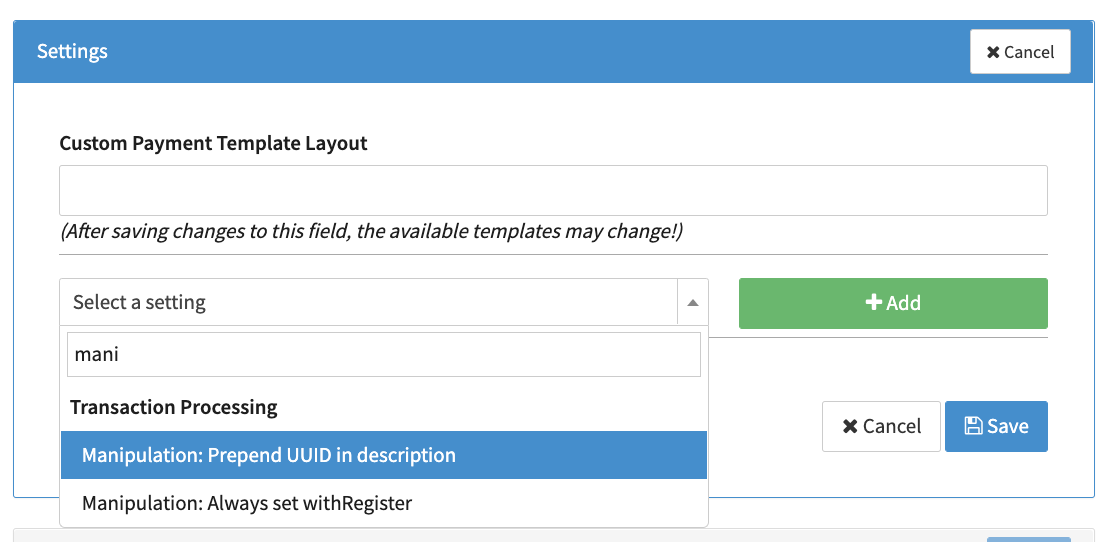
Mandatory Parameter for the Tikkie Connector is the transaction description field. The IXOPAY platform provides the options to prefill the field with the UUID using the Connector Setting Manipulation Prepend UUID in description (see Connector Settings) or other fields using the Connector Setting Copy TX Data: Field to Field.
Tikkie Setup
In order to setup the Tikkie connector you have to subscribe to Tikkies Notification Service, so the IXOPAY platform will receive Postback notifications after transaction processing by Tikkie.
This is done by sending a POST request via Postman or cURL with the required data for the desired environment (Sandbox, Production) once per Connector to activate the notification service. Specify the Notification URL of the Connector in your request to Tikkie (see Connector Notification URL).
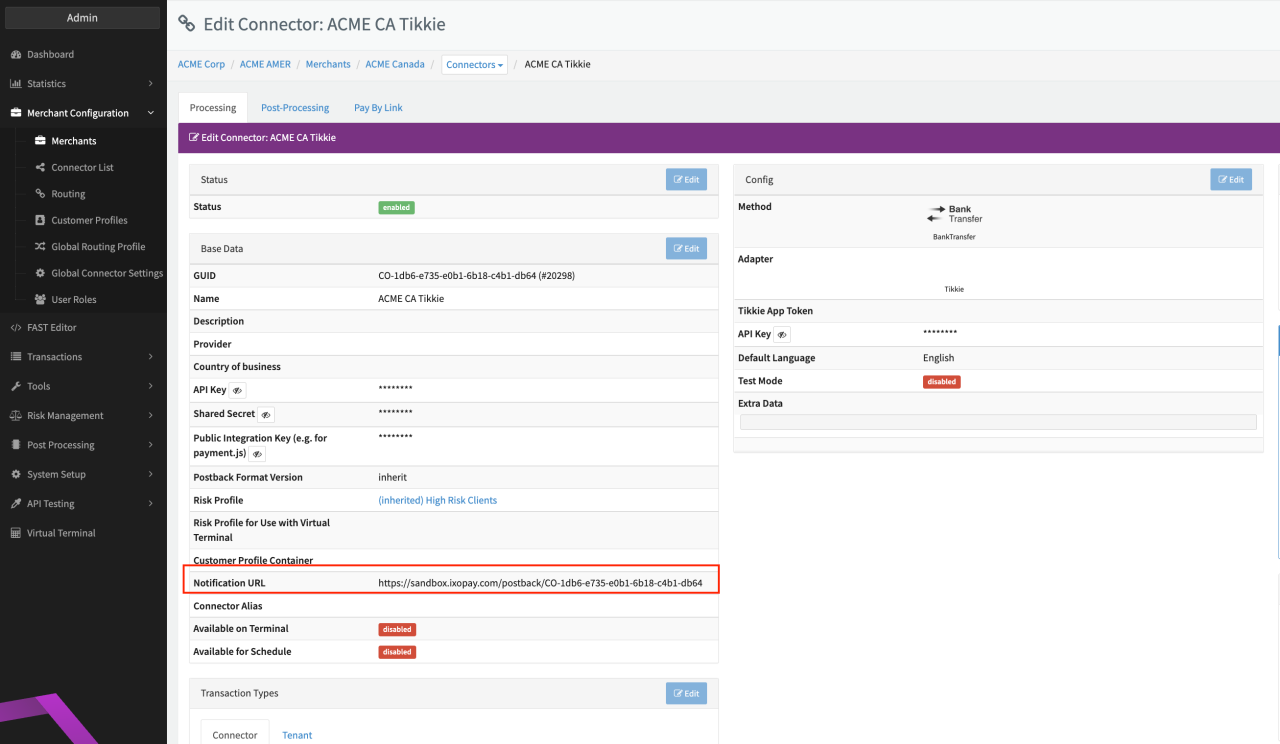
For more information visit https://developer.abnamro.com/api-products/tikkie/reference-documentation#tag/Payment-request-notification/operation/subscribePaymentRequestNotifications
POST /v2/tikkie/paymentrequestssubscription
Host: api-sandbox.abnamro.com
API-Key: YOUR_TIKKIE_SANDBOX_API_KEY
X-App-Token: YOUR_TIKKIE_SANDBOX_APP_TOKEN
Content-Type: application/json

{
  "url": "THE_CONNECTOR_NOTIFICATION_URL"
}
POST /v2/tikkie/paymentrequestssubscription
Host: api.abnamro.com
API-Key: YOUR_TIKKIE_API_KEY
X-App-Token: YOUR_TIKKIE_APP_TOKEN
Content-Type: application/json

{
 	"url": "THE_CONNECTOR_NOTIFICATION_URL"
}
The application sending the Request must have payment request permission on Tikkie side to complete this request.
Data Fetcher Configuration
You have the option to configure Data Fetchers (see section Enable and Set Up Reconciliation on the Provider Level either on Provider or on Connector Level, depending on which setup works better for your provider.
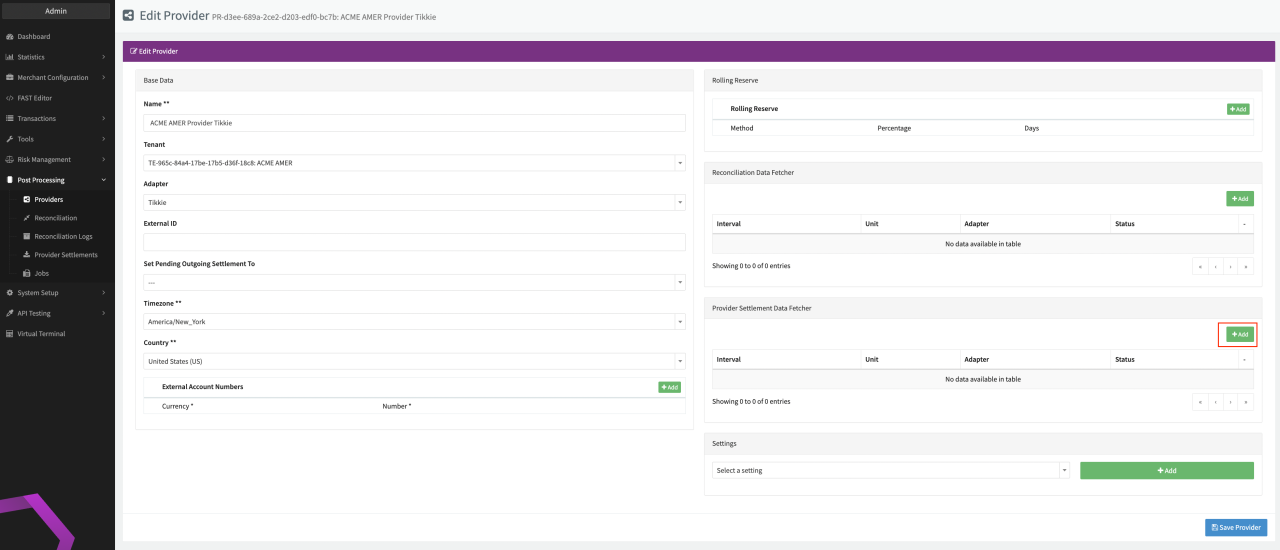
Provider Settlement
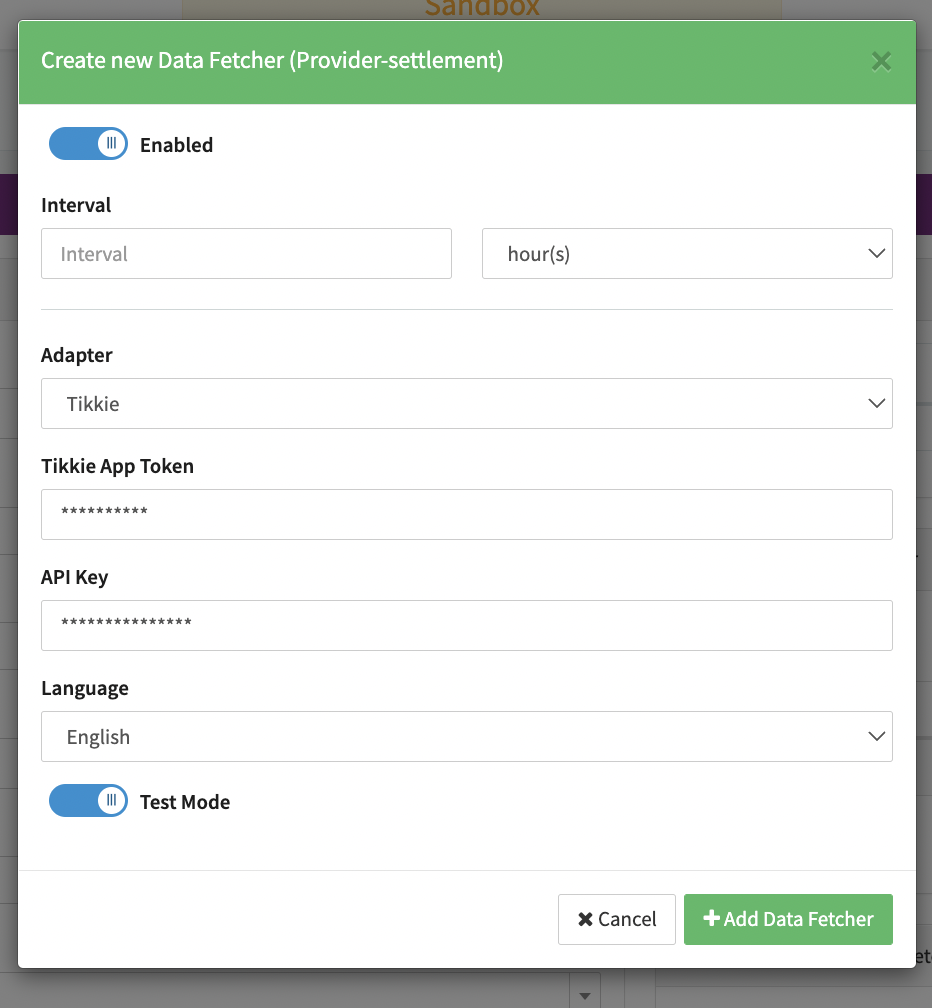
Configure the following Parameters for the Settlements Provider Data Fetcher to fetch Settlement (json format) via an API (see Provider Settlement Data Fetcher Provider Level):
- Fill in the expected Interval in which the Provider Settlement File should be fetched - days, hours
- Select the Adapter Tikkie
- Fill in the mandatory Tikkie App Token (see Connector Configuration)
- Fill in the mandatory API Key (see Connector Configuration)
- Enable Testmode to test fetching of Provider Settlements from the Tikkie Sandbox (URL used https://api-sandbox.abnamro.com/v2/tikkie), disabled the Tikkie Production (URL used https://api.abnamro.com/v2/tikkie) environment is used