TECS
Configuration for accepting pushed Transactions
In order to allow TECS to push Transactions to the IXOPAY platform’s Gateway, the following steps must be performed:
1. Setup a TECS Connector:
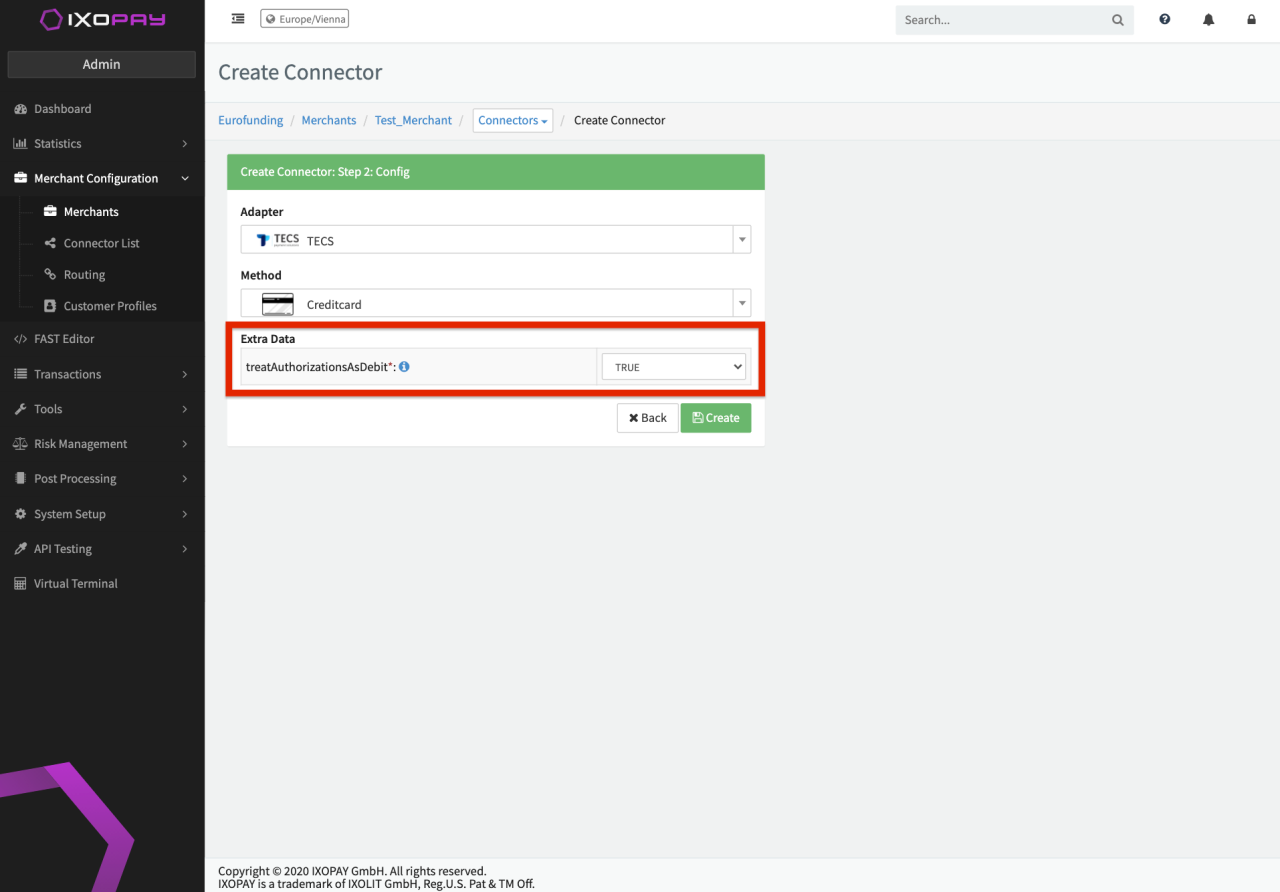
Normal setup, as with any other Connector - see Create & Assign Connector.
In case TECS will only send authorization, but no Capture, the treatAuthorizationsAsDebit parameter should be set to true (false in any other case). This is especially important if settlement fails shall also be imported from TECS, but the Gateway receives only uncaptured authorizations.
2. Setup an API User with permissions for the Push API:
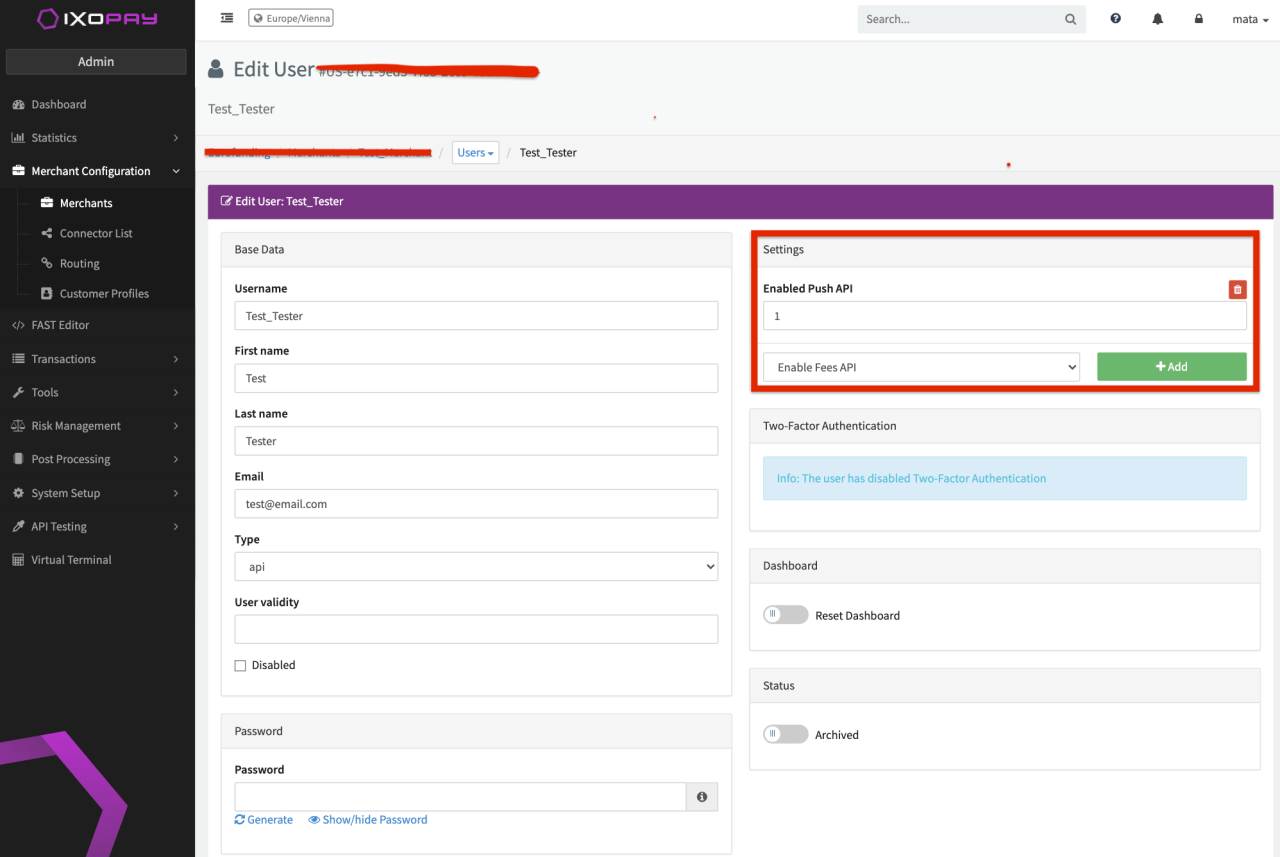
TECS will require an API User and password. For creating an API User, please refer to API User.
Additionally, grant the API User the permission for the Push API, by setting "Enabled Push API to 1".
3. Provide TECS with the data
After following every step you need to provide TECS with the following data:
- API username
- API user’s password
- Endpoint to the Gateway in form of
https://GATEWAY_HOST/posPush/CONNECOTR_UUID(for instancehttps://gateway.ixopay.com/posPush/CO-0000-1111-2222-3333-4444-5555) - Authentication type: HTTP Basic Auth