Sofort
iDeal
In order to use iDeal you must first configure the corresponding project on the Sofort Merchant Account.
Success & Abort URL
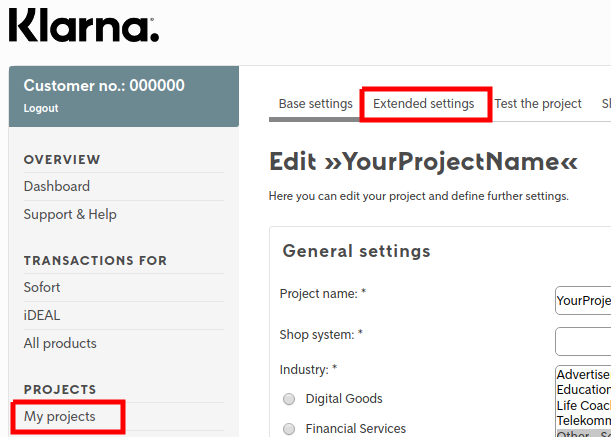
To specify these URLs you must navigate to your iDeal project.
My Projects → "Your project name" Edit → Scroll down to the "Interface" section
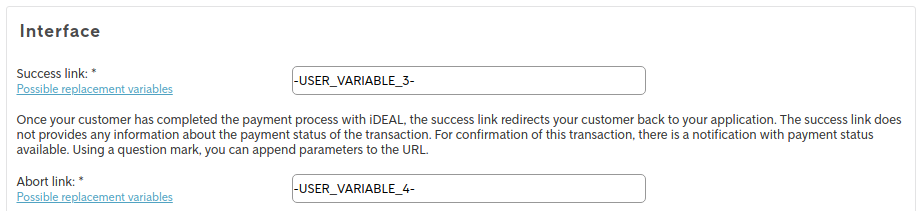
For the success and abort link, use the following values (including dashes, see Image 1):
| Type | Value |
|---|---|
| Success link | -USER_VARIABLE_3- |
| Abort link | -USER_VARIABLE_4- |
Notification URL
To specify the notification URL, navigate to your iDeal project and switch to the "Extended Settings" tab (see Image 2)
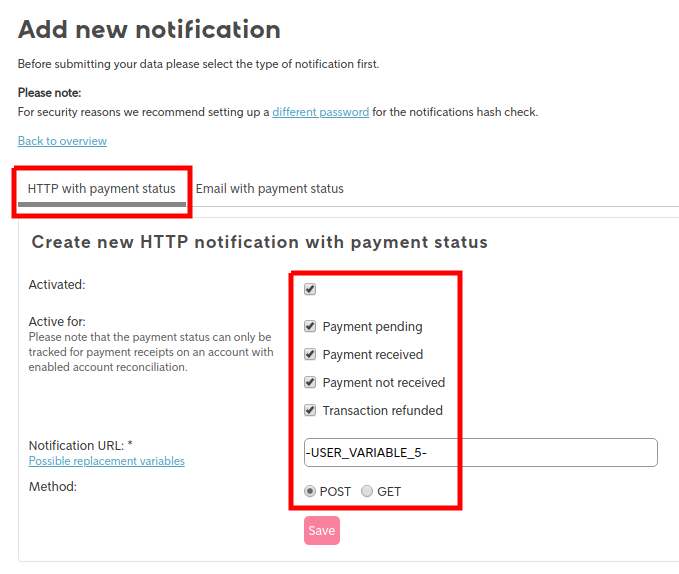
Navigate further to "Notifications" → "Add new notification"
Per default you will see the Email with payment status tab Switch to "Http with payment status" tab, as this is where you need to add the notification URL and settings (see Image 3)
- Activate notification
- Set active for pending, received, not received and refunded
- Set notification URL to: -USER_VARIABLE_5-
- Set method to POST
Connector Configuration
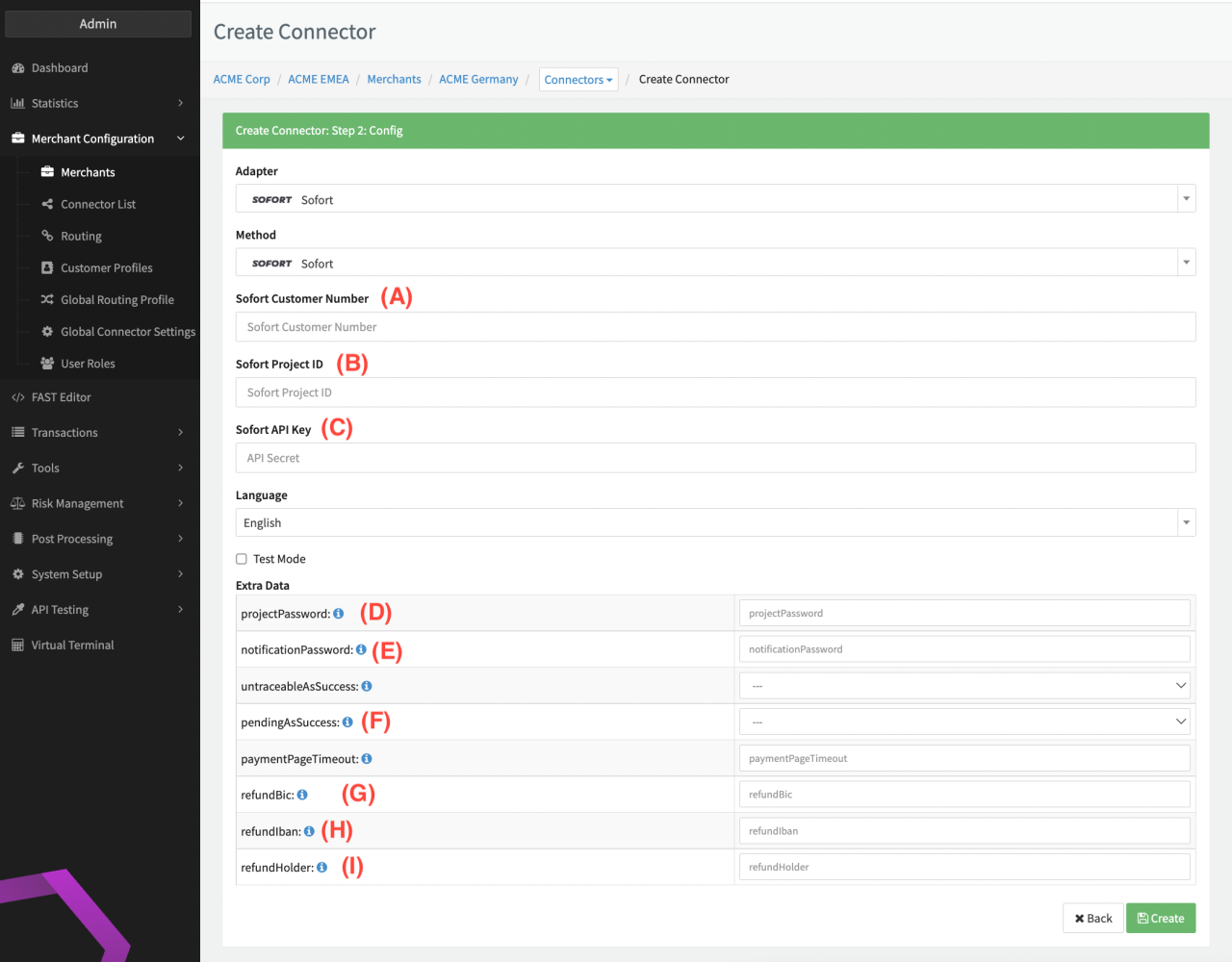
Configure the following parameters for the Connector (see Connector Config - iDeal):
- (A) Customer Number: The number used for your login, alternatively it can also be found in the left upper corner near the logout button in your Merchant Account.
- (B) Project ID: Under "My Projects" you can find the ID next to the project name
- (C) API Secret: The API Key is located under "Services → API Key"
- (D)(E) Project password & Notification password: The passwords can be found in the project settings of the corresponding project My projects → "Your Project" → General setting section
- (F) pendingAsSuccess: Changes the transaction status to success as soon as "pending" webhook is received instead of "received" webhook (to be used for Payment Method SOFORT)
- (G)(H)(I) Refund bank Account information: In order to use Refund for iDeal, you must specify the Account which should be used for Refunds
Payment Reason or Payment Descriptor is composed of
reason1->{UUID}reason2->{MERCHANT_TX_DESCRIPTION}