Skrill
Skrill
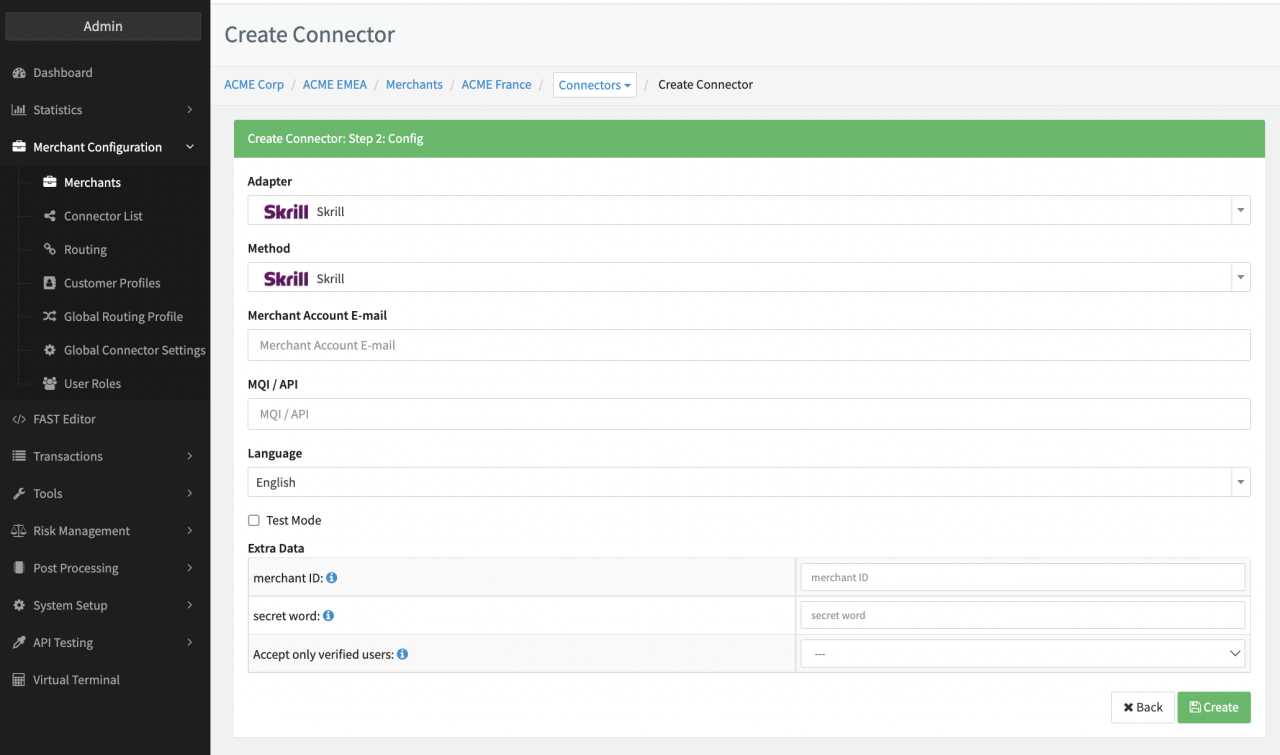
Configure the following parameters for the Connector (see Connector Config - Skrill):
- Fill in the mandatory Merchant Account E-mail
- Fill in the mandatory MQI / API
- Fill in the optional Extra Data: merchant ID — for Customer details verification
- Fill in the optional Extra Data: Secret Word — for Customer details verification
- Select the optional Extra Data: Accept only verified user — true, false
Skrill customer verification
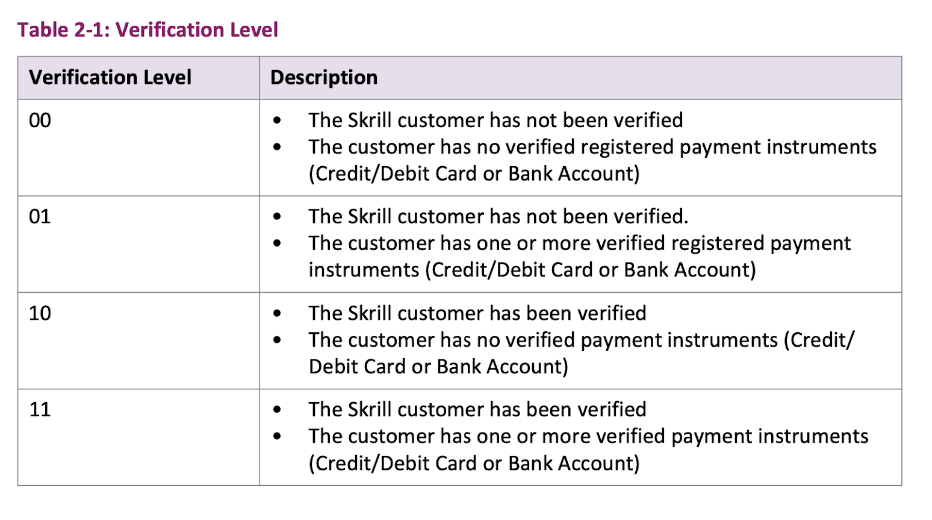
The customer verification service is used to check if a customer, identified by an email address, is registered with Skrill (i.e. the customer already has an active Skrill Digital Wallet account). There are 4 different verification levels (see Verification Levels). Payment instrument verified means, that the customer has been verified as the legitimate owner of a listed payment instrument (Debit/Credit Card or Bank Account). The customer details verification response will be shown as an extra data in in the postback notification.
If the Extra Data: Accept only verified users is set to true, only customers with verification levels 10 or 11 are allowed to proceed the payment process. Otherwise an error that the account verification level is insufficient will appear in the API response and the transaction will be aborted (error state).
In order to verify customer details, both merchant ID and Secret Word should be provided in Configuration
- Merchant ID is shown in brackets under the account email address when logging into your Skrill account.
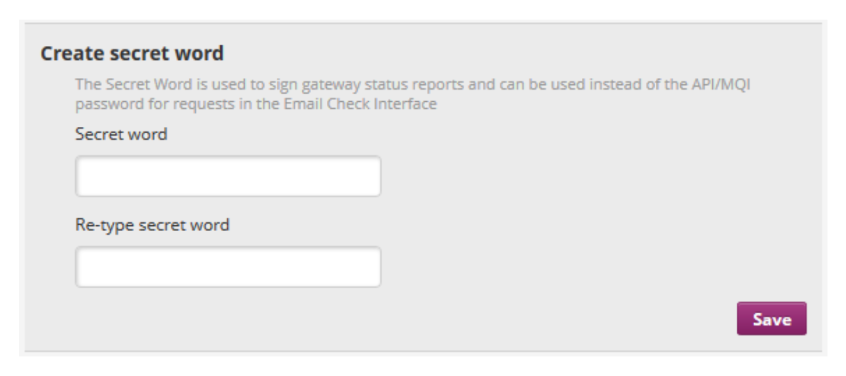
- Secret word can be created in the Skrill account under Settings > Developer Settings: Enter a secret word in the Secret Word field and click Save.