Simulator / OfflineInvoice / OfflinePayment / SepaDummy / RiskCheckOnly
The Simulator Adapter was created to test your setup. It is NOT connected to any PSP. No real transaction processing is performed. Nevertheless, if used in live or test mode the Transaction API rate limit of 5 transactions / 60 seconds applies.
Creditcard
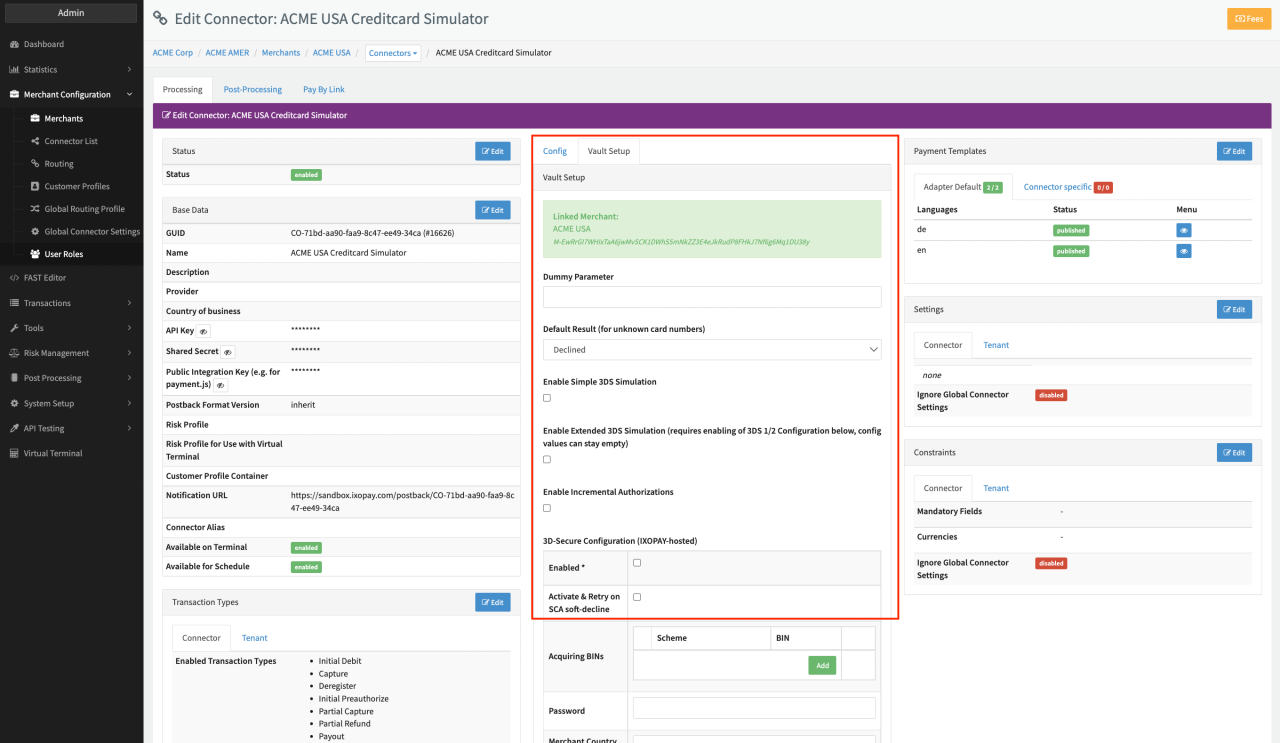
Configure the following parameters for the Connector (see Connector Config - Simulator PCI Creditcard):
- Fill in the Dummy Parameter
- Fill in the mandatory Default Result (for unknown card numbers)
- If needed, check the option Enable Incremental Authorizations
- Select Save
The Simulator also offers the option to simulate the 3D-Secure Authentication.
Simulator
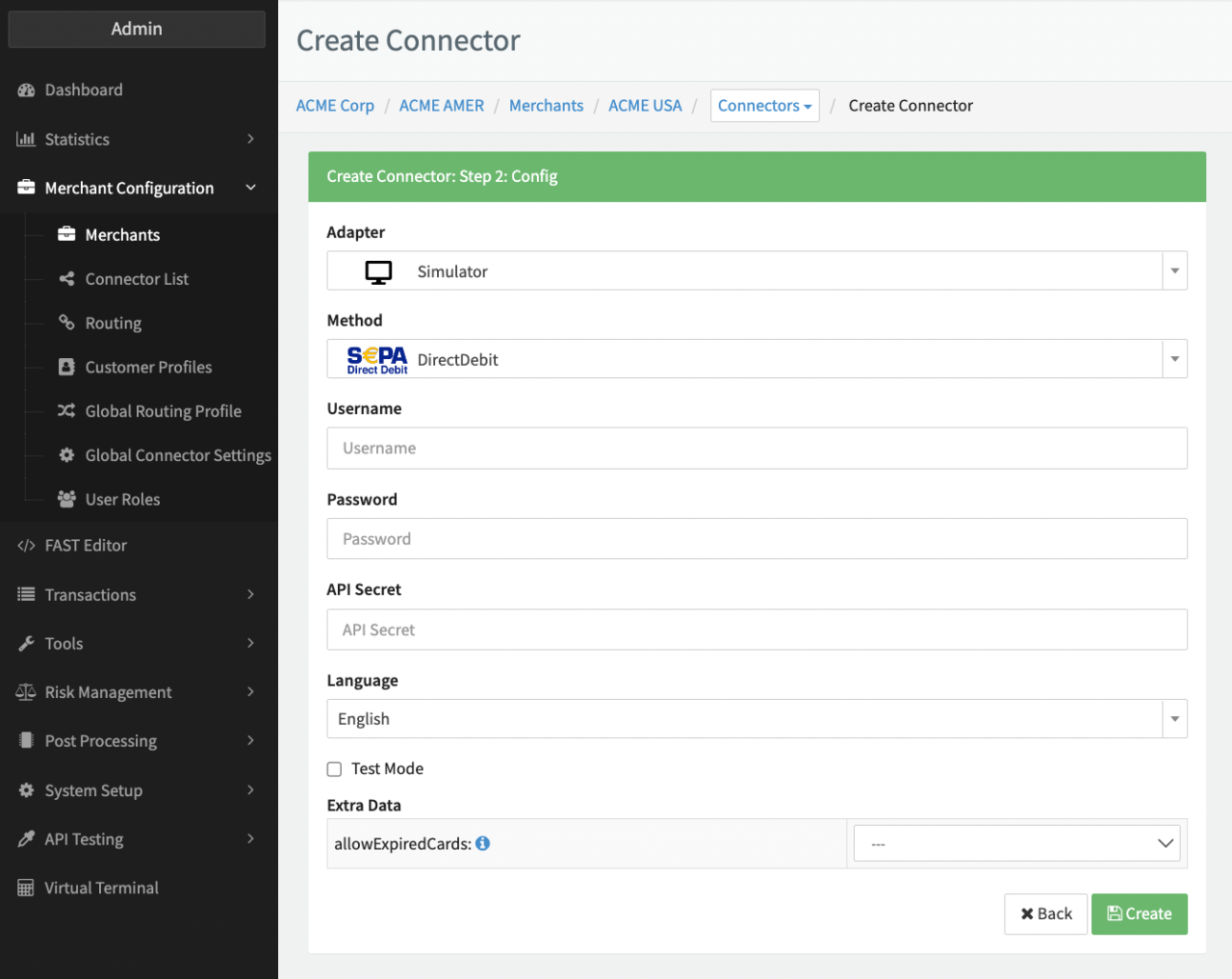
Configure the following parameters for the Connector (see Connector Config - Simulator Others):
- Fill in the Username — Irrelevant for this adapter
- Fill in the Password - Irrelevant for this adapter
- Fill in the API Secret — Irrelevant for this adapter
- Fill in the Extra Data: allowExpiredCards
- Select Create
OfflineInvoice and OfflinePayment adapters are created to support payments outside of the IXOPAY platform. Similar to the Simulator / SimulatorPci, they are NOT connected to any PSP. No real transaction processing is performed. Depending on the configuration, the created transactions can be set to Success or Pending.
OfflineInvoice
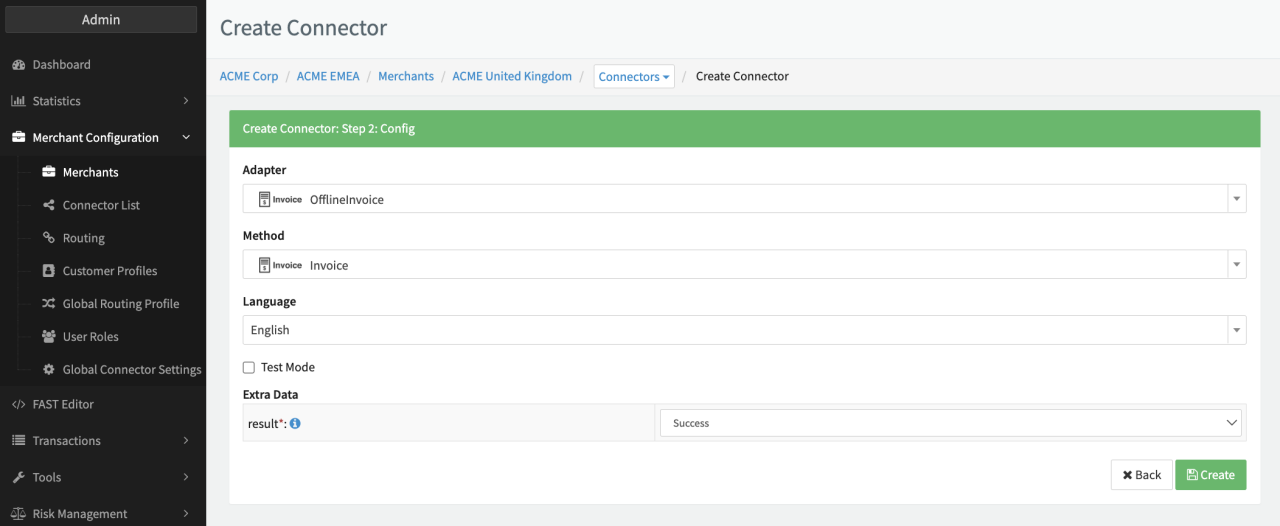
Configure the following parameters for the Connector (see Connector Config - OfflineInvoice)
- Fill in the Extra Data: result - Sucess, Pending
- Select Create
OfflinePayment
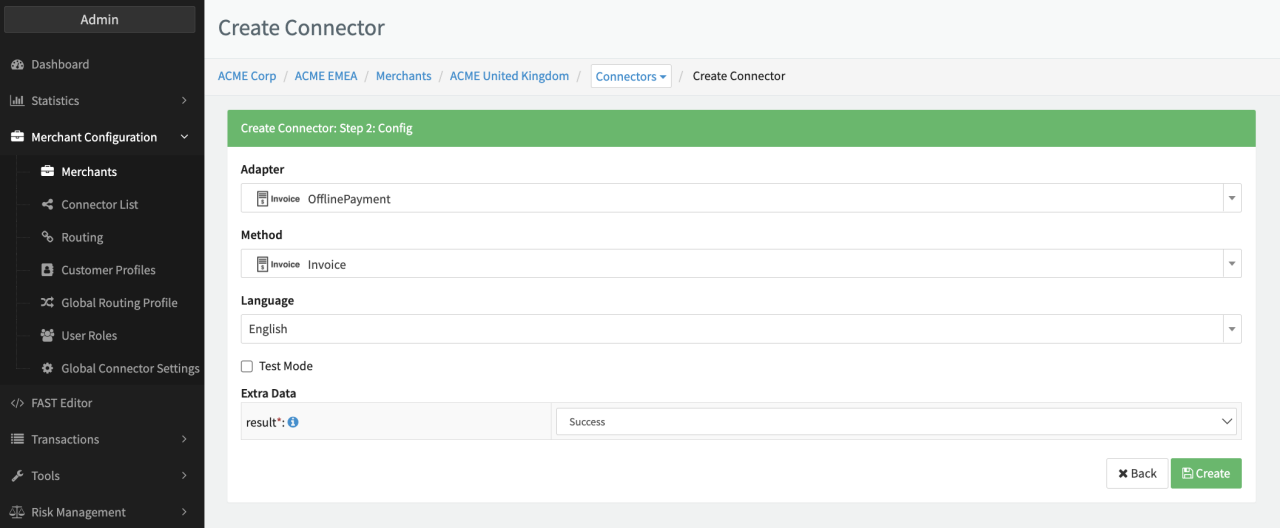
Configure the following parameters for the Connector (see Connector Config - OfflinePayment)
- Fill in the Extra Data: result - Sucess, Pending, Request User Input, Pending Postback
- Select Create
SepaDummy adapter was created to support collecting account data without real transaction processing (e.g. using Hosted Payment Pages). It NOT connected to any PSP. No real transaction processing is performed.
SepaDummy
Configure the following parameters for the Connector (see Connector Config - SepaDummy)
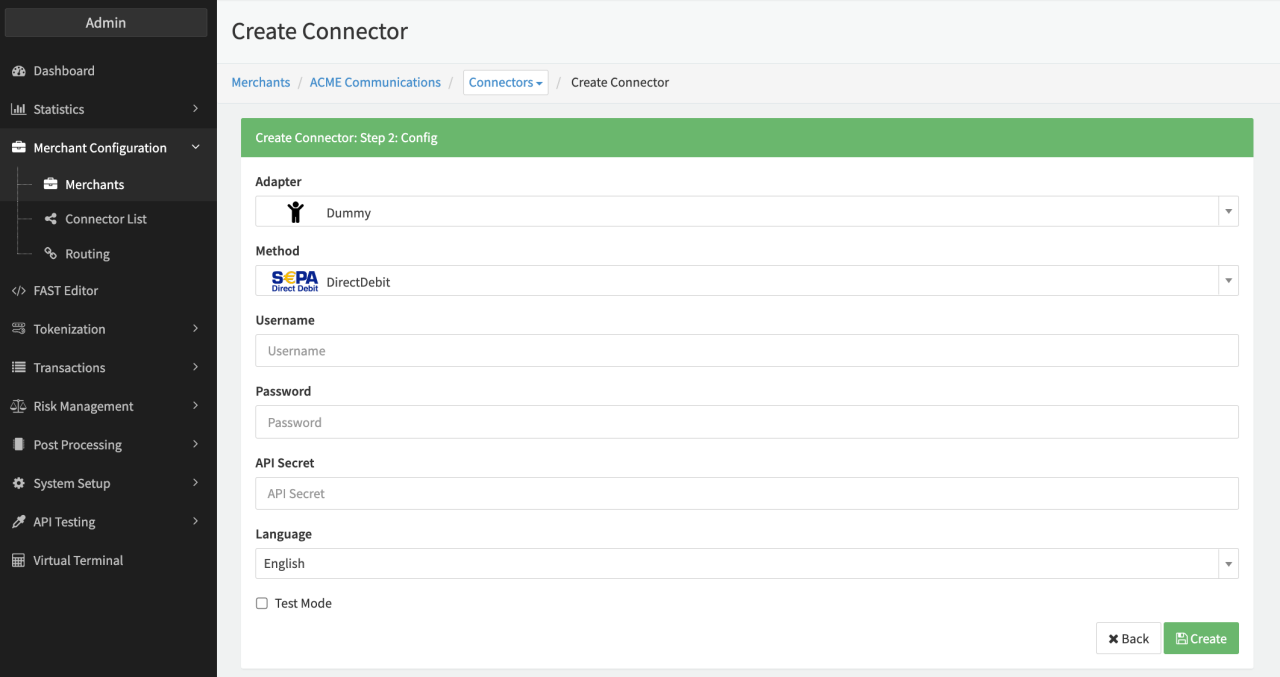
- Fill in the Username — Irrelevant for this adapter
- Fill in the Password - Irrelevant for this adapter
- Fill in the API Secret — Irrelevant for this adapter
- Select Create
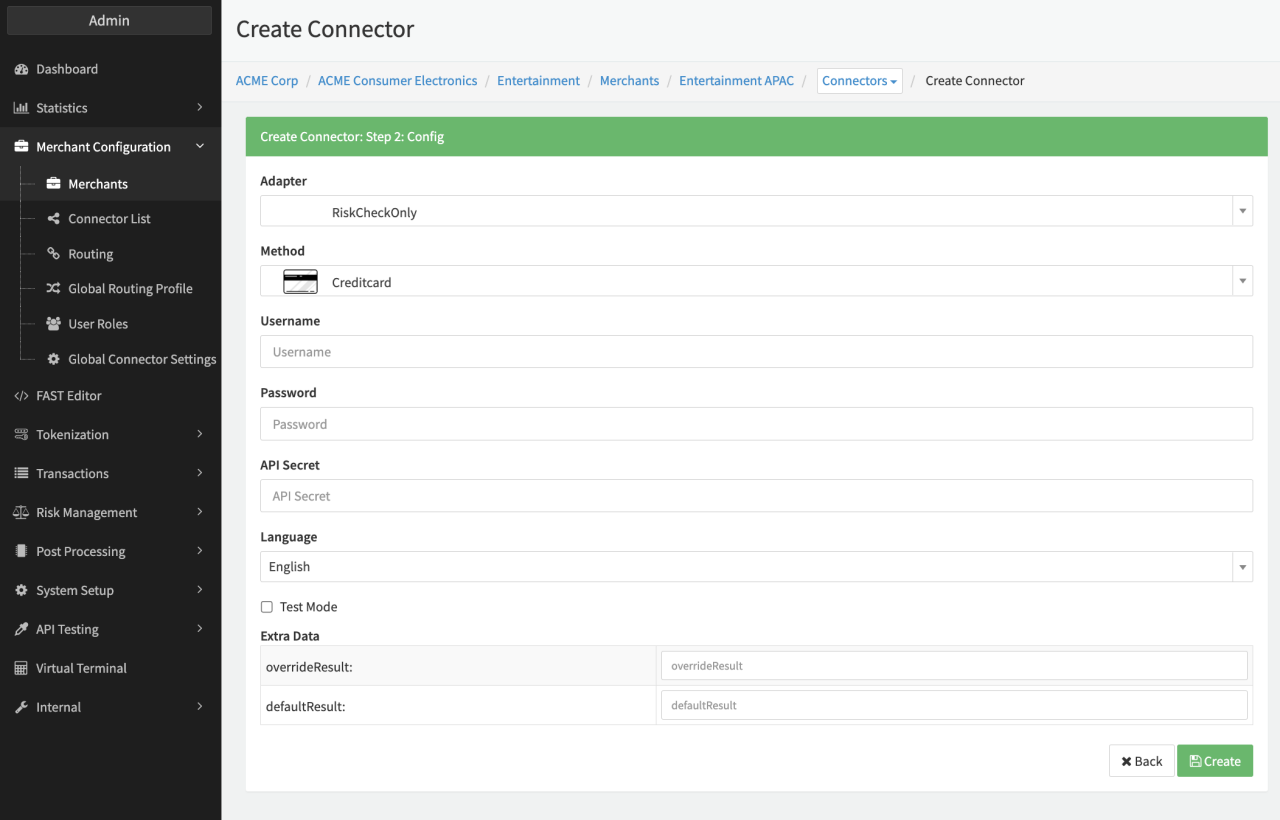
The RiskCheckOnly adapter was created to return if a transaction would trigger a configured Risk Profile in the IXOPAY platform. It is NOT connected to any PSP. No real transaction processing is performed. Furthermore, no Risk Data (Transaction Details - Risk Check Log Data) is returned and no real transaction processing is performed, therefore configuring Score Card Actions or Actions within the Risk Rule itself might not make sense for this adapter.
RiskCheckOnly
Configure the following parameters for the Connector (see Connector Config - RiskCheckOnly)
- Fill in the Username — Irrelevant for this adapter
- Fill in the Password - Irrelevant for this adapter
- Fill in the API Secret — Irrelevant for this adapter
- Fill in the Extra Data: overrideResult -
- Possible input for register transactions: redirect / redirectSuccess - redirects to the success URL, redirectError - redirects to the error URL, redirectCancel - redirects to the cancel URL, error / failed - simulates error, success / random entry - simulates success
- Possible input for refund transactions: pending - simulates pending state, error - simulates error, random entry - simulates success
- Possible input for debit / preauth transactions: pendingSuccess / pendingError / pending - simulates pending state, redirectPendingSuccess / redirect/PendingError / redirectSuccess / redirect - redirects to success URL, redirectError - redirects to error URL, redirectCancel - redirects to cancel URL, error / failed - simulates error, successError - if transaction is a reference tx simulates error otherwise success, success / successChargeback (only debit) - simulates success
- Possible input for void / capture transactions: pendingError /redirectError / redirectCancel / error / failed - simulate error, pendingSuccess / pending / redirectSuccess / redirect / success / random entry - simulate success
- Fill in the Extra Data: defaultResult - any value defined in 4.a. - 4.d.; will be used if overrideResult is not set and amount is between 3.61 and 3.74 (see defaultResult table)
- Select Create
defaultResult table
| Value | Result |
|---|---|
| 3.61 | error |
| 3.62 | redirect |
| 3.63 | redirectError |
| 3.64 | pending |
| 3.65 | pendingSuccess |
| 3.66 | pendingError |
| 3.67 | redirectPendingSuccess |
| 3.68 | redirectPendingError |
| 3.69 | redirectCancel |
| 3.73 | successChargeback |
| 3.74 | successError |