SIA
Creditcard
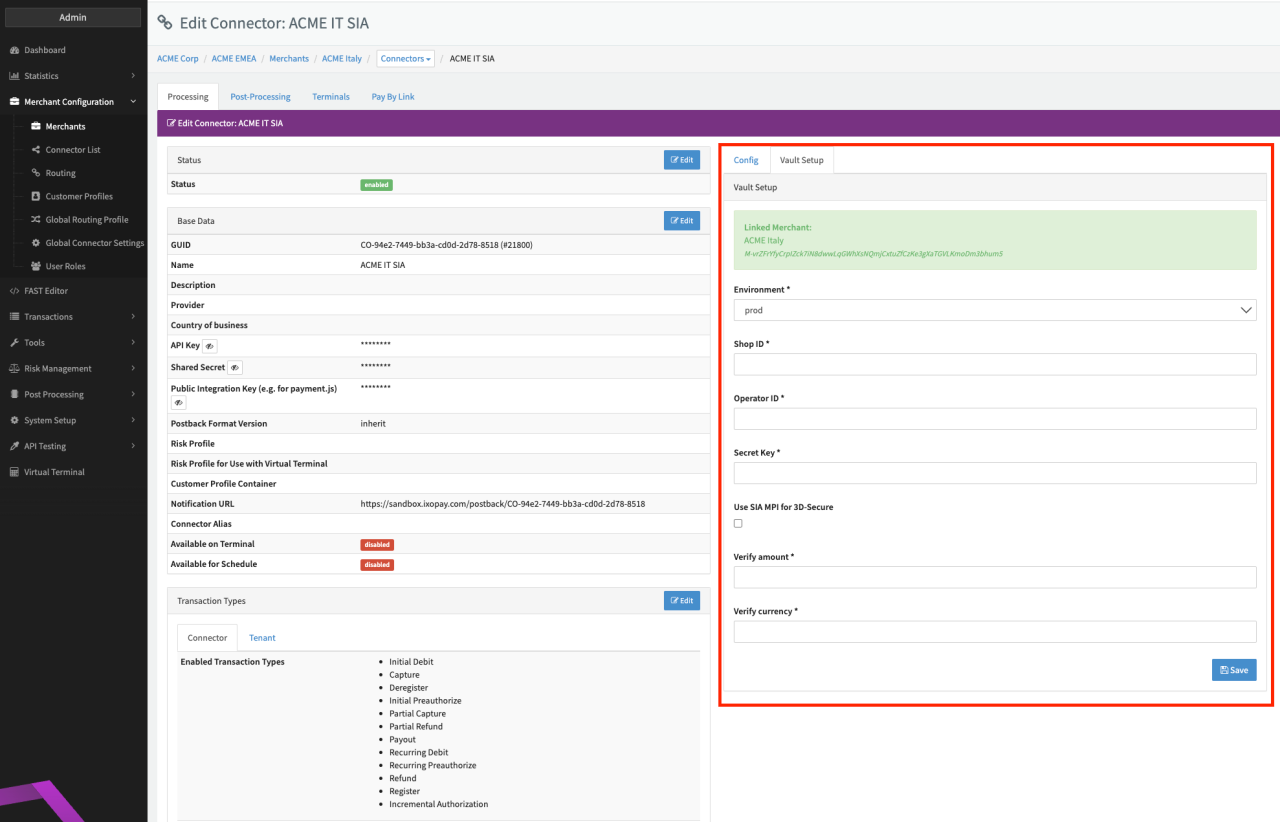
Configure the following parameters for the Connector (see Connector Detail Overview - SIA Creditcard - Vault Configuration):
- Select the mandatory Environment: prod, test - for SIA production or test environment
- Fill in the mandatory Shop ID — provided by provider
- Fill in the mandatory Operator ID — 8 character value to identify the creator of the request to SIA (e.g OP123456)
- Fill in the mandatory Secret Key — provided by provider
- Enable/Disable to Use SIA MPI for 3D-Secure — Check to use SIA 3D-Secure Provider or check IXOPAY-hosted 3D-Secure
- Fill in the mandatory Verify amount — Amount to be used to create register Transactions (e.g 0.1)
- Fill in the mandatory Verify currency — Currency to be used to create register Transactions (e.g EUR)
Terminal Configuration
The SIA Adapter requires unique identifier for each ShopID and each request to be sent. This is achieved by a terminal configuration for the connector.
The configuration depends on your setup.
If you have multiple connectors using the same ShopID, follow these steps:
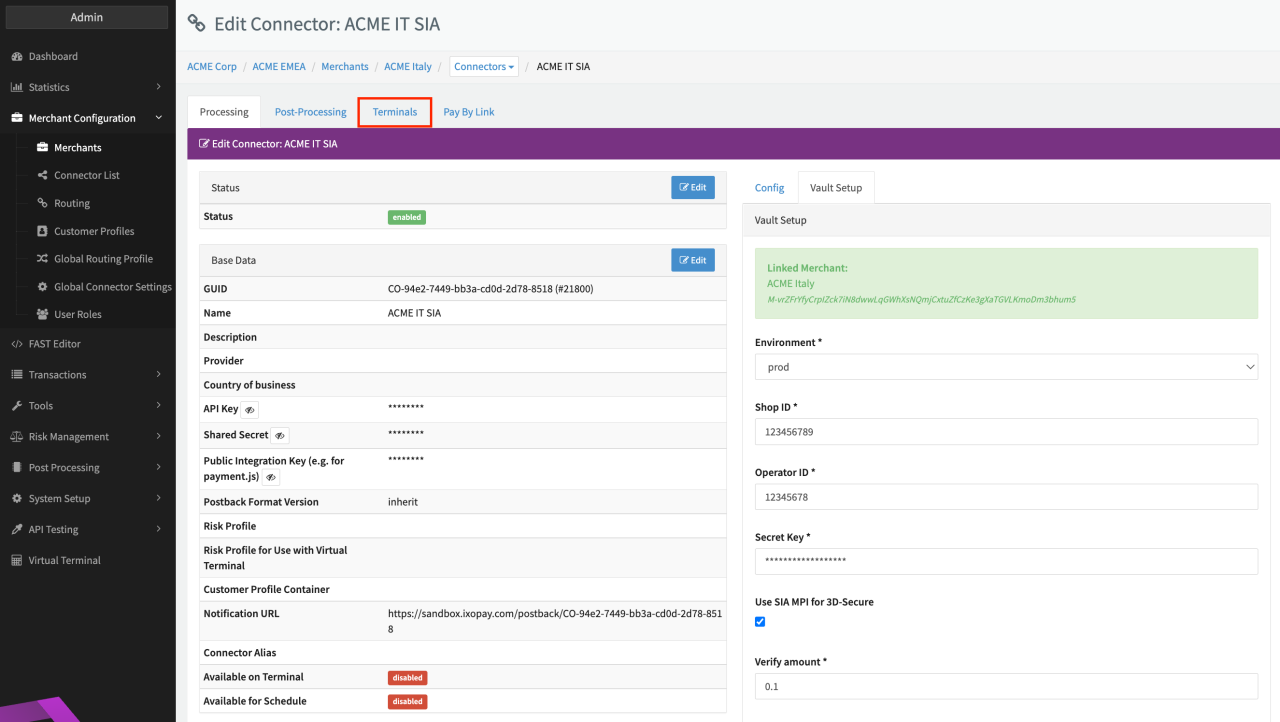
- For the first connector: Go to the Tab Terminals in the Connector Details Overview (see Connector Detail Overview - SIA)
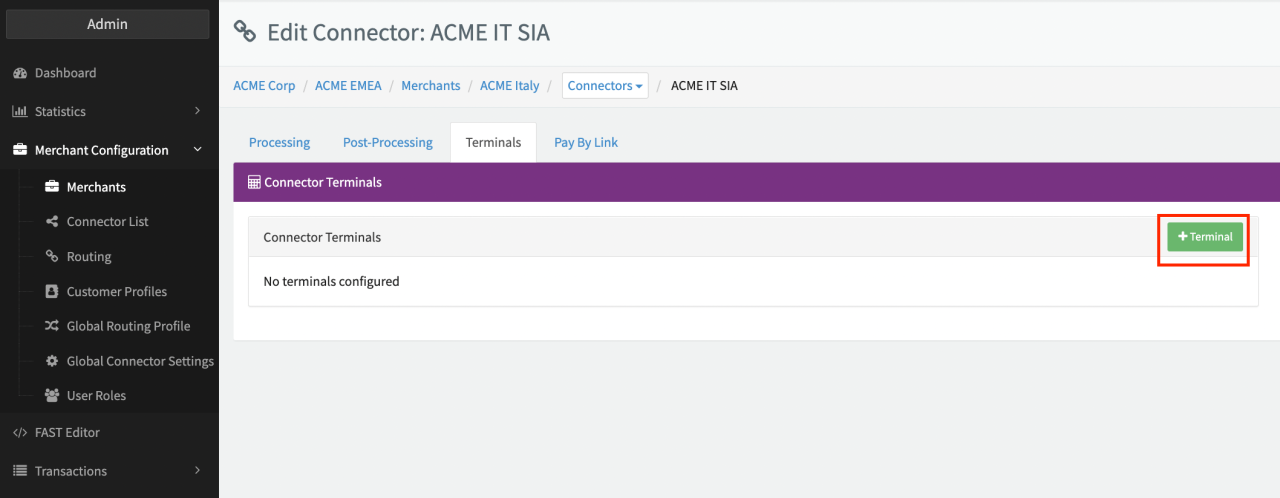
- Click + Terminal to add a terminal (see Terminal Tab)
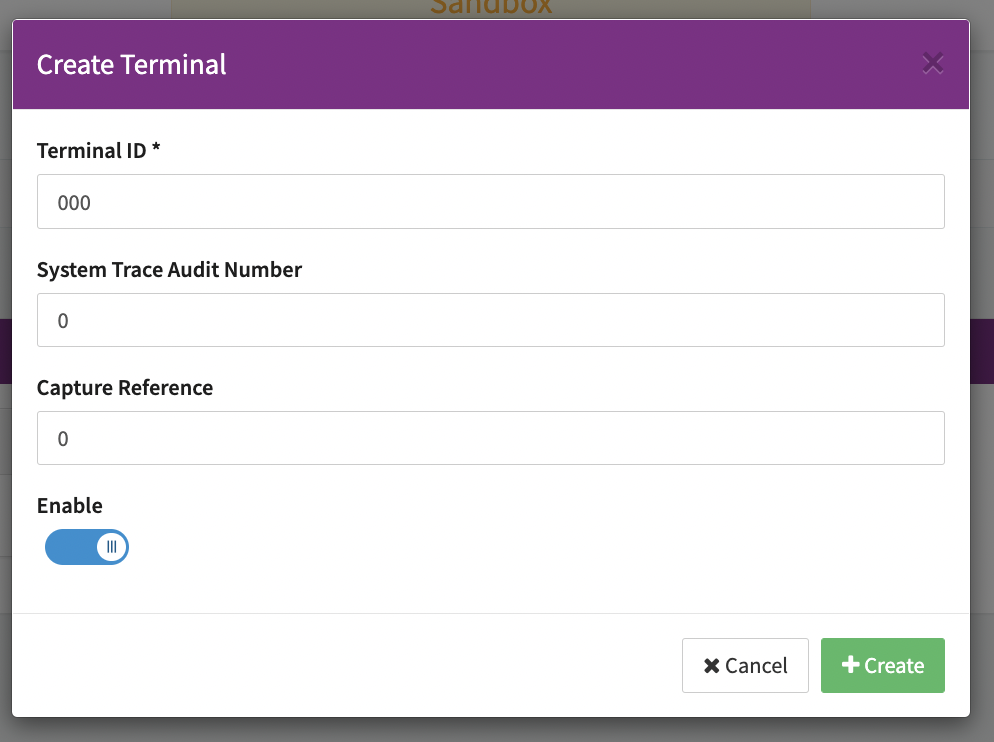
- Fill in the **Terminal ID "**000"
- Check Enable and click + Create (see Terminal Configuration)
- For every additional connector using the same ShopID: Go to the Tab Terminals
- Click + Terminal to add a terminal
- Fill in the Terminal ID "001" for the first additional connector, "002" for the second additional connector and so on.
- Check Enable and click + Create (see Terminal Configuration)
If you want to set up just one connector with the ShopId, follow steps 1.-4.
note
It is crucial for the setup of multiple connectors using the same ShopID to set each Terminal ID following the description above since otherwise Transaction might be declined.