Shopify
Abstract
Shopify does not process payments via the IXOPAY platform directly. They use their own payment solution ("Shopify Payments") for facilitating payments with their SASS store software. However, the IXOPAY platform is capable of creating Transaction entities, based on Shopify’s reported webhooks as well as processing Shopify and PayPal settlements.
Setting up Shopify Webhooks
In order for the IXOPAY platform to be notified about new Transactions, you need to create a Connector onIXOPAY platform, create an API User and provision a new webhook endpoint in Shopify’s Dashboard. Refer to Shopify’s official documentation for more details about Shopify Webhooks.
-
First, create a Shopify Connector (Adapter = "Shopify Webhooks", method = "Generic"). Refer to this User Manual page for general documentation for creating a new Connector.
-
Then, create an API User. Refer to the general documentation here.
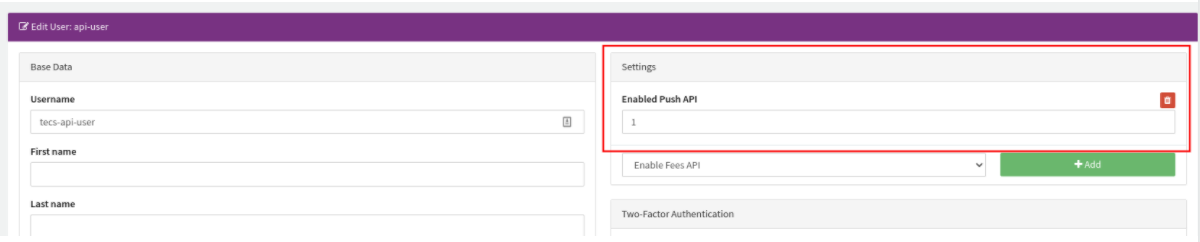
As a special case, grant the API User the permission for the Push API by setting "Enabled Push API to 1" (Image 1)
-
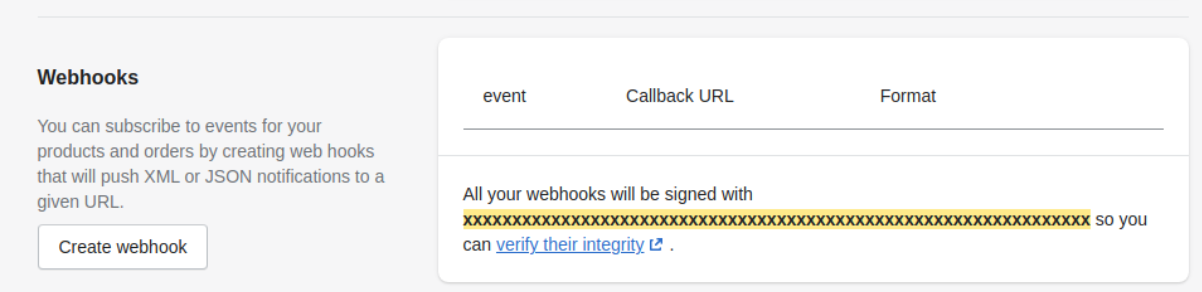
Log into Shopify’s Dashboard, and go to Settings - Notifications and scroll down to the bottom of the page. Here, click on the "Create Webhook" button (Image 2):
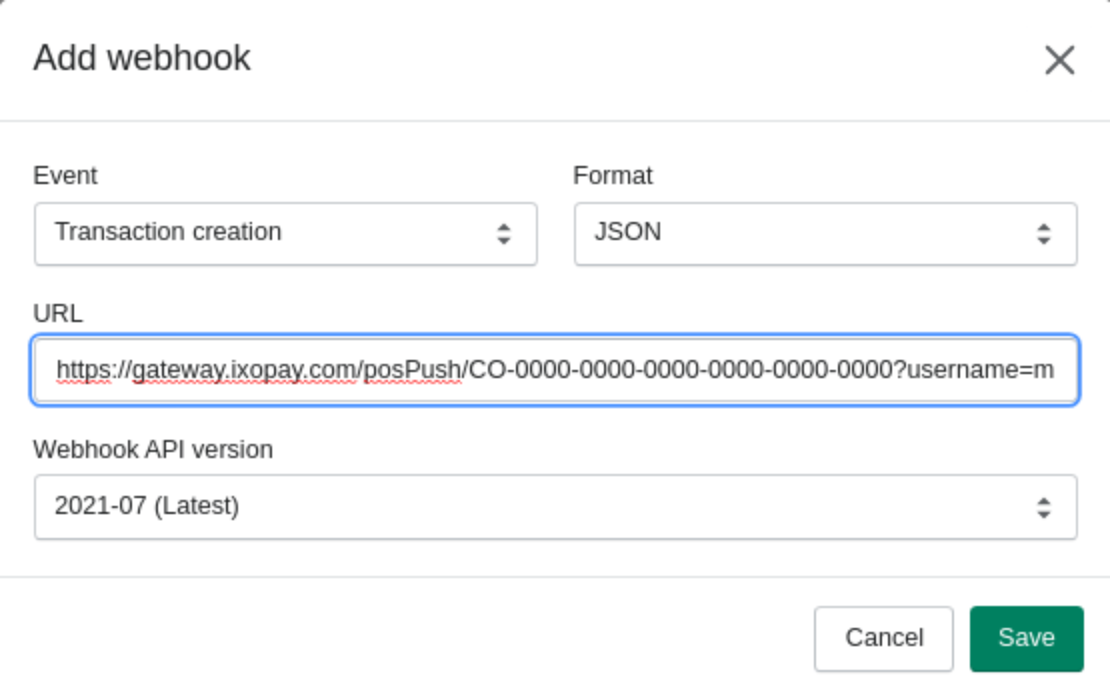
Within the modal, configure the following parameters:
-
Event: Transaction creation
-
Type: JSON
-
Webhook API version: 2021-07
-
URL:
The URL scheme should adhere to the following pattern:
https://GATEWAY_HOST/posPush/CONNECTOR_GUID?username=API_USERNAME&password=API_USER_PASSWORDFor instance, a valid URL might be:
https://gateway.ixopay.com/posPush/CO-0000-0000-0000-0000-0000-0000?username=my-api-user&password=API.userPassword1234Note: if the password contains any special characters, you’ll have to properly encode them. (Image 3)
-
-
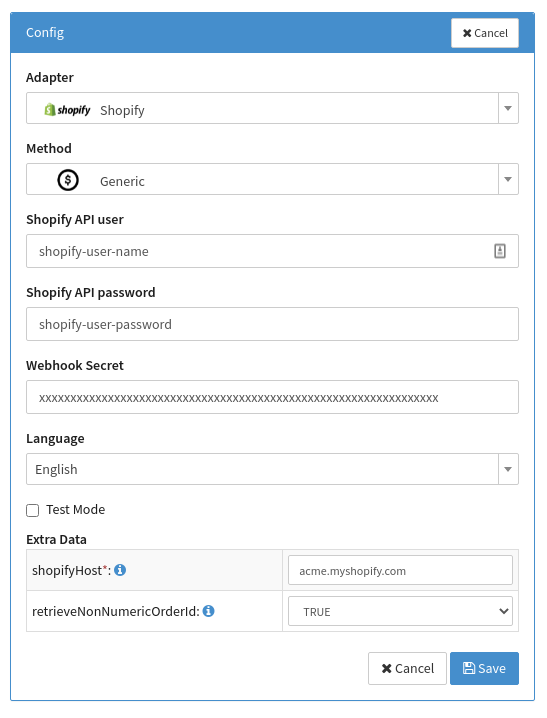
Copy Shopify’s API User, Shopify API Password, Webhook Secret, Shopify Host and retrieve-non-numeric-order-ID, and paste it into the Connector’s configuration (Image 4)
Retrieving settlements
The IXOPAY platform supports the processing of two (2) types of settlements: Shopify Payments and PayPal.
As a prerequisite, you’ll first have to create a provider entity and assign the Shopify connector to it.
Shopify Payments
In order to automatically retrieve Provider settlements from Shopify, you first have to obtain an API User and password for the Shopify API. Follow the instructions from Shopify’s official guide for obtaining dedicated API credentials.
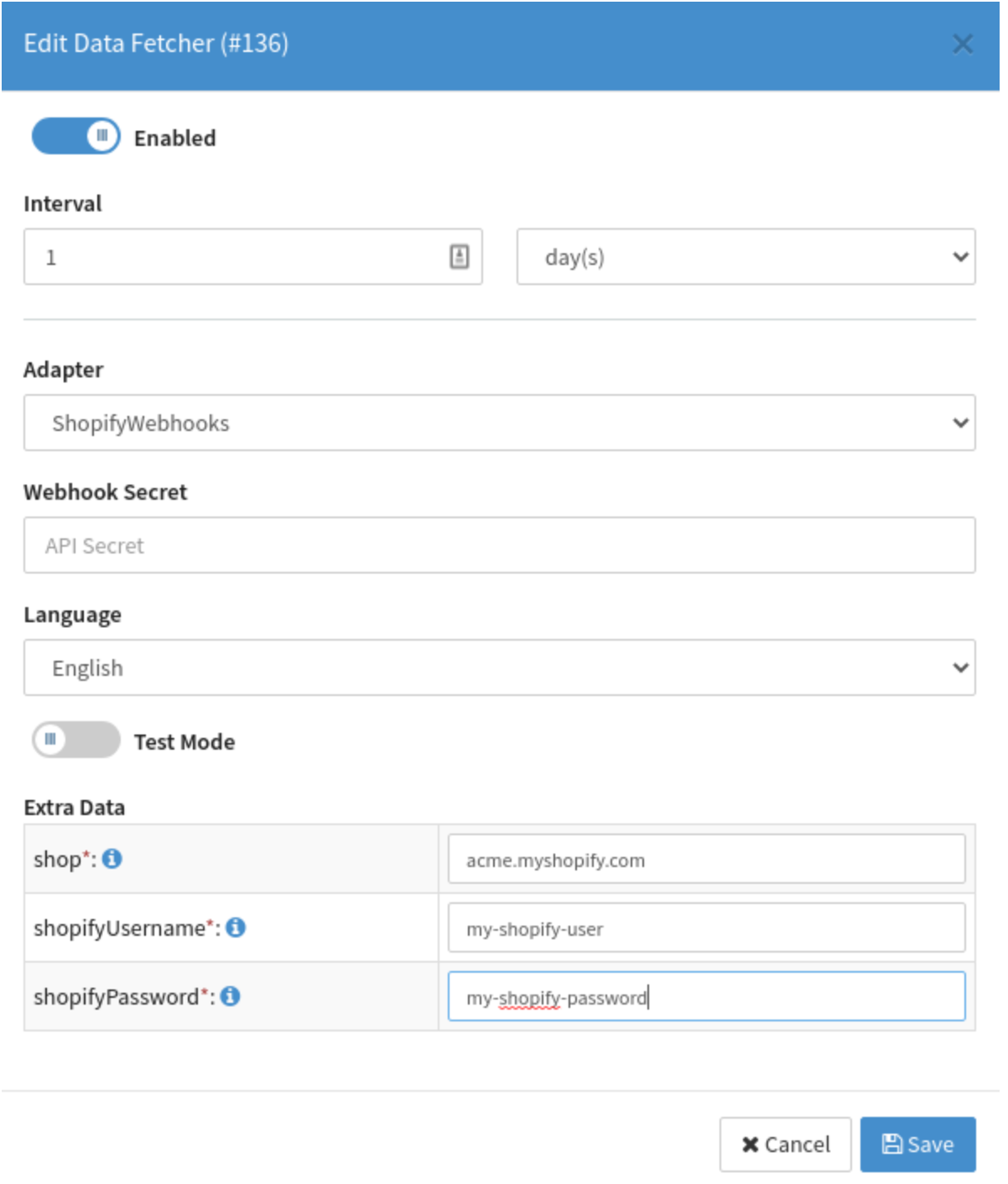
Create a settlement data fetcher by selecting the Shopify Webhooks Adapter and paste the shop’s hostname as well API username and password. The data fetcher will automatically collect the necessary settlement information, provided by Shopify payments. (Image 5)
PayPal Settlements
As a special case, PayPal payments are not covered by Shopify Payments. Instead, PayPal will provide the settlement information directly via "STL files". For more details, refer to PayPal’s documentation.
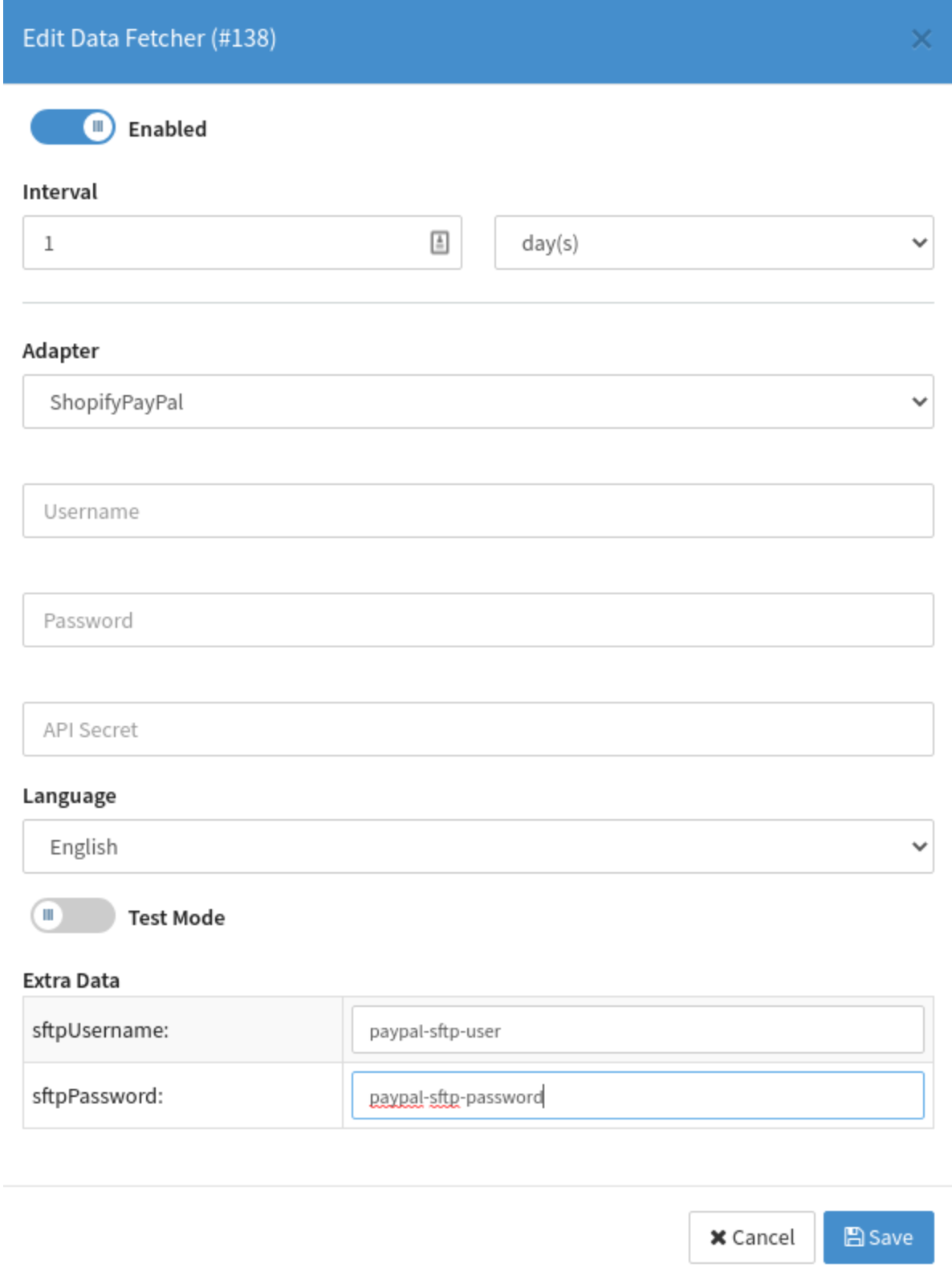
In order to have the IXOPAY platform automatically retrieving and parsing STL files, you'll have to provide an SFTP User within your PayPal’s Merchant Account. For retrieving the SFTP credentials Refer to PayPal’s documentation. Once you have obtained the SFTP access you create a ShopifyPayPal data fetcher. (Image 6)