OneCard
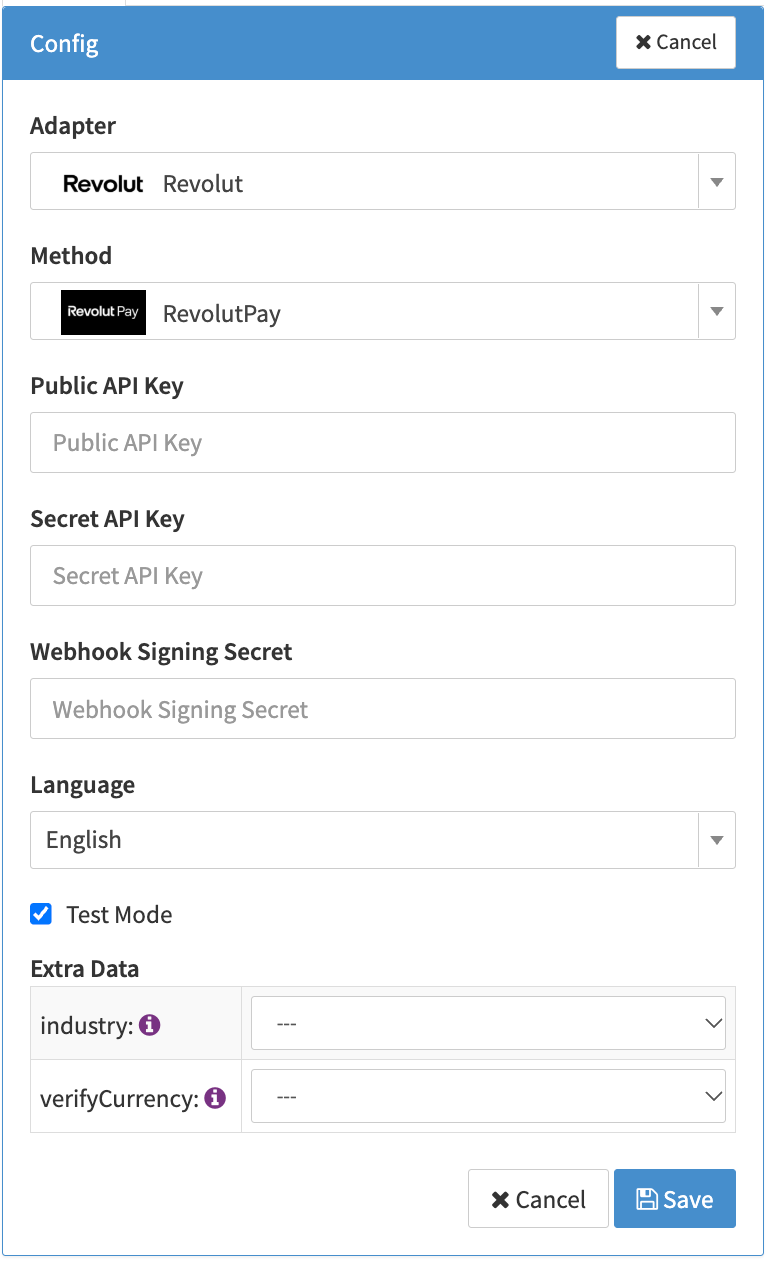
Configure the following parameters for the Connector (see Connector Configuration):
- Fill in the mandatory Public API Key — Your Revolut Business merchant account's public API key, used client-side to initialize the Revolut Pay button.
- Fill in the mandatory Secret API Key — Your Revolut Business merchant account's secret API key, used for all server-to-server calls to Revolut.
- Open Additional Config tab and click Activate Webhook — This registers the required webhook with Revolut automatically and fills in the Webhook Signing Secret for you. No manual webhook setup on Revolut's side is needed.
- Fill in the optional Extra data: industry Only required if your business is in a regulated vertical (Airline, Car Rental, Crypto, Marketplace, Event Ticketing, Lodging).
- Fill in the optional Extra data: verifyCurrency Used for a zero-amount register order when no per-transaction currency is supplied.