PayU
PayU
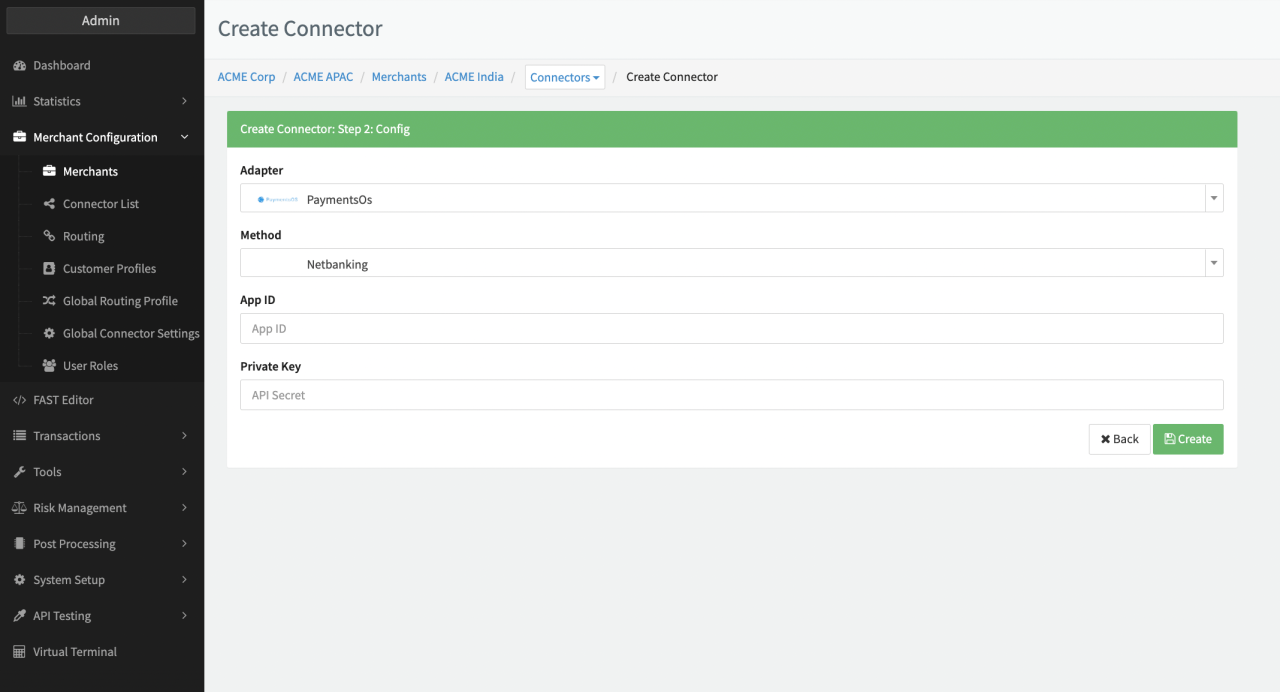
Configure the following parameters for the Connector (see Connector Config - PayU):
- Fill in the mandatory (PaymentOS) App ID
- Fill in the mandatory Private Key
PayU Creditcard
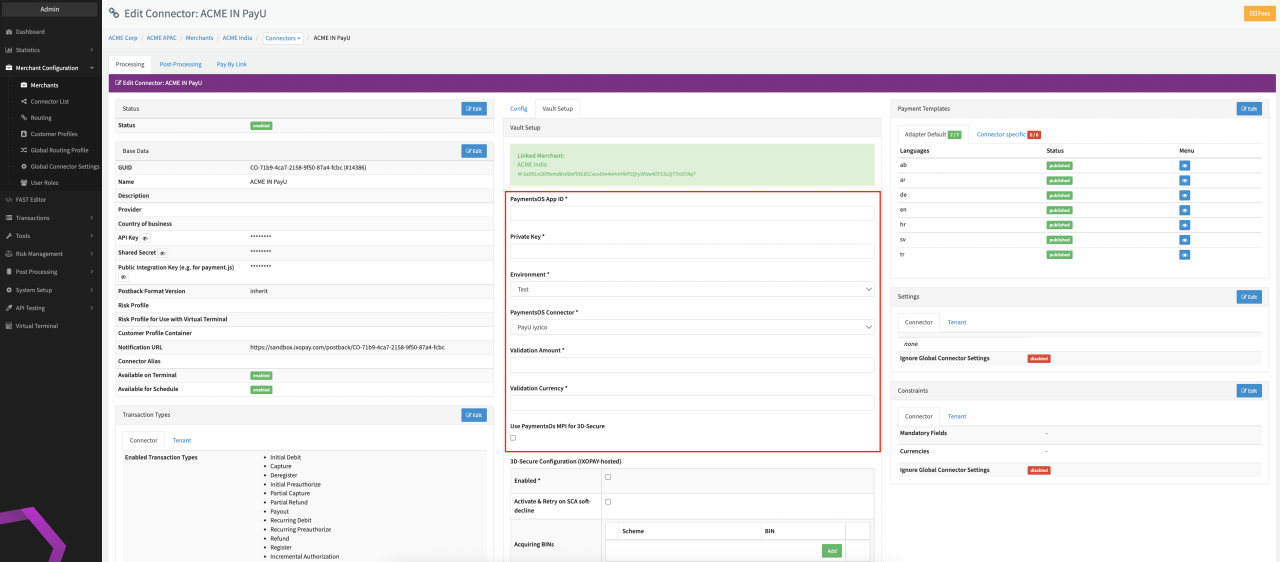
For payment method Creditcard the following additional options can be configured (see Connector Detail Overview - PayU Creditcard - Vault Configuration)
- Select the Environment: Live, Test
- Select the PaymentOS Connector: PayU Iyzico, PayU India, PayU Mexico, PayU Brazil, PayU Russia, PayU South Africa, PayU Columbia
- Fill in the mandatory Validation Amount
- Fill in the mandatory Validation Currency
- Check the option to Use PaymentOs MPI for 3D-Secure or configure the IXOPAY-hosted 3D-Secure Configuration
Set up PaymentOS Webhook Endpoint
Additionally to the Connector Configuration you need to configure a Payment OS Webhook Endpoint (see https://developers.paymentsos.com/docs/development-tools/webhooks.html) with the Connectors Notification URL as Webhook URL. You can find the Connectors Notification URL in the Connector's Base Data as described in Edit Connectors.
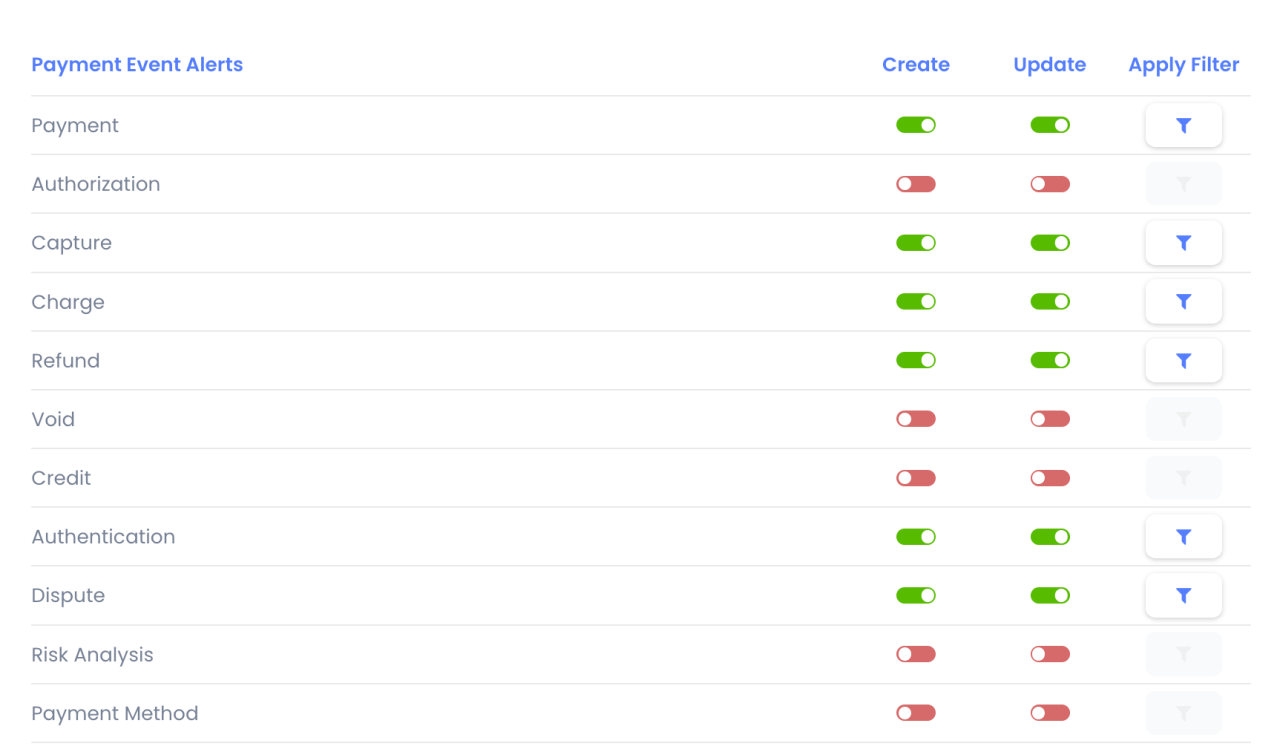
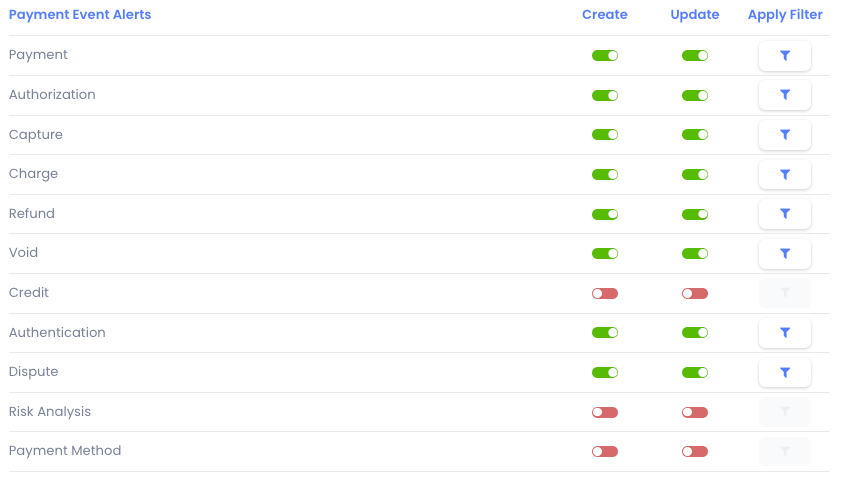
Select the Payment Event Alerts as shown to ensure the transaction will be updated to the correct status in the IXOPAY platform.