PayPal
PayPal Creditcard
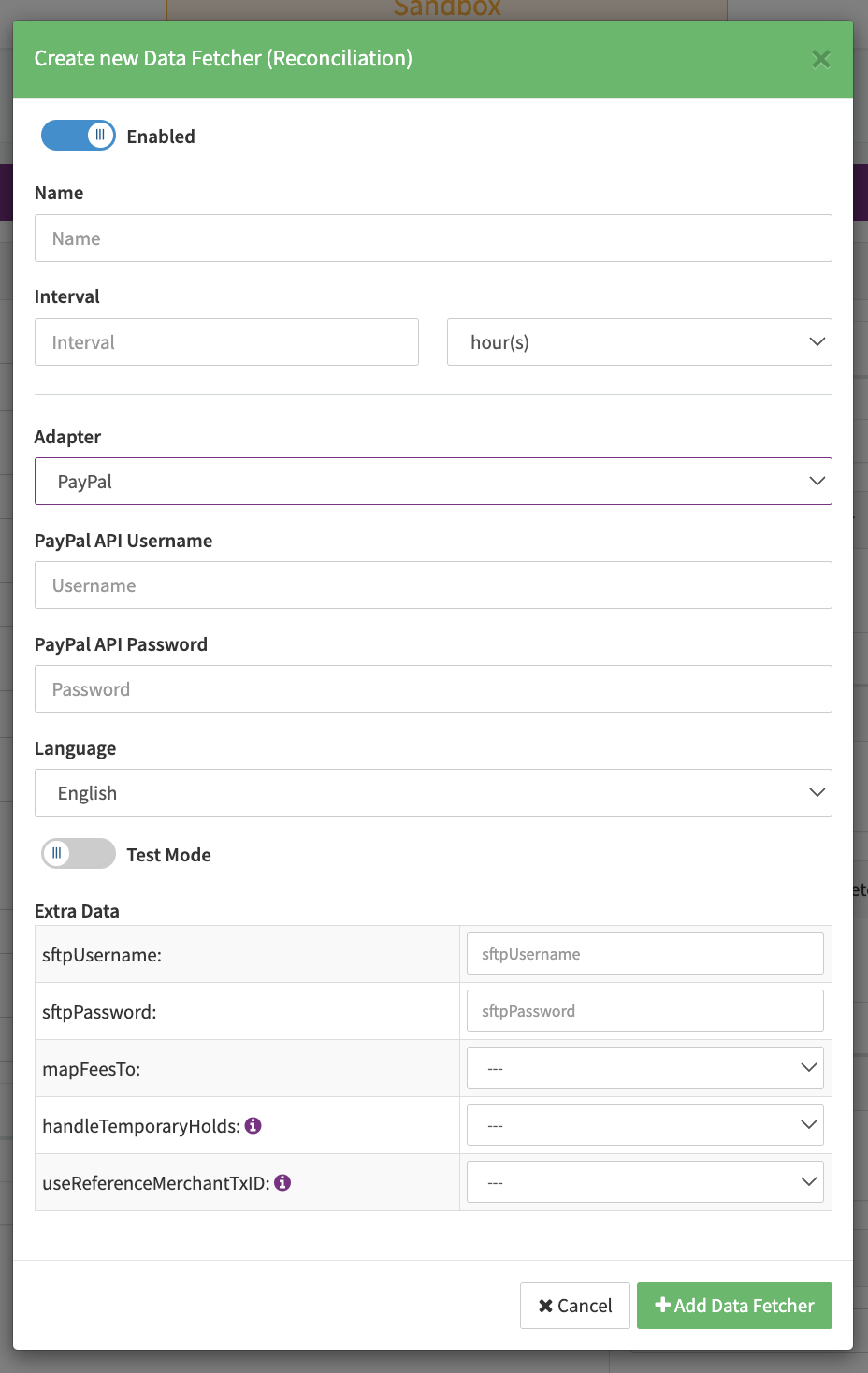
Configure the following parameters for the Connector (see Connector Detail Overview - PayPal - Vault Configuration):
- Select the mandatory Environment: Live, Sandbox
- Fill in the mandatory Client ID
- Fill in the mandatory Secret
- Fill in the mandatory Merchant Email Address
- Fill in the mandatory Merchant PayPal Account ID
For the PayPal-specifc Parameters see also https://developer.paypal.com/api/rest/
PayPal Express
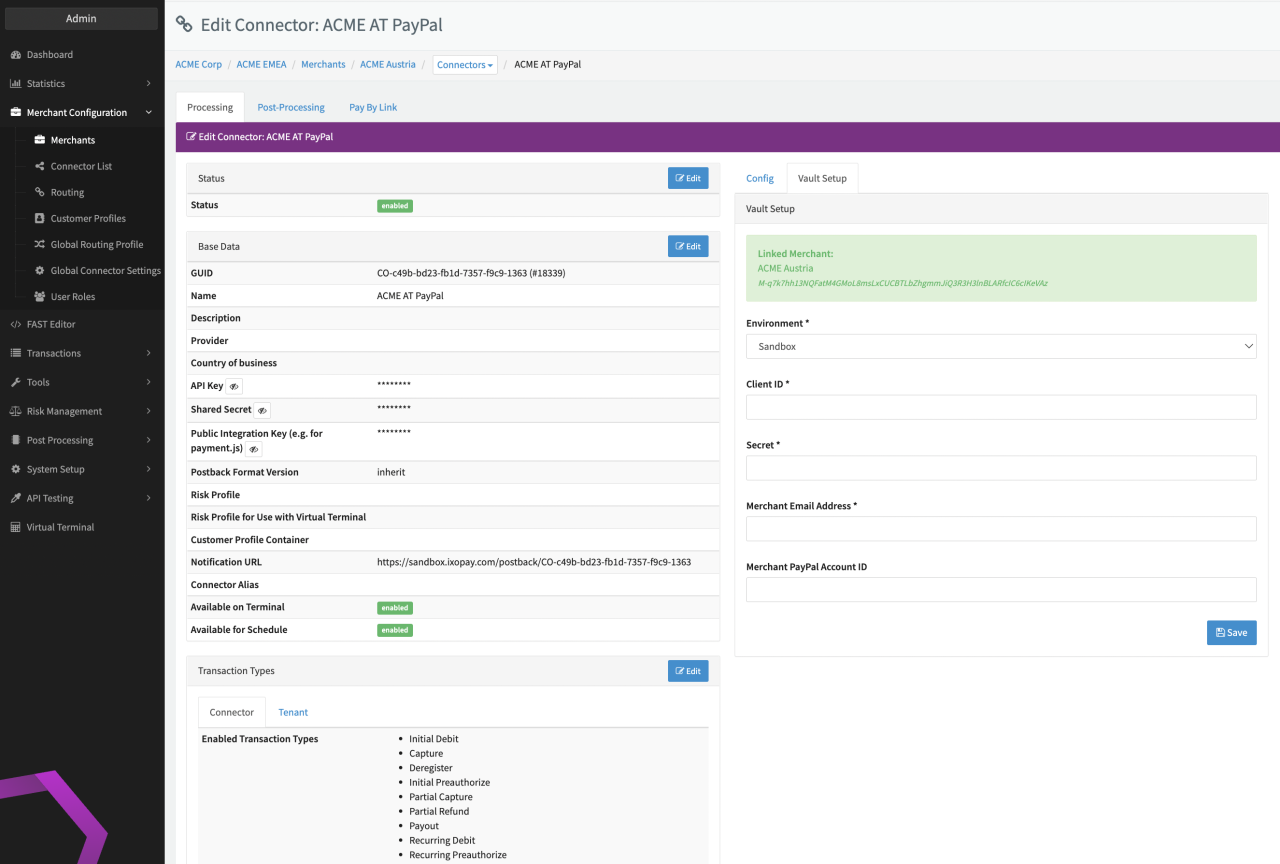
Configure the following parameters for the Connector (see Connector Config PayPal Express):
- Fill in the mandatory PayPal API Username
- Fill in the mandatory PayPal API Password
- Fill in the mandatory Extra Data: signature
- Fill in the mandatory Extra Data: receiveEmail
- Fill in the optional Extra Data: apiEndpoint
- Fill in the optional Extra Data: paymentUrl
- Fill in the optional Extra Data: buttonSource
- Select the optional Extra Data: treatDisputeAsChargeback: True, False — Setting to create a chargeback transaction for a PayPal Dispute
- Select the optional Extra Data: IgnoreDisputes: True. False — Setting to ignore PayPal Disputes
- Select the optional Extra Data: disablePostbackValidation: True, False — Setting to not validate the signature PayPal is sending
- Select he optional Extra Data: omitItems: True, False — Setting to not include items from the Transaction to PayPal
- Select the optional Extra Data: billingAgreementType: MerchantInitiatedBilling (Default), MerchantInitiatedBillingSingleAgreement — Setting to define the type of billing agreement created in PayPal
- Select the optional Extra Data: limitPaymentType: InstantOnly (default), no — Setting to only allow Instant payments, this will disable eVoucher payments (asynchronous payments)
- Select the optional Extra Data: paymentActionForPreauthorize: Authorization, Order, Order + Authorization, Sale — Setting to define which flow is used on PayPal side for Preauthorize transaction
- Select the optional Extra Data: returnPayPalCustomerData: True, False — Setting to include the Customer Data available in PayPal to be included in the response
- Select the optional Extra Data: paypalFeeMapping: Provider Fees, Markup Fees — Setting to determine under which Fee Entity the PayPal Fees should be mapped, either Provider Normal Fee or Provider Markup Fee
Data Fetcher Configuration
You have the option to configure Data Fetchers (see section Enable and Set Up Reconciliation on the Provider Level) either on Provider or on Connector Level, depending on which setup works better for your provider.
Reconciliation
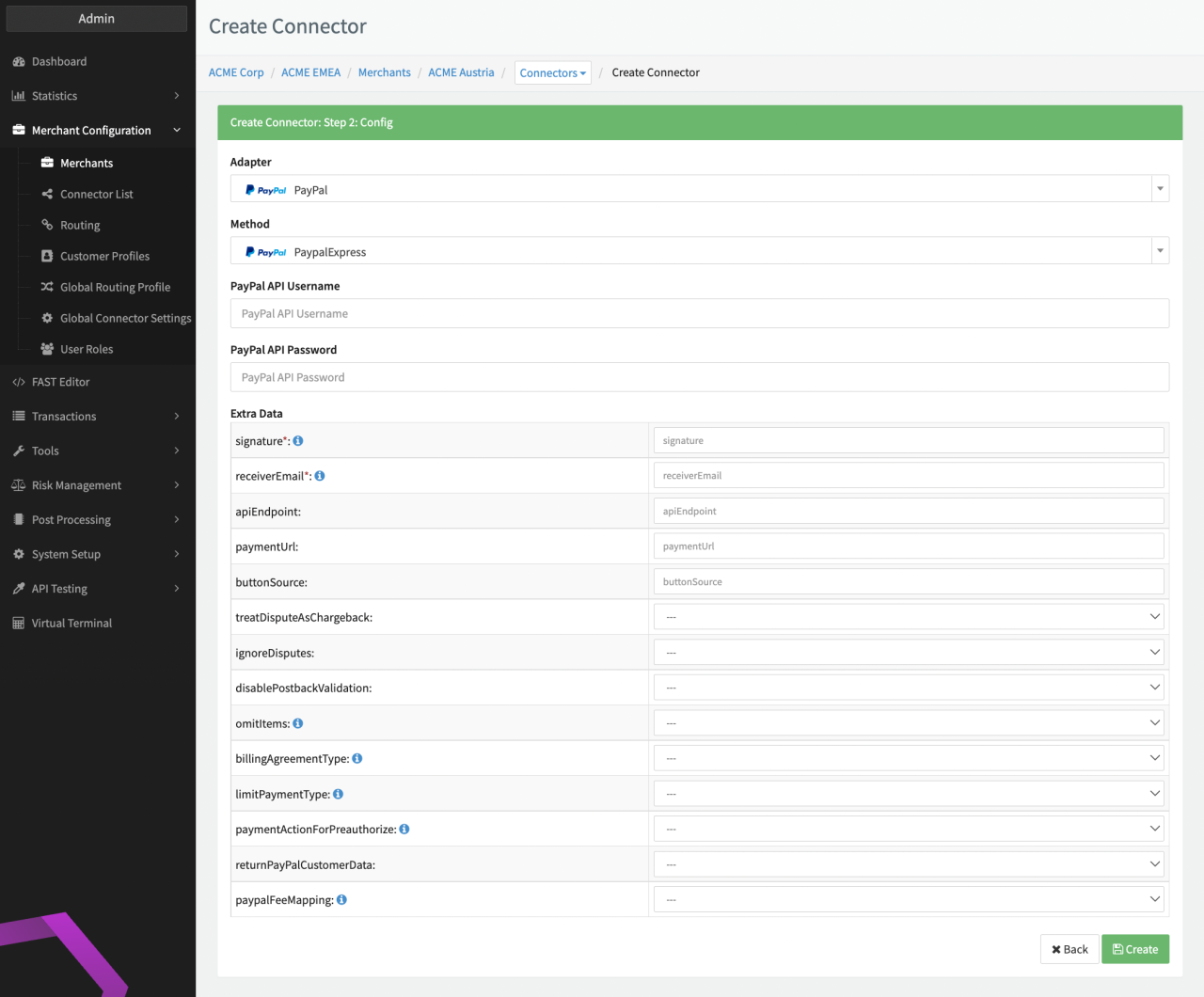
Configure the following Parameters for the Reconciliation Data Fetcher to fetch Reconciliation via SFTP (see Reconciliation Data Fetcher Provider Level):
- Fill in an optional Name
- Fill in the expected Interval in which the Reconciliation File should be fetched - days, hours
- Select the Adapter Paypal
- Enable Testmode
- Fill in the mandatory Extra Data: sftpUsername used for authentication
- Fill in the mandatory Extra Data: sftpPassword: used for authentication
- Select in the optional Extra Data: mapFeesTo - Normal Provider Fees, Provider Markup
- Select in the optional Extra Data: handleTemporaryHolds - True, False; If set to true, temporary holds are handled as chargebacks inIXOPAY platform
- Select in the optional Extra Data: useReferenceMerchantTxID - True, False; If set to true, instead of autogenerated transaction IDs, the reference merchant tx ID is used as UUID for created transactions via reconciliation.