Paymob
Connector Configuration
- Fill in the mandatory secret_key
- Fill in the mandatory public_key
- Fill in the mandatory 3ds_integration_id
- Fill in the mandatory auth_integration_id
- Fill in the optional moto_integration_id
- Fill in the optional bank_installments_integration_id
- Fill in the optional bank_installments_enabled
- Fill in the optional register_amount (the amount used to preauthorize verify the payment instrument, it will be voided afterwards)
- Fill in the mandatory hmac_key
- Fill in the optional currencyForVerify
The Paymob credentials can be retrieved via the Paymob Dashboard > Settings
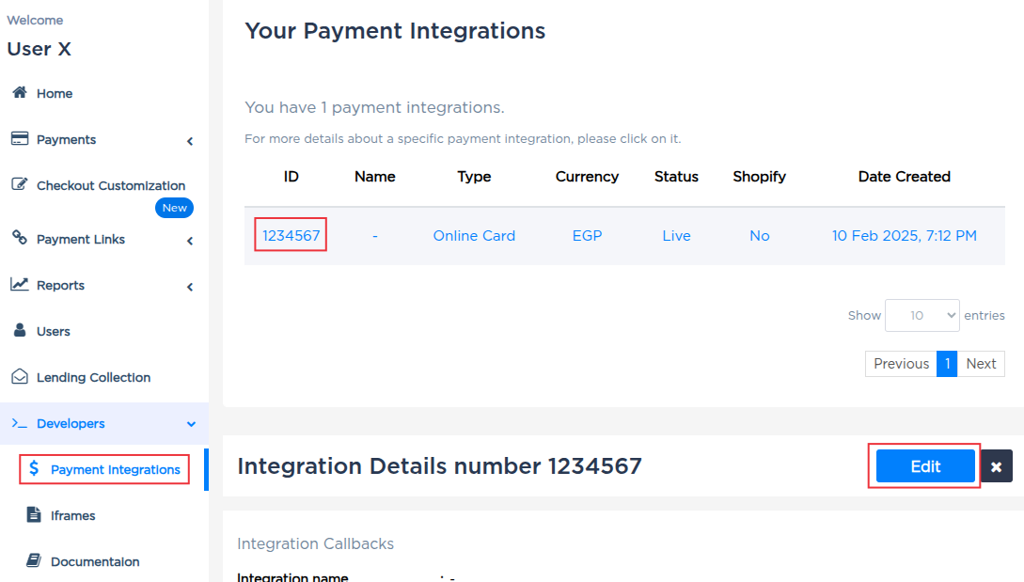
The integration IDs must be retrieved via the Paymob Dashboard > Developers > Payment Integrations (see Paymob — Payment Integrations)
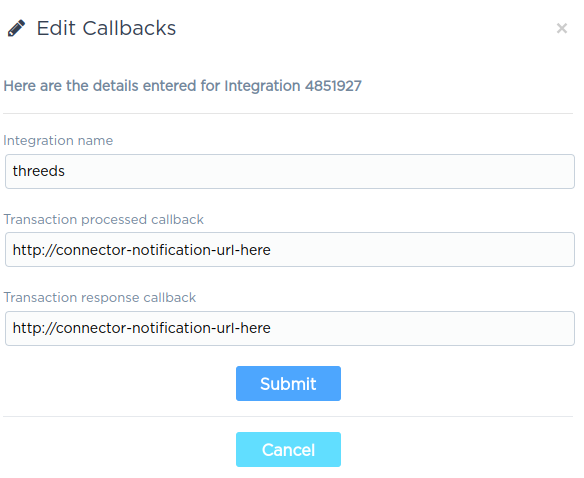
Paymob Configuration
The payment integrations must be setup via:
Paymob Dashboard > Developers > Payment Integrations
Each payment integration must be configured to send callbacks to the configured IXOPAY platform connector (the callback URL of the connector can be found on the Connector Edit page).
In the Paymob Dashboard, click on each method and continue with the Edit button (see Paymob — Payment Integrations). Insert the IXOPAY platform connector notification URL into the processed callback and response callback fields.
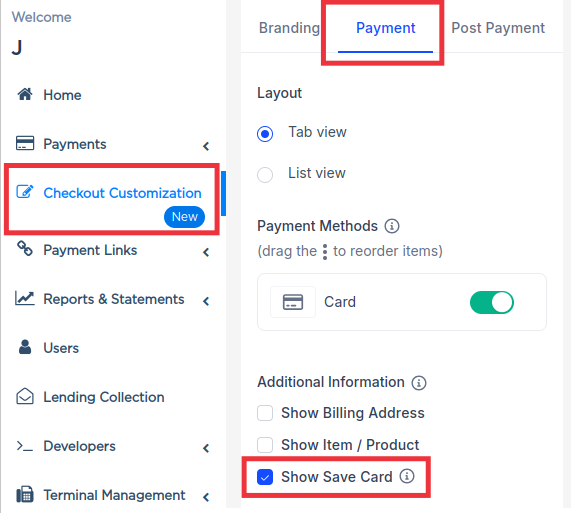
Enable "save card" option
In order for Register and withRegister transactions to work, the customer must check the "save card" option in the Paymob checkout page. In order to give the customer the option to save the card, following setting must be enabled.
Paymob Dashboard > Checkout Customization > Payment (Tab) > Check Show Save Card (see Paymob — Checkout Customization — Show Save Card).
IXOPAY platform has no possibility to specify whether a card should be stored or not. In order to enable registers, this setting must be enabled!