Paymentwall
Adapter Configuration
The IXOPAY platform uses Paymentwall's "Checkout API". Before using the Checkout API, you'll have to configure your project in Paymentwall's backend.
Adapter Project Settings
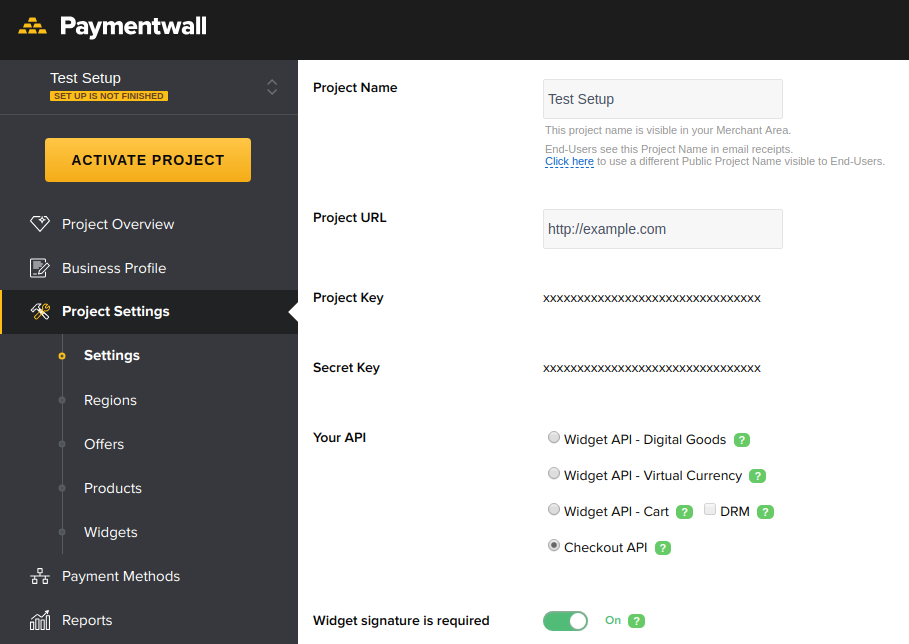
Select the Checkout API and ensure "Widget signature is required" is checked (see Image 1).
Creating A Widget
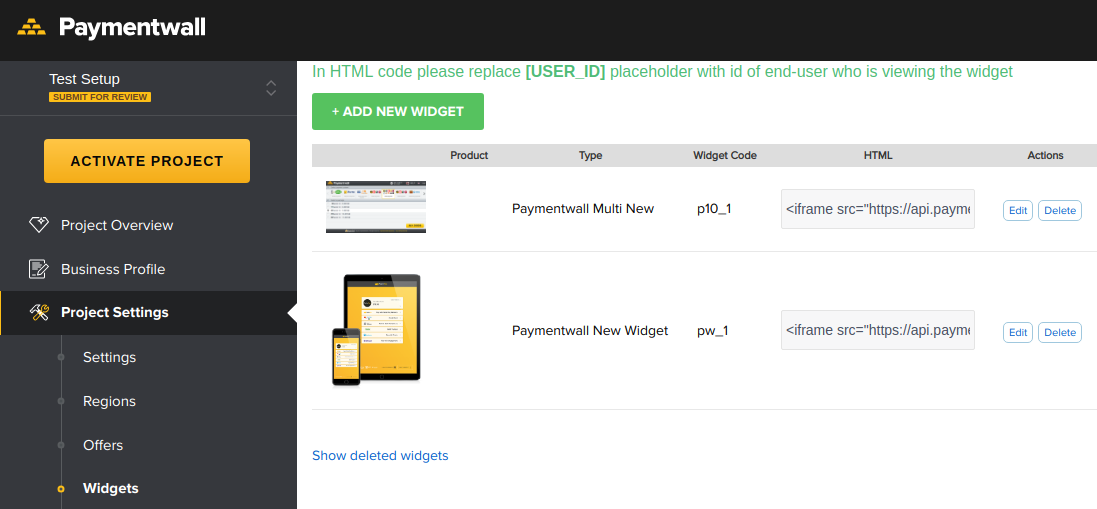
In order to process Transactions, a widget (Paymentwall's hosted payment page) must be created in advance. Refer to Paymentwalls documentation for widget types and styling. After the widget has been created, copy the widget code into your Connector settings (see Image 2).
Receiving Pingbacks
This is important to setup properly, otherwise the IXOPAY platform won't receive any notifications about the result of the Transactions and the Transactions will stay in state "pending". The IXOPAY platform already sends an additional parameter for every Transaction, pointing to a dedicated URL where Paymentwall should send their Pingbacks. However, Paymentwall ignores this parameter by default. You need to request, to customize the pingback_url parameter per Transaction (via email to [email protected]) for your project.
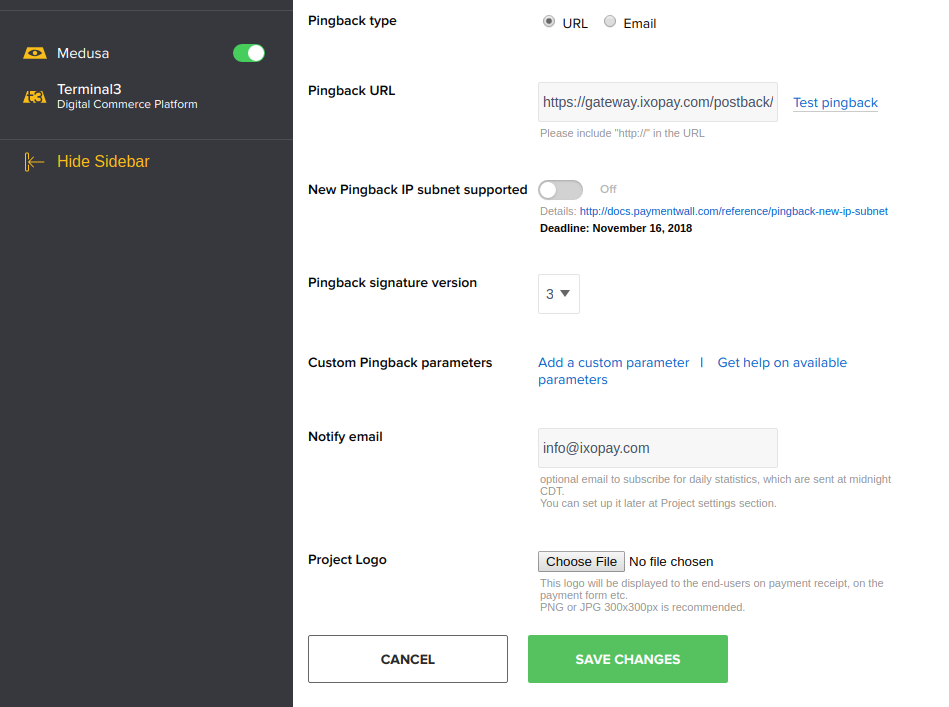
Additionally, you should setup the Pingback URL for receiving Chargebacks. You only need to set the Pingback type to URL, copy your Connector's notification URL into the Pingback URL field and select version 3 for Pingback signature version (see Image 3).