Payline
Creditcard
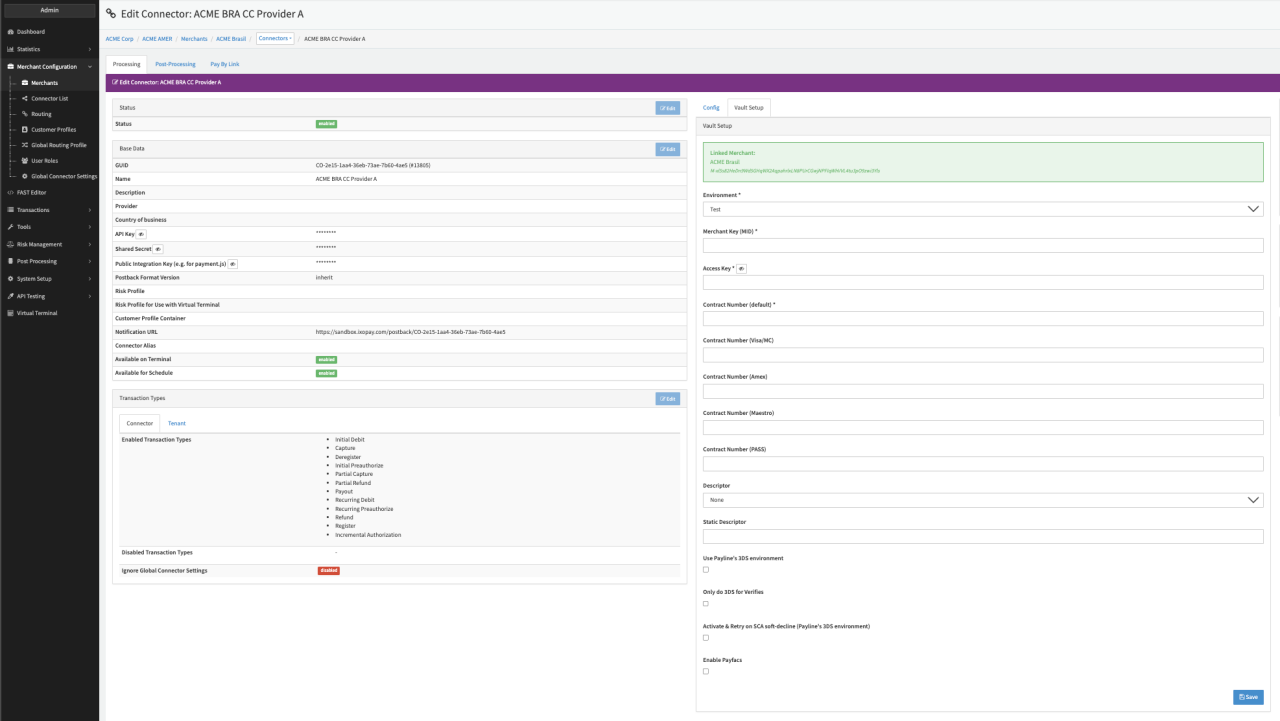
Configure the following parameters for the Connector (see Connector Details Overview - Payline):
- Select the mandatory Environment — Production, Test
- Fill in the mandatory Merchant Key (MID)
- Fill in the mandatory Access Key
- Fill in the mandatory Contract Number (default)
- Fill in the Contract Number (VISA/MC)
- Fill in the Contract Number (AMEX)
- Fill in the Contract Number (Maestro)
- Conditional: Fill in the Contract Number (PASS)1 see note below
- Select an option for Descriptor — None, Dynamic Descriptor, Use static value
- Fill in the Static Descriptor, in case Descriptor = Use static value is selected
- Check the option Use Payline's 3DS environment to use Payline 3DS
- Check the option Only do 3DS for Verifies (relevant only for specific setups!)
- Check the option Activate & Retry on SCA soft-decline (Payline's 3DS environment)
- Check the option Enable Payfacs if you want to enable sending of Payfacs parameters